 166
166Adventure
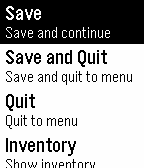
GamesEmbark on an amazing Adventure, right on your wrist! Features include: Classic 'choose your own adventure' gameplay, Save and Resume games, Monsters! Loot! New Adventures appear automatically on the "Choose an Adventure" screen as they are added. Play "Crown Quest" today! Contact [email protected] to report bugs, send in feature requests or to find out how to create your very own Adventure! Adventure for Pebble Game Editor now Live! http://www.web-gear.net/Adventure/editor/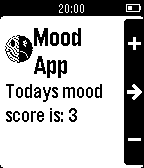 165
165MoodApp
Health & FitnessTrack your mood. Provides reminders and historical graphs. Register an account via the settings to see the analytics.
 163
163AFL Live
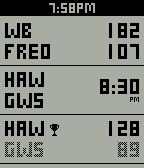
DailyStay up to date with every AFL match across the country. Get live scores at a glance, countdown to upcoming match starts and set your Pebble to vibrate when a goal is scored. Free and no companion app required. Get AFL Live on your Pebble now!
 162
162Greeney's Run
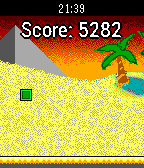
GamesGreeney's Run is a procedurally generated endless running game, which is perfect for short amounts of time. Jump and run your way through segments of increasing difficulty and try to survive as long as possible to maximize your score! Travel through 3 different colorful backgrounds during daytime, evening and night, demonstrating the beautiful colors of Pebble Time! Controls: Title-Screen: Up: Change Color | Select/Down: Start Game During Game: Up/Select: Jump | Down: Pause Game Pause-Screen: Up: Change Color | Select/Down: Resume Game
 161
161Sal
Tools & UtilitiesSal is a personal AI assistant for your Pebble. Features: - Speak to Sal via the Pebble's built-in microphone - Answers general knowledge questions (via WolframAlpha) Still in development: - Converting WolframAlpha table output into sentences - Reminders - Timeline Integration If you experience issues with WolframAlpha, please set your API key in the app's settings. Hint: You can assign Sal to one of the Pebble's shortcut keys. Then, when you want to speak to Sal, simply hold down the key and speak when the microphone icon appears. Currently only English is supported. This app is a work in progress that I am doing in my spare time, and as such may not be reliable or accurate, and will probably have many bugs. Also note that all interactions are logged (as text) in order to improve Sal's knowledge and abilities.
 161
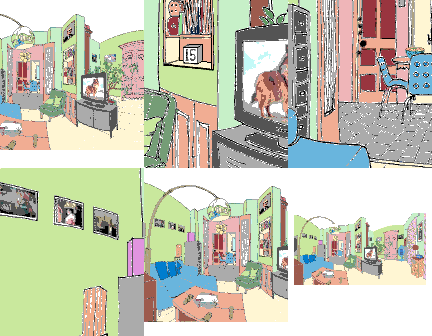
161Escape the Room
GamesYou are locked in a room, and must find keys to unlock the door to escape. Use the up and down buttons to zoom in and out, and the middle button to select an item. A long press to the middle button will open the inventory, action, and custom settings menu. If you get stuck, look closely at everything. There are clues hidden everywhere. There are no instructions for the locked puzzles - just figure them out. There are several methods for navigating the room though the custom settings menu. Choose the one that is easiest for you. Good luck! Credits to Mathew Reiss for the idea and Jérôme Motte for the background image.
 161
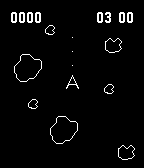
161Asteroids
GamesThe classic game is back! Destroy the asteroids before they destroy you! Instructions: Up/Down - Turn ship left/right Select - Fire Long Press Select - Thrusters At the title screen you may do: Up - Add more lives Down - Toggle Hardcore/God Mode Please Donate: http://bit.ly/tgdonate
 161
161Tinder for Pebble
NotificationsA Tinder app for Pebble that allows you to like, pass and view profiles on the go! Coming soon: read messages, send preset messages, change preferences and much more! Disclaimer: Not affiliated with Tinder in any way.
 161
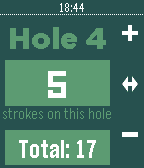
161Stroke Keeper
Health & FitnessStroke Keeper is the perfect watch app that you need to keep track of your golf score whenever your out on the course. I am proud to say that after a couple thousand of downloads we are still improving Stroke keeper's usability. New Features in v3.0: - an updated UI and layout - Stroke Keeper is now in color for Pebble Time! - confirmation window before starting a new round and erasing a past score - bug fixes *email me below for anymore suggestions.
 160
160PebGoBrrrr
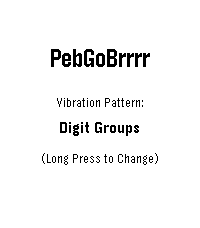
Tools & UtilitiesYou know that moment when you're half asleep, trying to decide whether you can get away with a little more sleep, but checking the time would wake you up completely? PebGoBrrrr is built for exactly that. Launch it with a button press and it vibrates the current time straight to your wrist. No bright screen, no squinting, no fully waking up just to find out it is 4:17. Pick your preferred vibration pattern, tweak the buzz timing, and let your Pebble whisper the time at you through pure brrrr. Source code now available on GitHub... please be kind 😬
 158
1588-A-Day
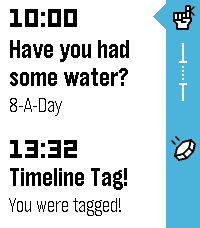
Health & Fitness8-A-Day is a timeline Watchapp that reminds you to drink 8 glasses of water a day. At 9am, reminders to drink water will start to appear in your timeline. Then at 8pm, a daily summary will be found that tells you how many glasses of water you drank during the day. Simply start the app, and everything will be set up automatically. Each reminder notification has two options: 'Yes' increments your daily count and creates another reminder in an hour on your timeline. 'No' postpones the current reminder by 15 minutes. IMPORTANT: 8-A-Day requires an active internet connection, so if you do not receive your reminders or the timezone doesn't sync, ensure you have a good internet connection before you open the app and wait for 30-60 seconds to ensure the sync is a success. (Don't worry, once it's set up you don't need to do this again until your timezone changes!)
 158
158Simply.js
Tools & UtilitiesCreate interactive text apps for the Pebble with just JavaScript! No Pebble SDK required. Just place your script's URL in the configurable. Visit the website for more details.
 158
158movement
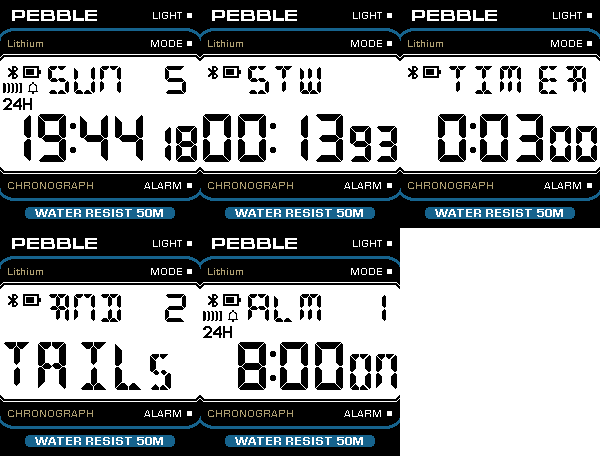
DailyThis is not just another Casio like watch face, this is the actual firmware of the open source F-91W "sensorwatch" board running as an app inside a Pebble watch. Includes several interactive complications that can be used without a phone. Cycle through the complications with the SELECT button: 1) Time and date (with quick countdown timer) 2) Alarm and hourly chime 3) Stopwatch with 1/100s accuracy and lap time 4) Countdown timer 5) Dice roll (2, 4, 6, 8, 10, 12, 20, 100 faces dice) The following can be configured: - Title at the top (PEBBLE by default) - LCD display background and color - Power saving (how long before the display enters slow refresh rate mode) More: - Pixel perfect LCD digits rendering. - Supports any Pebble platform, from the original to the Time Round 2. - Power efficient
 156
156Boopy
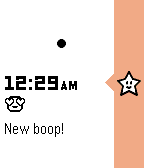
DailyDon't forget to leave a ❤️ if you like Boopy! Boopy is the original Emoji messaging app for the Pebble Timeline. Share a moment, and stay connected from across the world, or across the couch by sending a message to someone close, a friend, or anyone you pair with using some of your favorite emojis to your partner’s timeline on their wrist. A boop isn’t just another meaningless notification you’ll get and dismiss, it’s a notification to stir an emotion from someone close of your choosing. NOTE: Original Pebble and Pebble Steel need the timeline update to receive messages. Find out more on blog.pebble.com
 156
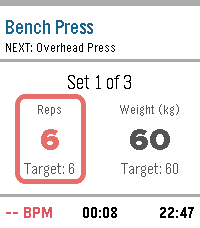
156GymTracker
Health & FitnessLeave your phone in your locker. A fully-featured, standalone workout tracker with smart rest timers, haptic coaching, and automatic data export. Transform your Pebble into the ultimate gym companion. GymTracker is built specifically for the tactile, screen-on experience of Pebble, letting you track your entire workout without ever pulling out your phone. Build your routines, hit the gym, and let your wrist do the coaching. KEY FEATURES: -Phone-Free Tracking: Log your actual reps and weight against your target goals directly from your wrist using Pebble’s physical buttons. Sweaty hands? No problem. -Smart Rest Coach: The moment you finish a set, a rest timer takes over the screen. Custom haptic vibrations tell you exactly when it’s time for your next set. -Live Health Stats: Keep an eye on your real-time Heart Rate and the real-world clock, seamlessly integrated into your workout dashboard. -Routine Builder: Use the clean, drag-and-drop companion website on your phone to build and sync up to 7 custom routines directly to your watch. -Total Customization: Match your style! Choose from 4 vibrant UI themes (Orange, Blue, Red, Green), set custom vibration patterns, and toggle between kg and lbs. -Own Your Data: Your completed workouts are automatically saved locally to your phone for a quick .csv download. Power users can even plug in a secure Google Apps Script URL to auto-sync every workout directly to a personal Google Sheet! How to Setup: Simply install the app, click "Settings" in your Pebble App to launch the Routine Builder, build your workout, and click "Save & Send to Pebble". Disclaimer: This app was coded 100% using AI (Gemini). I've worked hard to make it secure and efficient, but I'm always looking to improve. If you know how to make it better, please reach out and teach me!