 7
7Space Salvage
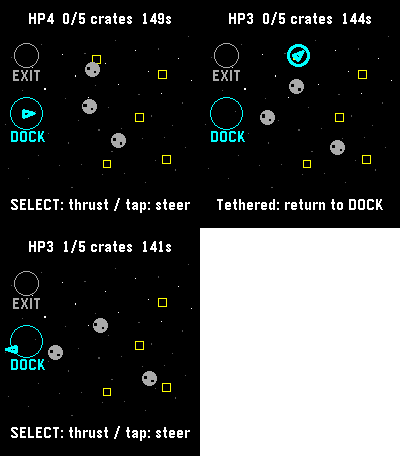
GamesFive crates. One battered tug. Bring the cargo home, then reach the exit before the clock or your hull runs out. Steer through drifting rocks, catch crates with your tether, and return them to the dock. Tap a destination or use the buttons to steer and thrust. A run has a 150-second limit. Save and exit to continue later. For Pebble Time 2 and Round 2. Touch requires firmware 4.33.2 or later; buttons remain available. By Luke Steuber.
 7
7Developer Info
Tools & UtilitiesThis is a simple app written in Pebble.JS that should help developers with debugging their creations. It is capable of showing the complete WatchInfo and WatchToken / AccountToken. More functionality will follow.
 7
7igitimer-graphic-big
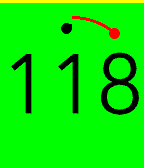
Tools & UtilitiesTimer with nice animations
 7
7WMATA Times
DailyView real-time WMATA prediction times for trains.
 7
7Frebble
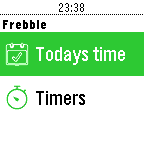
Tools & UtilitiesFreckle time tracking on your wrist. View your logged hours, and create, pause and log your timers.
 7
7Easy PLU Codes
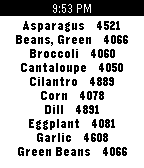
DailyIf you work at a grocery store register, you have to have quick and easy access to PLU codes. And what's faster than an alphabetized list on your wrist?
 7
7Fortunes
DailyIt displays a short quote like Unix fortune.
 7
7Signals
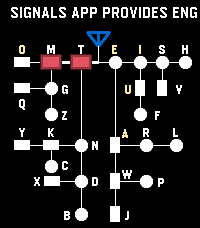
Tools & UtilitiesSignals - Touch, Hear, Learn Practice English and Korean Morse code on your Pebble Time 2. Enter code by touch, hear each mark, replay saved sentences, and clear advancing letters in Game Mode. Korean practice requires a Korean language pack. --- [Touch input] By default, the bottom half of the screen enters dots and dashes; the top half completes characters and adds spaces. A short touch makes a dot, and a longer touch makes a dash. - English: Tap the completion area to finish a letter. Tap again with no pending letter to insert a space. - Korean: Tap to finish a consonant or vowel, then tap again when the syllable is ready to commit it. Tap with no pending input to insert a space. Turn Explicit Boundary Input (EBI) off to use the whole screen for marks and let pauses finish characters and words automatically. The phone Settings page lets you change the touch areas and assign the Cancel Character and Clear All Input buttons. --- [Practice buttons] - DOWN: Switch between enabled English and Korean codes. - Double DOWN: Toggle sound temporarily. - Hold DOWN: Enter Game Mode. - BACK: Exit Signals. - Double BACK: Open MENU. - UP: Cancel the current character. - Hold UP: Clear all input. - SELECT: Replay the remembered sentence. - Double SELECT: Remember the current sentence. - Hold SELECT: Clear replay memory. Press SELECT during REPLAY to stop playback. --- [MENU and timing] Use UP and DOWN to navigate, SELECT to change an option or open a submenu, and BACK to return. MENU includes WPM, Seconds to keep Light On, Speaker Volume Level, Farnsworth Timing, Explicit Boundary Input, Morse Codes, and Game. WPM cycles through 5, 10, 15, and 20; the default is 10 WPM. Speaker volume cycles through OFF, 20%, 40%, 60%, 80%, and 100%. This saved volume setting is separate from the temporary double-DOWN sound toggle. Farnsworth Timing keeps dots and dashes at the selected WPM while making character and word gaps four times longer. REPLAY uses Farnsworth spacing whenever it is enabled, regardless of EBI. In practice and Game Mode, it affects timed character completion and spacing when those options are in use. --- [Game Mode] 1. In practice, double-click SELECT to remember a sentence. It is also sent to the phone's saved sentence list. 2. Open MENU → Game → Fetch Sentences to load saved sentences onto the watch. Set the sentence count and game speed options in the same submenu. 3. Hold DOWN to enter Game Mode, then touch the screen to start. Enter Morse code to remove the rightmost matching visible letter before it reaches your input position. 4. Clear every letter to win. View your game history and typing speed in the phone Settings page. During a game, DOWN switches enabled codes, double DOWN toggles sound, BACK or hold DOWN returns to practice, and double BACK opens MENU and pauses the game. You can also type a sentence in the phone Settings page and send it directly to the watch for REPLAY. To add that sentence to the phone's saved Game list, display it in practice and double-click SELECT
 7
7MIDI Recorder
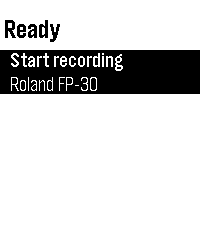
Tools & UtilitiesControl MIDI Recorder from your wrist — start/stop recording with one tap and see the recording time and connected MIDI device at a glance. Pair it with the Sykerö TimeStyle watchface to see your live recording status right on your watchface. Companion to the MIDI Recorder Android app, a Bluetooth MIDI / piano recorder.
 7
7Pool Helper
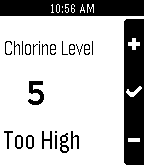
Tools & UtilitiesEasy to use chlorine leveler for your pool Just enter the chlorine level of your pool and hit select to see if your chlorine level is too high or low
 7
7btcTimeline
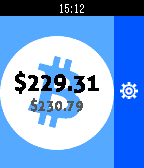
NotificationsSend pins and get notifications about the BTC price. Now you can be aware about the price of this geeky currency right in your wrist. Push your notifications and pins every period of time that you want or every time it goes above or below a value. - Notifications - Timeline integrated
 7
7Barclays Cycle Hire
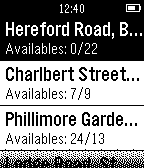
Tools & UtilitiesApplication for users of the Barclays Cycle Hire self-service bicycle. Barclays Cycle Hire: provides an immediate and effective response to the following questions - Where to find a bike around me? - Where to return my bike? - Free bikes - Free slots - Distance
 7
7Cannonade
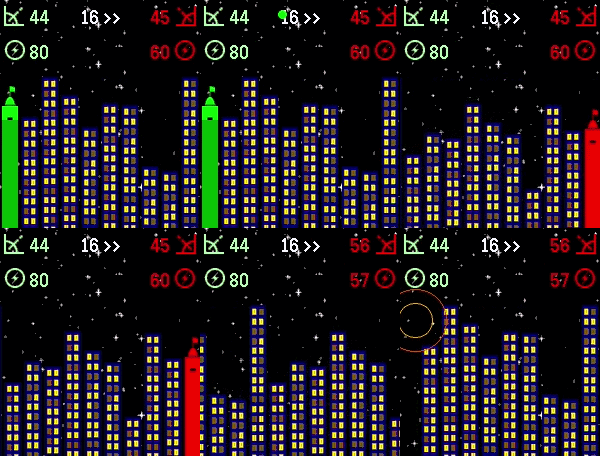
GamesCannonade is a classic ballistic game between 2 opponents - in this case you and A.I. (or, to be precise - you and your watch). The goal is to destroy opponent's fort with your projectile while surviving its barrage. 🎯 To aim your projectile: - tap top of the screen to increase shot angle - tap bottom of the screen to decrease shot angle - tap right of the screen to increase shot power - tap left of the screen to decrease shot power 🎇 Tap middle of the screen to fire. 💨 Keep in mind that the shot is affected by wind (shown in the top middle of screen). After your shot (if it's not a winning one) - it's A.I. turn to fire. Select from 4 A.I. marksmanship levels: - Beginner - Medium - Advanced - Sniper The game keeps score - can you beat your watch?
 7
7Toronto Maple Leafs
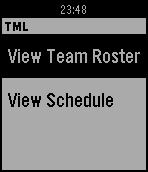
DailyA watch app for Toronto Maple Leafs fans. Currently allows for user to view current team roster and all games for the current month. More feature coming in future updates. Note: This app is not affiliated with the Toronto Maple Leafs or Maple Leaf Sports & Entertainment.