 7
7Follow Simon
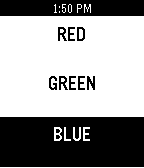
GamesHow's your memory? Watch as simon blinks a sequence Red Green or Blue. Remember the sequence so when it's your turn you can follow simon. Press any key to start the level. When it's your turn you have only a second to enter each move. Press back to quit.
 7
7US Tidemaps
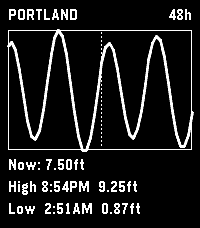
Tools & Utilities# US Tidemaps Standalone Pebble app showing NOAA tide predictions for a user-configured station. Designed for the Pebble Time 2 (emery). 48-hour hourly window centered on "now" (24 past, 24 future). UP / DOWN scroll the rendered window by one hour. SELECT toggles between 24h and 48h views. BACK exits. ## Build ``` npm install pebble build pebble install --emulator emery ``` ## Configuration Set a NOAA tide station ID via the Pebble app's settings page. Find your station's 7-digit ID at https://tidesandcurrents.noaa.gov/. ## Visual consistency with JY Time This app is a sibling project to the JY Time watchface (https://github.com/jashyotes/simple-pixel-style). Visual changes to fonts, icons, or layout patterns should be mirrored across both projects where applicable so they read as the same family in a Pebble menu.
 7
7METAR Aviation Weather
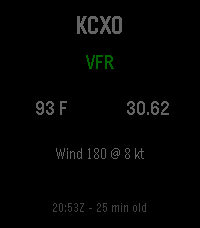
Tools & UtilitiesMini METAR brings current aviation weather directly to your Pebble smartwatch. View live METAR information for any ICAO airport, including flight category, temperature, wind, altimeter setting, and observation time. Configure your preferred airport, save up to 10 favorite airports for quick access, choose between Fahrenheit or Celsius and inHg or hPa, and refresh weather manually or automatically. Designed for pilots, aviation enthusiasts, and anyone who wants quick access to airport weather from their wrist. Compatible with Pebble and Rebble-supported devices, including Pebble Steel, Pebble Time, Pebble Time Steel, Pebble 2, Pebble Round, and other supported models.
 7
7Sprint orienteering game
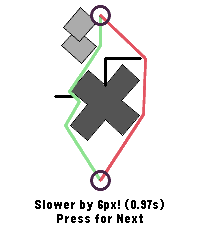
GamesA game to train your skills in sprint orienteering. Choose the shorter route between left and right. Check your stats with middle button.
 7
7Tuya Lights
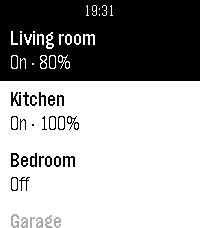
RemotesTuya Lights — control your smart lights from your wrist. See all your Tuya / Smart Life lights in one list and switch them on or off with a tap. Open a light to adjust its brightness and colour temperature. The list keeps your most-used lights on top and greys out any that are offline, and optional quick-toggle and auto-return settings keep control fast. Set up your Tuya cloud account once from your phone.
 7
7TapScore
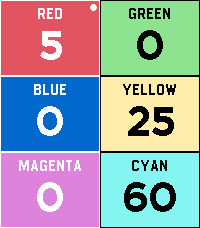
Tools & UtilitiesTOUCH SUPPORT! Ditch the pen and paper on game night. TapScore is a lightweight, friction-free score counter designed to get out of the way so you can focus on playing. No configuration menus, player naming screens, or complex rulesets—just launch the app and start tapping. Key Features Up to 6 Players: Color-coded layout lets everyone see standings at a single glance. Instant Touch Controls: Tap directly on a player's region to quickly add or subtract points. Touch control for super fast score adding! Full Hardware Button Support: Smooth navigation via Pebble’s physical buttons, ensuring full backward compatibility and blind control without touching the screen. Zero Setup: Open the app and you’re already tracking scores. Persistent State: Never lose your game progress if your watch sleeps or you accidentally exit.
 7
7PebbleChat
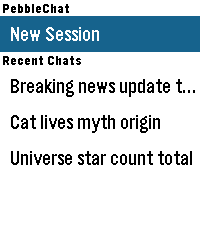
Tools & UtilitiesPebbleChat brings modern AI language models directly to your Pebble watch. Powered by OpenRouter, you can converse with leading models like Gemini, Claude, and GPT simply by speaking into your watch. [FEATURES] - Voice Input: Press SELECT and speak naturally using Pebble's built-in voice dictation to start new sessions or continue ongoing conversations. - Turn History: Long-press UP/DOWN to browse earlier conversation turns. - Session & Turn Rollback: Long-press SELECT in the menu to delete sessions, or inside chat to roll back exchanges up to the current turn. - Multiple Sessions: Save up to 5 recent chat sessions with automatic titles. - Touch & Button Navigation: Full support for touch-swipe scrolling alongside physical button controls. - Online Access: Enable or disable access to the web search tool offered by OpenRouter. - Configurable Settings: Customize models, system prompts, reasoning effort, output tokens, font sizes, and time/location context. [REQUIREMENTS] Requires an OpenRouter API key from openrouter.ai/keys.
 7
7Niedziela normalna czy popierdolona
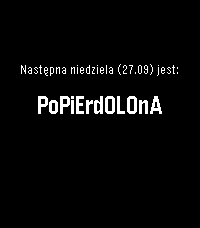
NotificationsEnglish below. Sprawdź, czy sklepy w najbliższą niedzielę będą otwarte bezpośrednio w apce lub na timeline Pebble. Aplikacja wylicza niedziele bezpośrednio na zegarku, na podstawie zasad zapisanych w ustawie na dzień publikacji aplikacji. English: In Poland stores are closed on Sundays with some exceptions. This apps shows if what kind of sunday is next. Also adds a pin to a timeline.
 7
7Party Light
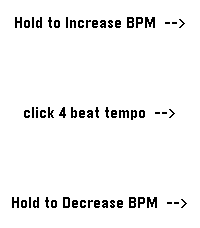
Tools & UtilitiesUses the RGB backlight of the Pebble Time 2, so the app only works for the Time 2. Changes backlight color to a new backlight color in the set BPM. Colors are random from: Red, Blue, Green, Cyan, Magenta, Yellow, Warm White and Amber. Middle button: set BPM (tap in a four-beat rhythm). Up button: click or hold to increase BPM (decrease the blink interval by 2 ms). Down button: click or hold to decrease BPM (increase the blink interval by 2 ms). Enjoy the party!
 7
7Daily 8-Bit Song
DailyPlays a random 8-bit-style song directly on your Pebble Watch Speakers! Songs are from https://vgmusic.com/music/console/nintendo/nes/ Save your favorites, and discover random tracks!
 7
7AI Girlfriend
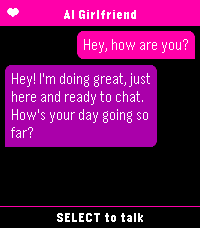
Tools & UtilitiesYou need a fast and easy way to talk to your favourite ai assistant? Look no further than AI Girlfriend. As soon as the app is launched it starts dictation so you can immediately start chatting. Supports openai compatible apis.
 7
7Easter Egg
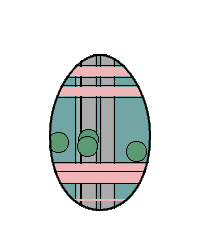
GamesMeet Eggy, the Easter Egg! 🥚 What starts as a plain white egg won’t stay that way for long. As you move, rest, and go about your day, Eggy evolves—unlocking new features and surprises along the way. Its appearance is driven by a touch of mysterious randomness—almost like black magic. However, you can still influence its evolution using the up and down buttons.
 7
7ChileSismos
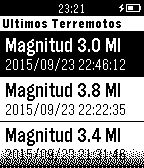
Tools & UtilitiesUna aplicación que muestra en tu Pebble los últimos 10 sismos ocurridos en Chile Continental, utilizando datos del Centro Sismológico Nacional (sismologia.cl). Los datos son actualizados en intervalos de 5 minutos, aunque podrían existir desfases entre lo mostrado por la app y lo mostrado por el sitio web del CSN. En este app podrás ver: -Magnitud del evento -Fecha y hora -Ubicación (latitud y longitud, referencia geofráfica) -Distancia entre tú y el sismo -Profundidad
 7
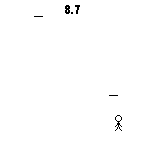
7Dodge Needles!
GamesUp: Reset game Center: Move up Down: Move down Enjoy!
 7
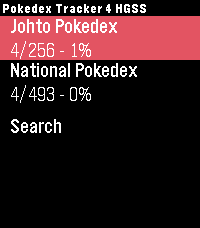
7Pokedex Tracker Gen 4 (HeartGold & SoulS
Tools & UtilitiesKeep track of your captured Pokémon from the Generation 4 games right from your wrist. Featuring the complete set of all 493 Pokémon from the HeartGold and SoulSilver versions. Track both the Johto region and the National Pokedex.