 199
199Click Tiles
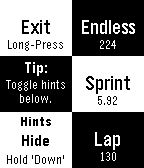
GamesDo you like tapping black tiles? Why not play it on your wrist?! Click Tiles is a simple reflex game. Click as many black tiles as you can while racing against the clock. Watch out for the white ones though, clicking one of them ends the game! Click Tiles includes 3 playing modes: > Endless - How many tiles? > Sprint - How fast to click 30 tiles? > Lap - How many tiles in 30 seconds?
 197
197MiniDungeon EX
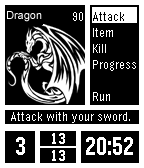
GamesMiniDungeon Extended is a small adventure game on your watch. The goal is to survive to the 20th floor of the dungeon and defeat the final monster there. In order to aid you with this task, you have a sword to deal physical damage to monsters. You will also find in the dungeon potions to heal yourself as well as offensive items to help take down the more powerful monsters. The Game now save it's state when you close it and will return where you where when you reopen it. The easy mode is an addon of the extended version of the game. When activated, the player can choose to climb or not to the next floor, the limit for increasing stats is disable (usually you can't increase your stat more than your level) and when you die you can choose to continue playing from where you where. Keep just in mind your death are counted and will be removed from your final score.
 197
197Glow
Tools & UtilitiesThe Keychain Light for your wrist! -A clean and simple app that enables the backlight until exit.
 197
197upTempo BETA
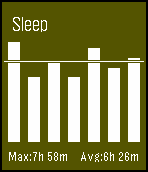
Health & FitnessActivity monitor for Pebble watch. This is a beta app. Please test it and leave feedback. Current features: Activity detection: walk, run, sleep and steps taken. Idle alerts: configurable time. Smart alarms. Week long history. Sleep resets at around noon, the rest at midnight. Eventually, there will be a companion app for Android. Based on the excellent work by Qian He on On11, the app will be open source soon. Activity icons from: http://icons8.com/ IMPORTANT NOTES: 1. The app runs in background. If asked, you must let it run in background. 2. It is meant to capture major daily activity and disregard insignificant hand movements and such. I advise you let it run for a day and then check back. 3. The alarm dismiss button must be long pressed(snooze is short press) so you don't do it in your sleep. Don't set the same(or very close) alarm time to another app or inbuilt alarm, this may cause it to fail. Discussion and feedback at: https://forums.getpebble.com/discussion/23649/watchapp-uptempo
 194
1947 Watchfaces
DailyGet 7 great digital watchfaces and still have room to load 7 more apps. Up/down changes watchface, repeating select does back light, vibration, battery/bluetooth check, invert and more. Long Up for quick BT & battery check. Check my website for author credits and full operating instructions. Want 27 analog watch faces? Search for Watchfaces+
 194
194Pebble Ebook Reader
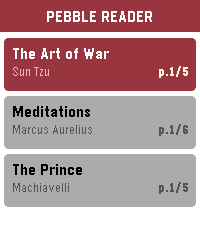
Tools & UtilitiesTurn your Pebble into an e-reader, perfect for quick reads during commutes, waiting rooms, or anywhere you have a spare moment. Time to read on your wrist. The app is being developed right now, specially tricky on the companion app side to manage the loaded books/remove/sync etc... Even more difficult to test for now until the real hardware arrive, but I'm on a mission to make a nice ereader app in order to binge a bit of books from time to time. But feel free to play with the current demo, let's go!
 194
194TextSender for Pebble
Tools & UtilitiesThis app will allow users to send texts right from your watch! It is only for jailbroken iOS users and requires the tweak "TextSender for Pebble" in order to work. TO BE CLEAR: THIS WILL NOT WORK WITHOUT 'TEXTSENDER FOR PEBBLE' FROM CYDIA. For more information about jailbreaking, please view reddit.com/r/jailbreak.
 193
193Eventbrite
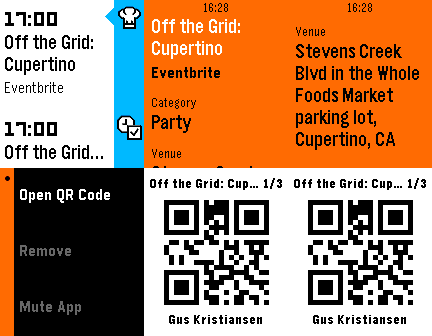
DailyThe official Eventbrite app. Log into Eventbrite and automatically see all of your events right on your timeline. Click on an event to download the ticket to your watch!
 191
1912048
Games5 mn to kill? Play this game directly from your wrist! Enjoy a full version of the game, with animations. Don't loose your game: you can quit and resume as you need. As the four buttons are needed during the game, just use a long press on any right buttons to go back to the main menu. Or use a flick of your wrist! If you like it, please heart it or send me a message :-)
 189
189WalkRun Fitness Watch
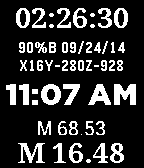
Health & FitnessThe ultimate Running/Walking fitness timer and step counter that also works great as your daily watchface. Includes Time/Date/Stopwatch/Timer/Steps/Miles/Kilometers/Total steps/watch status (including charge %, Bluetooth, charging mode)/compass. version 6.0 allows setting MPH/KPH (doubletap down button, set stridelength) and web access info and bug fixes - doubletap select button set foreground/background colors (doubletap up button)
 189
189Pokedex Kanto
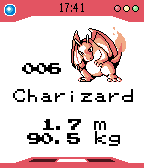
Tools & UtilitiesThis Pokédex App lists all 151 Pokémon from the Kanto Region (First Generation). - Press Select to switch between different information (type, height/weight or a larger image) - Up/Down to scroll (Hold for faster scrolling) - Hold Select to show a random Pokémon - English, French and German support.
 186
186Pal Map
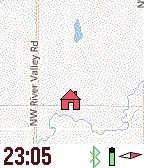
Tools & UtilitiesMapping on your wrist, with panning, zooming, and realtime tracking. Markers can be dropped and distances estimated. And the best feature? Designed for Pal Strap (but works without it also). Top button for backlight, and bottom button to pan map based on watch tilt. Press middle button for zooming, panning, and access to the menu. The menu has Pal Strap options, marker options, and the custom settings (which include mapping service, vibration, icons displayed, etc.). This app is under development, and will be completed once I have a Pal Strap in hand. Mapping tiles Copyright and courtesy of OpenStreetMap, OpenStreetMap contributors, Google Maps, ESRI ArcGIS, Stamen, Bing, and NOAA. Stamen data by Stamen Design (http://stamen.com); OpenStreetMap (http://openstreetmap.org) mapping tiles under Creative Commons licenses.
 186
186Vitals
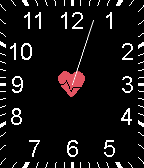
Health & FitnessVitals is a Timer/Watchface Pebble App assisting Nurses in measuring the heart rate of their patients. When you start to measure the patient's heart rate, press the middle button to start the timer. There will be a brief delay allowing you to get ready. The watch will vibrate at the start of the timer, signaling you to begin counting the patient's pulse. Once the timer has finished, the watch will vibrate again, signaling the end of the timer. During this time, only the seconds hand will appear on the watch face showing the timer's current value. The watch's backlight will also remain on for the full duration of the timer. When in the non-timer mode, this app will show an analog watchface, displaying the day-of-week and day. The date will change locations on the display making it unobstructed by the watch hands. There are 3 settings you can change: Heart Beat Count Time, Start Delay, and Vibration. To change the settings perform a "long press" of the Middle Button to bring up the settings screen. Special Thanks to Janette L, RN for her testing and encouragement. Version 1.3 * added 'Seconds Hand' setting to reduce battery usage Version 1.2 * added support for Pebble Time Version 1.1 * added '15 seconds' option to the HB Count Time setting
 186
186Kart
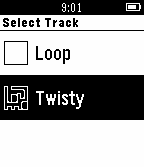
GamesA kart-racing game for the Pebble Watch, controlled using the built-in accelerometer. Now working in colour on Pebble Time as well as original Pebble!
 184
184Work Time Assistant
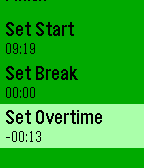
DailyGive a Hart if you like it! Work Time Assistant helps you manage your work hours in a flextime environment - notifies when your work day is over - integrates with Timeline (beta) - pauses on breaks - tracks overtime and breaks - work day count down Twitter: @work_assistant Instructions: - Hit START when you come to work (you can do it later too) - PAUSE on lunch - STOP when work day is over - Check/change overtime quota if you exchange for money Remember to update the app from time to time. If the application doesn't work after an update (very unlikely) try reinstalling and in the last resort reinstall Pebble App. Let me know if you have any requests!