 9
9Timer
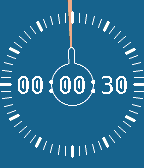
Tools & UtilitiesA minimal timer application inspired by physical rotational timers.
 9
9KEXP Now Playing
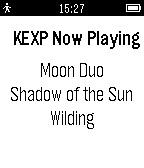
DailyKEXP Now Playing shows at application start the currently playing song on the radio station KEXP (http://kexp.org/). Force it to refresh by pressing the center "SELECT" button. Track information is shown as artist, album and then song title. Note that "air breaks" and any API failures display as dashes. While this application uses KEXP's public API, it is NOT authorized or warranted by KEXP. The author does not speak for KEXP.
 9
9Cryptomonitor
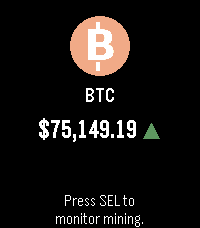
Tools & UtilitiesA pebble app to monitor popular crypto token exchange rates and bitcoin mining in real-time. - 16 popular crypto tokens: 1. BTC 2. ETH 3. SOL 4. BNB 5. XRP 6. DOGE 7. TRX 8. ADA 9. TON 10. AVAX 11. LINK 12. DOT 13. POL 14. NEAR 15. BCH 16. LTC - You can select your FIAT currency in configuration from these: 1. USD 2. CAD 3. EUR 4. GBP - You can turn on bitcoin mining monitor and your pebble will notify you (vibrate) whenever new bitcoin block is mined. All data is taken from public API of https://kryptotracker.net. Please note the app was not yet tested on real watch, as I don't have it yet. There might be issues with parts that are not possible to test with emulator (e.g. configuration). As soon as I get the watch, app will be tested (and fixed). App was developed with the help of Claude AI.
 9
9Morpheuz Reborn
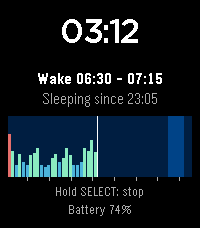
Health & FitnessMorpheuz Reborn is a sleep monitor with a smart alarm. It is a ground-up rebuild of the original Morpheuz by James Fowler (MIT licence), whose servers are gone: https://apps.rebble.io/application/52b20a9b05c04688bf000058 (source: https://github.com/JamesFowler42/morpheuz20). The idea is the same, the code is new, and everything that needed a web service is left out. Morpheuz Reborn is an experiment to find out whether an app like this is still necessary at all, now that Pebble has its own sleep tracking. Please treat it as an experiment. How it works: you start the app when you go to bed and leave it open. It counts the movement of your wrist with the accelerometer, one value for every 10 minutes of the night. You choose a wake window, for example 5:00 to 5:15. The alarm rings as soon as you move more than you usually do while asleep, which marks a moment of light sleep inside the window. If that never happens, it rings at the latest time. - Splash screen at every fresh start (bed, sleeper, credit to the original Morpheuz); will be skipped automagically after a while - Start screen: four rows that name the buttons to press: Select = sleep, Select Hold = 22 minute nap, Up = alarm (Hold = next preset), Down = nights (Hold = menu). The rows are touch buttons as well, and a line shows your last night - Smart alarm inside your wake window, or a fixed alarm at the latest time. A progressive vibration, SELECT snoozes, UP or DOWN stops it. An alarm you do not answer rings again after the snooze time - Chart of the night, drawn while you sleep: one bar per 10 minutes, deep sleep, light sleep and restless. The wake window is shaded, hour ticks run along the bottom - Two sleep screens: digital (clock, wake window and chart) or analogue (a 12 hour dial where the night appears as a colored ring at the clock positions it was recorded at, the wake window as a yellow arc, plus hands). Press UP or DOWN while sleeping to switch, or choose in the phone settings - Four saved wake windows (presets), for example weekdays and weekends. Hold UP in the start screen or choose "Next preset" in the menu to switch, or edit them on the watch or the phone - History of the last 7 nights on the watch, with the share of deep, light and restless sleep, the duration and the number of snoozes - Long history on the phone: every saved night is sent to the phone, which keeps the last 120. Open the settings in the Pebble app to see a chart for each night and the average of the last 7 nights - Menu (hold DOWN or tap the clock in the start screen, SELECT while you sleep): bed time (start a new sleep cycle), automatic bed time (every day at the same time the app starts a sleep cycle by itself), ignore (skip the next 10 minutes of movement, for example when you are up for a moment), stop & quit, and resend the data to the phone - Power nap: hold SELECT in the start screen. The alarm rings exactly 22 minutes later, the time to settle down included - Safety net: if the app is closed during the night, it comes back by itself, and the alarm is also scheduled with the watch so that it still rings - BACK is ignored while the night runs, so you cannot leave by accident. Hold SELECT to stop - Battery level on the screen while you sleep Set the alarm on the watch (UP in the start screen) or on the phone: earliest and latest wake time, smart alarm on or off, snooze time. Both stay in sync. German and English, following the language of your watch. For Pebble Time 2 and Pebble Round 2. Keep the watch charged for the night. Nothing leaves your watch and your phone, there is no server. Development supported by Claude and the skill for it.
 9
9Subway Menu (Unofficial)
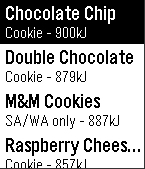
DailyView the Subway Australia menu right from your wrist. Plan out your sub and check the kJ count before ordering your lunch. This app is in no way affiliated with Subway Australia. Availability of products is subject to individual store and this app should only be seen as an unofficial guide.
 9
9Samsung ARTIK Cloud
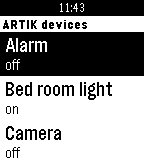
RemotesSamsung ARTIK Cloud WatchApp helps you remote control your devices registered on the ARTIK Cloud platform. To authenticate on the ARTIK Cloud platform, go to ARTIK Cloud settings in your Pebble Phone application.
 9
9Irish Weather
DailySimple Irish Weather App that shows you Today, Tomorrow & the 3 Day Outlook for Ireland; as well as regional weather. Data is pulled directly from the MET Eireann website and updated hourly. It's purely text based and pretty simple but gives far more detail than any of the other weather apps or watchfaces.
 9
9HeroBoard
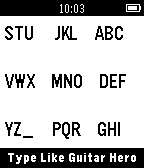
Tools & UtilitiesDemo for developers: Guitar Hero based keyboard compatible with t3/t9 text prediction algorithms.
 9
9Pebble timer
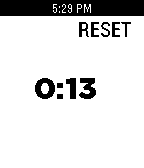
Tools & UtilitiesA simple stopwatch for your wrist
 9
9Pebble Speak Easy AAC App
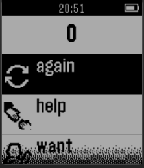
Tools & UtilitiesPebble Speak Easy is an AAC App designed to make communication simple and customizable. The purpose of this app is to enable easy, quick, and human communication with loved ones. The speaker wears the pebble smartwatch. From the watch the speaker can select words or phrases to express. The listener uses the smartphone to hear what the speaker is saying. The app must be opened up once at the beginning of use and then can run in the background for hours on end. Adding words to the watch is easy. Open up the app on the watch, open the app on the smartphone and add words as desired. Just type in the word or phrase and press “Add Word” for a computer generated voice, or enter the word and hit “Record” to add your own sounds. This app was designed specifically for use by non-verbal individuals and their loved ones to aid in quick communications in a variety of situations. The watch can maintain connectivity with the smartphone up to 10 meters, and the watch itself is durable and water resistance up to 50 meters, ideal for pools, showers and baths. However, the app can be useful for a variety of persons and applications, only limited by one's creativity.
 9
9Chug
GamesWho can really chug the fastest!? Lets find out... Using the accelerometer this app will automatically start timing your chug once your lips touch the glass and stop when you put the glass down. Challenge your friends! *Soon challenge people around the world!
 9
9Subtitles
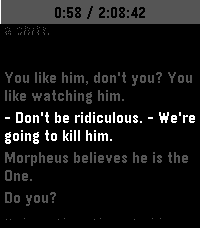
Tools & UtilitiesThis is an app to see the subtitles of a movie or show on your watch :)
 9
9Braci - On The Go
Health & FitnessBraci – ‘On The Go’ is a unique application that is used by people who are continuously on the go and out & about cycling, driving or just having a walk while listening to music through their headphones. The application detects and alerts users to sounds happening in their environments, including car horns, sirens (police, ambulance, and fire engines) train whistles and traffic tones. The sound is detected through the microphone of the user’s smartphone, once the sound is detected, any type of music playing will automatically pause and the user will be notified through a series of vibrations and on screen event, occurring on both a smartphone and smartwatch. All of this process occurs within 1-2 seconds, making the application have a very fast responsive time. Features: 1- Highly sensitive and accurate 2- Smart Notification – Stopping music to allow the user to pay attention 3- Internationally Universal – comes pre-installed with car horn sounds 4- Noise Cancellation – Cancelling out all other outdoor background sounds Please be aware to download the companion App on your smart phone to be able to use this App : https://play.google.com/store/apps/details?id=com.ugs.onthego For more info visit us on : www.braci.co
 9
9Omnitrix
GamesJust a simple copy of Ben 10's omnitrix with functions you can play with
 9
9Flanders Field Poem
DailyThis is the original Flanders Field poem reformed as a pebble watchapp especially for Remembrance Day and the Royal British Legion. Support the fallen! Use website link below! It is a plain text, that supports scrolling!