 9
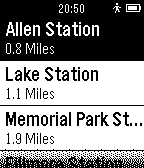
9LA Metro Rail
DailyApp giving next train arrivals within the Los Angeles Metro Rail network.
 9
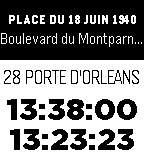
9Public Transit Navigator (beta)
DailyFind nearby stops and get route directions to your favorite places. Works in parts of France, Germany, the Netherlands, Spain and the United States. Feedback appreciated!
 9
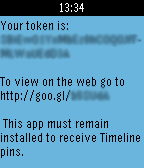
9Timeline Token
NotificationsEases obtaining a Timeline user token so that pins can be added to the Timeline using one of the available libraries.
 9
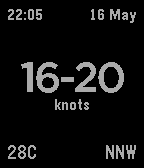
9Wind Watch
DailyWind Watch is a very simple app which provides live streaming data from the Kiteboarding Club El Gouna weather station in Egypt.
 9
9Plant Tracker
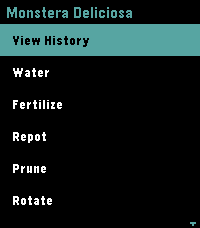
Tools & Utilities🌿 Pebble Plant Tracker is a premium, offline-first companion application designed to manage your indoor garden directly from your wrist. It displays your plants in a sleek, high-contrast dark theme showing the relative time since their last care event (e.g. `W: 3d ago | F: 12h ago`). You can instantly log eight maintenance actions (Watering, Fertilising, Repotting, Pruning, Rotation, Cleaning, Treating, and Relocating) and review up to 20 historical logs in a scrollable timeline on the watch. Configure your plant list, planting dates, and view a complete history timeline through the phone's Pebble settings dashboard. Your data remains secure and synced even when offline.
 9
9CountNOW
Tools & UtilitiesCountnow is a simple, timeline optimised watchapp, that with the press of a button, registers a click. You could use this to count attendance at an event, count laps in an oval and more.
 9
9SG LightningMon
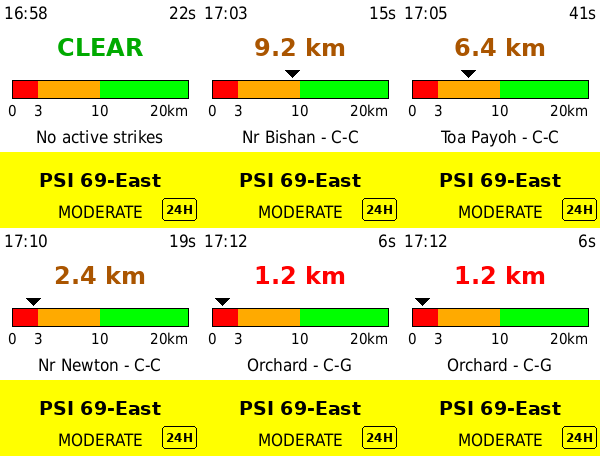
DailySG LightningMon 2.2 — Real-time lightning proximity and air quality on your wrist. Powered directly by NEA's live data (data.gov.sg) for your exact GPS location — no app server, no middleman. NEW IN 2.2 - 1-hour PM2.5 — press DOWN to switch the lower panel between the 24-hour PSI and NEA's hourly PM2.5 reading in µg/m³ - Why both? PSI is a six-pollutant composite averaged over a day, so it lags. The 1-hour PM2.5 is the first number to move when haze arrives. During an episode the two disagree, and that gap is the point - Band colours — Normal, Elevated, High, Very High, on the same colour logic as the PSI panel - Source badge — a 24H or 1H marker sits in the corner of the panel, so a glance never leaves you guessing which reading you are looking at - Your panel choice is remembered across restarts, alongside your theme FEATURES - GPS-based distance to the nearest active lightning strike - Distance ruler — the nearest strike plotted on a 0–20km scale, so you can see a storm closing in or moving off - Colour-coded zones — RED (<3km) / ORANGE (<10km) / GREEN (>10km), marked on the ruler itself - Air quality for your region, picked automatically from GPS — 24-hour PSI or 1-hour PM2.5, your choice - Strike type — cloud-to-ground (C-G) or cloud-to-cloud (C-C) - Neighbourhood lookup — names the nearest estate to each strike - Adaptive rolling window — tightens from 10 to 5 minutes during active storms - Light and dark themes — press SELECT to switch, your choice is remembered - Data age indicator — turns red if the phone link drops - Live clock, refreshing every minute - Auto-refresh every 2.5 minutes REQUIREMENTS - No account or API key — uses NEA's public API directly - Location Services enabled on your phone SUPPORTED WATCHES Pebble Time 2 (Emery) — optimised HOW TO USE 1. Open the app on your watch 2. Grant location permission when prompted on your phone 3. Press SELECT to switch between light and dark 4. Press DOWN to switch between 24-hour PSI and 1-hour PM2.5 5. RED means seek shelter — read the distance, don't just glance at the colour Approximate distances only. Not a certified life-safety device — always follow official NEA/SCDF advisories during severe weather. The 1-hour PM2.5 bands are NEA's descriptors for short-term concentration, not health categories — for decisions like school closures, NEA's own 24-hour PSI forecast is the number to follow. Tested with Pebble Time 2 only. Built with ❤️ in Singapore.
 9
9Energy Tariffs
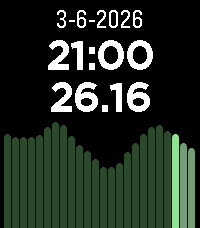
DailyDisplays dynamic energy tariffs on the Pebble watch. Currently, only Dutch tariffs are supported (like Zonneplan and Tibber) and only in hourly rates (I think the quarterly rates are only useful for usage in automations). The tariffs are obtained from the website public.api.energyzero.nl. You can configure the "inkoopvergoeding" and inclusion of VAT and energy taxes, if you want to include any of them is the displayed tariffs.
 9
97-Minute Workout
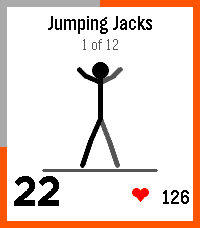
Health & Fitness7-Minute Workout I wanted a Pebble version of my daily exercise. This is the well-known 12-exercise high-intensity circuit for the Pebble, courtesy of Claude Opus 5.5. Includes animations to show the exercises, voice instructions (in 6 languages) and progress tracking. Features: - Two programs: Classic (12 body-weight moves with a chair and a wall) and Advanced (8 dumbbell moves designed by Mark Verstegen of EXOS). - Animated stick figures demonstrating the exercises - Countdown ring - Vibration and spoken cues on watches with a speaker (option of beeps or none) - Live heart rate on watches with a sensor, plus average and peak at the finish. - History: streaks and a calendar on the watch, a 16-week heatmap in the phone settings. - Optional daily reminder silenced if training occurs. Customisation: - 30, 45 or 60 seconds per exercise; no rest or 5 to 20 seconds between. - Reorder, remove or double up exercises, e.g. to protect an injury. Mix classic and advanced moves. - English, French, German, Spanish, Italian and Portuguese localisation. The on-watch voice defaults to English. Save on the settings page to push a non-default voice to the watch (give it a bit, it might take 20-30 seconds). The voices are local to the pebble app install, not hosted remotely. Loading the voices pushes the limits of the pebble storage a little, especially with the limit on KV size. Compatibility: Tested on the Time 2. For other pebbles, tested in emulator, should work fine. Voice needs a watch with a speaker (Time 2, Duo), heart rate needs sensor (Time 2, HR). This is a well-known exercise routine that most people should be able to do (the classic version that is), but of course use common sense. If something hurts, stop (maybe look up how to do pushups safely). Also some exercise routines do the last plank as 30 seconds on each side. Just add another rep in settings and ignore the half-time switch if you want that. CREDITS - Built by Claude Opus 5.5 with requirements, testing and feedback from me. - Classic workout: Klika & Jordan, "High-Intensity Circuit Training Using Body Weight", ACSM's Health & Fitness Journal (2013). - Advanced workout: Mark Verstegen / EXOS (2014). (Both popularised by The New York Times.) - Voices: Piper text-to-speech (Open Home Foundation) with en_US-ljspeech-high fr_FR-siwis-medium de_DE-thorsten-high es_ES-davefx-medium it_IT-paola-medium pt_BR-faber-medium - Audio compressed with QOA, the "Quite OK Audio" format by Dominic Szablewski.
 9
9Scripple
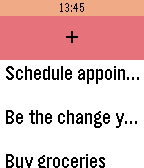
Tools & UtilitiesA pebble app the scribes spontaneous thoughts, ideas and yes, also to-do items. It uses the dictation service and can store up to ten items.
 9
9The Soccer Referee Timer
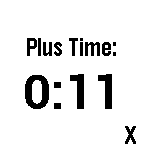
Tools & UtilitiesA simple app that counts down selected time to zero, then starts a negative count. Presets ranges from forty-five to one minute, at five minute intervals. To preserve battery life, the countdown is a one second count for the first fifteen seconds, it then only updates every fifteen seconds after that. At the end of the countdown, the watch vibrates, then starts the negative count, every second. NEW! The Up button now pauses and un-pauses the count down. A vibe reminder will alert you every ten seconds while paused.
 9
9Simple Slide
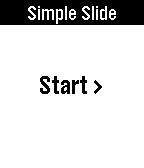
RemotesEasily control presentation slides on your Windows, Mac or Linux computers (64 bit) just using your Pebble watch. It also displays elapsed time. Using this app is simple. 1. Turn on Wi-Fi hotspot on your phone and connect your computer to it. 2. Start app on your phone and then start program on your computer. 3. When ever you are ready to start presenting just press start on your pebble. UP to go FORWARD and DOWN to go BACKWARD. You will need: 1.Computer program. Please download it here: www.hithesh.me/simpleslide 2.Of course an Android Companion app.
 9
9StartLine for Pebble
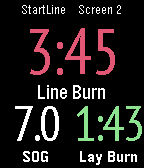
Health & FitnessStartLine is an Android app to help you start and race better on the water. This is the Pebble Time display app to replicate data from this excellent free StartLine Android phone sailing app onto the Pebble screen. Screens can have 2, 3, 4 or 6 fields all of which can be configured as desired. There can be up to 10 different screens. As you move from starting to racing, the screen will automatically transition to one showing racing data. See the app website URL for full usage instructions. The Pebble Time version of the app replicates the colours used on the Android pre-start screens.
 9
9PebbleCheckers
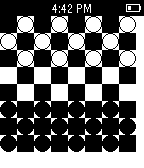
GamesPlay Checkers on your smartphone against your Pebble smartwatch!
 9
9Next transilien Paris
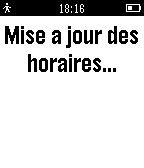
DailyVoir sur votre pebble les horaires des prochains départs des trains SNCF au départ de la gare la plus proche. Indique par défaut les horaires de Paris Austerlitz si vous êtes a plus de 15km d'une gare supportée. Displays next departures from train stations of the parisian area.