 12
12Brew Buddy (Coffee Timer & Recipes)
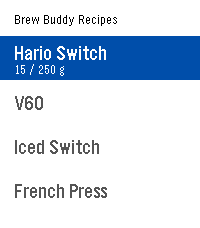
Tools & UtilitiesA custom coffee brewing timer that buzzes so you never miss the next step! Pick (or build) a recipe, select start, and get brewing! Recipes are fully editable and customizable from the settings page on your phone. When the drawdown from a brew finishes, press the select button to get a summary of the timing. Very helpful for dialing in new beans! Ships with presets for the Hario Switch, V60, French press, and AeroPress. Edit, duplicate, or build your own from scratch. Inspired by the work of: Tea's Ready, BrewKinetics, Coffee Timer, and Brew. If you like the app, consider funding my coffee addiction (thank you!) BTC bc1q7esequqkl8sg96je7zu045zyat2sg2x3ey8plu XMR 844dKmmRGpR2KPJd9pSin3NqYu7vH7AtdLFBRRPip8mkcS4NH61JvnKRi3zTHV91TvRerJHMHy8ihPSaso8wpgrhJKqsHN5
 12
12Fixtures
NotificationsStay up to date on all the upcoming football matches of your favourite teams and competitions with Fixtures! In this first release of Fixtures: - Choose your favourite football teams - Track their upcoming fixtures in the app - Receive Timeline pins for upcoming games The app supports the following leagues: - Premier League - Championship - Bundesliga - La Liga - Serie A - Ligue 1 - Champions League How to use: - Select your favourite team via "Manage teams" - All your favourite team's fixtures will be automatically sync'ed to your Timeline - View upcoming fixtures by selecting your team on the main page To receive Timeline pins, ensure "Emulate Timeline Webservice" is on in Settings > Apps. Supported languages: - English - Français (French) - Deutsch (German) - Español (Spanish) - Italiano (Italian) - Português (Portuguese) - 中文(简体)(Chinese Simplified) - 中文(繁體)(Chinese Traditional) Note: The app is currently running on a free server - loading fixtures may occasionally take up to 45 seconds.
 12
12LucasWatch
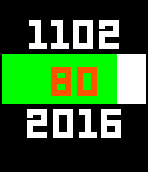
DailyThis watchface is defined as watchapp, so you can access the buttons to get additional features. Main-menu: shows current time Up-button: shows weather information and location Select-button: shows date, year and battery Down-button: shows steps and distance The features are animated in a nice and lean way.
 12
12MMS Viewer
NotificationsWOAAH Extremely beta. Check out for full info on GitHub Allows you to see text images on the watch , beware probably really buggy. Only for time 2. Requires companion app
 12
12Beverage Counter
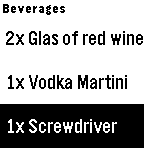
Tools & UtilitiesNot sure about how much drinks you have consumed during your party night? Don't panic! With this Watchapp you have counters for your beverages for the night. But not just for that! Let your kids add +1 to their drink to keep them entertained! Usage: 1. add your beverages via app configuration 2. +1 (simple click) / -1 (long click) directly on Pebble to keep track of your drinks
 12
12Pokedex Tracker Gen 6 (X & Y)
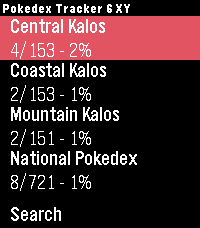
Tools & UtilitiesKeep track of your captured Pokémon from the Generation 6 games right from your wrist. Featuring the complete set of all 721 Pokémon from the X and Y versions. Track both the Kalos region and the National Pokedex.
 12
12BusETA for DoubleMap
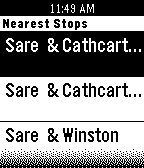
DailyBusETA makes traveling on bus systems that utilize DoubleMap easier! Now you can see the stops closest to you, the routes servicing those stops and their estimated times of arrival to the stop all on your wrist. BusETA only works with bus systems using DoubleMap (http://doublemap.com). BusETA is not associated with DoubleMap.
 12
12Bíblia
Tools & UtilitiesA Bíblia em Português (Almeida Atualizada). Baseado no projeto opensource de Pete Hare disponível em https://github.com/petehare/Bible Obs.: os menus desta versão estão em inglês.
 12
12Enigma
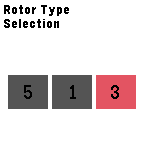
Tools & UtilitiesThis application is emulator of the 3-rotor Kriegsmarine M3 Enigma machine, which is used during the World War II. The Enigma machine has a series of settings that determines how it encrypts each letter. The settings include rotor wheel position, rotor type, and plug-board settings. The settings window can be accessed by holding any of the Up, Select or Down buttons. On the main screen, the input letter can be shifted by pressing the Up or Down button. The button left circle contains the input text and the upper left circle contains the output text. Pressing the Select button adds the input letter to the input message and the corresponding output letter is added to the output message.
 12
12Pebble MAG Lab
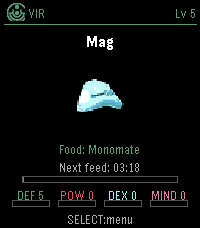
GamesPebble MAG Lab lets you raise a PSO-style MAG on your Pebble Time 2. Choose your Section ID, class, colour and feed item, then let your MAG grow over time using PSO-inspired feeding rules. Transfer MAGs between VMU Pro MAG Lab and Pebble MAG Lab using short PIN codes, including stats, colour, IQ, Synchro and Photon Blasts. Feed, evolve, export, and keep your MAG with you on your watch. You can raise a MAG on your wrist, export it to your VMU Pro, and use it in Phantasy Star Online Ver. 2. Please note: your PSO Ver. 2 save must be stored on your VMU Pro using the supported GameID folder naming system.
 12
12Battery Callback
Tools & UtilitiesThis is a battery tool I created for the Rebble Hackathon #002. It gives you the possibility to (automatically) post your Pebble's battery status to your REST server. The payload is a JSON-formatted string that follows the same structure as BatteryStateService (battery_level, is_charging, is_plugged). Can also be easily integrated with Tasker for getting your Pebble's battery state on demand!
 12
12BIGSW
Tools & UtilitiesBig, simple stopwatch. Runs in the background! Time shown in minutes, seconds and hundredths. Over one hour, time is shown as hours, minutes, seconds. Max time 99 hours. Colour selectable on the watch.
 12
12CUBus
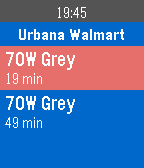
Tools & UtilitiesBasic bus time checking app for Champaign-Urbana (UIUC Area) MTD Buses! -Long press select to change bus stop (only nearby bus stops are displayed) -Short press or Tap(shake device) to refresh - Auto-refreshes for up to 10min - Current time shown on top of bus schedule
 12
12MEPRS - Mine Sweepers
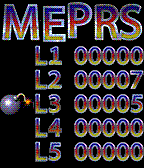
GamesMEPRS is a variation of the classic Mine Sweeper game. It has colorful graphics and a persistent high-score table and five different levels with increasing difficulty. As the application only updates when buttons are pushed it should use a minimum ammount of battery while in use. The controls are simple up and down to select your direction and select to move forward.
 12
12MobileSlime
DailyUnofficial RSS reader for MobileSyrup.com. Read the latest articles on your Pebble. Now instead of staring at your phone all day at work, you can stare at your wrist!