 12
12PVC's Shopping Calculator
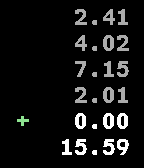
Tools & UtilitiesKnow what you spend. Never be surprised when checking out at the local supermarket. Use this app to add up all the amounts of your articles. Last 4 added values are also shown.
 12
12PebbleForce for Salesforce
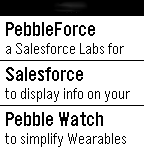
Tools & UtilitiesDisplay information from Salesforce, post to Chatter, or create a Case using your own menu structure without any code. Used in conjunction with the Salesforce AppExchange component to easily create your own user experience with NO CODE. Created for iPhone5.
 12
12Rock Paper Scissors the game
GamesRock Paper Scissors. The watch will do it for you
 12
12ACbus
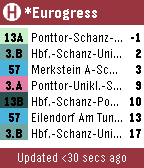
DailyGives bus schedule info for the ASEAG bus network (Aachen, Germany region). Functionality: - Shows up to 21 next buses (7 per page) - Use up/down buttons to flip pages - Select between automatic or manual bus stop selection ('*' next to bus stop name on main screen indicates manual selection) 1. Press middle button to go to selection screen 2. Select desired bus stop using up/down buttons 3. Confirm selection using middle button - Shake watch to trigger update (automatic trigger every 30 seconds) - Color highlights for every bus stop line for faster scanning of list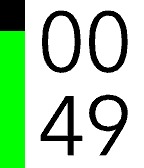 12
12igitimer
Tools & UtilitiesA simple and functional timer for Pebble smartwatches, featuring a high-contrast interface and quick controls. Button Functions UP Button Single Press: Adds 1 minute to the timer. Long Press: Adds 5 minutes to the timer. Note: Incrementing resets seconds to zero. SELECT Button (Center) Single Press: PAUSES or RESUMES the countdown. Long Press: RESTARTS the timer using the last set total duration. DOWN Button Single Press: Subtracts 1 minute from the timer. Long Press: Subtracts 5 minutes from the timer. Note: If the time reaches zero, the timer stops. User Interface Display: Minutes in the top half, Seconds in the bottom half. Progress Bar: A vertical bar on the left (green on black background) empties as time passes. Status: When paused, a pause icon appears in the center. When time expires, the watch vibrates.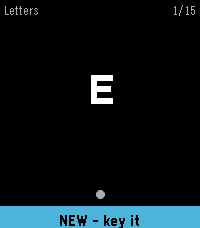 12
12Learn Morse
Tools & UtilitiesLearn to send Morse code on your wrist. Learn Morse shows you a character and you key it back. A short press of the DOWN button is a dot and a hold is a dash; on Pebble Time 2 you can key on the screen instead. The symbol you are sending is drawn as it grows, so a dot visibly becomes a dash and the timing turns into something you feel rather than count. Spaced repetition decides what you practise. A letter you miss comes back a few cards later, and a letter you know stretches out to hours and then days. You start on the 26 letters, introduced easiest first, and go on to the digits, 67 short words, and 20 sentences and stock phrases. A new word only appears once you have started on the letters that spell it. Also included: the full code chart, per-deck progress, an input test that reports what your watch actually delivers, and adjustable dash threshold, letter gap, hints and vibration. Everything is kept on the watch and no phone is needed.
 12
12Pocket Pool
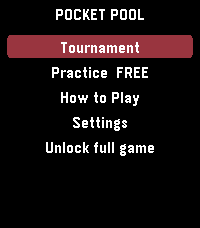
GamesPlay a complete game of 8-ball pool on your Pebble. Aim with the watch buttons, set your shot using a clear five-level power bar, and compete against computer opponents that become more accurate as the difficulty increases. Practice against Rookie, Skilled, or Pro CPU players, or enter a five-round tournament against Rookie, Hustler, Skilled, Pro, and Champion opponents. Win matches to earn in-game prize money and advance through the tournament. Your progress and winnings are saved on the watch. Pocket Pool includes one free Rookie practice game. A $1.99 one-time purchase through KiezelPay unlocks unlimited practice, every CPU difficulty, rematches, and the complete tournament. No subscription. Features: - Full 8-ball rules with solids, stripes, scratches, and the 8-ball finish - Computer opponent with increasing difficulty - Five-round tournament with persistent winnings - Five-level shot power bar - Adjustable aiming speed - Optional haptic feedback - Built-in How to Play guide - Square, round, color, and monochrome Pebble support Gameplay works offline. An internet connection is required only to purchase or restore the full-game license.
 12
12Catholic Rosary
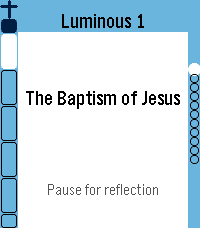
Tools & UtilitiesUPDATE: Now in English, Spanish, German, Italian and French. Quiet, reliable prayer companion. It walks you bead by bead through the entire Holy Rosary with gentle haptic feedback marking each bead as you go. Simple, reverent, and built to get out of your way — so you can focus on the prayer, not the app. ★ Full Rosary Tracker — a bead ring (round watches) or bead column & strip (rectangular watches) shows exactly where you are at a glance, with the current bead always highlighted. ★ Two Ways to Pray — Traditional mode advances one physical bead per button press, just like praying with beads in hand. Complete mode gives every single prayer its own screen — great for praying slowly, word by word, or learning the Rosary for the first time. ★ All Four Mysteries — Joyful, Sorrowful, Glorious, and Luminous, with "Today's Mystery" auto-selected by the day of the week, plus jump-to-section and resume support if you're interrupted. ★ Full Prayer Text — read every prayer right on your wrist, with adjustable text size and a scrollable reader that auto-advances as you finish each one. ★ Daily Mass Readings — today's readings (and up to a week ahead), fetched from Evangelizo straight to your watch. ★ Prayer Drawer — look up any Rosary prayer on demand, without starting a full Rosary. Note: on the original Pebble (Aplite), the Rosary Tracker runs fully; the prayer text reader, Daily Readings, and Prayer Drawer aren't available due to hardware limitations.
 12
12Delay Calculator
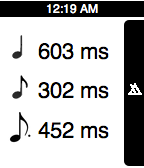
Tools & UtilitiesThis app is for musicians, sound engineers, or anyone else that works with music. This app allows you to quickly calculate delay times based on the beat that you click in with the middle button. You will get the ms. values for the quarter note, eighth note, and dotted eighth note. Thanks to my buddy Jon Dayton from the blog, Smart2Noise Ratio, for the idea! http://smart2noise.blogspot.com
 12
12BiteByte
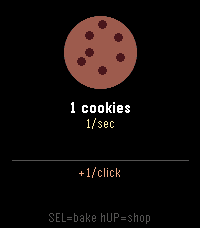
Games**BiteByte** is a Cookie Clicker–style idle game for the Pebble smartwatch. Tap the Select button to bake cookies, then spend them on Toddlers, Critics, Buffets, Monsters, Black Holes, and Cookievores to rack up cookies per second: even while the watch is in your pocket. Features upgrades for click power and building output, a rare Super Cookie bonus, offline earnings, and autosave. Built in C against Pebble SDK 3, targeting all seven Pebble platforms.
 12
12YesNo
Tools & UtilitiesSimple Watchapp to make "Yes/No" decision. Just shake your hand. P.S. Use UP/DOWN buttons to get guaranteed result;)
 12
12Notion Notes
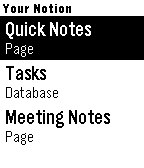
Tools & UtilitiesCapture notes by voice and run your Notion — right from your wrist. Notion Notes turns your Pebble into a voice-powered remote for Notion. Speak a thought, tick off a task, or open a page — all in a couple of button presses. 🎙 Voice capture Press, speak, confirm. Your words are saved straight to the Notion page or database you choose — a new note, a new task, done in seconds. 🗂 Your whole workspace, automatically Every page and database you share with the app just shows up. No URLs to copy, no IDs to paste — pick a target and go. ✅ Check things off Tick to-dos, checkbox columns, and status fields (Not started → Done) directly from your wrist. Your changes sync to Notion instantly. 🧭 Drill in Open databases to browse their rows, step into sub-pages, and dig into a row to see and edit the content inside it. 📝 Reads real pages Pages that mix notes, lists, and tasks stay readable — items are grouped into Tasks, Pages, and Notes so nothing turns into a wall of text. 🗑 Manage on the go Long-press any item for quick actions: open it, or delete it (safely — deleted items go to Notion's trash and can be restored). Set up in a minute Create a Notion integration, paste the API key into the app settings, and share the pages you want. That's the whole setup. Your watch. Your Notion. Hands-free.
 12
12Bullet Time
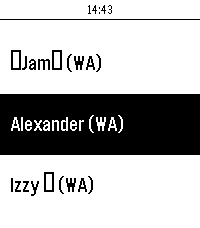
DailySmall Matrix client for the Pebble watches. Allows users to easily send and view messages from the pebble watch and connect it with any matrix account on any matrix server with no required companion apps. Isn't fully featured but allows for simple reading and sending. If you have any issues feel free to email me at [email protected] or make a git hub issue :) - Room View - Sorted By Recent Activity For Easy Access - Per Room Messages - Ability to send messages - Uses voice dictation - Full message view - Scrollable - Web Config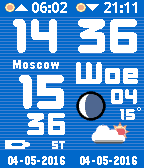 12
12World Stripes
DailyThe ultimate World time clock for Pebble Time and Round. Configurable for 35+ cities/time zones, including half-hour offset zones. 3 color themes to choose from. Supports 3 favorite time zones. Cycle through the 3 favorites using up and down buttons. Push middle button for other functions. Compass included as extra function. Configuration menu on your watch. No need to use your phone for configuration. Other features: Supports 12/24 hour local clock Weather icon with temperature in C or F (local weather) Moon phase display Battery load indicator Local sunrise and sunset time Days of week in English, Dutch, French, German, Italian, Spanish and Klingon. A-Grade energy friendly (extremely low battery usage). BT disconnect warning (temp goes red with optional vibration) Keeps track of DST (US rules) and timezone date DST on dual time can be set to Automatic, On or Off. This watchapp comes with a bonus watchface. Both watchface and app for just $4.95 ! Download the watchface separately from the Pebble Store.
 12
12Wake on Lan
RemotesWake on LAN (internet only for now), this uses a web service to send a wake on lan magic packet. press middle (select) button to send the magic packet, make sure to set the settings on your phone beforehand! Soon: Better UI Multiple Address/ Mac selection