 12
12Wrist Temp Metric
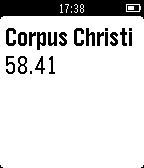
DailyThe Power Of Wrist Weather now Supports Metric!
 12
12React
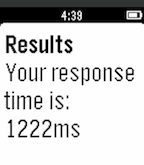
GamesTest your reaction time with this simple reaction-testing app!
 12
12Sirkler
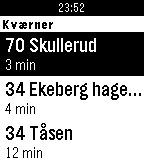
DailyThis app gives you information from the Norwegian public transportation company Ruter. Find the closest public transportation stops and see when the next departure is. Plain and simple! Usage: - Open app and the nearest stops will be located. - Select a stop. - Shake your wrist to refresh. Settings: - Switch between different ways to display departures (long list or same lines pulled together). This app uses Ruter API. Suggestions? Send me an e-mail! Desktop version: http://sirkler.no
 12
12Shake2Roll
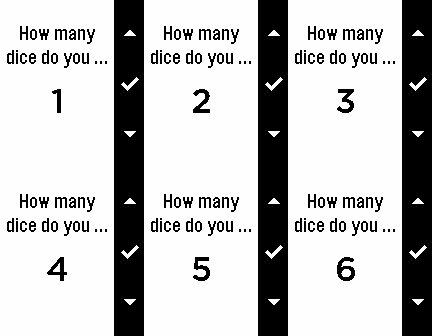
GamesAre you frustrated with game dice? Shake2Roll is for you! Whether you're playing Yahtzee or Dungeons & Dragons or exploring probability in a math class, you can use this app. Press the middle button to choose how many dice you want to roll (up to six). Then, choose how many sides you want each dice to have (from two to one hundred). Then, shake to roll.
 12
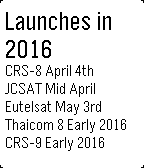
12Space X Launch Lineup
Tools & UtilitiesLaunch lineup from Space X plus weather and go %
 12
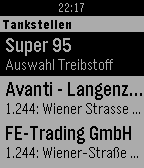
12Spritpreise Österreich
Tools & UtilitiesATTENTION: This App only works in Austria Spritpreisrechner.at auf der Pebble - Zeige die 5 günstigsten Tankstellen deiner Umgebung an - Speichere bis zu 3 alternative Position fix ein (Aktionstaste lang drücken um aktuelle Position zu speichern)
 12
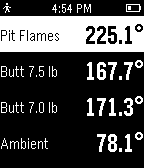
12HeaterMeter
RemotesKeep track of your barbecue and control it without having someone fish around in your pocket for your phone. This Pebble app interfaces with a HeaterMeter BBQ controller through your smartphone to put you in control of your temperature at the grocery store, on the can, at a bar, no matter where you are with Internet access. Application provides a view of all your current temperatures and updates every minute by default. HeaterMeter is an open source / open hardware BBQ controller that you can build yourself with just two hands and a pile of electrical parts in just one evening.
 12
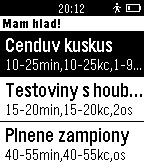
12Mám hlad!
Health & FitnessNejlepší funkce Studentské kuchařky přímo ve Vašich hodinkách! Uvařte si rychle a levně! Studentská kuchařka pro všechny, kteří bydlí na kolejích, intrech, privátech, nebo si prostě jen chtějí uvařit něco rychlého doma.
 12
12Disconnect Alarm
NotificationsSimple alerting for when bluetooth connection is lost
 12
12DighyTimer
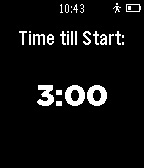
Tools & UtilitiesA simple sailing timer build by a high school sailor. It counts down from three minutes and buzzes at the ISSA highschool wistles. I am in no way an expert coder and there is most likey many bugs. I am currently attempting to learn C so a phone does not have to be present. Feel free to give suggestions or code fixes or help me convert this to C so that sailors everywhere can use it.
 12
12vibration watch
Tools & UtilitiesThis app shows the time by the vibration of up to 8 times. No need to count the vibration and/or to learn the pattern. Short vibration indicates the first half, long vibration will show the second half. Repeat this watchface division images the position of the hour hand. example " . "=short vibration " - "=long vibration " . " : (watchface first half top) 12 " - " : (watchface second half) 6 " .- " : (first half's second half) 3 " .-. " : (first half's second half's first half) 4 After short blank, it will show the minute hand position in the same way. You got time in 5-minute increments. It does not vibrate when 0 minutes as an exception. Last block shows detail minute. +0min: no vibration +1min: one short +2min: two short +3min: one long +4min: one long and one short (To save the vibration, slightly irregular:) After a series of vibration, the application will automatically exit back to the previous state(your watchface or app launcher). It recommended to set quck-lunch or placing at the bottom of the application-list. in Japanese. 文字盤を見れないけど時刻を知りたい時のために最高8回の振動で時刻を知らせます 短い振動は前半、長い振動は後半の法則で、これを繰り返して文字盤を分割していくイメージで、 分割した一番早い箇所が示す時刻です 最初に時針の位置を示します 例えば0時は前半の先頭なので、短い振動1回 同様に6時は長い振動1回、3時は前半の後半なので短・長、11時は後半の後半の後半なので長・長・長です 全部書くと 0:短 1:短短短 2:短短長 3:短長 4:短長短 5:短長長 6:長 7:長短短 8:長短長 9:長長 10:長長短 11:長長長 ですが、パターンを憶えずに、振動を感じながら頭の中で文字盤を分割すると良いです 短い空白の後、同様に分針の5分刻みの位置を示します 最後に5分以内の分を知らせますが、振動を節約する為やや不規則です +0分:振動無し +1分:短 +2分:短短 +3分:長 +4分:長短 短:1分・長:3分と憶えたほうが早いかも 通知が終わるとアプリは自動的に終了し以前の状態(時計もしくはアプリケーションの一覧)に戻ります クイックランチに設定するか、アプリケーション一覧の一番下に配置しておくと、目隠しの状態でも起動できて便利です
 12
12EasyCalc
Tools & UtilitiesA simple calculator app with 9 decimal spaces! Good for long decimal equations.
 12
12Bike Melbourne
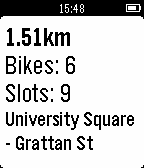
DailyBike Melbourne gives you real-time updates for your nearest bike share stations.
 12
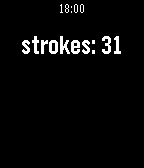
12Kayaking strokes counter
Health & FitnessApplication to count your paddling strokes. Early alpha release, feedback is welcome.
 12
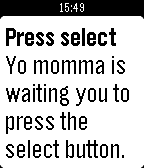
12Yo Momma Jokes
Tools & UtilitiesYo Momma Jokes right on your wrist, at any time! (Requires internet) This watchapp gets jokes from http://yomomma.info/, but I'll add more websites soon!