14Langton's Anthill
GamesLangton's ant is a two-dimensional Turing machine with a very simple set of rules but complicated emergent behaviour. Langton's Anthill simulates one or more ants on a toroidal Pebble-sized field.
14SlopeShift
GamesA perfect way to waste your time or keep someone else from wasting it for you. In slopeshift you try to avoid rolling into things.
14Utilities Bundle 3 [Pebble Rocker]
Tools & UtilitiesIncludes Android Settings, Camera Control, Photos, and Tip Calculator watch apps. IMPORTANT: This watch app requires the Pebble Rocker companion app available via the Google Play store.
14Tap-Tac-Toe
GamesThis is Tic Tac Toe for Pebble Emery time 2! Features 2 player mode and single player against the cpu!
14511NY
DailyThe 511NY app displays weather and traffic information to help you navigate the roadways of New York State. When launched, you can view your local weather by selecting the first menu item. The closest recorded road hazards are displayed when you choose the Road Hazards item. The roadway hazard list is sorted by distance from your location. Your location is based on your smart phone GPS, so make sure Location Services are enabled for your Pebble Time smart phone app. A list of traffic cameras is next in the main menu, also sorted based on your location. When viewing a traffic cam, the UP button displays the camera name, the MIDDLE button refreshes the camera image, and the DOWN button displays the distance to the camera. The Compass and Map features are next. The compass may need you to rotate your Pebble in a figure eight motion a few times for calibration. When viewing the map, use the UP and DOWN buttons for zooming, and the MIDDLE button to refresh your location. There are custom settings for text size, automated reloading of information, and GPS accuracy. This app was originally created for the DevPost HackFrost competition in February, 2016.
14Feed Me Now!!!
DailyNow supports # Feed Me Now!!! Get food places suggested based on your location and Yelp API. How to use: 1) Open the app and wait to see a suggestion. 2) Shake your pebble to get a new suggestion. 3) Click select button to open full info from Yelp mobile version on your phone. ## Demo pebble watch app for training purposes (Pebble.js) Features: - geolocation (current position) info from the phone. - Ajax requests to Yelp API (food options near you) - Uses different UI components, Vibrate and accelerometer sensor. - Triggers new window on the phone for detailed view. - Distance calculation. Spanish # Alimentame Ahora!!! Obtiene lugares para comer sugeridos en base a tu posición y la API de YELP. Como usar: 1) Abre la aplicación y espera a ver la sugerencia. 2) Sacude tu pebble para obtener una nueva sugerencia. 3) Click select para una vista detallada en la version mobile de Yelp. ## Aplicacion de muestra para pebble watch. Para uso educacional (Pebble.js) Features: - geolocalizacion (position actual) obtenida desde el movil. - Llamadas Ajax a la API de Yelp (opciones de comida cerca tuyo) - Utiliza diferentes componentes de UI, Vibrate y sensor acelerometro. - Dispara una nueva ventana en el movil para vista detallada. - Calcula distancia.
14NFASScoring
Health & FitnessNFASScoring is an NFAS field archery scoring app for the pebble, this allows an archer to keep score of Big Game rounds for two archers (to be expanded) . The app displays all scores obtained for each archer with a running total, a trailing points indicator, total inner kills, and total kills. Controls Up - Move the selected cell left and then up. Down - Move the selected cell right and then down. Middle - Reduce the current score down, starting from 24. Hold Up 5 seconds - Resets scores. Hold Down 2 seconds - Switches subtotals.
14World BloxX 70's
DailyThe ultimate World time watch for Pebble Time and Round. Configurable for 35+ cities/time zones, including half-hour offset zones. Supports 3 favorite time zones. Cycle through the 3 favorites with up and down buttons, no need to use the phone to switch between favorite timezones. Other features: Completely configurable on your wrist. Also configurable via a configuration page. Compass function. Supports 12/24 hour local clock with A/P indicator. Weather icon with temperature in C or F (local weather). Moon phase display. Battery icon. Local sunrise and sunset time. Days of week in English, Dutch, French, German, Italian, Spanish and Klingon. A-Grade energy friendly (extremely low battery usage). BT disconnect warning (temp goes red with optional vibration). Keeps track of DST and timezone date. DST on dual time can be set to Automatic (USA based, recommended), On or Off. This app is also available as watchface, but without the compass. Compass needle is red when not calibrated, orange when almost precise and dark yellow when calibrated. First time calibration is done automatically and can take over a minute! Price $4.95 This is a bundle offer. If you purchase this app you can download the watchface (same name) for free!
14The Every Shopping list app
Tools & UtilitiesHave your shopping list right on your wrist! Just log in with your credentials on the settings page and you're good to go. Features: - Check off items - Re-fetches latest data from your list on each toggle - Uses the same categories/order you defined in your list - Configure whether to show or hide checked off items - Option to remove all checked off items from the list (Only available when they are visible) If you have any suggestions, let me know! Note: I am not a developer. This is a full AI project, you can check the source on GitHub. Use at your own risk. Disclaimer: This app is an independent application and is not affiliated, associated, authorized, endorsed by, or in any way officially connected with AnyList or any of its subsidiaries or affiliates. This app utilizes an unsupported and undocumented interface to access AnyList. Use of this feature carries a risk of data loss or corruption to your AnyList data.
14Cricket Counter
Tools & UtilitiesA basic ball, over and wicket counter for cricket umpires.
14Train 2 Time
DailyInspired by "TrainTime" by otoone_dev: https://apps.rebble.io/en_US/application/5904a0c90dfc329df8000706 I created this app to improve its usability for my own needs. It is a simple app that counts down the minutes until your train departs. Timetable data is fetched from user-created Markdown (.md) or Text (.txt) files hosted online (intended for use with GitHub Gist "Raw" URLs). Sample data is also available on GitHub. Note: Since this was designed for the Japanese railway system, some behaviors may differ from your local transit rules. Controls: - [UP / DOWN]: Change train - [SELECT]: Change station - [LONG SELECT]: Switch URL Features: - Fetches timetable data only at app launch. - Customizable limits for the number of trains and the time range to fetch (within stable memory limits). - Stores up to 5 timetable URLs. - Supports 3 schedule types per station: Weekdays, Sundays/Holidays, and Saturdays. - Fallback logic: Sunday/Holiday and Saturday schedules can be omitted; the app will default to the Weekday schedule. - Uses a 24-hour format from 04:00 to 27:59 (considering 4:00 AM as the start of the day). - Supports "\n" in the remarks section for up to 2 lines of text (approx. 9 full-width characters per line). - Optimized for approximately 5-10 stations. - For color-enabled Pebbles: Background color for the current time and highlight color for post-departure count-ups can be customized. - Text and background colors for train types are now customizable on Pebble Time 2 and later (Defaults: Text #000000, BG #FFFFFF). - Japan-specific: Can automatically fetch Japanese public holidays via: https://holidays-jp.github.io/api/v1/date.json (Disabled by default). Special thanks to Hiroshi Matsuo. otoone_dev氏作の「TrainTime」を愛用していたのですが、自分なりに使い勝手を良くしようと思い立ちこのアプリを作りました。 列車の発車時刻まであと何分?をカウントダウンするアプリです。 時刻表データはユーザー自身がweb上にmarkdown(.md)またはtext(.txt)ファイルを作成し、それを参照する方法をとっています (Github Gistの非公開URL、Rawを想定しています)。 GitHubにサンプルデータを用意しました。 特徴: - アプリ起動時のみ時刻表データを参照します - 参照する列車の本数や、向こう何時間まで参照するかは設定で変更できます(クラッシュしない程度の制限をかけています) - 時刻表データのURLは5つまで記憶できます - 駅ごとに時刻表は平日、日曜祝日、土曜の3種類 - 時刻表は[平日>日曜祝日>土曜]の順に参照するため、日曜祝日と土曜は省略可 - 時刻表は午前4時を一日の基準とした04:00から27:59の24時間を使います - 備考部分は改行「\n」が使えるので2行までなら表示できます(全角9文字x2行を想定) - 5-10駅くらいのデータを想定して作っています - カラー対応端末は現在時刻の背景色と列車出発後カウントアップのハイライト色を変更できます - Pebble Time 2以降では列車種別の文字色と背景色を指定できるようになりました(デフォルトで文字色000000、背景色FFFFFF)。 - 日本向けの設定として、自動で日本の祝日を参照できます(デフォルトではdisable)。Hiroshi Matsuo様ありがとうございます。 Data Example: // Force specific dates as Holidays or Saturdays (Optional) // 特定の日付を強制的に祝日や土曜として扱えます(省略可) @HOLIDAYDAY:2026-12-31 @SATURDAY:2027-01-01 // Station Name // 駅名 # Tokyo // Icon to the left of the station name (Optional) // 1:Shinkansen 2:Retro Train 3:Modern Train 4:Bus 5:Clock 6:Monorail 7:Cable car 8:JR Central Shinkansen 9:JR East Shinkansen... // 駅名の左隣に表示するアイコン(省略可) // 1:新幹線 2:国鉄風電車 3:現代風電車 4:バス 5:時計 6:モノレール 7:ロープウェイ 8:東海道新幹線 9:東北新幹線 10:国鉄風特急 11:京急風電車 12:L特急 13:寝台特急 14:SL 15:アプリアイコン ## 1 // Schedule Type: weekday, holiday, or saturday ### weekday // Format: Departure Time, Destination, Type (Optional), Remarks Line 1 \n Line 2(Optional) \n Remarks Line 3 (PT2 or later), Text Color (PT2 or later, Optional), Background Color (PT2 or later, Optional) // 発車時刻,行先,列車種別(省略可),備考1行目\n備考2行目(省略可),種別文字色(PT2以降のみ),種別背景色(PT2以降のみ) - 04:00,Kyoto,exp,Dir.\nFirst,000000,FFFFFF - 27:59,Osaka
14Words
Tools & UtilitiesPebble Words lets you practice words on the go. You get a score at the end to see how you did. If you are preparing for the difficult vocabulary sections in SAT or GRE, Words helps you practice words without worrying about misplacing those pesky paper flash cards. Want words to automatically play? Try the Pebble Words Auto app instead.
14PinHole
Tools & UtilitiesCheck security-camera snapshots from your Pebble Time 2. PinHole is built for fast wrist checks when you just want to know what is happening at the front door, garage, driveway, or any other configured camera. Use the hardware buttons to switch cameras, press SELECT to refresh, and keep the last good snapshot on screen while the next frame loads. Connect to go2rtc, Frigate, UniFi Protect, or direct HTTP(S) JPEG snapshot URLs. Snapshot requests are made by your paired phone directly to the endpoint you configure; PinHole does not operate a proxy or external service. The optional UniFi cloud connector is used only when you select and configure it. Features: - Quick camera checks without opening your phone - Button-first controls for easy one-handed use - Multiple configured cameras - Frigate account, HTTP Basic, Bearer-token, and X-API-Key authentication - Manual refresh with SELECT - Previous snapshot stays visible while refreshing - Clear setup, loading, retry, and error states Requires: - Pebble Time 2 - A supported camera service or direct JPEG snapshot URL reachable from your paired phone - go2rtc, Frigate, UniFi Protect, or a custom HTTP(S) endpoint - Any account, API key, or trusted HTTPS certificate required by that endpoint PinHole shows still snapshots only, not live video. Credentials are stored in PinHole's local app storage on the paired phone and are never sent to the watch or a PinHole server. HTTP does not encrypt credentials or images, so authenticated HTTP should be used only on a trusted network. Disclaimer: This app was developed with the assistance of AI.
14Workout Zone
Health & FitnessWorkout Zone is a Pebble heart-rate workout app built for quick readability during cardio. It shows your live heart rate, current zone, and workout time on a simple full-screen display, then saves a summary with time-in-zone stats, a zone-over-time graph, and workout history.
14WTF per Minute
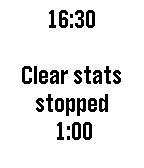
Tools & UtilitiesThere is only one metric for code quality. WTF per minute. Start the timer, read the code, press the counter button on every curse you yell. The app calculates the WTF/Minute for you. The lesser the number, the better the code. Let's hope for 0 WTF/Minute.