 16
16Time Helper
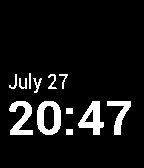
Tools & UtilitiesTime Helper is an app for telling time through vibrations. When run, Time Helper appears to be one of the Pebble's watchfaces. However, unlike a standard watchface, the app will vibrate distinctly every quarter hour. If you press the middle right button while the app is running, the app will pulse the minutes of the hour. If you press the top right button, a special "Focus" mode will be toggled. When on, the app will vibrate every minute. This feature is intended to help you track time when every minute counts. See this Medium story for more details: https://medium.com/ben-and-dion/feeling-time-378e44e31ee0
 16
16Rain Guide China
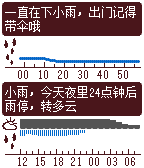
DailyONLY USE IN CHINA (need chinese font) 分钟级天气资料应用。 采用彩云天气(CaiYunAPP)的天气预测,提供未来120分钟内降水量及24小时内云量及降水量预测。 本应用的最佳用法: 1. 将应用设置为快捷键开启。 2. 搭配表盘使用,建议表盘使用Weather Wave,同样使用时间线的风格设计。 3. 在需要的情况下(特别是阴雨天气),以快捷键开启,参考所显示的未来阴雨状况的时间线显示,来决定您的意向。 4. 按右中键可进行更新,但程式中已设定每10分钟内仅向彩云天气咨询更新一次。 5. 按左键返回表盘。 本应用不收取费用,但采用的彩云API需要付费,目前额度10000次咨询,请使用者珍惜资源,不要进行不必要的频繁更新。 未来超出收费额度时,可能另采用其他收费或赞助方式,以继续使用本应用。
 16
16OsmAnd Pebble Companion
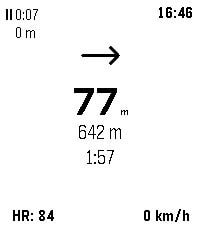
Health & Fitness# OsmAnd Pebble Companion OsmAnd Pebble Companion is a bridge application that connects the [OsmAnd](https://osmand.net/) navigation app on Android with Pebble smartwatches. It allows users to view essential navigation information and trip statistics directly on their wrist, reducing the need to check their phone while cycling, hiking, or driving. ## Features - **Real-time Navigation**: View turn-by-turn instructions, distance to the next maneuver, and directional arrows. - **Trip Statistics**: Monitor current speed, remaining distance to destination, and estimated time of arrival (ETA). - **GPX Recording Control**: Start, stop, and pause GPX track recording directly from the watch. View live recording duration and distance. - **Heart Rate Integration**: For Pebble models with heart rate sensors, the app can send heart rate data back to OsmAnd to be recorded with your track. - **Reliable Background Operation**: Runs as an Android foreground service to maintain a stable connection between OsmAnd and your Pebble watch even when the phone screen is off.
 16
16TimeTable
Tools & UtilitiesMade this for my friend.
 16
16FEED EGGS
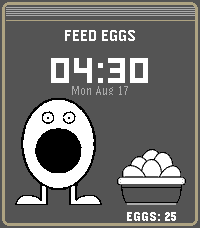
GamesDo Not Play this at work, at school, or anywhere you could be accused of looking at stuff that you should not!!!! (You should be allowed to look a LITTLE BIT though) Drag eggs to feed Press "Select" button to enable NSFW big boy
 16
16Mehbble
DailyUnofficial Meh.com app. Its pretty meh. Press select to see deal details. Want more features? Meh.
 16
16Caffeine Counter
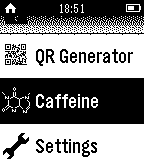
Tools & Utilities+++ Now supports German +++ English: Measure your daily caffeine consumption and calculate how much caffeine is in your blood. How-to: Increase/decrease caffeine intake with the up and down buttons. Press long to increase/decrease by 100. Long press select to reset. The caffeine amount is calculated automatically. FAQ Q: Do I have to keep the app open all the time? A: No, your caffeine count is saved in your Pebble's storage. Q: Does it work 100% correct? A: No, it's impossible to calculate it 100% correct, but this Watchapp is there to give you an idea of how much's in your blood. Don't use it for medical purposes. Q: Will this app help me to reduce my caffeine intake A: It should, but it can't. Deutsch: Überwache deinen alltäglichen Koffeinkonsum und berechne die in deinem Blut befindliche Dosis. How-to: Mit Hoch/Runter die eingenommene Menge Koffein erhöhen bzw. verringern. Länger gedrückt halten um gleich um 100mg zu erhöhen/verringern. Select lange gedrückt halten zum Zurücksetzen. Die Koffeinmenge wird automatisch berechnet. FAQ Q: Muss ich die App geöffnet lassen? A: Nein, die Koffeinmenge und Zeit wird in deiner Uhr gespeichert und beim erneuten Öffnen der App aktualisiert. Q: Funktioniert es 100% genau A: Nein, das ist unmöglich zu berechnen. Die App soll nur einen Eindruck vermitteln, wieviel Koffein sich ungefähr in deinem Körper befindet. Q: Hilft diese App dabei, den Koffeinkonsum zu verringern? A: Sollte sie, kann sie aber nicht.
 16
16Next Bus NL
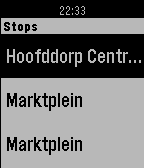
DailyShows live bus arrivals for the nearest stop of your choice. (The Netherlands) The application is in 'aplha' release.
 16
16Subnet Helper
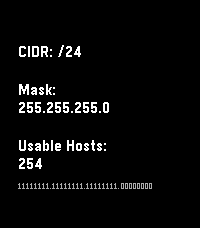
Tools & UtilitiesRemember subnets on your wrist, not in your head. Main purpose is translating between CIDR notation and traditional masks. Also shows some other useful info, especially on Chalk, Emery, and Gabbro.
 16
16Level for Pebble
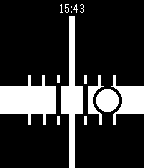
Tools & UtilitiesCarpentry level using your Pebble! Just choose vertical or horizontal mode using the top button and align the bubble track with the surface you want to level.
 16
16Magic Face
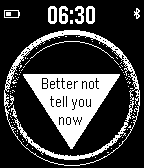
GamesMagic Face with a time, battery, bluetooth connection and small advice each time you look at it. TAP or SHAKE or SELECT to get a magic answer. Enjoy:) Available in versions as an App and a Watchface!
 16
16MotoGP Standings
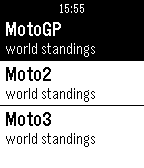
DailyCheck the MotoGP 2014 world standings on you Pebble. MotoGP - World Standings Moto2 - World Standings Moto3 - World Standings News Race Calendar This in a unofficial watchApp made by a motoGP fan. Source:MotoGp.com , crash.net
 16
16Pebble SoundBoard
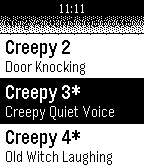
Tools & UtilitiesPrank or scare your family & friends with the Pebble SoundBoard! It features fart noises, burp noises, and scary sound effects. Just place your phone behind your victim and trigger the noises using your Pebble Smartwatch. Please make sure that Pebble SoundBoard companion app is running and that your phone is on full volume. Asterix (*) indicate that a sound is for PRO only, found on Google Play!
 16
16Coffee Timer
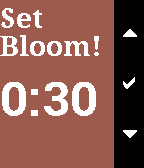
Tools & UtilitiesThis app lets you choose your bloom and brew time for pour-over coffee and helps you time everything as you go!
 16
16Raise to Wake
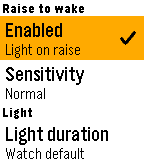
Tools & UtilitiesRaise to wake app that allows the pebble backlight to turn on when you raise your wrist and turn off when lowered.