 16
16Street-Face
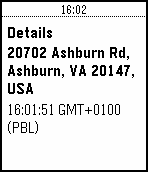
Tools & UtilitiesStreet-Face is a watch app for monitoring the closest street address to you. As your location changes, it will geocode your location using Google Maps services and provide you with an update. Use the menu to create check-ins, which you can review later. Checkins can be reviewed in the app's menu. Checkins will also appear on your timeline to allow reviews that go back further than 24 hours. NB. The Pebble timeline refreshes at a rate managed by your watch - checkpoints may not appear there for some time... Flick your wrist to update or use the menu.
 16
16Aurora Borealis
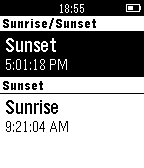
DailyThis app shows you the aurora borealis forecast for the next 3 days and the current activity... New data is generated every 10 minutes. You can press the Select button to see the hourly forecast, weather forecast and sunrise / sunset (UTC time)
 16
16NodeUsage
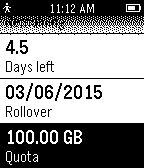
DailyView your Internode usage information on your Pebble. Usage is checked hourly and cached by NodeUsage. Hold the center button to force a refresh.
 16
16My Kin
Health & FitnessWatchapp for My Kin mobile application
 16
16Todoist
Tools & UtilitiesA simple Todoist client for the Pebble. Displays the list of tasks due today, and allows you to mark them as complete from the watch.
 16
16Catcher
GamesIt's a simple catcher game. You have 2 modes of play : time mode and lives mode. In time mode you will play until time goes to 0. In lives mode you will play until no lives left. You have to catch tears (black and white). In time mode you can catch a clock for adding time. Black tear add two points to score, white add four points. Added animation of objects crashed. In lives mode there are five lives and for the moment there weren't added none while playing. It saves the 5 hightest score to pebble for every mode : 5 for lives mode and another 5 for time mode. Menu and messages are shown in 4 configurable languages : spanish , english , tagalog and waray. Waray language already not yet, waray for the moment is the same as english. Tagalog language with the help of google translate, not revised. Default language is spanish.
 16
16Countdown
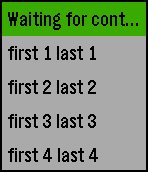
Tools & UtilitiesCounts the minutes and seconds remaining.
 16
16Contacts for Pebble
Tools & UtilitiesBring your favorite contacts from Android mobile phone to your Pebble and make them available offline. Even, when your phone battery dies or you loose it. If phone is connected you can also make a call to numbers in watch, when handling a phone is not convenient, for example during a jogging or in car.
 16
16Device WebAPI App
Tools & UtilitiesThis app is need to communicate between Pebble and the web app running on DeviceWebAPIBrowser or DeviceWebAPI Manager. The web app requests "Device WebAPI App" to: - Provide Pebble's battery health - Provide Pebble's acceleration - Show a notification message on Pebble - Show an binarized image on Pebble - Vibrate Pebble - Provide Pebble's key event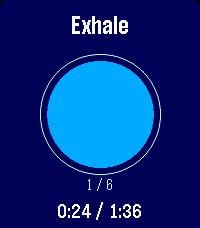 16
16Breathing
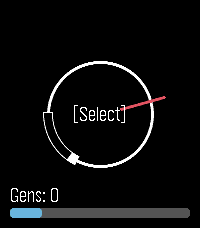
Health & FitnessGuided breathing for Pebble: follow an animated circle through inhale/hold/exhale with per-phase vibrations. Choose a rhythm (Box, 4-7-8, Coherent…) and the number of cycles, see the time it takes, and track cycles and elapsed/total time. Add your ime. Add yourown rhythms from thenguages.
 16
16CalDAV Calendar
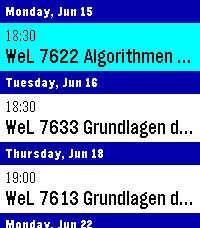
DailyThis is a fork of Eric McCormick's 7day ICS Calendar (https://apps.repebble.com/7day-ics-calendar_82451ba23ca641ab82821fa6). Your Calendar, at a Glance. Leave your phone in your pocket. CalDAV Calendar brings your Nextcloud (or any CalDAV) Calendar directly to your wrist, beautifully organized and always available—even when you're offline. Key Features: Smart Grouping: Events are elegantly categorized into "Today," "Tomorrow," and upcoming days with a clean, cyan-highlighted interface. True Offline Support: Going for a run without your phone? Your events are permanently saved to the watch's internal memory. Close the app, open it later, and your schedule is instantly there. Battery-Conscious Sync: The app uses a configurable 1-hour caching system to prevent battery drain. It only wakes up your phone’s Bluetooth when you actually need fresh data. On-Demand Refresh: Did your schedule just change? Simply Long-Press the Select button on any event to force an immediate, real-time sync with CalDAV. Full Details: Click any event to open a dedicated detail view, displaying the full event title and exact start/end times without truncating text. Global Formatting: Fully respects your preference for 12-hour (AM/PM) or 24-hour time formats. Multiple Feeds: Can merge up to 4 CalDAV feeds into one feed for display, if you have multiple calendars. How to Setup: Depends heavily on your calDAV Provider. You will find options to share the calendar publicly, often the generated link will end in .ics or ?export. Currently supports only public (unauthenticated) calendars - in case of Nextcloud this is not much of a problem, although it means security-by-obscurity. Copy said link and paste it into the App Settings page on the Pebble phone app. Hit Save, and your watch will securely sync your next days!
 16
16Movies and Ratings
Tools & UtilitiesList top movies in several different categories. View User and Critic ratings as well as release dates. Powered by Rotten Tomatoes.
 16
16Repair A Generator
GamesWanna kill time? Like repairing generators in Dead by Daylight? This small game lets you repair generators and do skillchecks as if you were in a trial! Have fun!
 16
16Lovense Remote
RemotesControl your Lovense toy discreetly from your wrist. Choose an open Basic remote-control face, or a Discrete face (Analog or Digital) that looks like an ordinary watch to everyone but you — vibration level and pattern are read entirely from hand position and color, never a number on screen. Fully customizable colors, with a Toy Settings screen for connection status and multi-toy groups. This app is created independently by its developer and is not affiliated with, endorsed by, or sponsored by Lovense or Pebble/Core Devices/Rebble. Built with the assistance of Claude (Claude Sonnet 5, Anthropic).
 16
16Phone Dialer
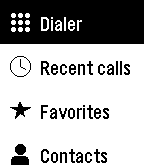
Tools & UtilitiesPhone Dialer has been the most involved app build for us at Ark-am. As the name suggest, this app lets you place calls from your Pebble watch without reaching for your phone. Call from your favourite's list, browse your contacts, call back someone from your recent calls list, or click on any number on the keypad (touchscreen supported). Favorites shows your starred contacts, and Contacts is grouped from A to Z so you can find anyone in a few presses. Recent calls lists your latest 100 calls, with missed, incoming, and outgoing calls clearly marked. The keypad covers digits, *, #, and + for international numbers. Key features during a call, your watch becomes a remote: - See who you're calling and their number, even for a number typed on the keypad that belongs to a contact - Watch the call go from Calling to Connected with a running timer - Switch the sound between the phone, the speaker, and a Bluetooth device - Mute and unmute your microphone - Hang up with the Down button or by tapping End. - In Settings, choose a dark or light theme, arrange the main menu in the order you use most, and switch touch input and tap vibration on or off. On Pebble Time 2 and Pebble Round 2, tap keys, swipe through lists, and tap the call controls. Otherwise, use the buttons. Android only. Phone Dialer requires its free Android companion app, located on our website: https://ark-am.com/projects/pebble-apps Or Download the companion app directly from here: https://ark-am.s3.us-east-1.amazonaws.com/App_Pebble/phone-dialer-1.7.0-android.apk Once installed, allow Phone access to make and end calls, Contacts for Favorites and Contacts, and Call history for Recent calls; each feature works on its own. Additionally, link your Pebble once in the companion app to switch the sound, mute, and see the call status and timer from your watch. Your contacts and call history stay on your phone and watch and are never sent to a server. On dual-SIM phones, set a default calling SIM. For emergencies, use your phone directly. Android 12 and newer. Created by Ark-am LLC. Discover our work and custom software development services: https://ark-am.com/