 19
19Volleyball Referee Timer
Health & FitnessVolleyball Referee Timer for Pebble Smartwatch aids volleyball referees in timing 3 things: warmups, timeouts, and the interval between sets. Since different rulesets use variations of these, it lets you choose the ruleset and lets you customize your timers for matches that you are refereeing. To ensure you never miss anything important, it will vibrate to alert you to upcoming actions.
 19
19Tanken
DailyImmer die billigsten Benzinpreise nun auf der Pebble! Gesucht werden kann im Umkreis von voreingestellten Koordinaten oder um die jeweils aktuelle GPS-Position herum. Aktuell werden die Kraftstoffarten Diesel, Super E5 und Super E10 unterstützt. Die Preise werden bereitgestellt von Tankerkoenig.de. Spenden per PayPal an do1fmd (at) googlemail.com oder per Bitcoin an 3DtGb7WJCy3yyy3dxZ74nvXhzuKBZCqUbs sind willkommen.
 19
19Tea Timer
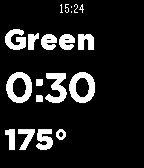
Tools & UtilitiesA simple application to time the steeping of teas. New: Turn off the alarm with a flick of the wrist! The top button switches tea types, the middle starts and restarts the timer, and the bottom adds 15 seconds to the time Long press the top button to invert the color Currently includes timing and temperatures for black, white, green, mate, rooibos, herbal, and oolong
 19
19Pebble Tiles!
Games“Pebble tiles!” is an addictive game fit for casual game-play. It is minimalist in nature and is purely a skill based game which gives the game's attention, patience and dexterity a whirl. The game challenges the gamer to strike scrolling rock-tiles at a particular place and crush them to pebbles. The game starts out slow but then increases in speed and challenge with each crush.
 19
192048 - The (clone) game
GamesI saw the original game and HAD to port this to the pebble watch! See here for info: http://gabrielecirulli.github.io/2048/ I completely rewrote the game, because the original is written in JavaScript. And I needed C ;) Tile the watch and press the right middle button to shift the tiles. You win when you get the 2048 tile! I guess I'll add a highscore list sometime...
 19
19Baseball Umpire Indicator
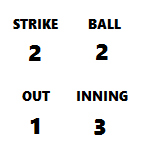
Health & FitnessModeled after the umpire's indicator, this Pebble app tracks strikes, balls, outs, and innings. [Back] to increase strikes. [Up] to increase balls. [Select] to increase outs. [Down] to increase innings. Hold [Back] to exit app. Hold [Up] to reset balls and strikes. Hold [Select] to reset outs. Hold [Down] to reset innings.
 19
19RobertBus
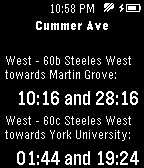
Tools & UtilitiesGet the arrival times of the nearest buses to your location. Choose one of the following transit systems from app settings: AC Transit APL Asheville Redefines Transit Camarillo Area (CAT) Cape Cod Regional Transit Authority Chapel Hill Transit Charles River TMA - EZRide Charm City Circulator City College NYC City of Oxford Collegetown Shuttle CyRide DC Circulator Downtown Connection Dumbarton Express East Carolina University Emery-Go-Round Fairfax (CUE) Foothill Transit Fort Worth The T George Mason University Georgia College Glendale Beeline Gold Coast Transit Indianapolis International Airport Jacksonville Transportation Authority Jacksonville Transportation Authority Lasell College Los Angeles Metro Los Angeles Rail MBTA Massachusetts Institute of Technology Mission Bay Moorpark Transit NYC MTA - Bronx NYC MTA - Brooklyn NYC MTA - Staten Island North County Transit District Nova Southeastern University Omnitrans Palos Verdes Transit Pensacola Beach (SRIA) Portland Streetcar Prince Georges County RTC RIDE, Reno Radford Transit Regional Transportation Agency of Central Maryland Roosevelt Island Rutgers Univ. Newark College Town Shuttle Rutgers University San Francisco Muni Seattle Streetcar Simi Valley (SVT) Societe de transport de Laval Thousand Oaks Transit (TOT) Thunder Bay Toronto Transit Commission Unitrans ASUCD/City of Davis University of California San Francisco University of Maryland University of Minnesota Ventura Intercity (VISTA) Western Kentucky University York College
 19
19Ideas
Tools & UtilitiesPractice your creativity by making connections between words.
 19
19Waiting For The Bus
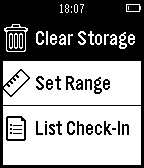
Tools & UtilitiesThis app finds buses near your location and shows the estimated time of arrival. It saves your most frequent buses and learns your habits! Press "select" for bus details, "long - select" for checking - in. So far, it works using trentino trasporti esercizio. note: based on GTFS file format
 19
19oInterval
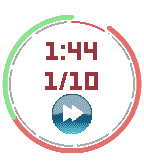
Health & FitnessI started running a few weeks ago and I could not find an app helping me with the training rythm. So, I've made this one. It's not the fanciest ever, but it do what it is aimed to do. The main feature is that the watch vibrates when you have to change your pace. So you never have to look at it. That was the feature I was missing in ever over app I've tested, so I've decided to make my own.
 19
19Tinder for Pebble Time
DailyA tinder app for Pebble that allows you to like, pass and view profiles on the go! Forked and made in color from "Tinder for Pebble" by Neal Patel, found here: https://apps.getpebble.com/en_US/application/5435bc7926edd83fea0000ab This app is for Pebble Time and hopefully works on Pebble Round. If you are on a classic pebble use the original app. Controls: UP: Like current person DOWN: Pass current person SELECT: Next photo LONG SELECT: Show Bio Disclaimer: Not affiliated with Tinder in any way.
 19
19Color!
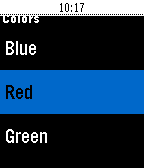
GamesI was bored one day and looking through the pebble store and I realized there weren't any drawing apps with color! So I set off to make one. Draw in color whatever you want to your heart's content! The app works best with Pebble Time watches, but will still work with Pebble and Pebble Steel with fewer color options. If there are any additional features you would like to see send suggestions to [email protected]. Controls: Use the buttons to move the cursor around in four directions. Long pressing the center button turns the color on and off. Color starts off by default. Long press up to choose your color. Long press down to keep backlight on. Long press the back button to leave the app. Note: This app is made with pebble.js so a connection to a phone is required.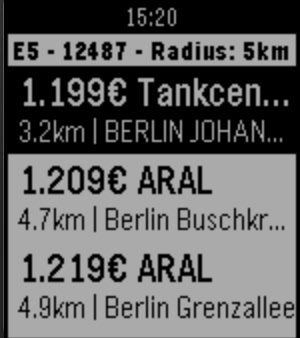 19
19SpritPreis
Daily# Pebble-SpritPreis WatchApp um aktuelle Spritpreise auf der Uhr zusehen. Damit man immer die günstigste Tankstelle zum Tanken in der Nähe findet. (Nur Deutschland) App to fetch fuel prices from german Website tankerkoenig.de. ## Features - Reload on Shake - Vibrate after Download - Select location type GPS or ZipCode - Select fuel type - Select search radius - Select sorting (distance or price)
 19
19Table Tennis Tracker
Health & FitnessFocus on your game and let Table Tennis Tracker for Pebble keep track of the score and whose turn it is to serve! Ever forget who should be standing where during a doubles match? Let Table Tennis Tracker tell you where each player should be and also remind you when to change sides during your match! Want to check something else on your Pebble in the middle of a match? No problem! Table Tennis Tracker will remember where you were and let you continue from where you left off. And if you give yourself a point and then your opponent calls a let, you can undo the score change. Finally, when your match is over, Table Tennis Tracker can even add your match result to your Pebble timeline. Table Tennis Tracker options let you choose between modern and pre-2001 ITTF rules and whether to play best of 3-, 5-, or 7-game matches. For more info, please refer to the screenshots above or on the FrostyMobile.com website. Thank you for your kind comments and support and may the net ball always land on your opponent's side :-)
 19
19Nextbike for Pebble
Tools & UtilitiesRent a public bike directly from your watch! Wherever Nextbike is available, so is your watch connected to the bike network. Rent a bike, see your rental status and find station without pulling your phone! Nextbike is also known as: sz-bike (Dresden), Stadtrad (Innsbruck), Fächerrad (Karlsruhe), PotsdamRad, metropolradruhr, NorisBike (Nürnberg), Leihradl (Niederösterreich), BakuBike, WRM Wrocławski Rower Miejski, PRM Poznański Rower Miejski, Opole Rower Miejski, Bemowo Bike, Veturilo Warszawa, Belfast Bikes (Belfast, UK), Sixt rent a bicycle (Rīga/Jūrmala, Latvia), BYKYstations (Dubai, UAE), Healthy Ride (Pittsburgh, USA), SkyBike (West Palm Beach, USA) and many more. In order to use this app, you need a Nextbike account. Please visit https://nextbike.com/ or your local equivalent first. Features: - list of closest stations using GPS, together with approximate distance and direction - ability to rent a bike using list - ability to enter number of bike manually - rental info: big timer to quickly check how many minutes you've been riding for - timeline support Note: bike return currently not available, due to transient issues with Nextbike API. To return the bike, please use mobile app or contact customer support. This is an unofficial client and I am not associated with Nextbike in any way.