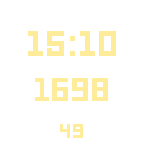
 3
3The Calorie Counter - White Edition
Health & FitnessA simple calorie counter. - Press the up button to add calories. - Press the down button to correct your entry before you will save. - Press the middle button briefly to save your input. - Press the middle button long to clear your inputs. Ein einfacher Kalorienzähler. - Drücke den oberen Knopf um Kalorien hinzuzufügen. - Drücke den unteren Knopf um deine Eingabe zu korrigieren bevor du sie speicherst. - Drücke den mittleren Knopf kurz um deine Eingabe zu speichern. - Drücke den mittleren Knopf lang um deine Eingaben zu löschen.
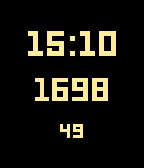 4
4The Calorie Counter - Black Edition
Health & FitnessA simple calorie counter. - Press the up button to add calories. - Press the down button to correct your entry before you will save. - Press the middle button briefly to save your input. - Press the middle button long to clear your inputs. Ein einfacher Kalorienzähler. - Drücke den oberen Knopf um Kalorien hinzuzufügen. - Drücke den unteren Knopf um deine Eingabe zu korrigieren bevor du sie speicherst. - Drücke den mittleren Knopf kurz um deine Eingabe zu speichern. - Drücke den mittleren Knopf lang um deine Eingaben zu löschen.
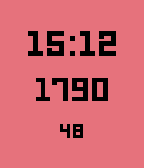 8
8The Calorie Counter
Health & FitnessA simple calorie counter. - Press the up button to add calories. - Press the down button to correct your entry before you will save. - Press the middle button briefly to save your input. - Press the middle button long to clear your inputs. Ein einfacher Kalorienzähler. - Drücke den oberen Knopf um Kalorien hinzuzufügen. - Drücke den unteren Knopf um deine Eingabe zu korrigieren bevor du sie speicherst. - Drücke den mittleren Knopf kurz um deine Eingabe zu speichern. - Drücke den mittleren Knopf lang um deine Eingaben zu löschen.
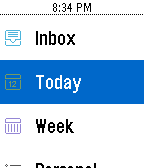 374
374WunderPebble
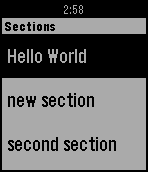
DailyAn elegant and feature-filled Wunderlist client for your Pebble. View Lists and mark Tasks complete right on your wrist. I'm constantly adding new features. Visit my site and send me suggestions or donate to help.
 52
52Notes 365
DailyDisplays OneNote notebooks from Office365 or OneNote Online on Pebble. P.S. This app was NOT developed by Microsoft and is not affiliated with Microsoft. Office 365 is trademark and OneNote is registered trademark of Microsoft Corporation.
 126
126Find my Phone
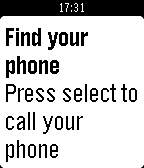
Tools & UtilitiesThanks for 100 ❤'s! If you like Find My Phone give it a ❤! Do you misplace your phone often, or just want to be ready just in case you do? Then Find my Phone is the right app for you. At the push of a button, an automated bot will call your phone so you can hear it from wherever you put it. Unfortunately, you must be in Bluetooth range (About 150 ft.) for it to work. Estimated time to set up is 5 minutes. To set up: 1) Go to https://ifttt.com/join and make an account 2) Go to https://ifttt.com/recipes/407620-find-my-phone-pebble-app (Linked below) 3) Connect the Maker and Phone Call Channel (This will not work for people that do not use a +1 phone number (USA)) 4) In the box that says "Event Name" type "finding_phone" without the quotes 5) Click "Add" 6) Go to ifttt.com/maker and copy your key. DO NOT SHARE THIS KEY WITH ANYONE (Ex: tTfXIFRVJzu9suVW1K0g4k) 7) Install this app to your pebble 8) In the settings paste your key and click "Submit" 9) All done! If you have problems setting up, go to the video tutorial for help: https://youtu.be/VZQzZnMtvQE Or, if that doesn't help go to the troubleshooter: https://goo.gl/K8xeER After you have set the app up, you can re-open the app, and when you click select, your phone will start ringing!
 60
60Money Maker
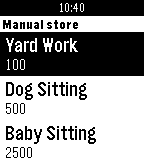
GamesThanks for 50 ❤️'s! WARNING: Can have high power consumption! Please ❤️ Money maker Debugged by johannesn. Awesome leaderboard by Kyle H. Click the middle button. Make money, and then more money, then more money. Then Click down for the main menu. Click 'manual jobs' (Jobs that increase how much you get from each click) Get a new job by paying the money below the job name. This will make it, so you get more per click - price ÷ 50. Click 'auto jobs' (Jobs that work themselves, and don't need to be clicked) Get more people by paying the money below the name. This will make it, so you get more per second - price ÷ 100. Keep an eye on your arrested chance! Every minute it goes up by 5%. You can lower this by doing good deeds. If you get arrested, you must wait 5 minutes. You cannot make money at all during this. If you leave during the sentence, you must serve five more minutes. Click 'houses' (every five clicks you get your house bonus) Get a house by paying the money below the name. This will make it, so you get more per five clicks - price ÷ 50. Click 'items' (Cool stuff you can buy) Get stuff by paying the money below the name. Click 'multipliers' (boost your money making for 60 seconds) Get a bonus by spending the money below the name. This will make it, so you get more money for 60 seconds. Keep on doing this until you own... THE WORLD!! If you see any glitches, email me at the email below. There is a reset button if needed. Disclaimer: No actual money is involved with playing this app/game
 32
32Cookie Clicker
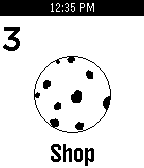
GamesThanks for 100 installs!!! The addictive cookie game now on your wrist! Controls Select: Click a cookie! Down: Purchase Upgrades Up: Hold for 5 seconds to eat all the cookies! (It clears cookie data) Please Heart it!!!
 3
3GRE Reminder (with Chinese translation)
Tools & UtilitiesAn app for Chinese users to recite GRE words for conveniently.
 47
47Keepzer
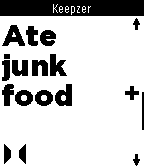
Tools & UtilitiesRecord your life events with supreme ease. Want to log the number of beers you drink tonight? Or the number of cookies you've been devouring? With Keepzer for Pebble it's as simple as a one-button click on the wrist. It's simple to see logged events in your free Keepzer account. We've built a great timeline and graph feature which gives you a powerful overview of all your life events.
 4
4Cineworld Dublin
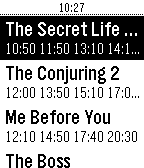
DailyCineworld Dublin film times, with daily schedule, including editorial reviews and viewer comments.
 46
46openHAB
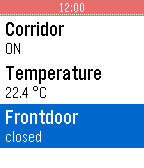
RemotesThis app allows you to use your Pebble SmartWatch to connect to and control your OpenHAB server. Most of the basic kinds of sitemap elements are supported (Frame, Group, Selection, Setpoint, Slider, Switch, Text) but not graphically rich ones (Colorpicker, Chart, Image, Video, Webview). Supports multiple sitemaps, separate intranet and Internet URLs, http/https, and username/password authentication.
 7
7Chronochrome
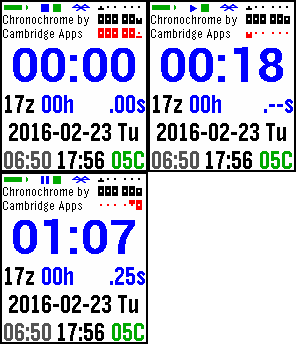
DailyModes: clock, stopwatch, and countdown (with overtime count-up). At the top right, in all modes, is a linear display of the hour, minutes, and seconds. All modes also show the UTC(z) hour, the date and day, sunrise and sunset, temperature, two user-info text fields, and status icons for stopwatch, countdown, Bluetooth, and battery. Clock mode also displays the day's percent change in the DJIA and NASDAQ. Chromochrome vibrates on the hour (in clock mode), and upon Bluetooth disconnection, starting the stopwatch or countdown, and countdown completion. If you exit and reenter the app, the stopwatch and countdown times will be as if the app had been running all along. You can choose 12- or 24-hour format (defaults to watch default), force-refresh the stock data, select Celsius or Fahrenheit, and change the text of the user-info fields. Buttons: Top, Middle, Bottom M: cycles -> clock-> stpw -> ctdn -> clock: T: select setting-submode for clock -> stocks -> temp -> info1 -> info2 clock: B: toggle 12/24hr mode stocks: B: force refresh (if BT connected) temp: B: toggle C/F M: exit setting-submode usrinfo: B: update usrinfo field, select 1st char T: select next char (at end of field, go to 2nd field or exit setting-submode) B: modify selected char: if a-z, uppercasify then cycle through space, a-z, 0-9, and .+-_@# stpw: T: stop -> reset B: start/resume ctdn: counting down: T: stop -> reset -> init overtime: T: reset -> init B: start/resume ctdn init: T: select next digit B: inc selected digit M: exit init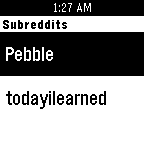 13
13BIG REDD
DailyView the latest reddit headlines from your favorite subs in the largest way possible for easier legibility. I found a lot of type hard to read with other news reader apps, so this is my attempt to make my own. It is very simple as it just gets the headlines, other apps can be found with more features. This is just what works for me and i thought i would share. If you have interest in more features please reach out to me and i will try to add.
 15
15Stopwatch!
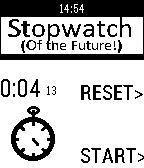
Tools & UtilitiesIt's a stopwatch- for the future! Very simple stopwatch for your Pebble with a fun animation.