Chronochrome
Cambridge Apps
Watchapp
Description
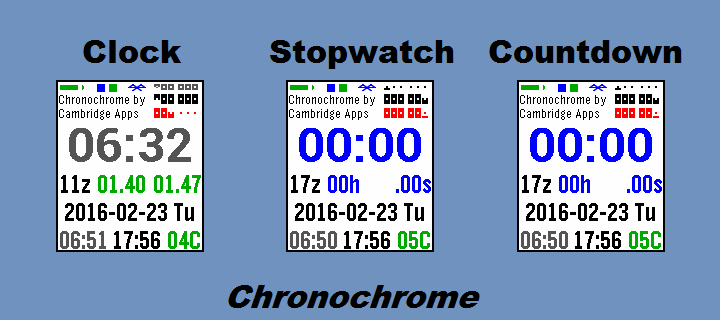
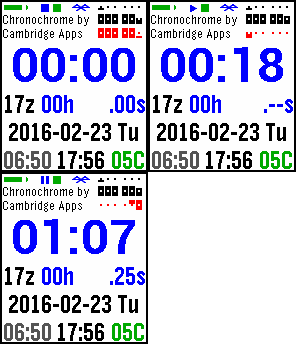
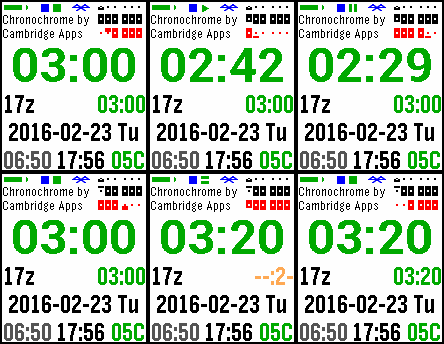
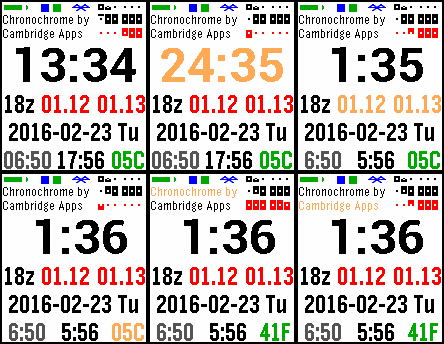
Modes: clock, stopwatch, and countdown (with overtime count-up).

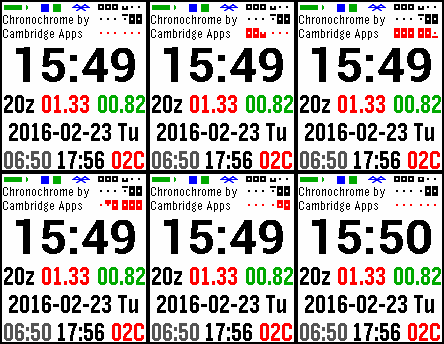
At the top right, in all modes, is a linear display of  the hour, minutes, and seconds. All modes also show the UTC(z) hour, the date and day, sunrise and sunset, temperature, two user-info text fields, and status icons for stopwatch, countdown, Bluetooth, and battery. Clock mode also displays the day's percent change in the DJIA and NASDAQ.

Chromochrome vibrates on the hour (in clock mode), and upon Bluetooth disconnection, starting the stopwatch or countdown, and countdown completion.

If you exit and reenter the app, the stopwatch and countdown times will be as if the app had been running all along.

You can choose 12- or 24-hour format (defaults to watch default), force-refresh the stock data, select Celsius or Fahrenheit, and change the text of the user-info fields.

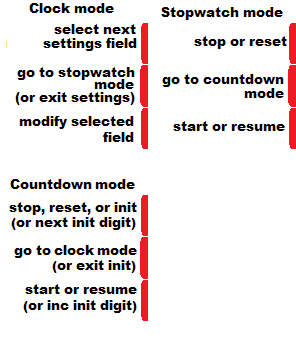
Buttons: Top, Middle, Bottom

M: cycles   -> clock-> stpw -> ctdn ->

clock:
T: select setting-submode for clock -> stocks -> temp -> info1 -> info2
clock: B: toggle 12/24hr mode
stocks: B: force refresh (if BT connected)
temp: B: toggle C/F
M: exit setting-submode

usrinfo:
 B: update usrinfo field, select 1st char
   T: select next char (at end of field, go to 2nd field or exit setting-submode)
   B: modify selected char:
     if a-z, uppercasify
     then cycle through space, a-z, 0-9, and .+-_@#

stpw:
T: stop -> reset
B: start/resume

ctdn:
counting down: T: stop -> reset -> init
overtime: T: reset -> init
B: start/resume

ctdn init:
T: select next digit
B: inc selected digit
M: exit init- DeveloperCambridge Apps · Is this you? Claim your app ›
- CategoryDaily
- PlatformsTime/Time Steel, Time 2 (scaled)
- Updated2016-06-30
- Version2.13