 11
11Digivice - Alpha build
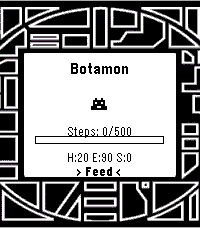
GamesA very early, alpha build of a reworked digivice. I wished this existed for the pebble, so I made one for myself. It is NOT anywhere near completion and it's all MY original code. Took some inspiration from the vital bracelet, as well. I liked the idea of fitness goals to help with evolution, but I'm not going to make you do sit-ups to get a greymon. Just some walking. Or heck, skip it and treat it like a normal digivice and let it eat, sleep, poop, and train and you'll get there. Or try out the battle simulator, which is all 50/50 coin flip rng based with a fun animation. Whatever floats your boat. Final note: Agumon line only, diverging evolutions will come into play at some point. Perhaps the next version, but for sure in the 1.0 release. Give me a few weeks.
 1
1NRL Fan
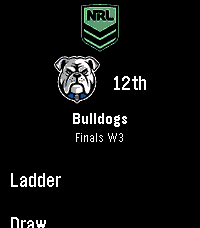
Tools & UtilitiesAn app for Australian NRL fans to keep up with their favourite teams. It features: - Set your favourite team and code (NRL, NRLW + Origin series) - Current ladder and rankings - Upcoming matches list (upcoming games can be pinned to your Pebble's timeline for alerts) - Live game score view (30s updates) with vibrations when a team scores - Results from the current season - Historic results view for all teams from past years - Touch screen enabled Built for Pebble Time 2. Support for other Pebbles added as best I can. If you find a bug or have a suggestion, let me know!
 7
7Simple coffee ratio calculator
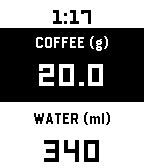
Tools & UtilitiesA coffee-to-water ratio calculator for your wrist. Set your brewing ratio once, then dial in coffee or water to get the matching amount instantly. Perfect for pour-over, when you weigh your beans freely and need the water calculated on the spot. Adjust coffee weight or water amount — the other updates automatically Press Select to switch between adjusting coffee or water Long-press Select to change your ratio (supports 1:10 through 1:25) Tap for precision (0.1g / 1ml), hold to move faster (1g / 10ml) Your ratio and last coffee weight are saved between sessions Defaults to 1:17 ratio, 20g coffee.
 13
13Wrist Dungeon
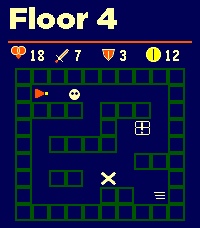
GamesWrist Dungeon is a top-down dungeon crawler and roguelite RPG built for Pebble. Explore changing room complexes, collect treasure, evade patrolling enemies and fight your way through 30 increasingly dangerous floors. Monsters use line-of-sight detection and will pursue you—if they catch you, they attack first. Combat combines your Attack or Defence stat with a dice roll. Every clash displays both calculations and the final totals. Attack, survive the counterattack or flee and risk taking one last hit. Discover weapons, armor and potions as you descend. Compare new equipment with your current gear, equip it immediately, carry it in your six-slot inventory or leave it behind. Drop unwanted items and visit merchants to buy and sell gear using gold. Every run makes you stronger. Earn Shards and Legacy progress, purchase permanent upgrades, unlock new heroes and preserve an heirloom for your next descent. Features: • 30 progressively harder dungeon floors • 20 enemy types, including skeletons, bats, mimics, trolls and drakes • Major bosses on Floors 10, 20 and 30 • Elite encounters and varied room types • Patrolling enemies with line-of-sight detection and pursuit • Dice-based combat with visible Attack and Defence totals • Weapons, armor, healing and stat-boosting potions • Equipment comparisons and six-slot inventory • Gold, treasure chests and merchants • Permanent Shard upgrades and Legacy progression • Three unlockable heroes with different strengths • Heirlooms carried into future runs • Unlockable Depth II for a greater challenge • Optional hit, miss, victory and defeat sounds • Optional haptic feedback • Support for rectangular, round, color and monochrome Pebble watches Floors 1–5 are free to play. A one-time KiezelPay purchase unlocks all 30 floors, every boss, advanced heroes, heirlooms and Depth II. No subscription. More to come...
 37
37Price Watcher
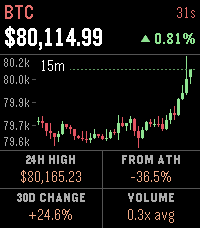
Tools & UtilitiesPrice Watcher keeps live market prices on your wrist: stocks, crypto, ETFs, and commodities, up to 8 symbols at a time. The home screen shows every symbol at a glance. Up and down flip through detail pages, each with a candlestick chart (1 minute, 15 minute, 1 hour, and 1 day intervals, cycled with select), key stats, and the change since the previous close. Stock charts shade pre-market and after-hours trading, and the price keeps tracking extended-hours movement after the close. Stats adapt to the asset. Stocks show the 24h high, 30-day change, previous close, and volume relative to a typical day at this time. Crypto and commodities swap in the distance from the all-time high. Any ticker TradingView knows will work. Type symbols into the settings page on your phone, and pin an exact market with EXCHANGE:SYMBOL (for example KRAKEN:BTCUSD) if the automatic match picks the wrong one. Auto-refresh runs every 1 to 30 minutes, and the watch remembers the last prices so there's something on screen the moment the app opens. A long press of select refreshes everything on demand. Works on every Pebble, from the original to the Time 2 and Round 2.
 7
7PebbleCalc
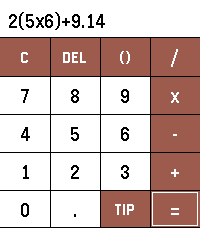
Tools & UtilitiesPebbleCalc brings a simple yet powerful calculator and a smart tip splitter directly to your Pebble watch. [FEATURES] - Full PEMDAS Math Engine: Evaluate standard arithmetic expressions with parentheses, operator precedence, decimals, and negative numbers. - Interactive One-Line Display: Touch anywhere along the equation or long-press UP/DOWN to move the cursor. - Touch & Button Navigation: Full support for touchscreen tapping alongside physical button controls. - Tip & Split Calculation: Use the TIP button to calculate gratuity and split bills. - Quick Tip Presets: Select 10%, 15%, or 20% presets, or press UP/DOWN to fine-tune custom percentages. - Bill Splits: Tap left/right half of the split pane or long-press UP/DOWN to adjust the party count. [REQUIREMENTS] No setup, companion app, or internet access required.
 22
22PebbleBall
GamesThis is a Jezzball clone for the pebble time 2! The classic windows game on your wrist! With touch support! Your goal is to trap all the balls in the smallest boxes that you can. Give it a try!
 47
47Froggle
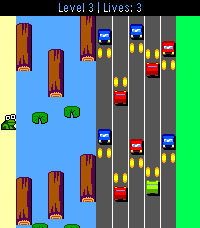
GamesFrogger, but for Pebble! Multiple challenging levels, which get faster as it goes... Can you dodge the cars and hop those logs? You get an extra life for each level you complete.. Good luck! Choose between modern or retro art! Note: Touch screen support is enabled for jumping only. It is only enabled on the new RePebble time 2 for 2026 Special thanks to GitHub user cmbartschat for the graphics overhaul. Absolutely beautiful!
 17
17Pexic
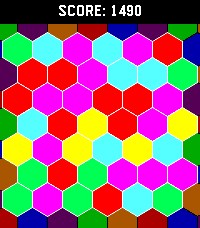
GamesHexic but for pebble! It's the classic you know and love, optimized for Pebble Time 2 (emery) and Pebble Round 2 (gabbro)
 10
10Lord of the Pint
Games**HAPPY HOBBIT DAY** 🍺 LORD OF THE PINT The road goes ever on… but first, a pint. Step behind the bar as Barliman Butterbur and keep the Prancing Pony running as heroes, villains, wanderers, wizards—and stranger folk—come looking for a drink. 🕹️ Classic arcade action — Pour, serve, catch mugs and survive increasingly chaotic rounds with simple Pebble-friendly controls. 🎲 Three mini-games — Take on Gollum’s Riddles, the Dwarf Drink-Off, and Coin Toss, each with its own challenge and high scores. 🏆 Tavern Tales — Unlock achievements, chase records and prove yourself worthy of One Pint to Rule Them All. 🐉 Secrets & surprises — Special patrons, hidden encounters and unexpected moments reward repeat play. Built with love as a fan-made celebration of Tolkien, classic arcade games and Pebble. Easy to learn. Hard to put down. One more round? 🍻 A Pebble Game of the Year candidate? We’ll let the patrons decide.
 28
28NapBuster
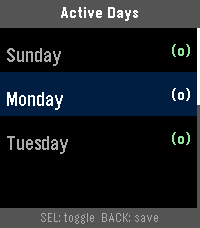
Health & FitnessA Pebble smartwatch app that stops you from napping during the day so you can fall asleep easier at night. When NapBuster sees sustained signs that you may be dozing during your configured no-nap hours, it gives you a gentle nudge. If stronger evidence continues and you do not appear to respond, it escalates to a repeating alarm.
 31
31Parcel Tracking
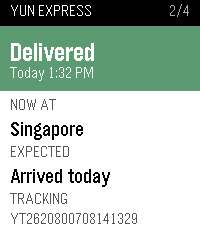
DailyWondering if any parcel is arriving today? This app answers that question in an instant. Open any shipment to check its current status, location, estimated delivery time, and complete past tracking history. Want an instant update? Just long-press to force a refresh. Setup Note: This app requires your own free Ship24 API key (grab one for free at https://www.ship24.com/tracking-api). Enter your key in the app settings on your phone to get started Compatible with all Pebble smartwatches
 10
10Deen: Prayer Times & Qibla
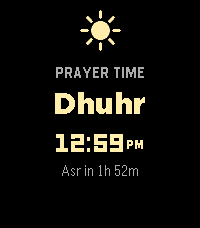
DailyDeen keeps your five daily prayer times right on your watch, and reminds you when each one arrives. Your prayer times stay accurate on their own — you don't need to open the app to keep them current. When it's time to pray, your watch gives a gentle buzz. Each prayer is shown with its own little icon, and the one you're in is highlighted so you always know where you are in the day. Lost your direction? Open the qibla compass, hold your watch flat, and follow the arrow until it turns green — that's Mecca. What you get: - Your five daily prayer times, at a glance - A gentle buzz at each prayer (turn any of them on or off) - A qibla compass that points the way to Mecca - The Islamic (Hijri) date - Set your prayer calculation method, location, and more from your phone - Works even without signal
 6
6codey
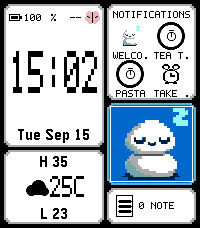
Dailycodey is a personal assistant, powered by codex. Check your calendar, the weather, check off TODOs, or query/instruct your codex agent, all from your wrist. Run the codey-server on your Linux or macOS machine alongside the codex app-server, then use codey as your watchface -- or bind to a "hold" shortcut from your watchface. Dictate to control codex or to take actions on your Pebble such as: - Add a todo ("TODO: blah" or "Set a TODO: blah") - Make a note ("Note: blah" or "Create a note: blah") - Make a calendar event ("Calendar: blah")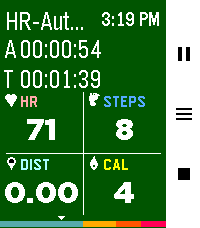 367
367Pebble Fit
Health & FitnessThe fitness tracker you've been looking for! Track 19 different workouts, plus a Pace Trainer, an Interval Trainer, and an Automatic Mode based off heart rate. After a workout, review calories burned, steps taken, distance traveled, records beat, a GPS map of your route, and your heart rate over time. Enable auto-pause in settings to automatically stop tracking during periods of inactivity. Feel free to use your watch as you work out and background your exercise. Export exercises to FIT, GPX and TCX formats. Want heart rate zone awareness? Enable "HR Zone Vibe" in settings to get vibration alerts when you enter a new heart rate zone during your workout. View your workout history, daily/weekly/monthly stats, personal records, and track progress toward daily goals. Full features: - See Monthly/Weekly/Daily workout stats - View 20 past workouts and their specific stats (and see a snazzy GPS map) - Run 19 different workouts, including a pace trainer, an interval trainer and a heart rate adaptive trainer (scales the intensity of calories burnt based off heart rate) - Track active time, total time, heart rate, steps, distance, calories burnt, heart rate zone all from one screen - Additional workout screens for: - Tracking heart rate zone and time spent in each zone (This is the page that vibrates as you leave or enter a new HR zone, see above :) - Track pace (time per mile or km) - Track custom laps - View elevation of your workout and an expected route (if route is uploaded) - View your route as you exercise or see your expected route as you hike - If you get lost, use the path finder to point you back to your uploaded trail - See a fully featured map as you exercise that you can pan and zoom in and out of to see land features - Utilize a cool down timer for when you lift weights - Get notified when you finish a record breaking workout - Get notified if you enter or leave a new heart rate zone while you work out - Track daily goals - See individual workout type records - Auto pause for inactivity during workouts - Background your workout and go about your business then stop it when you're ready - Enable automatic workout detection and the watch will prompt you when you start to work out - Its free! Seriously. I made a tool I wanted to have and decided to share it. At the end of it all - I hope it helps you stay healthy 💪 If you would like to have more of a conversation about features, reach out via the developer link. I try to be responsive! Or let's talk on the Reddit post I made: https://www.reddit.com/r/pebble/comments/1sjvs0i/pebble_fit_a_fully_featured_fitness_app/