 13
13Beam
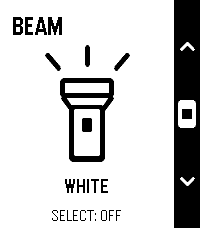
Tools & UtilitiesBeam — Small app. Bright idea. Your toes called. They’d like fewer surprise meetings with the furniture. Beam turns your Pebble’s screen into a simple flashlight—perfect for finding your way to the fridge when those late-night snacks aren’t going to fetch themselves. Bold outlines. Crisp contrast. That unmistakable Pebble aesthetic. An everyday essential that looks right at home on your wrist. -Launch it and the light is on. -Choose white, amber or red. -Tap Select to switch on or off. -Controls disappear after three seconds for full-screen illumination. No phone connection. No menus to dig through. Just a little light when you need it. Add Beam to Quick Launch and make your next midnight fridge expedition a one-button operation. Simple. Essential. Toe-friendly.
 1
1VOLUN-TOLD
Tools & UtilitiesQuickly select a random student in class
 11
11Idle Dungeon
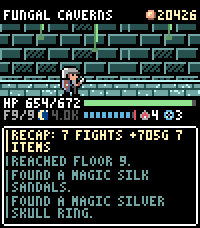
GamesIdle Dungeon turns the steps you take during the day into a dungeon crawl. Pick a dungeon in the morning and go about your day. Every step carries the hero deeper: monsters, traps, fountains and loot all happen while you walk, and the app shows you what you missed when you next open it. Nothing to tap, nothing to grind. - **Steps are the game.** Floors are hundreds of steps apart; the deepest dungeon is 12,000 steps down and the same distance back. Steps taken in town are saved for your next expedition, so a morning walk is never wasted. - **Sleep well and the day goes better.** Six hours of sleep makes the hero Rested, seven makes them Refreshed: more experience, more gold, better finds. - **1000 items to find.** 150 shapes across six materials, plus 64 uniques and 12 three-piece sets with their own art and effects. Rare gear drops unidentified: carry it home to the appraiser, or read an identify scroll where you stand and wear it on the spot - gear can be changed anywhere, dungeon included. - **Hunt what you are missing.** The tavern trades in rumours: pay for a lead and that item starts turning up where it drops. The codex tells you where to look. - **Real risk.** Run out of health and your gear stays where you fell. Walk back for it, or pay someone to fetch it before it is gone for good. - **Also:** a blacksmith who upgrades gear to +10, a 48-slot stash, portal scrolls for the walk home, an auto-return setting, and a morning reminder so you never forget to set out. Runs entirely on the watch. No account, no ads, no in-app purchases; your save never leaves your wrist. Requires a Pebble Time 2 and step data from Pebble Health.
 9.3K
9.3KMusic Boss
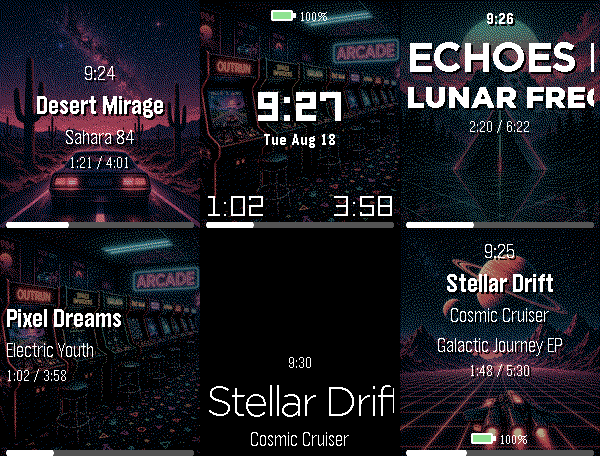
Remotes🎧 Music Boss is a powerful, customizable media controller and music library browser for your Pebble. Works with all your media/music apps*! New here? 🎁 Music Boss includes a fully-featured 3-day free trial through the Music Boss Deluxe phone app - every feature included, nothing held back! 🆕 NEW: Layout Presets - give your watch a whole new look in one tap. Choose from 20+ built-in styles - applied instantly from your phone, then fine-tune anything. Save your own looks too. (Layout Presets & the new UI are for Pebble Time 2 and Pebble Round 2. All other features are for all Pebbles!) 🎵 Play, pause, skip & seek - full media control from your wrist 🔍 Browse & play your whole library - PowerAmp, Podcast Addict, Spotify, Musicolet, GoneMAD, VLC & more 🔄 Switch and launch media apps right from the watch 🔊 Volume on phone, Bluetooth, or while casting 👍 Rate songs - Spotify, YouTube Music, YouTube (more in testing) 📺 Cast control - drive apps sending audio/video to TVs & speakers (Netflix, most music apps) ⚡ Custom per-app controls (e.g. Spotify DJ X) + full Tasker automation ℹ️ Album art, track info & live progress at a glance 🎨 Dynamic art themes that adapt to your cover (colour Pebbles & Pebble 2/2 DUO) 🖼️ Instant album art preview the moment the app opens (no more blank screen!) 🎚️ Image Quality control - Auto / 1 / 4 / 8-bit, plus a custom 1-bit colour theme ⬛ Album-art darkening for crisp text over busy covers ⚙️ Redesigned tabbed phone settings, tailored to your watch 👀 New perk - the new Music Boss watch face preset in Face Boss ✨ Pebble Time 2 & Round 2: 🆕 Brand-new Modern UI - Retro+, Classic & Time layouts in one app, full touch with seek & volume overlays, mix and match to taste 🎨 One-tap Layout Presets - 20+ styles, swap looks instantly, save your own 🎛️ Fully customizable layouts - fonts, colours, sizes, art modes, drop shadow, progress ring & optional solid text backdrops 👋 Wrist-flick gestures - flick forward/back for play, volume, rating & more (adjustable sensitivity; single, double or triple) 🕒 Big-clock display with 9 large fonts 🔒 Quick & Persistent screen lock - double-press BACK 📱 Watch Compatibility - Every Pebble Supported • Pebble Time 2 & Pebble Round 2 • Pebble Time, Pebble Time Steel • Pebble Time Round • Pebble 2 / 2HR / 2 DUO Original Models: • Original Pebble • Pebble Steel Support the Classic UI layout only (no album art). Manual Seek Mode not supported on the original models. For album art on the OG models, please check out "Music Boss Time" on the appstore. Pebble Companion App Compatibility: • Classic Pebble App / Rebble • Core Pebble App • microPebble • Any companion app that supports PebbleKit Classic Thank you for your support - whether you've been with Music Boss since the early days or you're just discovering it now! *Media Browsing/Playback has been tested with: PowerAmp, Podcast Addict, Spotify, Musicolet, GoneMAD and VLC. Works with any app that supports Android Media Browsing. All assets in this listing are original and © Reboot's Ramblings 2013–2026.
 18
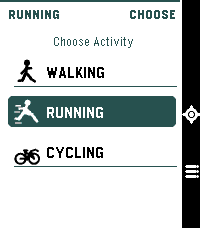
18Pacelet
Health & FitnessA simple activity tracker, using phone GPS
 1
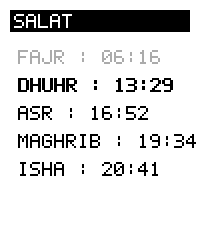
1Salat
DailyDisplays Salat time for a given latitude. Using lat/lng instead of location in order to avoid using an api key from a geocoding provider.
 32
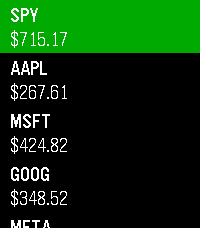
32Stocks
DailyKeep track of the markets on your wrist! Add up to 10 tickers and view prices, daily change, market status, and history at a glance. Data is delayed by a minimum of 2 minutes. Not financial advice. Informational use only. Your Pebble is not a Bloomberg Terminal (yet).
 14
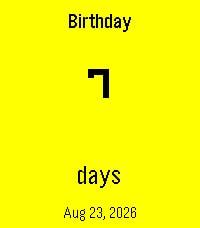
14Counting the Days
Tools & UtilitiesA simple Pebble countdown tracker for the dates that matter. Birthdays, anniversaries, holidays, trips, goals, or any event you want to keep in view — all in a swipeable card carousel right on your wrist. - Create events directly on your watch with dictation, buttons, or touch. - See a clean countdown in days, months & days, or years, months & days. - Recurring birthdays and anniversaries: set the original date once, and the app automatically shows the next occurrence every year along with the milestone — e.g. "7th Anniversary". - Companion phone settings page for quick edits and batch entry. - Optional Timeline pins so upcoming events appear on your Pebble Timeline. - Available in English, German, French, Spanish, Dutch, and Swedish. - Pick your date format: Jan 12 2027, 12 Jan 2027, 2027-01-12, 01/12/2027, 12/01/2027, or system default. - Ordinal styles for milestones: 1st, 1., 1e, 1:a. - Bold event date option for better readability on any background. Events stay on the watch. The countdown updates automatically, year after year.
 56
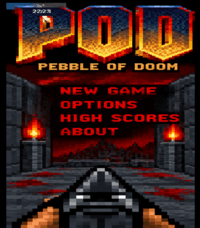
56POD - Pebble Of Doom
GamesA re-imagine of Doom for (Emery) Pebble Time 2 and (Gabbro) Round 2..... 5 levels with a boss at the end, make sure to conserve ammo 😉 Seeing this run on a pebble is a delight to me personally. Active ongoing tweaking is being made, but in the meantime, Enjoy! Acknowledgements: Brick wall texture courtesy of: https://opengameart.org/users/alpharats Everything else was free textures / sprites or modified by me that did not require or ask for a source of approval or credit.
 0
0HealthDash
Health & FitnessAn app to keep you on track.
 19
19Dictate
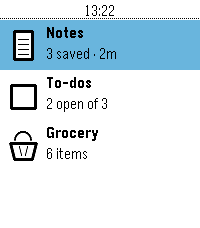
Tools & UtilitiesNote taking app built in the theme of the Pebble OS Stock weather app. Ability to store Note, To Do List, and a built in Grocery list.
 19
19Watch Tools
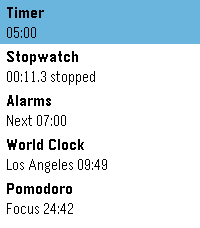
Tools & UtilitiesFive watch utilities in one place, wearing the same design as the weather app built into PebbleOS: a clean white card, one big number, and a ring that shows you where you are at a glance.
 5
5Pitch Pipe
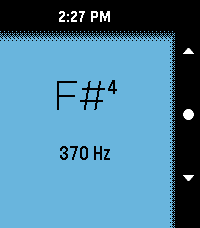
Tools & UtilitiesA colourful pitch pipe with lots of options. Spans 4 octaves and allows precise tuning.
 16
16DontPanic
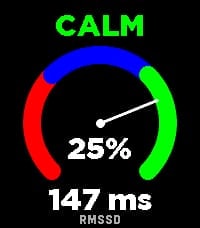
Health & FitnessDontPanic measures your Heart Rate Variability (HRV) right on your wrist to help you monitor your physical stress and autonomic nervous system balance. The app evaluates RMSSD (Root Mean Square of Successive Differences) - the gold standard time-domain metric for measuring parasympathetic activity and physical recovery. How to Measure: 1. Tighten your Pebble watchband comfortably above your wrist bone. 2. Lay down, relax, and keep your hand calm and still for 2 minutes. 3. A synchronized breathing visual and countdown guide you through the session. 4. You will feel a gentle vibration when the measurement is complete. Features: Dynamic Stress Gauge: Visualizes your stress percentage and status (CALM, NORMAL, or STRESS) across an analog arc gauge. Direct RMSSD Value: Accurate millisecond readout of your HRV. Personalized Calibration: Calibrates to your individual physiology over the first 7 days, continuously refining your baseline over time. History Trend Graph: Flip through with Up/Down buttons to track your latest 16 measurements and observe long-term trends. On-Wrist Guide: Press the middle (Select) button anytime to view tips for the most accurate readings. Screen & Backlight Control: Keeps the display legible throughout the measurement without turning off. Tip: For consistent results, take your measurement every day around the same time and in the same position (e.g., right after waking up). Want to track how your body recovers overnight based on HRV? Connect with Sleep as Android!
 6
6JW Daily Text
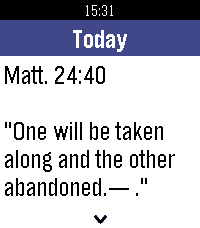
DailyRead today's Bible text and commentary on your Pebble. Works offline, preselects your watch language, with color UI, smooth day animations and touch scrolling.