 16
16Emma Pill Reminder
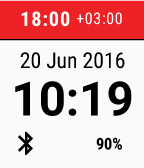
Health & FitnessThe Emma Pill Reminder app helps you in tracking and managing your medication use. The app sends you intake reminders and provides the possibility to instantly confirm or easily reschedule them via Pebble. Use Emma to assist yourself or another dear family member. Emma has successfully been tested by people with chronic illnesses like diabetes, epilepsy, COPD and heart failure. To use the application registration via the Android companion app is required.
 8
8Vera Wiz
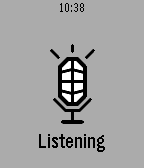
RemotesVera Home Automation Control [UI7 only] VOICE SUPPORT! * Configure Scenes and Devices that you want in Config * Currently supports Switch & Dimmer class. more to come... * Short press for toggle, long press to cycle dim (if supported) * Automatic switch between local or remote mode * Fast & efficient * Support voice dicatation. Still a bit rough....but it works. (back button) A working Vera Remote control app!! Nothing existing worked, so I wrote one. The latest Vera authentication is quite complex. This is why 3rd party apps are few and far between. After some hours of tinkering I got it to work!!! The voice part still needs some AI to really make it work well, and also needs some changes so that voice recognition happens fast with less button presses. LONG PRESS BACK TO EXIT!! Voice will eventually become a paid option. Free for now.
 8
8Flex Timer Plus
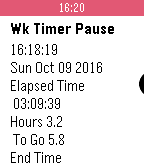
Tools & UtilitiesThis is a Timer App specifically created for people who work Flex Time. Very handy for people that don't have an exact schedule for work. Work Timer logs events and can be viewed in settings page, no companion app required. Also includes Other display options for GMT, Health Steps and Weather. Change color of everything! All colors can be changed in the settings page. Normal use case would be to start the Work Timer when you arrive at work, pause it when you go to break. Keeps track of current break and total break time. Then, when you get to enough hours for the day, go home. To enable the Weather options you will need an API key from Open Weather Map You can get a free API key here: https://home.openweathermap.org/users/sign_up
 34
34LMS Controller
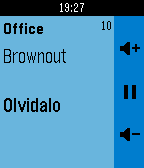
RemotesControl your Logitech Media Server (aka LMS or Squeezebox) via Pebble. new feature: long press select in track info screen enters the music menu! Buttons (up / select / down): player menu: * short press: player up / select player / player down * long press: - / toggle player power / - track info screen: * short press: volume up / toggle play / volume down * long press: previous song / enter player menu / next song Shake: update song info
 33
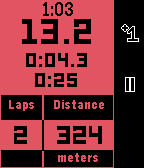
33Track Stopwatch
Health & FitnessThis stopwatch is intended for use when running, cycling, or swimming laps of a fixed distance. Useful information is displayed on the main screen such as: - Clock - Total elapsed time - Current lap time - Previous lap time - Distance Completing the run with a long press of the middle button shows a summary page with useful stats about the workout, including: - Total time - Total distance - Average pace - Best, average, and worst lap times The app supports background timing, so it does not have to be left in the foreground to continue timing a workout. Unit choice and lap distance can be configured on the phone.
 1.9K
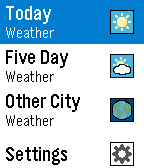
1.9KWeather
DailyWeather is a watch app that displays the current weather forecast for your location and a 5 day forecast. You can also choose to not use GPS and display the weather for a particular location. There is also the ability to view the weather in an additional city.
 23
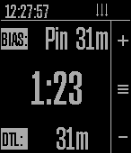
23raceQs Marine GPS app
Health & FitnessFree beta App marine GPS and sailboat race computer. www.raceQs.com/smartwatch
 100
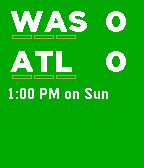
100NFL ScoreWatch
DailyKeep up with your favorite NFL teams right on your wrist. Follow live NFL football games. Bug reports or ideas to make it better? Let me know in the forum: http://forums.getpebble.com/discussion/17152
 208
208Series Timer
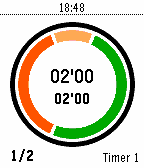
Health & FitnessColored circular countdown timer initially designed for fitness sessions. It's also customisable as a standard timer, interval timer, interval ttopwatch, Pomodoro clock, Tabata or Little HIIT sessions, and more. Up to 12 timer settings including: - preparation time (orange segment) - workout time (green segment) - harder workout time (purple segment) - rest time (red segment) - series count or stopwatch mode - interval segments and background color - intervals or round display mode - timer name - activity tracker data including step or distance Timers will vibrate at the end of each segment. The timer will stop at the end of the last serie in "series count" mode. Settings are persistent, the timer will wake up on completion if "Series-Timer" goes to the background. Activity tracker give you a score of movement intensity. You can read the total score on top left. The current serie score is on top right and last serie score on bottom left. It is a standalone watchapp, doesn't need smartphone connection. Toggle from round to interval views with long press on up button. You can change timer names and other settings using the parameter button from the pebble app on your phone. You can find manual and post comments on http://forums.getpebble.com/discussion/24153/watchapp-sdk3-series-timer-interval-pomodoro-tabata-hiit.
 15
15Series Timer A
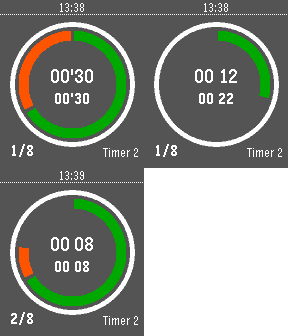
Tools & Utilities'Series Timer A' is a copy of 'Series Timer' watchapp. Using both watchapps you can launch an second timer when an first timer is running. You will have a new full set of timer settings. In 'A' version, timer name and serie count display are switched.
 143
143This Then That
RemotesInitiate IFTTT triggers from your Pebble using the microphone. HOW TO USE =========== Start the app and say [trigger] [value]: EXAMPLE ========= "Turn lights off" . "Turn thermostat, 70" . "Send text Mary stuck in traffic will be late" . "Remind me meeting at 4 pm" . Other supported formats are: [trigger] [key] [value 1] [value 2] [value 3] FEATURES ========= - Supports multiple keys - Set triggers that fire without confirmation - Jump into dictation mode when opening from quick launch and exit app automatically - Word lookup and replace (useful for converting names to email addresses) - Vibration on success/failure so you can speak without looking - Clean interface and glanceable icons - Event is recorded on your Pebble timeline (optional) - Last command saved and visible in app launcher IFTTT.com ======== To use this app, you need to "connect" your account to the "IF Maker" channel on the IFTTT website. Then copy your maker "Key" to the app in the app settings page. You also need to create some "recipes" on the IFTTT website that use "Maker" as the trigger and give it a name. Then add the same name in the app settings page so that the app can recognize it. With IFTTT you can controls things like Facebook, Twitter, WeMo, Nest, OneNote, Blogger, Dropbox, Evernote, Gmail, Spotify, Wordpress, etc. This app does not require your IFTTT password and cannot access your IFTTT account details. Supports pmkey.xyz. This app is NOT affiliated with IFTTT Inc. FEEDBACK ======== Share your feedback on the Pebble forums here: http://tinyurl.com/tttpbl
 6
6Jebble
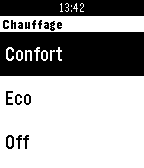
RemotesPlugin pour permettre à votre montre Pebble de contrôler Jeedom (www.jeedom.fr)
 1.2K
1.2KNote To Self
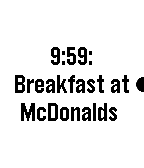
Tools & UtilitiesAdd (future) reminders and (past) notes to your watch timeline using the microphone. HOW TO USE: Add reminders by saying: "Remind me to go swimming at 4pm" "Swimming lesson in 2 hours and 15 minutes" "At 4 o'clock go swimming" "Swimming at 4 tomorrow" Add past and current notes by saying: "Note that I left home at 8am" "I took my pills 5 minutes ago" "Just fed the parking meter" The key to determine whether an event is in the past is if the sentence starts with "Note", or if the word "ago" proceeds the time like "1 minute ago", or if no time exists. Undo the last event added by saying: "Cancel that" "Cancel last" "Undo" NATURAL LANGUAGE: You can also use natural language like "remind me at 4:30 to buy tickets" or you can use concise language like "buy tickets at 4:30". Both will result in the text "buy tickets" in your timeline set at 4:30. DESIGN: This app is designed to be used with minimal interaction. After speaking your command, it will be added to the timeline immediately without requiring any confirmation buttons to be pressed. If the command was successful, the watch will give off a double vibration. If an error occurs, it will give off a long vibration. RESPONSIVENESS: Events on the timeline may take up to 15 minutes to show up. MISC: All events are pushed to your Pebble timeline and not saved elsewhere. If you set the app as as a quick launch shortcut, it closes the app after the event is added.
 137
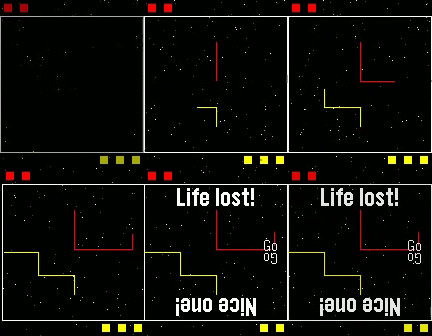
137TinyTron
GamesTinyTron: 2 player Tron Lightcycle action on a single Pebble. Controls - Bottom player - Turn left: Select Turn right: Bottom Top player - Turn left: Top Turn right: Back As this app overrides the back button functionality, to quit press and hold Back or wait until exit is displayed on the splash screen. Note: TinyTron was formerly known as PebbleTron. Love TinyTron? Give it a heart!
 94
94Lacuna
GamesHigh speed arcade tunnel flying action, ported from the 2004 GP32 release. * Tilt controls! * Any button to thrust up! * 5 speed and 3 gap size settings! * Global high score table! (viewable from settings) * Fly down a tunnel for no reason! Love Lacuna? Give it a heart!