 121
121MOYORIEKI
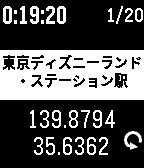
Tools & UtilitiesMOYORIEKI shows you nearest train station. This app functions only in Japan. features: - display 2 nearest station name and distance - selectable language Japanese or English - you can reload geo info with button - you can change font size of station name - you can select showing on/off of distance - you can save geo information and push to notification or timeline(PT/PTS) - you can get saved informations up to 20 on configuration page displays: (*1 : 2nd display mode when up button clicked) - 1st line -- display current time -- display elapsed time from recent time of information loaded -- saved history numbers *1 - 2nd line -- phone disconnected icon -- error status message - 3rd line -- most nearest station name - 4th line -- distance and direction to 1st station - 5th line -- 2nd nearest station name -- longitude *1 - 6th line -- distance and direction to 2nd station -- latitude *1 -- request icon button: - up button -- change display mode -- change from/to Station with long press - middle button -- change font size of station name -- toggle showing of distance with long press - down button -- reload geo information -- save current information with long press Japanese: 電車に乗っていて、ふと今どこの駅(の近く)なのか知りたくなったことはありませんか? このアプリは最寄り駅を表示するアプリです。 一番近い駅と2つ目に近い駅の名前と距離、方向を表示します。 また、現在時刻と最後に情報取得してからの経過時間を表示します。 上ボタンで画面モード切り替え、長押しで駅まで/駅から切り替え、 中ボタンで駅名の文字サイズ切り替え、長押しで距離表示有無切り替え、 下ボタンで情報の再取得、長押しで情報の保存を行えます。 情報の保存は notificationやtimelineにプッシュでき、さらに configuration page で過去最大20個の保存した情報をGoogle mymap に読み込める CSV形式やメモ形式で取り出せます。
 172
172Big Calendar App
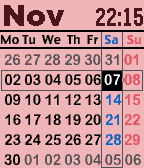
Tools & UtilitiesThis is a monthly calendar viewer with digital watch. you can select other months with up/down key. Also you can show following informations with enter key. - time with second - weather condition, temperature, wind speed - bluetooth connection status - battery remaining level - weather forecast with down key If you frequently use this app, try to register at quick launch. key operation - up : previous month - enter: toggle information display mode/ return current month - down: next month configuration - color theme - date format - week beginning with sunday/monday - time type 12H/24H - time second display on/off - gray days of prev/next month display on/off - units type of temperature and wind speed C&meter per second/F&mile per hour - weather location type gps/city name/zip code/lat&lon Note: you can't select with date format with Day of week and second display on.
 538
538Get Back To
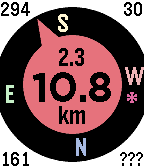
Tools & UtilitiesGet back to a previous location, or go to one selected from your list of favorites - built on the original by samualmr but now shows GPS accuracy, bearing, speed and heading, supports a list of favorite locations and pinning locations to the time line, features a proximity warning (for public transport users who like to read) and a car mode (for when the compass won't work), monitors the Javascript more closely and allows tweaking of the way the GPS is called for improved performance. A long press on the Up button enables car mode. A long press on the Select button sets the target to the current location or one of the favorite locations set in the configuration menu. The format for these locations is label: latitude longitude (e.g. "Home: -37.6543 144.5678"), or you can just enter a label (e.g. "Home:", to which it will append your most current location), or you can enter a street address, with or without a label, which will be passed to Google to resolve. A long press on the Down button saves the current location to the time line. See the instructions on the settings page for more details. Displays are as follows: Top left = direction of travel (when available); Top right = accuracy in metres or yards; Bottom left = bearing to target; Bottom right = orientation of watch (or ??? if not available, or --- in car mode); Top centre = speed in km/h, mph or knots (when available); Centre = distance to target; and Bottom centre = units. See the web site link for more details. If you like it, please give it a heart.
 23
23Twibble
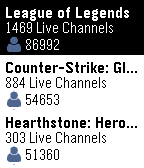
DailyKeep up to all your favorite streamers with Twibble, the Twitch Pebble app! Features include: - Checking which of your followed streamers is online by signing in through app settings on your phone - Viewing the top live streams - Seeing which games are popular, and who is currently showing them Privacy: User login information required to retrieve user's list of followed channels and display username. Interaction with Twitch user services is provided using Twitch's OAuth authentication Disclaimer: We have no affiliation with Twitch Interactive, Inc.
 237
237xStocks
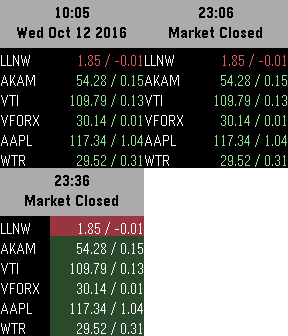
DailyStock Market Please Donate: http://bit.ly/tgdonate Features: o Show 6 symbols o Extended View Buttons: o Select - Update o Up/Down - Scroll through extended views
 12
12NexaHome P
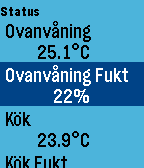
RemotesPebble app for connecting to NexaHome (Tellstick) server. Control your ligths and wallsockets from you watch. Long press on middle button will cycle dimmers 25% at a time. See github for use of buttons and configuration. Important requirement for NexaHome: In bshfilter.xml use the following setting in order to control devices from Pebble: <filter> <allow>*</allow> </filter>
 15
15OpenSprinkler
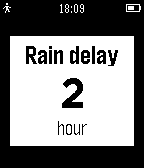
RemotesA Remote for your OpenSprinkler on your watch! - show the sprinkler status and Infos - set rain delay - reset rain delay - manual Mode - stop all stations - start test or programs - update with shake - show 7 day overview of waterlevel You need a OpenSprinkler from www.opensprinkler.com Tested on Firmware 2.1.4 API.
 189
189WalkRun Fitness Watch
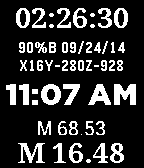
Health & FitnessThe ultimate Running/Walking fitness timer and step counter that also works great as your daily watchface. Includes Time/Date/Stopwatch/Timer/Steps/Miles/Kilometers/Total steps/watch status (including charge %, Bluetooth, charging mode)/compass. version 6.0 allows setting MPH/KPH (doubletap down button, set stridelength) and web access info and bug fixes - doubletap select button set foreground/background colors (doubletap up button)
 162
162Greeney's Run
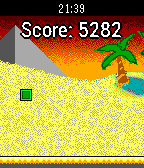
GamesGreeney's Run is a procedurally generated endless running game, which is perfect for short amounts of time. Jump and run your way through segments of increasing difficulty and try to survive as long as possible to maximize your score! Travel through 3 different colorful backgrounds during daytime, evening and night, demonstrating the beautiful colors of Pebble Time! Controls: Title-Screen: Up: Change Color | Select/Down: Start Game During Game: Up/Select: Jump | Down: Pause Game Pause-Screen: Up: Change Color | Select/Down: Resume Game
 35
35GoSy Run
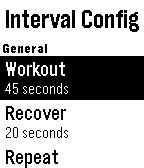
Health & FitnessHelps you exercise running. - Interval timer with extended rest, warm up and cool down - Ladder timer - Stretch timer with 8 exercises
 152
152QuickFit - Fitness and Sleep Tracker
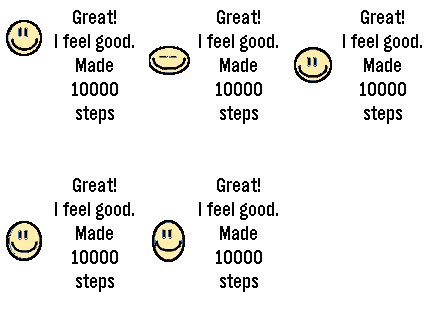
Health & FitnessAn optional companion app (android) is published now. Link: https://play.google.com/store/apps/details?id=de.doublequick.hans.QuickFit - Step recognition - Sleep and deep sleep recognition - 3 Modes for sleep window. Automatic, static (fixed times in the setup), Manual (Start and stop on the watch) - Recognition for Riding your bicycle (Calibration is required) Steps, Time of bike riding, Sleep and deep sleep are saved for 31 days on the watch. Currently 2 diagrams shows the weekly progress of the above data. And of course included is DITO. Depending on the daily Count of steps / Bike riding or your sleep Quality he will show his feelings like a tamagochi. So make him happy and cause him to jump, if you reached the desired Goal. All Settings can be done directly on the watch. There is also the possibility to do the configuration from the mobile.
 339
339Get Me Out
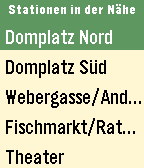
DailyGet Me Out zeigt dir alle Abfahrten in deiner Umgebung. Egal ob Bus, Tram, S- oder U-Bahn, RE oder sogar ICE. Und das beste daran: du musst nichts eingeben. Alle erforderlichen Informationen wie Standort und Uhrzeit kennt deine Pebble ja schon.
 4
4Chatty Client
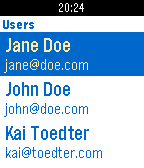
Tools & UtilitiesThis is a small demo of a Pebble client for my RESTful demo application Chatty (see https://github.com/toedter/chatty). It gets JSON data from the RESTful hypermedia services of http://chatty-toedter.leaseweb-alpha.giantswarm.io/api and displays them on the Pebble. The source code is available under MIT license at https://github.com/toedter/pebble-chatty
 16
16Emma Pill Reminder
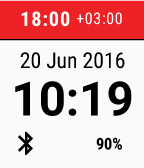
Health & FitnessThe Emma Pill Reminder app helps you in tracking and managing your medication use. The app sends you intake reminders and provides the possibility to instantly confirm or easily reschedule them via Pebble. Use Emma to assist yourself or another dear family member. Emma has successfully been tested by people with chronic illnesses like diabetes, epilepsy, COPD and heart failure. To use the application registration via the Android companion app is required.
 8
8Vera Wiz
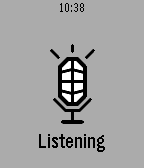
RemotesVera Home Automation Control [UI7 only] VOICE SUPPORT! * Configure Scenes and Devices that you want in Config * Currently supports Switch & Dimmer class. more to come... * Short press for toggle, long press to cycle dim (if supported) * Automatic switch between local or remote mode * Fast & efficient * Support voice dicatation. Still a bit rough....but it works. (back button) A working Vera Remote control app!! Nothing existing worked, so I wrote one. The latest Vera authentication is quite complex. This is why 3rd party apps are few and far between. After some hours of tinkering I got it to work!!! The voice part still needs some AI to really make it work well, and also needs some changes so that voice recognition happens fast with less button presses. LONG PRESS BACK TO EXIT!! Voice will eventually become a paid option. Free for now.