 18
18Silent Sit
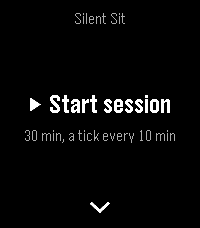
Health & FitnessSilent Sit: A silent, tactile meditation timer Silent Sit paces your sitting with vibrations alone. No bells, no sound, no screen to look at: you feel the rhythm on your wrist and keep your eyes closed. Made for people who meditate and want a timer that is discreet, always there, and speaks only through touch. A phone distracts and tempts you to look at the screen. Your wrist does not. HOW IT WORKS - Open-ended sittings: the duration you pick is not an end but a cycle that repeats for as long as you sit, without breaking the rhythm. - The home screen leads with Start, showing your last-used settings just beneath it: one tap and you begin again like yesterday. Press Down to adjust the duration or tick interval. - During the sitting the screen shows only the elapsed minutes, large and centred on a dark background. No countdown, no progress bar, no cycle counter to stare at. THE VIBRATIONS - Periodic tick (every 10 or 30 min): a brief, light tap. - Mid-cycle: a medium double. - End of cycle: two long pulses, then the cycle restarts on its own. The three patterns are deliberately distinct in rhythm, so you know where you are without opening your eyes. BUILT FOR MEDITATION - Detects Quiet Time: if it is off, the app reminds you to turn it on before you begin, so outside notifications do not disturb you. - Timekeeping anchored to absolute time: zero drift even on long sittings. - Dark screen and backlight off, to avoid distraction and save battery. No accounts, no statistics, no cloud. Just you, the breath, and a beat on your wrist.
 9
9Energy Tariffs
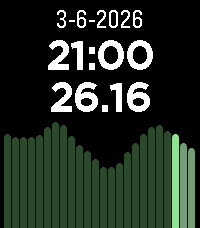
DailyDisplays dynamic energy tariffs on the Pebble watch. Currently, only Dutch tariffs are supported (like Zonneplan and Tibber) and only in hourly rates (I think the quarterly rates are only useful for usage in automations). The tariffs are obtained from the website public.api.energyzero.nl. You can configure the "inkoopvergoeding" and inclusion of VAT and energy taxes, if you want to include any of them is the displayed tariffs.
 3
3chocoZAP_QR
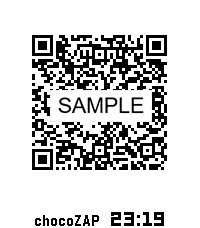
Health & FitnesschocoZAP 入退QRコード表示アプリ chocoZAPの入退館をよりスムーズにするためのPebble専用アプリです。 入館・退館のたびにスマートフォンを探したり、アプリを起動したりする手間を省き、手首のスマートウォッチだけで完結させることができます。 【主な特徴】 簡単操作 : アプリを起動したら、QRコードを瞬時に表示します。 自動更新 : QRコードの有効期限(30分間)が切れる前に、自動的にQRコードを更新します。 安心のセキュリティ設計: 重要な「Email」や「パスワード」を入力せずに、リフレッシュトークン(Refresh Token)のみでもQRコードを表示可能です。 【重要・注意事項】 本アプリは非公式アプリです : chocoZAP公式が提供しているアプリではありません。 スマートフォンの携行をお願いします : Pebbleだけを持って入館された場合、退館時にQRコードが失効し、ドアが開かなくなるリスクがあります。安全のため、必ずスマートフォンも一緒にご持参ください。 【制限事項】 以下のようなスマートフォンとPebble間のBluetooth通信機能が制限されている状態では、仕様上、QRコードの更新ができません。 ・スマートフォン側のPebble Coreアプリが動作していない状態 ・PebbleがStand-By Modeの状態 ※ 「chocoZAP」はRIZAPグループ株式会社の登録商標です。 ※ 「QRコード」は株式会社デンソーウェーブの登録商標です。
 43
43CheckMark
Tools & UtilitiesDo you have your check lists organized in Markdown files somewhere? Your shopping list? Your todos? Then CheckMark is for you! Read unchecked items directly from your watch - marking items dones is as easy as pressing select once. Perfect if you don't want to get out your phone while shopping! This app can load Markdown files from any WebDAV-compatible URL (e.g. Nextcloud/OwnCloud). It only loads unchecked items, so that you can focus on what needs to be done now.
 11
11Oblique
Tools & UtilitiesBrian Eno and Peter Schmidt created these fantastic words of wisdom to help artists and musicians break free from writers block.. Shake your hand to display one at random!
 5
5Pool Swim Monitor
Health & FitnessBETA VERSION - Use this app to monitor your pool swim sessions.
 2
2Brush
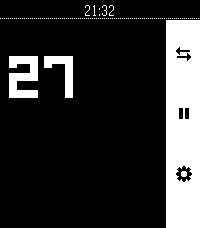
Tools & UtilitiesToothbrush timer with some configurability
 24
24Voice Notes (with calendar)
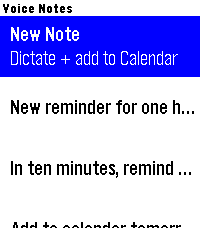
Tools & UtilitiesSpeak a note, save a note, optionally get a calendar event. Dictate a quick note on your wrist and it lands in your Google Calendar — with the date and time parsed from what you said ("call the dentist tomorrow at 3pm"). Notes are saved on the watch too. It runs through a small script in your own Google account, so there's no third-party server and nothing stored by anyone but you. Speech-to-text notes via Pebble Dictation Auto-creates a calendar event (timed, or all-day if no time is spoken) On-watch note list with a green/red confirmation Connect your own Google Calendar in Settings — private and free One-time Google Apps Script setup, with step-by-step instructions built into the app's settings screen. Rohan from DHRME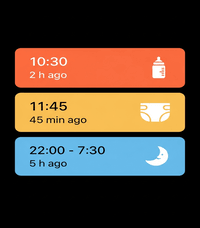 31
31Baby Watch app reborn
DailyA revival of the Pebby (Baby watch) app - Baby tracking for Pebble smartwatches. Track bottle feedings, diaper changes, and sleep sessions right from your wrist! Each event will also be logged on your timeline for later consultation. Colors have been added to the app to mirror the coloring option from the Huckleberry app. The original Baby watch app has been my MVP app on my pebble for the past 3 months since becoming a parent. I decided to add my twist on it as well.
 1
1Pebble Throw
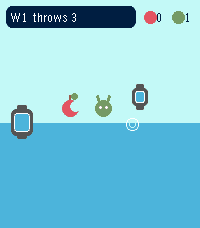
GamesThe Pebble Throw rescues the world against evil fruit and robots. Ahem.
 3
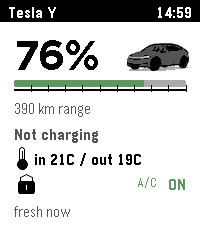
3PEBSLA: TESLA CONTROL FOR PEBBLE WATCHES
Tools & UtilitiesControl your Tesla directly from your Pebble watch. No Tessie account required. Open the frunk or trunk, unlock the car, adjust climate, check charging status, range, and more — without launching the Tesla app on your phone. Free 3 day trial and pay-as-you-go credits plans available. Please follow all steps for onboarding.
 26
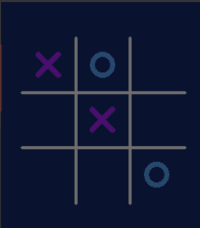
26Tap-Tac-Toe
GamesThis is Tic Tac Toe for Pebble Emery time 2! Features 2 player mode and single player against the cpu!
 5
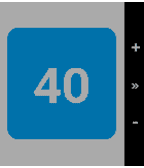
5MTG Life Counter
Tools & UtilitiesKeep track of your life in a Magic the Gathering game Simple counter that you can reset for 20 or 40 life depending on the format. - Press the top button to increase your life total. - Press the bottom button to decrease your life total. - Press the middle button to reset to your default life total. - Press and hold the middle button to set your new default life total.
 3
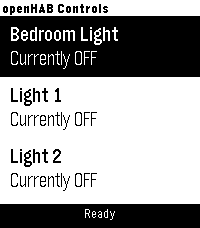
3BasicOpenHab
RemotesA simple app for toggling OpenHAB items. You can configure your OpenHAB server address and port, along with item display titles and exact item names. Item names must match those defined in your OpenHAB setup. Max of 10 items currently The app controls items by sending HTTP POST requests to the OpenHAB REST API, for example: http://192.168.1.69:8080/rest/items/bedroom_light body: "ON" or "OFF" Designed for use on a local LAN only (no OpenHAB Cloud support). no automatic discovery of OpenHAB items (yet?) Hope it works for you! Like the watch face? Help by buying me a coffee Support the project: https://ko-fi.com/chrishardwick17402 Every contribution, big or small, is greatly appreciated.
 8
8AFL Live Scores
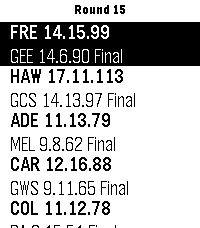
DailySimple Pebble App to display current Australian Football League scores on your Pebble Watch. Games in Progress or all Current Round Games can be selected via Settings or by long pressing the watch middle Button. Configurable Auto-Refresh time in App Settings. Single Press Middle Button - Refresh scores. Long Press Middle Button - Toggle display of current, or all round games. Like this app? Help fund my next pie and sauce! 🥧 Support the project: https://ko-fi.com/chrishardwick17402 Every contribution, big or small, is greatly appreciated. Credit and Thanks to https://api.squiggle.com.au/ for providing the API data.