 54
54Maps Nav
Tools & UtilitiesONLY ON ANDROID I wanted a nice & simple nav app that starts when I get directions in Google Maps. Totally open-source, and simple. Check the github for more complete directions (requires companion app.)
 43
43Thinking of You
NotificationsSmall little app for making your long distance partner feel not so far away. Send a little ping to let them know you're thinking of them. REQUIRES THE WATCHFACE FOR FULL FUNCTIONALITY! (I can integrate it on others later if wanted) Watchfaces available: Kickstart + Thinking of You https://apps.repebble.com/56a8c37365b34e9f90165a97 Pokétch+ Thinking of You https://apps.repebble.com/09a2026106124b0fa22a2cb2
 7
7Starlocker
Tools & UtilitiesThis is inspired by PebbleBucksE way back when but updated for modern pebble. I wanted to add touch support and larger display support. This app stores Starbucks Codes for scanning in store! Enjoy!
 125
125QuickTimer
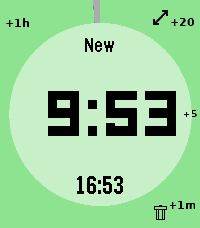
Tools & Utilities# pebble-timer-quick QuickTimer is a timer app for the Pebble Smartwatch, intended to be the fastest way to start a timer or stopwatch. Made for people that think needing 5 seconds to set a countdown timer or stopwatch is far too long. With QuickTimer, rest assured that you are not fiddling away precious moments of your life. QuickTimer starts counting as soon as you open the app. First press the button, then think how long the timer needs to be. If you want a timer for 1 minute and it takes you 6 seconds to start the timer, then your timer will be off by 10%, and that can be life or death. If you like your soft boiled eggs cooked for exactly 6 minutes and 20 seconds, QuickTimer will help you get the gooey texture you desire. QuickTimer works by pressing buttons to increment the countdown timer by set amounts (1, 5, 20, 60). Once you get used to this, you can set a timer without even looking at your watch. Here's how it works: - Open the app - You enter new timer mode where each button press adds a given amount of minutes to the total countdown time - After 3 seconds of inactivity your timer is set - If you don't press anything, QuickTimer goes into stopwatch mode instead - Once you are in counting mode, you can edit your timer, restart your timer, or you can enable repeat timers - Timers that are in alarm can be repeated, snoozed for 5 minutes, or silenced to become post timer stopwatches. ## Features ### Run several timers at once Need to track more than one thing? Turn on **Multiple Timers** in the settings and QuickTimer can keep up to five timers and stopwatches running at the same time. When you open the app it shows a list of everything that's running — scroll to one and select it to jump straight in, or pick **New Timer** to start another. Hold Down on a timer in the list to delete it. ### Every timer has a name — and you can speak a new one So you never lose track of which timer is which, QuickTimer automatically gives each one a short, memorable name the moment it's created. On Pebbles with a microphone, you can rename the active timer with your voice: while you're setting a timer, hold **Up** first and then press **Back**, then just say the new name. (Requires the **Voice naming** setting to be enabled and a connected phone.) ### Millisecond stopwatch Timing something precise? Pause a stopwatch while it's under an hour and QuickTimer shows the milliseconds too (e.g. `1:23.456`), so you can read off an exact split. The milliseconds disappear once it passes an hour to keep the display readable, and they only ever show on stopwatches — never on countdown timers. Based on [YclepticStudios/pebble-timer-plus](https://github.com/YclepticStudios/pebble-timer-plus).   ## Buttons ### New timer mode - Back: Add 1 hour - Up: Add 20 mins - Select: Add 5 mins - Down: Add 1 min - Hold Up: Toggle reverse direction (increments become decrements) - Hold Select: Switch to EditSec mode (seconds granularity) - Hold Up then press Back: Voice rename the timer (microphone models, when Voice naming is enabled) - Hold Down: Quit app and delete timer After 3 seconds of inactivity, the timer is set and transitions to counting mode. ### EditSec mode (seconds granularity) - Back: Add 60 seconds - Up: Add 20 seconds - Select: Add 5 seconds - Down: Add 1 second - Hold Up: Toggle reverse direction - Hold Select: Switch back to New mode (minutes granularity) - Hold Up then press Back: Voice rename the timer (microphone models, when Voice naming is enabled) - Hold Down: Quit app and delete timer ### EditRepeat mode Entered by holding Up while in counting mode (countdown timers only). - Back: Reset repeat count to 0 - Up: Add 20 repeats - Select: Add 5 repeats - Down: Add 1 repeat - Hold Down: Quit app and delete timer ### Counting mode - Up: Enter edit mode - Select: Toggle play/pause - Down: Extend high-refresh display rate - Back: Quit app - Hold Up: Toggle repeat mode on/off (countdown only) - Hold Select (running): Restart timer to original length - Hold Select (paused): Reset to 0:00 and enter EditSec mode - Hold Down: Quit app and delete timer When a stopwatch is paused and under an hour, the display shows milliseconds (e.g. `1:23.456`). ### Alarm mode When a countdown timer expires, it enters alarm mode (vibrating). - Up: Silence alarm and enter edit mode - Select: Silence alarm and toggle play/pause - Down: Snooze (add 5 minutes) - Back: Silence alarm (timer continues as stopwatch) - Hold Up: Repeat timer (restart with original length) - Hold Select: Restart timer from original length (running) - Hold Down: Quit app and delete timer ## Quickness The table below compares the number of button presses required to set timers in QuickTimer versus in the default Pebble timer. ``` | Timer Amount | QuickTimer | Default Pebble Timer | |--------------|------------|----------------------| | 1 min | 2 | 5 | | 2 min | 3 | 6 | | 3 min | 4 | 7 | | 4 min | 4 | 8 | | 5 min | 2 | 5+ | | 6 min | 3 | 5+ | | 7 min | 4 | 5+ | | 8 min | 5 | 5+ | | 9 min | 5 | 5+ | | 10 min | 3 | 5+ | | 11 min | 4 | 5+ | | 12 min | 5 | 5+ | | 13 min | 6 | 5+ | | 14 min | 5 | 5+ | | 15 min | 4 | 5+ | | 16 min | 5 | 5+ | | 17 min | 6 | 5+ | | 18 min | 5 | 5+ | | 19 min | 4 | 5+ | | 20 min | 2 | 5+ | | 25 min | 3 | 5+ | | 30 min | 4 | 5+ | | 35 min | 5 | 5+ | | 40 min | 3 | 5+ | | 45 min | 4 | 5+ | | 50 min | 5 | 5+ | | 55 min | 4 | 5+ | | 59 min | 4 | 5 | | 60 min | 2 | 5 | | stopwatch | 1 | x | ```
 11
11PebbleConduct - Pebble App For Train Con
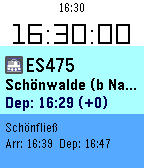
Tools & UtilitiesPebbleConduct is a Pebble watch app designed with professional train use in mind. It will provide you real time information about your train wherever you are.
 332
332You Cannot Go Back!
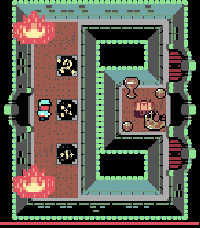
GamesA fiendish challenge awaits you, an adventure of puzzle solving, memory and skill. Just remember dungeoneer - the only way is onwards; you cannot go back! Version 2 is now out for Time 2, Round 2 and (coming for the first time) to B&W Pebbles (exc. Classic) with twice the number of dungeon chambers than the original! Asset credits: http://opengameart.org/users/buch Michele "Buch" Bucelli (tile set sponsored by Abram Connelly) Promotional Art: Frank Martinez Jr. http://opengameart.org/users/clint-bellanger http://opengameart.org/content/blocky-animated-classic-hero-edit
 304
304Nag for Pebble
Health & FitnessOnce launched and configured, Nag for Pebble exits immediately so you can keep using your watchface and other apps — but it keeps buzzing your Pebble (every hour by default) in the background. Use it to remind yourself to stand up, take a quick walk, drink water, or just to add an hourly buzz if your watchface doesn't have one. It doesn't take the Activity tracker slot, so you're free to run Misfit or other background apps alongside it. It has no watchface of its own and stays out of your way. When it buzzes, a brief "Nag!" screen with the current time shows for the length of the buzz, then your watchface returns. It just buzzes. CONFIGURABLE OPTIONS • Buzz type: Short, Long, or Double — plus themed patterns: – Super Mario – TMNT – Voltron – Final Fantasy – Star Wars – Power Rangers – James Bond – Mortal Kombat (Vibe themes by Gearside: https://gearside.com/custom-vibration-patterns-mobile-devices) • Buzz interval: 5 to 120 minutes • When to start: immediately, or on the next hour, half-hour, or 15-minute mark • Sound mode (watches with a speaker): on Pebble Time 2, Pebble 2 Duo, and Pebble Round 2 you can swap vibration for a melody version of the selected pattern, played out loud with an adjustable volume • Quiet Time (now free): stay silent whenever your Pebble's built-in Quiet Time is active — for a peaceful night with no manual scheduling (silences both vibration and sound) OTHER • The app launcher glance shows your next scheduled buzz (or "Disabled") • Suspend it any time by setting Buzz type to "Disabled"
 6
6HA Forecast
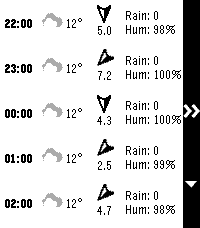
DailyDisplay hourly and daily forecast from a Home Assistant weather entity. Also shows sunrise and sunset times.
 4
4Metro VietNam
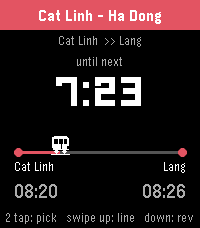
DailyTrack Hanoi & Ho Chi Minh City metro from your wrist. Pick your trip A → B, watch the next train count down, get a buzz before it arrives.
 29
29Timer+ Touch
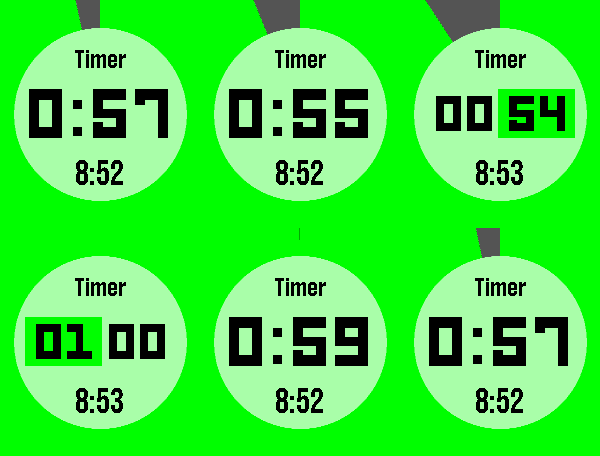
Tools & UtilitiesTimer+ is a beautifully animated, simple timer and stopwatch for your Pebble! It was created by Ycleptic Studios. It keeps track of your timer even after you close the app and will open the app when the timer has elapsed. This version add rotary dial control to the selection screen for touch enabled devices. Some Features: - Hold "Select" to reset. - Start a 0:00 timer for a stopwatch. - The end time is shown when paused. Touch Controls: - Rotate clockwise to raise the number. - Rotate counter-clockwise to lower the number. - More half turns will increase the speed of the raised number. - Center touch will be like pressing select. - Swiping to the left will be like pressing the back button.
 4
4Stochastic Fists
Health & FitnessStochastic Fists turns your Pebble into a silent corner coach for shadowboxing. Instead of audio callouts, it uses custom vibration patterns to call out real boxing combos — so you can train to music, in a gym, or anywhere you don’t want sound or screen distractions. Each punch has its own feel on your wrist: quick taps for jabs and crosses, double hits for hooks, rising rhythms for uppercuts, and long sweeps for slips and rolls. Combos are chosen from a curated library of real combinations — not random nonsense — so the flow matches how fighters actually move. Works on all Pebbles — Pebble Time, Time Steel, Time Round, Pebble 2, and classic Pebble (where memory allows). Layout adapts to square and round screens; color and black-and-white models supported. Shadowbox smarter. Feel the combo. Keep your eyes off the screen and your head in the round.
 5
5outrun
Health & FitnessOutrun is a running pacer built for Pebble: your phone tracks GPS pace and distance, your watch shows how you’re doing and buzzes when you drift off target. It’s wrapped in a horror “skin” — a stalker on your tail, a killer bar that empties when you fall behind, and a chase heartbeat when you’re in danger. Pair your watch with the Pebble app on your phone. Start a run on the watch and GPS kicks in on the phone; current pace, distance, and target are sent to the watch over Bluetooth. Pace is smoothed for a steadier read, and the watch shows “Acquiring GPS” until a real fix arrives instead of faking live data. When you stop at a light or for water, the run auto-pauses and resumes when you move again.
 28
28Marta Next Train
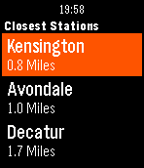
DailyMarta Next Train displays the arrival times of the upcoming trains in the metro Atlanta, Georgia area. *A connection to your phone is required for location and data services. Marta Next Train is not affiliated with or operated by Marta.
 27
27Touch Timer
Tools & UtilitiesA nice clean, touch friendly, stopwatch and timer app made for the time 2 and themed to feel like a native app. Gives you a stopwatch and 4 timers. Simple to use, scroll up and down through the timers, menu button to start and stop, hold to reset. To adjust a timer, just touch a number and drag up or down. Stopwatch and timers continue when the app is closed. When a timer reaches zero it will vibrate and open the timer up. Even if the app was closed Nice little pebble like animations in scroll make this feel like a native app Made for the latest Pebble Time 2 This is my first app, please heart if you like it, and let me know if you have issues.
 73
73Rock Crusher
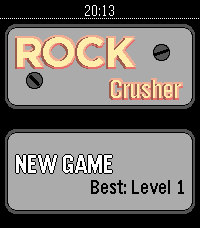
GamesRock Crusher is a match-three game for Pebble where you swap neighbouring rocks to get at least three of the same type in a row. The game ends when you have used all your lives and there are no valid moves left on the board. CONTROLS * Move the cursor with the RIGHT and DOWN buttons, or TILT your wrist. * Enter SWAP mode by pressing the UP button. * In SWAP mode, choose the direction to swap with the UP, DOWN, LEFT or RIGHT button, or TILT your wrist. * When not in SWAP mode, press the LEFT button to save and exit. * You can also SWIPE to swap rocks on TOUCH SCREEN watches, though do note that the touch targets are very small. SPECIALS * Match four rocks in a row to make a Pearl, which can match any colour of rock. * Match a rock in two directions to make Black Powder - careful, it's explosive. * Match five rocks in a row to blast that rock type.