 17
17PinHole
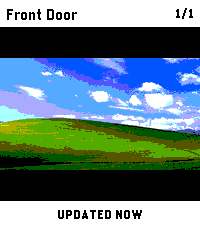
Tools & UtilitiesCheck security-camera snapshots from your Pebble Time 2. PinHole is built for fast wrist checks when you just want to know what is happening at the front door, garage, driveway, or any other configured camera. Use the hardware buttons to switch cameras, press SELECT to refresh, and keep the last good snapshot on screen while the next frame loads. Connect to go2rtc, Frigate, UniFi Protect, or direct HTTP(S) JPEG snapshot URLs. Snapshot requests are made by your paired phone directly to the endpoint you configure; PinHole does not operate a proxy or external service. The optional UniFi cloud connector is used only when you select and configure it. Features: - Quick camera checks without opening your phone - Button-first controls for easy one-handed use - Multiple configured cameras - Frigate account, HTTP Basic, Bearer-token, and X-API-Key authentication - Manual refresh with SELECT - Previous snapshot stays visible while refreshing - Clear setup, loading, retry, and error states Requires: - Pebble Time 2 - A supported camera service or direct JPEG snapshot URL reachable from your paired phone - go2rtc, Frigate, UniFi Protect, or a custom HTTP(S) endpoint - Any account, API key, or trusted HTTPS certificate required by that endpoint PinHole shows still snapshots only, not live video. Credentials are stored in PinHole's local app storage on the paired phone and are never sent to the watch or a PinHole server. HTTP does not encrypt credentials or images, so authenticated HTTP should be used only on a trusted network. Disclaimer: This app was developed with the assistance of AI.
 28
28Hueble
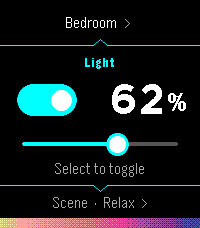
RemotesHueble is a focused, watch-first remote for Philips Hue. Open it directly into your last room, toggle its lights, adjust brightness, or activate a scene without reaching for your phone. Rooms and scenes are designed for quick repeat use: Hueble remembers where you were, shows scene previews derived from the colors reported by your bridge, and supports both hardware buttons and touch gestures. Pairing also happens from the watch, follow the directions and press the physical button on your bridge. There is no separate settings page. Hueble connects directly from PebbleKit JavaScript on the paired phone to a Hue Bridge on the same local network. It has no backend, accounts, advertising, analytics, or trackers. A Hue Bridge v2 (model BSB002) with local HTTP access enabled is required. Hue Bridge Pro (BSB003) and other HTTPS-only bridges are not supported because PebbleKit JavaScript cannot install Hue's private certificate authority. The watch and phone must be connected, and the phone must be able to reach the bridge over local Wi-Fi. Hueble is an independent companion and is not affiliated with or endorsed by Signify or Philips Hue.
 14
14Ask Pebble
Tools & UtilitiesAsk Pebble turns Pebble Dictation into a compact AI Q&A flow. Press Select, speak a question, and the app sends the recognized text from PebbleKit JS on your paired Android phone to the API endpoint selected in settings. The response is shortened for the watch screen. This is a BYOK app: you must enter an API key for OpenRouter, OpenAI API, or a custom OpenAI-compatible Chat Completions endpoint. Usage costs, credits, rate limits, and model access are handled by your account with that provider. Optional context features are available in settings. Time context is enabled by default. Location and health context are opt-in. Health context can include today's steps, active minutes, sleep minutes, and restful sleep minutes when available from Pebble Health. This app is experimental and Android only. iOS is not supported or tested.
 7
7METAR Aviation Weather
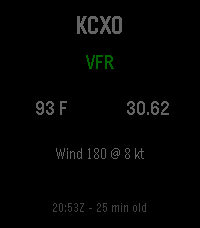
Tools & UtilitiesMini METAR brings current aviation weather directly to your Pebble smartwatch. View live METAR information for any ICAO airport, including flight category, temperature, wind, altimeter setting, and observation time. Configure your preferred airport, save up to 10 favorite airports for quick access, choose between Fahrenheit or Celsius and inHg or hPa, and refresh weather manually or automatically. Designed for pilots, aviation enthusiasts, and anyone who wants quick access to airport weather from their wrist. Compatible with Pebble and Rebble-supported devices, including Pebble Steel, Pebble Time, Pebble Time Steel, Pebble 2, Pebble Round, and other supported models.
 72
72Koishi - Japanese Kana Flashcards
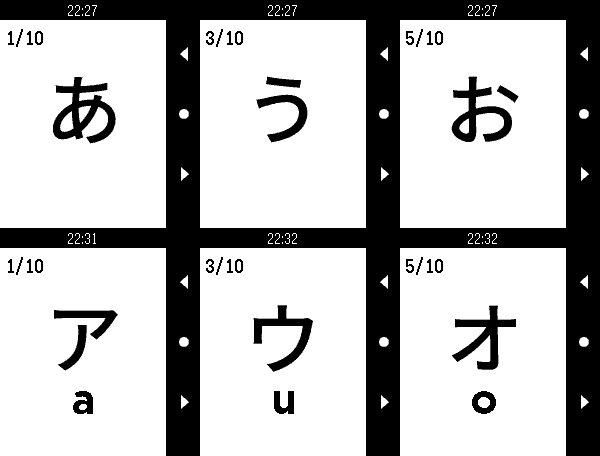
Tools & UtilitiesKoishi is a flashcard application that gives you a full set of Japanese Hiragana and Katakana flashcards right on your wrist! Study your kana recognition anytime, anywhere! - Support for all Pebble devices (OG, Time, Round, Duo, Time 2 and Round 2)! - Fully customizable deck options - Deck presets - 208 Hiragana & Katakana characters - Touch-enabled on supported devices. Navigate flashcards with taps and swipes! Can be disabled in settings. - Fully image based, no additional language pack required This was made to accompany my own Japanese study. This sort of thing seems perfect for Pebble, so I hope some of you find it useful!
 28
28BrewKinetics
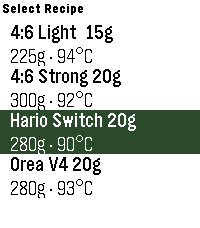
Tools & Utilities# BrewKinetics Step-by-step pour-over timer, right on your wrist. BrewKinetics guides you through specialty coffee brew methods with a hands-free countdown, haptic cues at each pour, and a visual progress indicator — no phone needed. # Features: - Create, edit, and delete your own recipes on the phone - New brew screen: runningpour weight, next-pour preview, timing checkpoints, and a last-5-second warning - Set any total water - every pour rescales to hit it exactly - Finished brews saved to your phone history - Built for Pebble Time 2
 3
3AdaTime
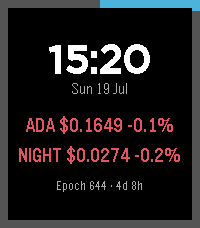
Tools & UtilitiesTrack live ADA (Cardano) and NIGHT (Midnight) prices on your wrist, plus the current Cardano epoch and block height. Auto-refreshes every minute with a manual refresh button. Color UI across Pebble Time 2, Core 2 Duo and Round 2.
 6
6Flexible Alerts
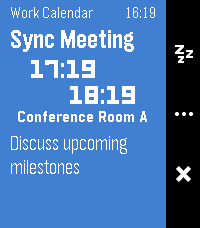
NotificationsShow alerts for your Android calendars, contact birthdays, and anniversaries. Allows you to add reminders to subscribed calendars or events without built-in reminders, which is great for ICS subscriptions like holidays and private work calendars. Requires an Android companion app to function. The Android app not yet published on Google Play or F-Droid, but you can sideload it from one of the GitHub releases or build it yourself. Androidのカレンダーや、連絡先に登録された誕生日・記念日のアラートを表示します。リマインダー機能がないカレンダーやイベントにもアラートを追加できるため、祝日やプライベートな仕事用カレンダーなどのICSサブスクリプションに最適です。日本語にも完全対応しています。このアプリを使うにはAndroidコンパニオンアプリが必要です。 コンパニオンアプリはまだGoogle PlayやF-Droidでは公開されていませんが、リリースからサイドロードするか、自分でビルドすることができます。
 27
27ADS-B Radar
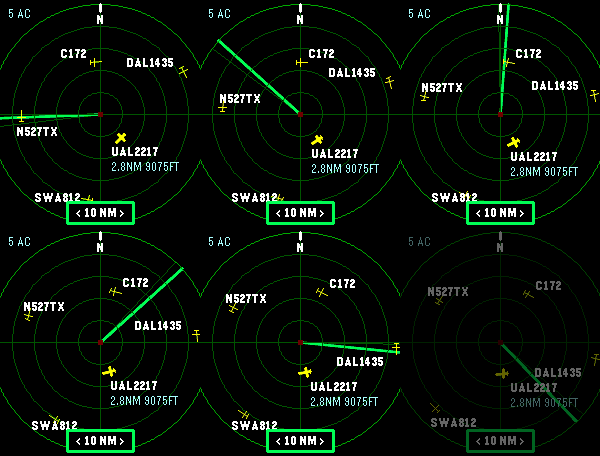
Tools & UtilitiesLive nearby aircraft from ADS-B.fi Phone-based GPS location Adjustable 5, 10, 20, or 40 nautical mile radar range 10 NM default range Watch-button range controls
 276
276Timer - Instant Timer
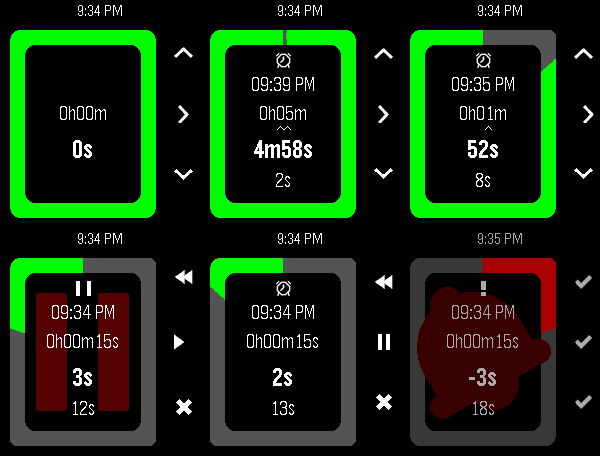
Tools & UtilitiesStopwatch / Alarm / Timer combo designed for quick launch; everyday cooking, reminders and alarms. Touch controls; set with one swipe! Optional audio. Packed with unique, detailed behaviour to optimise easy frequent use. Optional touch controls (PT2/PR2): Set with just one or two swipes! - Timer: touch, hold and drag to select minutes; circle clockwise to wind-up hours, or anticlockwise for seconds - Alarm: touch, hold and drag to select hours, then minutes - Start touching from the middle to set a timer duration, or from the edge to set an alarm time - To cancel, finish touching in the middle or don't select any minutes This app does 3 things I couldn't find anywhere else: - Start counting immediately on launch - Show all 4 relevant values (alarm time, duration, remaining, elapsed) at all times - Modify the duration at any point without any pause or confirmation Other features: - Timer modification controls optimised for speed (1h, 5m, 1m increments) - Configuration: - Alarm audio; beep sound volume - Full colour customisation & Themes - Vibe patterns - Battery saving - Various touch options - Battery saving: - Auto switch between seconds/minutes update rate, synced with backlight and/or remaining time - Zero background power use - Auto-cancel alarm vibe after 1m - Runs in background, wakeup for alarm - Counts overtime after alarm vibe - After expiry, set a new alarm from the same base just by increasing the duration again - Short vibe on start/stop for blind operation - Glance info in system app launcher - Pause, resume, restart, reset - Round and rect, black, white and colour pebbles Button controls: - Select/Back to choose modification digits (15/30 seconds available while under 2/5mins) - Up/Down to increment/decrement. Hold to repeat. Down at 0 wraps up. - Select Long-press (or Press at lowest digit) to toggle pause/resume and enter "control mode": - Up (rewind icon) to restart the timer (i.e. set elapsed time to 0) while retaining the timer/alarm duration - Up Long-press to reset the entire app to 0 - Select (play/pause icon) to pause/resume counting - Down (save icon) to save and exit - Down Long-press to discard and exit - Back to return to timer modification - Back while at the largest digit to exit with options: - Up/Back (save icon) to save and exit - Down (X icon) to discard and exit - Select (> icon) to return to timer modification - Back Long-press to save and exit - Select (✓ icon) or Back to dismiss alarm bell. This app is great if you want to: - Set a generic egg timer running fast without looking in the middle of cooking, and then change it as you go along - Often quickly set an alarm clock to remind you about something in the near future - Set a wakeup alarm quick at a varying time just before you go to sleep - Do all of the above with a single app using one quick-launch slot Use (a) different app(s) if you want: - More than one alarm/timer/stopwatch at once i.e. multi timers - To slowly set a timer/alarm to a long but precise time - Automatically repeat alarms daily/weekly - Millisecond precision - Sports-stopwatch split times / lap times - A history of previously set times - Voice control Suggestions for further improvements welcome, open source btw. Thanks for checking this out! Let me know if you end up using it :) 1
1E-Auto Timer
Tools & UtilitiesDie App berechnet die Ladezeit und startet einen Timer für einen Opel Corsa E (46 kwh) bis die empfohlenen 80% Batterie Aufladung erreicht ist.
 0
0Lorcana Lore Counter
Tools & UtilitiesJust testing how this works tbh
 108
108Flucht
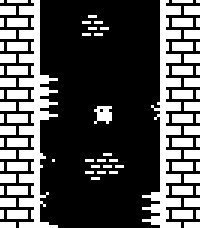
GamesWall jump as high as you can while avoiding dangerous spikes! This is a one-button game, with random level generation and local high scores. Select/Down: Jump (short tap is short jump, holding press is longer jump) Up: Toggle FPS counter display You can play a very similar version online at https://sergilazaro.itch.io/flucht NOTE: This hasn't been tested with any of the actual hardware, only with emulators. Feedback on performance is appreciated.
 15
15Phase Alarm
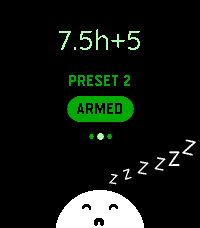
Health & FitnessPhase Alarm is an alarm clock app for people who don't get up at the same exact time every day. It allows you to take advantage of multiples of 1.5 h (which is typically one sleep phase) without having to count minutes before sleep. Or using phase detection that doesn't always work well enough. You can specify the sleep length you need to wake up feeling refreshed, and then on top of that add a couple of minutes it usually takes for you to fall asleep. Keep in mind that multiples of 1.5 h are what usually works! The app is not going to stop you from ruining your life with 4 hour sleep cycles, though. There are 3 alarms that are set to these default values: 0 h + 25 min (for a power nap) 6 h + 7 min (for 4 sleep phases and 7 minutes of additional time needed for falling asleep) 7.5 h + 7 min (for 6 sleep phases and 7 minutes of additional time) You can customize them all in the settings (as well as the vibration type). The creature’s name is Zwk.
 23
23tg
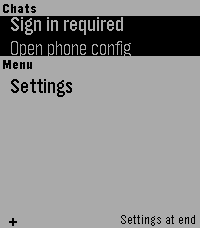
DailyTelegram interface for Pebble (unofficial). Read your messages and send with dictation. Message your friends -- or your OpenClaw -- all from your Pebble!