 15
15Big Date
Tools & UtilitiesShows a simple date view. Great for assigning to a Quick Launch action when using faces that don't show the date!
 3
3Five in a row
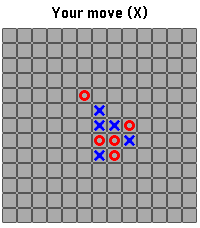
Games"Five in a row" (Gomoku) games with reduced field size 13x13. Features: - zoom and pan field before making move; - autoplay mode option; - move hint option; - last incomplete game saved across launches
 15
15Voice J ↔︎ E
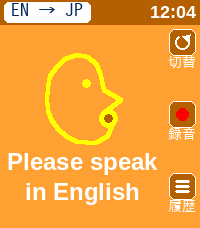
Tools & Utilities英語と日本語相互に対応した翻訳アプリです。 アプリを日本語用と英語用に切り替えて使用します。 翻訳された文字は相手に見せるために180度画面を回転させることができます。 This is a translation app that supports both English and Japanese. You can switch between the Japanese and English modes within the app. You can rotate the screen 180 degrees to show the translated text to the other person.
 10
10MapNavi JP
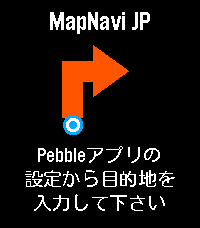
Tools & UtilitiesMapNavi JPは、スマホのMapNavi JP設定画面から住所を入力することで、Pebble Time 2のウォッチ画面に「300m先で右折」といった指示が矢印で表示される、日本向けナビゲーションアプリです。 徒歩・自転車・車の3つの移動手段に対応。 表示縮尺が変わることが目的で、経路は移動手段に最適化はされていないと思います。 カラー画面に周辺地図を表示し、曲がり角では自動的にバイブで通知します。 あくまで参考程度にすることをお勧めします。 ・カラー地図: 周辺の道路・建物・公園・川をリアルタイム表示 ・リアルタイムGPS追跡: スマホのGPSで現在地を自動追跡 ・経路から外れると自動リルート: 80m以上外れると自動で経路を再取得 ・曲がり角でバイブ通知: 指示が変わったことをすぐに知れます ・日本の住所に対応: 駅名・建物名での検索も可能 ・複数の移動手段: 徒歩・自転車・車から選択
 18
18Fart Box
DailyNot the first, but definitely not the least: a sober and elegant fart machine for Pebble. Fart Box is a sober and elegant fart machine, and an affectionate, unofficial tribute to Leslie Nielsen—the master of perfectly timed comedy. Enjoy eight high-quality fart sounds, carefully refined with state-of-the-art AI-assisted audio processing and optimized for the tiny Pebble speaker. Use Fart Box to: - Bring birthdays to life - Add sophistication to meetings - Break the ice on a date - Improve almost any awkward silence Choose your sound manually or let fate decide with Random Mode. Trigger it with Select, a discreet wrist flick, or a double tap on compatible touch-enabled watches. Independent delay and volume settings help you achieve impeccable comic timing. Because dignity is temporary, but timing is everything.
 33
33ThemePark Queues
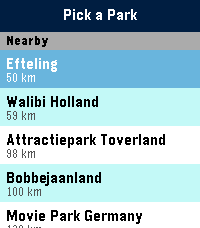
Tools & UtilitiesSkip the guesswork. ThemePark Queues brings live theme-park data straight to your Pebble — covering dozens of parks across four continents. No phone-fumbling, no app-switching, no squinting at a tiny map. Pick a destination: - Walt Disney World, Disneyland Paris, Tokyo Disneyland, Hong Kong Disneyland, Shanghai Disneyland. - Universal Orlando, Universal Studios Hollywood, Universal Studios Japan. - Plus Six Flags, Cedar Fair, Merlin parks, and more — anywhere ThemeParks.wiki covers. What you get: - Live wait times for every attraction in the parks we cover. - Show schedules with the next start time highlighted. - Opening and closing hours for each park, shown right on the park picker so you know at a glance where's still open. - Favourites — pin your must-do rides and shows to the top of the list, kept in sync across park switches. - Sort by wait (ascending or descending) or alphabetically. Built for the watch: - Readable at a glance. Traffic-light colour coding (green / amber / red) means you don't need to read numbers to know if it's a walk-on or a two-hour queue. - Works on both Pebble Time 2 (rectangular) and Pebble Round 2 (circular) — with native layouts for each. - Auto-refreshes every five minutes while open; pull the latest on-demand by switching parks. Location-aware: ThemePark Queues uses your phone's GPS to nudge nearby destinations to the top of the list, so you're one tap from live waits the moment you walk through the gate. Powered by ThemeParks.wiki — the community-maintained open API for theme-park wait times.
 0
0UOR Queues
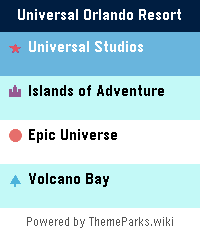
Tools & UtilitiesSkip the guesswork. UOR Queues brings live Universal Orlando Resort data straight to your Pebble — no phone-fumbling, no app-switching, no squinting at a tiny map. What you get: - Live wait times for every attraction across Universal Studios, Islands of Adventure, Epic Universe, and Volcano Bay. - Show schedules for every performance, with the next start time highlighted. - Opening and closing hours for each park, shown right on the park picker so you know at a glance where's still open. - Favourites — long-press any ride to pin it to the top of the list, kept in sync across park switches. - Launcher glance: park hours count down live in your app launcher, up to a week ahead, without even opening the app. - Sort by wait (ascending or descending) or alphabetically. Built for the watch: - Readable at a glance. Traffic-light colour coding (green / amber / red) means you don't need to read numbers to know if it's a walk-on or a two-hour queue. - Times follow your watch's 12/24-hour clock setting. - Works on both Pebble Time 2 (rectangular) and Pebble Round 2 (circular) — with native layouts for each. - Auto-refreshes every five minutes while open, without ever losing your place; pull the latest on demand from settings. Powered by ThemeParks.wiki — the community-maintained open API for theme-park wait times.
 15
15WDW Queues
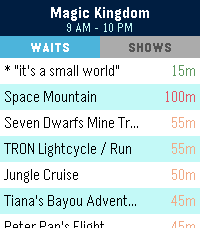
Tools & UtilitiesSkip the guesswork. WDW Queues brings live Walt Disney World data straight to your Pebble — no phone-fumbling, no app-switching, no squinting at a tiny map. What you get: - Live wait times for every attraction across Magic Kingdom, EPCOT, Hollywood Studios, and Animal Kingdom. - Show schedules for every performance, with the next start time highlighted. - Opening and closing hours for each park, shown right on the park picker so you know at a glance where's still open. - Favourites — pin your must-do rides and shows to the top of the list, kept in sync across park switches. - Sort by wait (ascending or descending) or alphabetically. Built for the watch: - Readable at a glance. Traffic-light colour coding (green / amber / red) means you don't need to read numbers to know if it's a walk-on or a two-hour queue. - Works on both Pebble Time 2 (rectangular) and Pebble Round 2 (circular) — with native layouts for each. - Auto-refreshes every five minutes while open; pull the latest on-demand by switching parks. Powered by ThemeParks.wiki — the community-maintained open API for theme-park wait times.
 3
3Queue Times
Tools & UtilitiesPowered by queue-times.com API Please excuse the screenshots, the emulator kept hitting back Have you ever been at a theme park and wanted a quick and easy reference to the wait times of all of its rides? There's a watchapp for that! This WatchApp utilizes the Queue-times.com api to provide up to date wait times for many parks across the world! Do be noted, Chinese and Japanese parks do not function at the moment due to missing fonts, i apologize for the inconvenience in that regard
 3
3Buzz in X Minutes
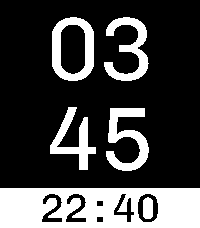
Tools & UtilitiesA practical minimalist timer for Pebble. It's super easy to use! Press up to add 1 minute and down to subtract 1 minute. It automatically starts counting down. When the timer expires, the watch vibrates, then the app automatically closes. Hint: If you bind the timer to the "Tap Up" Quick Launch action, then the first click sets the timer for the first minute. The total number of clicks is the total number of minutes! Thanks to Héctor Gatti for designing the wonderful Chivo font Features: * Big font * Time of day on the bottom * High contrast colors * Up button adds 1 minute * Select button adds 10 minutes * Down button subtracts 1 minute
 92
92A Note
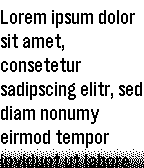
Tools & UtilitiesIt's just A Note on your wrist: The simplest note app I could come up with. Write or paste a note in the settings page, maybe choose a font size and read it on your Pebble. Perfect for shopping lists or similar. Supports UTF-8.
 21
21Nudge
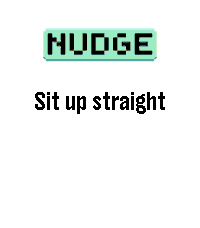
Tools & Utilities## Repeating reminders that actually reach you, even in Quiet Time. Nudge is a configurable interval reminder for your wrist. Set it up once and it buzzes you on a schedule you control: every 25 minutes on weekday afternoons, every 90 minutes all day, or anything in between or longer. Unlike a phone reminder, Nudge keeps working when you have Do Not Disturb on. Its vibrations are explicit app vibrations, so they fire through Quiet Time, using the pattern you picked. # WHAT YOU GET - Up to 6 independent reminders, each switched on and off on its own. - Intervals from 1 minute to 24 hours, set to the second if you want (4 min 20 s). - Variable interval: instead of a fixed gap, roll a new random interval between a minimum and a maximum on every fire, so it never gets predictable. - 5 vibration patterns: short-short, short-long, long-long, triple-short, long-short-long. - An optional short message shown on the watch, and raised as a notification on top of whatever you were looking at. - A daily time window and day-of-week picker per reminder, so nothing buzzes you at 3am or on a Sunday unless you ask it to. - Three buzz modes, so you choose between your pattern, a single buzz, or a silent message only. Everything is configured from the Pebble app's own settings screen. There is no companion app to install and no account to create. Reminders survive closing the app and rebooting the watch: each one schedules the next with the OS wakeup service. # GOOD TO KNOW Nudge surfaces on screen for a second or two when a reminder fires. That foreground moment is what lets the full vibration pattern play, rather than the single truncated pulse a background app is limited to. Each reminder covers one same-day window. For an overnight schedule, use two reminder slots.
 25
25Lighthaul
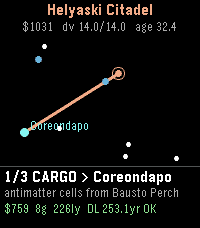
GamesHaul cargo and passengers between the stars at a hair under lightspeed - and let special relativity be the economy. Deadlines run on universe time. You and your passengers age on ship time. The closer to c you cruise, the less of your life each delivery costs - but fuel is delta-v, you pay again to brake, and every load's g-rating caps how hard you may burn. Gentle ramps cost years on both clocks. Pick contracts off the star chart. Outfit your ship: a bigger tank, a leaner drive, inertial dampers, a broker license, redline coils that push your top speed a nine closer to c. The autopilot flies each run optimally - how much fuel you buy is your throttle. Watch decades pass at the docks while you barely age. Retire rich, not old. * Procedural star clusters - replay any map by its seed, shared with the web game * A daily run: everyone flies the same cluster * Dock economy booms, strikes, and clearances * Reputation, ranks, and all-time records across careers * A deep-space license for pilots who touch gamma 25,000 The dilation is real physics - exact time dilation, honest rocketry in rapidity. The twin paradox as a contract clause.
 57
57Timer Core
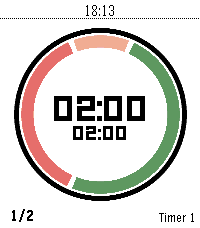
Daily"Your time. Your rules." Timer Core is the personal interval timer for Pebble: clear at a glance, flexible enough for any routine, and always ready on your wrist. A personal interval timer with four flexible segments, custom routines, and clear progress on every Pebble screen. Build your rhythm with Timer Core, a flexible interval timer made for Pebble. Create the routine that fits your day—from HIIT and Tabata workouts to Pomodoro focus, cooking, recovery, and everyday reminders. Configure up to four segments, choose when each one runs, set your rounds, and follow your progress through a clear circular display. Timer Core keeps everything close to your wrist. Start, pause, reset, select, and edit timers directly on the watch. Segment transitions are announced with vibrations, while persistent settings keep your routines ready for the next session. Highlights: - Up to 20 named timer profiles - Up to four configurable segments per timer - Interval, round, and stopwatch modes - Custom colors and backgrounds - Per-segment control for first, repeated, and final rounds - Vibration alerts at every transition - Optional Pebble Health and activity information - Optimized for round, rectangular, color, and monochrome displays Whether you are training, focusing, cooking, or taking a break, Timer Core helps you stay in rhythm without reaching for your phone. Made from "series timer" for core devices
 1
1Dictate to IFTTT
Tools & UtilitiesDictate to IFTTT turns your Pebble into a one-tap voice note button. Open the app and it starts listening immediately - speak your note, and it is sent to a single IFTTT Webhooks trigger you set in the app's settings. No trigger phrase, no menus: one app, one action. In Settings, choose to review each note before sending (press the middle button to confirm) or send instantly when you stop speaking. Point it at any IFTTT applet - create a task, add a note, email yourself, and more. Requires a Rebble subscription for dictation and your IFTTT Webhooks key.