 11
11Mölkky scorekeeper
GamesKeep score for Mölkky on your Pebble. Add up to 16 players, record each throw, undo mistakes, and view past games and player stats. Includes optional three-miss and final-round rules, offline watch storage with phone sync, and English/Finnish language support.
 24
24Liftoff 2
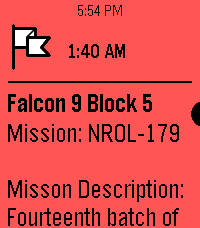
NotificationsInspired by the watch timeline app liftoff, this app shows timeline pins about upcoming launches with a small description provided thespacedevs.com. Unfortunately, due to the current pebble app being unable to retrieve info for timeline pins from servers, this app needs to trigger a wakeup call to fetch the api. Contact me at [email protected], @awesomemeeps (on the rebble discord server), or the Liftoff 2 project discussion in the rebble discord server if you have any issues or would like something to be added! Future updates: -Using a server (once server side timeline pins is added to the pebble app) -Improving UI -Using icons for timeline pins (Not possible right now, but should be once server side timeline pins are available)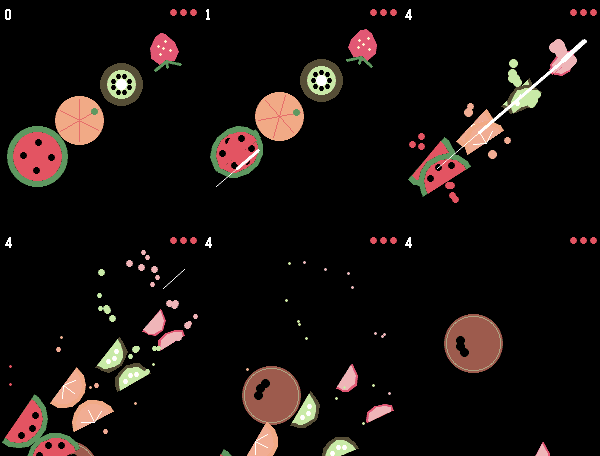 47
47Fruit Chop
GamesSwipe across the screen to slice the fruit — just watch out for the bombs. That's all it takes to play Fruit Chop, a fast, fun fruit-slicing game built right for your wrist. This game needs a touchscreen, so it works only on the Pebble Time 2 and Pebble Round 2. Before playing, enable touch under Settings → Display → Touch.
 7
7Commander Life Tracker
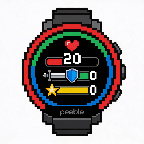
GamesA simple and primative tracker that tracks your life total and 3 instances of commander damage.
 42
42Two Tap Timers
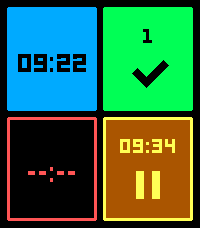
Tools & Utilities4 timers you can set with just 2 taps. - (Quick) launch the app - Tap one of the tiles - Select the number of minutes and your timer is running. - Tap again to pause/ continue - Hold down paused or completed timers to reset. You can configure 8 different durations and the way they are sorted on the settings page. (this multi timer requires touch to be enabled)
 4
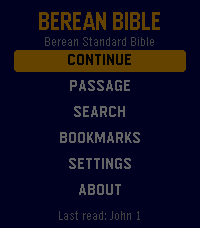
4Berean Bible
DailyThe whole Bible on your wrist. Berean Bible reads the Berean Standard Bible - a clear, modern, public domain translation - with nothing between you and the text: open it and you're reading, exactly where you left off. Chapters arrive through your phone from the fetch.bible CDN and are cached as you go, so the books you actually read are there when you want them. The text keeps its shape: prose paragraphs open with a gentle indent, the Psalms keep their poetry line by line, and superscriptions and Psalm 119's Hebrew letters stand where they've always stood. Say where you want to go. Press Search and speak - "John 3", "Psalm 23", "First Corinthians 13" - and you're there, even if you've never opened that book before. Speak a phrase instead - "for God so loved the world" - and get tappable results with the verse reference, each one opening the chapter scrolled to that very verse. * The complete Berean Standard Bible, all 66 books, no account and no fees - the text is public domain and served free by fetch.bible * Voice navigation: speak a reference and land in it; speak a phrase and search the books you've read * Passage picker built for a watch: a grid of book abbreviations and chapter numbers, not a mile-long list * Bookmarks: hold Select while reading to save your spot; reopen it at the exact scroll position later * Paragraph and poetry formatting, three text sizes, and a dark theme for night reading * On Pebble Time 2: full touch - drag to scroll with momentum, tap to page, tap any grid cell to pick it. Every button still does what it always did * Your place is always kept: book, chapter, and scroll position survive every exit, and the launcher shows where you are - "John 3" - before you even open the app * Reading continues naturally: page past a chapter's end and the next one loads Open. Read. That's the whole idea.
 0
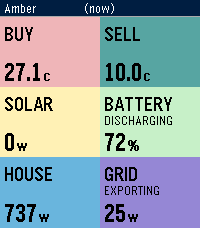
0Amber Electric Devices
Tools & UtilitiesLive Amber Electric prices and home battery, solar & grid status. Right on your wrist! See what your power is actually costing you — or earning you — without pulling out your phone. Amber shows live buy/sell prices alongside your home's solar, battery, and grid activity, pulled straight from your Amber Electric account. **On your watch:** - **Buy / Sell** — current wholesale-linked import and export price, in cents/kWh - **Battery** — charge level and whether it's charging, discharging, or holding - **Solar** — current generation - **House** — current household consumption - **Grid** — current import/export power, and whether you're a net importer or exporter Data refreshes automatically when you open the app, and you can force a refresh any time with a long press on Select. **Requirements:** - An Amber Electric account (Australia only) - An Amber API key — generate one free at https://app.amber.com.au/developers/ and paste it into the app's settings on your phone No account data is stored on the watch itself — your API key lives in the Pebble app on your phone only. NOTE: This App is unofficial and unsupported by Amber Electric.
 5
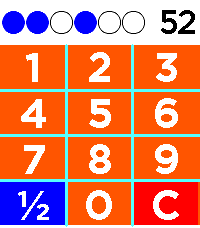
5Binary Practice
Tools & UtilitiesDo you like watchfaces with binary time representation, but want to get better (faster) at mental conversion to decimal? This watch app prompts you with randomly generated number from 1 to 59 (for 6-bit mode) and you type in your guess. Correct guess is confirmed with vibration, followed shortly by new prompt. Can also be changed to 5- or 4-bit mode. As you go through the rapid fire drill, you will start recognizing patterns in the binary and get faster at converting to decimal!
 7
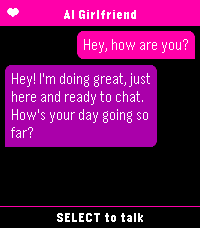
7AI Girlfriend
Tools & UtilitiesYou need a fast and easy way to talk to your favourite ai assistant? Look no further than AI Girlfriend. As soon as the app is launched it starts dictation so you can immediately start chatting. Supports openai compatible apis.
 1
1Compound Interest Calculator
Tools & UtilitiesA simple compound interest calculator that accepts Starting value, monthly additions, APY, and duration.
 1
1IP Directory
Tools & UtilitiesHelp log your IP addresses
 3
3Haggis
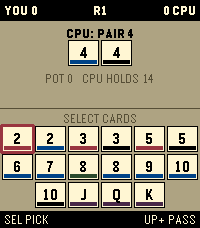
GamesThe shedding game Haggis by Sean Ross
 4
4PATIENT Solitaire
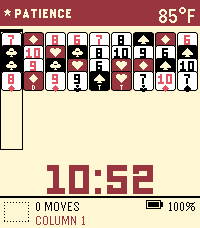
GamesPatient Solitaire, inspired by the incredible Zachtronics Proletariats Patience
 26
26Return to by flwkt
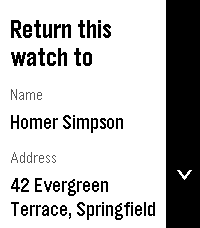
Tools & UtilitiesReturn to by flwkt Lost your Pebble? Make it easy to get back. Return to shows a clear “Return this watch to” screen with your name, address, phone, and email — so whoever finds it knows how to reach you. Set it once in settings and leave it on your app list. When it matters, the info is right there on the wrist. Fill in any combination of: - Name — Who the watch belongs to - Address — Where to return it - Phone — Number to call - Mail — Email address Empty fields are hidden so the screen stays clean. App list subtitle Choose which fields appear under the app name in the launcher (name, address, phone, and/or mail). Selected values are joined with “ / ” so you can spot your contact at a glance without opening the app. Recommendation Pin the app to the top of your app menu so anyone who finds your watch and opens the menu sees it right away: - Open the Pebble app on your phone - Go to Apps - Tap My Apps - Long-press Return to and move it to the very top Features Readable on Time 2, Round 2, Pebble 2, and Pebble 2 Duo — Layout adapts to rectangular and round screens (including B/W), with scroll hints on the action bar when there’s more to see. Configurable — Edit contact details and subtitle options from the phone settings page (Clay). Built for finding your way home — A simple ICE-style contact card for your Pebble, nothing more, nothing less.
 9
9Disc Golf Score Tracker
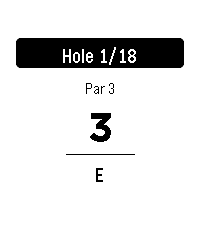
Tools & UtilitiesKeep score on your wrist. Track strokes hole-by-hole against par with your running total updating as you play. Rounds auto-save, so you can quit and resume anytime. In the phone Settings, quick-add any course by name and hole count (pars default to 3). Fix pars on the watch by holding SELECT, and delete courses the same way from the course menu. Import pars from a Disc Golf Metrix via competition section. When you finish, export your round from the watch and copy the text file from the phone Settings.