 1
1Meditation Timer
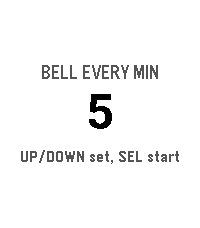
Health & FitnessA meditation timer with interval bells, entirely on the watch.
 7
7Hit and Blow
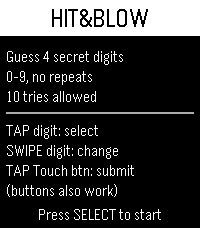
GamesThis is the first game I’ve ever made! I’m going to keep polishing it and take it in an even better direction, so I’d love your support! I’ve always loved this game, Hit & Blow, and I used to think, “Wouldn’t it be awesome if I could play it on my Pebble Time 2 whenever I have a little time to kill?” Surely I’m not the only one who loves it, right? 😄 Hope you enjoy!
 3
3Spectrum Torch
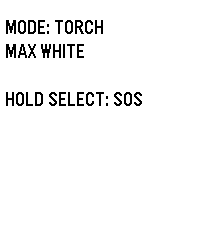
Tools & UtilitiesSpectrum: The Ultimate RGB Torch for Pebble Time 2 Transform your Pebble Time 2 into a versatile, wrist-worn torch. Engineered by Atomlabor, Spectrum leverages the exclusive hardware of the Emery platform to deliver genuine RGB backlight control. Spectrum is designed to be the perfect, instantly accessible companion in the dark. Key Features: Torch Mode: Need pure visibility? Start with maximum white light. Use the UP and DOWN buttons to dim the brightness in 10% increments to perfectly suit your environment. Gravity Colour Shift: Enter Gravity Mode and let physics take control. Tilt and rotate your wrist to seamlessly transition through fully saturated, true-colour RGB hues using the built-in accelerometer. The manual dimming function works flawlessly here, too. Emergency SOS: A long press of the SELECT button instantly overrides all settings, activating a high-intensity, flashing red SOS Morse code signal to ensure you are seen when it matters most. Clean UI & Luminance: To ensure the memory LCD does not block the LED hardware, the display intelligently adapts its background colour to match the backlight. All on-screen text automatically vanishes after five seconds, transforming the entire watch face into an unobstructed, pure light source.
 16
16FEED EGGS
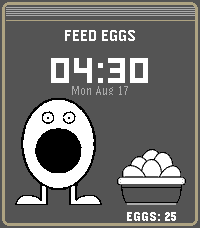
GamesDo Not Play this at work, at school, or anywhere you could be accused of looking at stuff that you should not!!!! (You should be allowed to look a LITTLE BIT though) Drag eggs to feed Press "Select" button to enable NSFW big boy
 62
62X-Ray
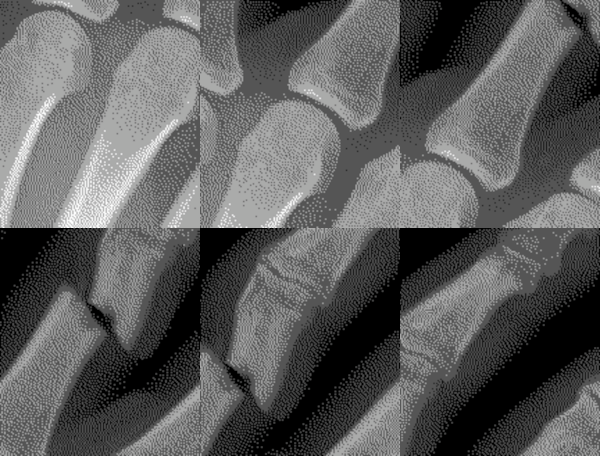
GamesPlace your Pebble above your left hand and start the x-ray scan. If you move your hand as you tilt your Pebble watch, it will appear as if you are viewing an x-ray. The up button starts the calibration or pauses the x-ray scan. The middle button shows the custom settings. Use the bottom button to exit the x-ray scan and return to the home screen. Custom settings include keeping backlight on and whether or not you find a fracture in your finger!
 39
39Mad Eye Moody
GamesApp that displays an eyeball that moves and blinks. Put it on a head strap for a fun costume prop! Top button: start animation Middle button: light on/off Bottom button: pause/resume Open Pebble Settings to customize eye color, tap behavior, default light setting.
 108
108Big Stopwatch
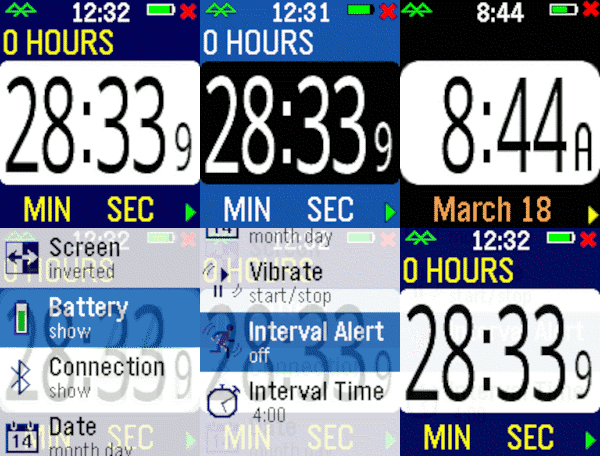
Health & FitnessHaving trouble seeing those small numbers while exercising? Try the Big Number Stopwatch and be able to check the elapsed time quickly. Press the bottom bottom for start/stop and the top button to reset the time. Pressing the middle button momentarily shows the current time, and a long press raises the settings menu. Customizable settings are available, plus the time is restored if you briefly switch apps.
 36
36Big Timer
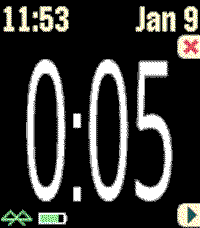
Health & FitnessThis timer features BIG numbers, settable start times, vibration alerts, and other custom settings. This app was originally developed for Chris Conley, a grade school teacher, who uses this countdown timer for reading studies and student contests.
 4
4Test Touch Sensor
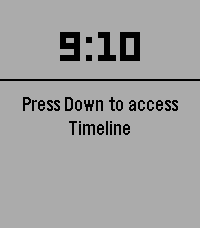
Tools & UtilitiesAn app that simply displays the coordinates of your touch in real time. It might be useful when you feel like your touch is slightly off!
 1
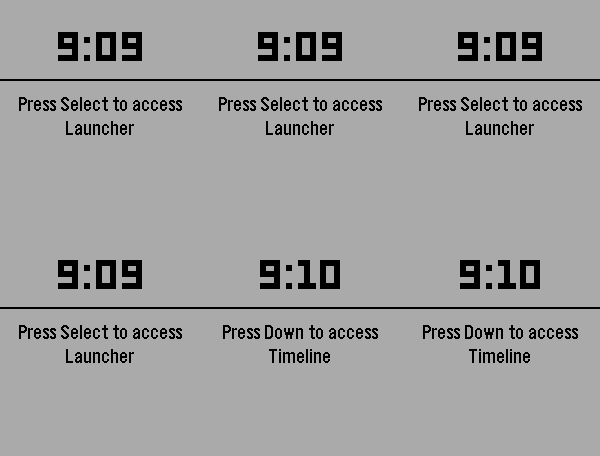
1Aeropress 442
NotificationsA timer set to 4-4-2 minutes for making coffee with an AeroPress
 33
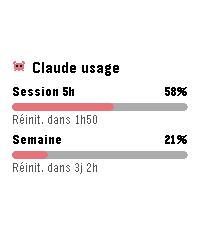
33AI Usage
Tools & UtilitiesSee your Claude.ai usage gauges at a glance: 5-hour session and weekly limit, each with its percentage and time until reset. Configure once with a Claude Code OAuth token (claude setup-token); the token stays on your phone. Refresh interval is configurable, the interface is available in English and French, and Clawd the crab keeps an eye on your quota.
 149
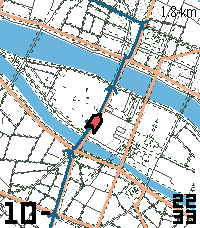
149Course GPX
Tools & UtilitiesOffline GPX navigation and maps for hiking, biking, or just any time you want to stay on track. Features: - Fully offline GPX nav - paste any GPX file into the settings. - Multi-segment tracks are now supported. - Cached maps from OpenStreetMap - loading a GPX file will save map tiles along the route for offline use. Maps will also be loaded as-needed if an internet connection is available. (Map tiles are off by default and can be enabled in the settings.) - North-up and forwards-up modes. - Off course alert - vibrates your watch when you leave the loaded track. - Back-to-track pointer - shows the way to the course if it's off-screen. - Optional overlays for: distance remaining (current track segment), map scale, speed, compass, and clock. - Zoom out/in by pressing up/down. - Turbo mode - temporarily increases refresh rates when you press the Select (center) button. - No companion app needed. - Supports every Pebble, from OG to Round 2. Please Note: - Maps may be out of date, incomplete, or have technical problems - do not stake your safety on the accuracy of this app, and always have a backup way to navigate. - Changing the tile server setting will clear any saved map tiles. - Pebble does not have a GPS, so this app will not work without your phone. - Large GPX tracks may run into memory limitations - I recommend keeping tracks to ~100 km/60 mi/2500 track points. - Map tiles in dense city centers (e.g. Venice, Shanghai, HCMC) may be too large for the watch and not load, especially on OG Pebbles. (You will still see the GPX track.) - For best battery life, lengthen the GPS update interval in the settings. Acknowledgments: - OpenStreetMap - map data - Protomaps - PMTiles - On The Go Map - planetiler - Tjeerd Ytsma (KOERS) - inspiration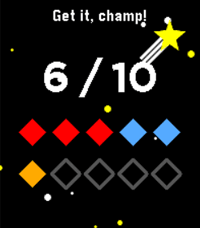 24
24Bit Spender
Tools & UtilitiesCompanion app for my 'bit spender' productivity system. Each day you get 10 bits at 3 am and you have to spend them all before you can chillax in the evening. Each bit is spent for a specific category: work, exercise, or creative. Each bit represents 30 minutes of intense focus time. You can either use the built-in timer for a specific category (short middle press) or use your own timer and log spent bits directly per specific category (longer middle 0.5s press). There are also some stats tracking your past progress and an 'insights' screen (press down button repeatedly) that shows you your usual most productive times. As you progress, the app rewards you with little pep phrases and brief animations. If required, you can reset all your data by going to the 'Insights' screen and holding the middle button down for 5 seconds, then confirming. This is purely a personal project to help me finish my thesis. It is almost entirely vibe coded. Use at your own discretion. Your milage may wary. As requested, the source code is now available on GitHub. Feel free to make your own forks of Bit Spender, just (i) make sure it's non-commercial, and (ii) credit this version in your app description. Happy spending!
 4
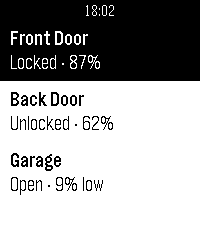
4Wrist Key
RemotesControl your WiFi-enabled Nuki Smart Lock straight from your Pebble watch. List your locks and open, unlock or lock the door without reaching for your phone.
 0
0Watch Beer
Health & FitnessAn app to estimate number of drinks