 8
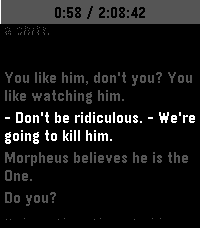
8Subtitles
Tools & UtilitiesThis is an app to see the subtitles of a movie or show on your watch :)
 2
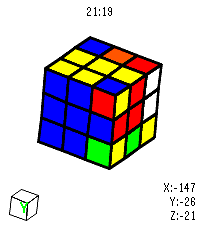
2Rubik's Cube
GamesVirtual Rubik's Cube for Pebble Time 2. I got close to solving it but messed up on the last layer 😭 Open source so yall can fork and make it better. Made using Claude.
 4
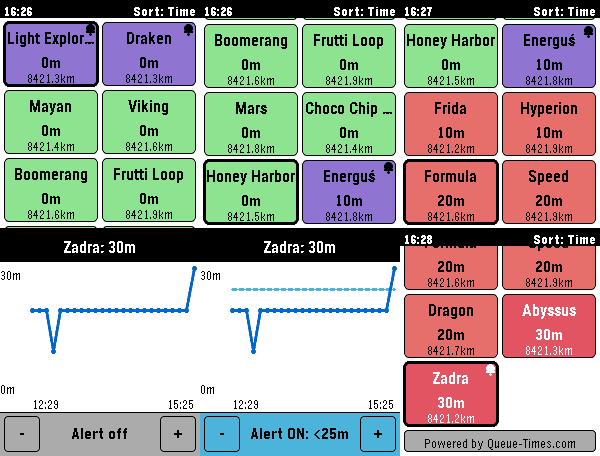
4CoasterWatch
Tools & UtilitiesCoasterWatch brings live theme park queue times and wait-time trends right to your wrist, powered by Queue-Times.com. Yes, it is vide-coded - sorry-not-sorry 🙂. The app needs to stay open on your watch for queue times to keep updating and for alerts to fire. I made this app as I'm off to Energylandia next week - hopefully it won't rinse the battery but as of yet it's not been tested on a proper trip. Supported Parks: • Energylandia (Poland) • Thorpe Park (UK) • Do feel free to send a message (or an issue/PR on Github) if you want a particular park adding. Features: • 🎢 Live Queue Times: With customizable colour thresholds (Short, Medium, Long). • 📍 Distance-Aware Sorting: Sort rides by proximity or shortest wait times. • 📈 Wait Time History Graphs: Click into any ride to see a graph of today's queue trends. • 🔔 Proximity & Threshold Alerts: Set target wait-time alerts on your favourite coaster and get buzzed when lines drop. • 👆 Touch Navigation: Full touch support for Pebble Time 2 & Round 2 — tap to inspect, fluid inertial flick scrolling, pull-down to refresh with elastic spring bounce, and swipe-to-dismiss. • 🔒 Touch Lock Mode: Double-click the SELECT button to lock the touchscreen and prevent phantom touches on water rides or in the rain. • 🔋 All-Day Battery Efficiency: Intelligent Bluetooth diffing, 5-minute GPS caching, and adaptive battery scaling ensure your watch easily lasts a 12+ hour park visit. • ⚙️ Full Clay Configuration: Reorder favourite rides, customize wait-time colours, and pick custom vibration alert patterns from your phone.
 20
20PebbleRecorder
Tools & UtilitiesTurn your Pebble watch into a remote start/stop trigger for audio recording on your phone. Press a button on the watch, and a companion Android app records straight to a folder you choose — no need to touch your phone. You will need the companion android app from https://github.com/BigWebstas/PebbleRecorder/releases Or find it on the F-Droid App Store
 5
5Verse
DailySimple app to get a verse of the day Powered by ourmanna.com API
 167
167What time is it?
Tools & UtilitiesMusic and visuals demo designed for Pebble Time 2. It was presented at Xenium 2026 in Poland. Press select to toggle light on/off Press down to toggle loud music / higher audio quality https://youtu.be/r3HWmCo4JLY Read more about the demo scene computer art subculture: https://en.wikipedia.org/wiki/Demoscene
 2
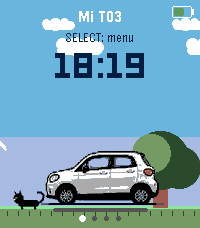
2Mi T03
Tools & UtilitiesMi T03 connects your Pebble watch to your Leapmotor T03 through Home Assistant (leapmotor-ha integration) — no custom servers or MQTT bridges needed. From your wrist you can: - Check battery level, estimated range, and charging status at a glance. - See whether the car is parked, driving, or charging, with large, clear icons — including estimated charge-end time, charging power, and current speed while driving. - View all 4 tire pressures on a top-down car diagram. On touch-capable models, tap a wheel to highlight it and see its exact pressure. Any tire at 2 bar or below turns red automatically, with a one-time Timeline alert. - See at a glance whether the car is locked, via a color-coded lock icon next to the battery indicator. - Check the state of all 4 windows on a car diagram, same style as the tire page. - Trigger fast cooling, fast heating, or turn off climate control, with on-watch confirmation. - Open or close the sunshade. - Lock or unlock the car. - Feel a distinct vibration for successful vs. failed actions, without looking at the screen. - Get a Timeline notification when charging stops, a tire is low, a window is left open while parked, or the car is left parked and unlocked. - Pick your car's display color (white, black, or light blue). - Refresh manually, or let it auto-refresh every 15/30/60 seconds while the app is open (configurable, battery-friendly by design). Requires your own Home Assistant instance with the Leapmotor T03 already set up via leapmotor-ha (github.com/kerniger/leapmotor-ha), reachable from your phone (LAN, VPN, or public domain), and a Home Assistant long-lived access token. Everything is configured from the watch — nothing to set up outside of it.
 0
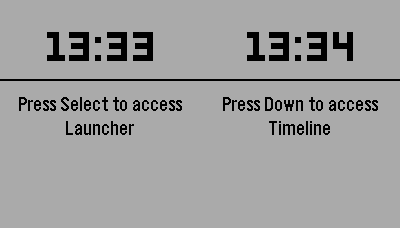
0Ref Match
Tools & UtilitiesApp to record time, goals, cards as a soccer referee
 16
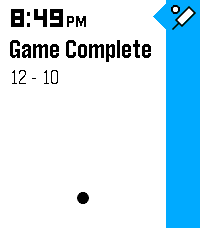
16Pikkleball
Health & FitnessTrack your Pickleball match scores! - 🎯 Supports 3 modes, Standard (11 pt. match) and Rally scoring (15 or 21 pt. matches) - 💾 Saves/Restores during exits - 😎 Automatically tracks serves on Standard matches while scoring - ✌️ Automatically adjusts scoring goal to assert wins by 2 points (in both modes) - 👆 Supports touch (tap) to bump scores Controls - [Back] - Exits - [Select] Change modes (Start screen) | Mark self as starting server (on game start) | Hold for 3s to reset score (mid game) | Back to menu (on game end) - [Up/Down] Select starting side | Mark which side scored
 5
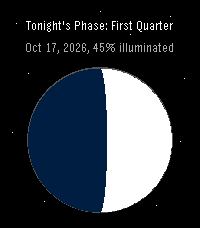
5Moon Phase
DailyPebble app to show tonight's moon phase
 0
0Osteo Recall
Tools & UtilitiesRecall app for osteo students
 6
6Omni Scorer 2
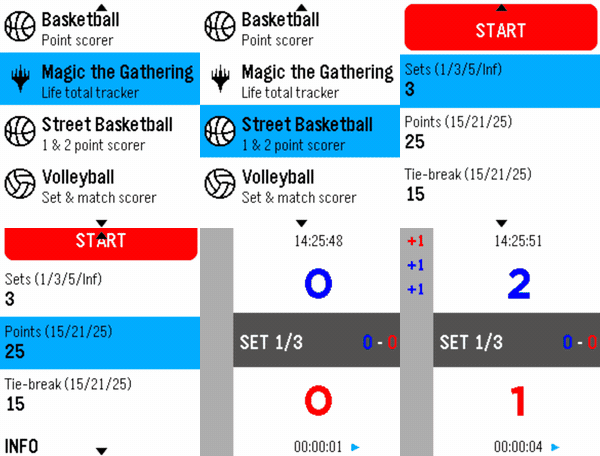
Tools & UtilitiesOmni Scorer 2 is a multi-sport scorekeeper built for Pebble smartwatches, designed to be fast and effortless to use during play — score a point with a single button press, without needing to stare at the screen. Currently supported activities: -Volleyball -Basketball -Street Basketball -Magic: The Gathering -Tennis -Padel Each scorer keeps a scrolling, color-coded history of the match so you can always check what just happened, and the app remembers exactly where you left off — it reopens on the same screen you last used. New sports and activities will keep being added over time. If there's a specific sport or scoring format you'd like to see supported, feel free to reach out — requests are welcome! Omni Scorer 2 is free to use. If you'd like to support its development: https://ko-fi.com/eh003
 12
12Velo
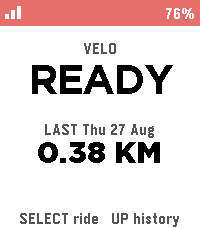
Health & FitnessBiking/Cycling Companion for your Pebble, local to your pebble. Download the companion app for your phone and click select to start tracking, currently tracks the following metrics: -Current speed -Distance -Ascent -Ride History Works natively on your phone and watch with no accounts required, no cloud needed.
 6
6Routines
Tools & UtilitiesConfigure up to 10 custom routines with up to 10 tasks each.
 1
1TimeReader
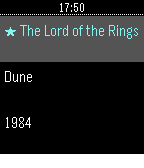
Tools & UtilitiesReading stopwatch: time each session, track pages/hour and ETA.