 1
1Soccer Timer
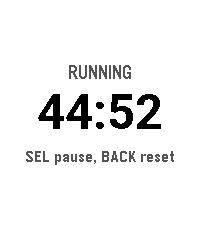
Tools & UtilitiesSoccer match timer with vibration alerts at 2 minutes, 30 seconds, and full time. Keeps counting past zero so you can track stoppage time."
 0
0Ref Match
Tools & UtilitiesApp to record time, goals, cards as a soccer referee
 16
16Pikkleball
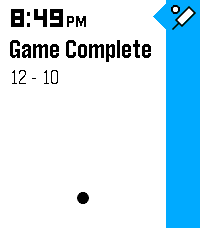
Health & FitnessTrack your Pickleball match scores! - 🎯 Supports 3 modes, Standard (11 pt. match) and Rally scoring (15 or 21 pt. matches) - 💾 Saves/Restores during exits - 😎 Automatically tracks serves on Standard matches while scoring - ✌️ Automatically adjusts scoring goal to assert wins by 2 points (in both modes) - 👆 Supports touch (tap) to bump scores Controls - [Back] - Exits - [Select] Change modes (Start screen) | Mark self as starting server (on game start) | Hold for 3s to reset score (mid game) | Back to menu (on game end) - [Up/Down] Select starting side | Mark which side scored
 5
5Moon Phase
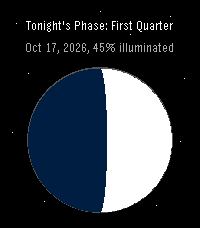
DailyPebble app to show tonight's moon phase
 0
0Osteo Recall
Tools & UtilitiesRecall app for osteo students
 6
6Omni Scorer 2
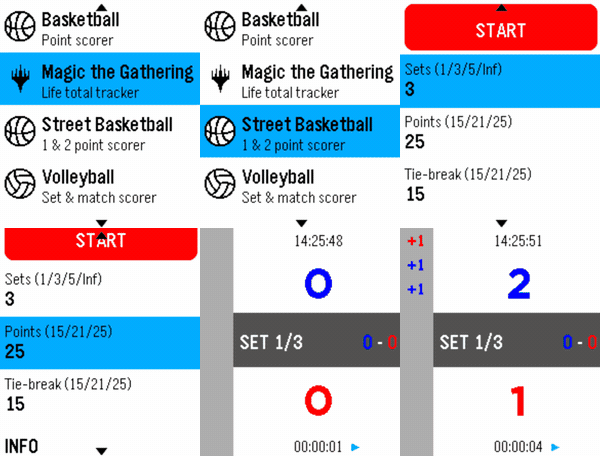
Tools & UtilitiesOmni Scorer 2 is a multi-sport scorekeeper built for Pebble smartwatches, designed to be fast and effortless to use during play — score a point with a single button press, without needing to stare at the screen. Currently supported activities: -Volleyball -Basketball -Street Basketball -Magic: The Gathering -Tennis -Padel Each scorer keeps a scrolling, color-coded history of the match so you can always check what just happened, and the app remembers exactly where you left off — it reopens on the same screen you last used. New sports and activities will keep being added over time. If there's a specific sport or scoring format you'd like to see supported, feel free to reach out — requests are welcome! Omni Scorer 2 is free to use. If you'd like to support its development: https://ko-fi.com/eh003
 12
12Velo
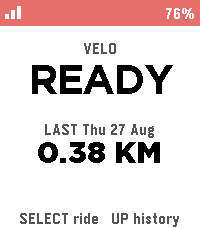
Health & FitnessBiking/Cycling Companion for your Pebble, local to your pebble. Download the companion app for your phone and click select to start tracking, currently tracks the following metrics: -Current speed -Distance -Ascent -Ride History Works natively on your phone and watch with no accounts required, no cloud needed.
 6
6Routines
Tools & UtilitiesConfigure up to 10 custom routines with up to 10 tasks each.
 1
1TimeReader
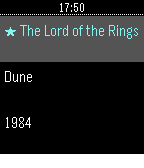
Tools & UtilitiesReading stopwatch: time each session, track pages/hour and ETA.
 0
0TrackGlance
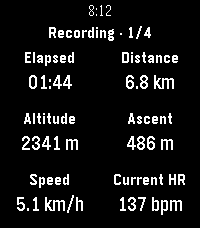
Health & FitnessView and control Locus Map track recordings from a Pebble Time 2 or Pebble Round 2. TrackGlance brings an active Locus Map track recording to your wrist. Choose the metrics shown for each Locus activity, switch between up to four pages, pause or resume recording, stop and save, and add waypoints. Pebble Time 2 also supports dictated waypoint notes and can send watch heart-rate readings to Locus. ⚠️ Important Setup Information: This watchapp requires both the Locus Map app and the TrackGlance Android Bridge companion app to function. Currently, the Android Bridge is not available on the Google Play Store and must be sideloaded manually. You can download the latest Bridge APK directly from the GitHub releases page here: https://github.com/ChristianHerget/trackglance/releases/latest
 3
3Can's HR Sender for Pebble
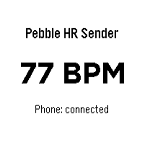
Health & FitnessCan's HR Sender for Pebble is a Pebble watch app that reads live heart-rate data from the watch and sends it to the Android companion app Can's Pebbleton HR Bridge. Together, the two apps make the Pebble heart-rate sensor available as a standard Bluetooth Low Energy Heart Rate Service for compatible fitness equipment and apps. Support the project This project is free to use. If it works well for you and you would like to support future development, you can buy me a coffee: ☕ https://buymeacoffee.com/koprulucan Companion App (NEEDED): Can's Pebbleton HR Bridge is currently going through the Google Play testing process. Until the public Google Play release is available, download the latest Android APK from GitHub Releases: https://github.com/koprulucan/Cans_Pebbleton_HR_Bridge/releases Android project repository: https://github.com/koprulucan/Cans_Pebbleton_HR_Bridge The current Android application ID is: de.cankoprulu.pebbletonhrbridge
 2
2Trinary Timer
Tools & UtilitiesTimer with Trinary Selection option for up to 27 custom timers. You can select any of these timers within 3 button presses by tapping Up, Select, and Down. Hold Up to add a new timer and Hold Down to select a timer to delete. Quick Launching also exits after 3 seconds so you can set and forget.
 37
37Fish-N-Time
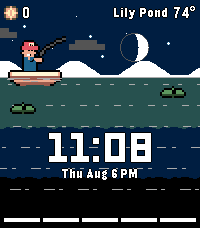
GamesInspired by Cast-N-Chill, welcome your new watchface, Fish-N-Time! A one button fishing game and watch face! Features: Time Date Local temperature display Discreet battery indicator near the bottom Accurate scrolling moon phase and day/night cycle, timed with sunrise/sunset Character customization Upgrades Fish log Pauses when not being played to display as a watchface
 1
1Good Egg
GamesGatchi like game where you raise a small ugly child
 361
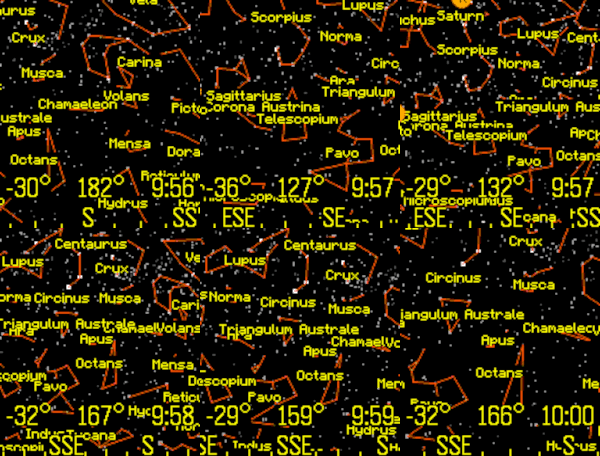
361Night Sky
Tools & UtilitiesView the stars, constellations, and planets of the night sky. The up and down buttons change the field of view. Click the middle button for custom settings, selecting planets, or choosing a constellation. The orientation can be set by compass, tilting the Pebble, or can be locked to a specific heading. Latest Pebble models can use touch to pan the display. Memory is tight, so only 1,000 stars are in the original Pebble and 4,000 stars for the newer Pebbles. Voice dictation is supported for newer watches. To use this feature, select "Voice" from the menu, and clearly state the name of a planet or constellation. Some sample terms to try are "Moon" and "Aquarius". This app has been updated for the newest Pebble Time 2 and Pebble Round 2 apps.