 0
0Bus/Tram Strasbourg
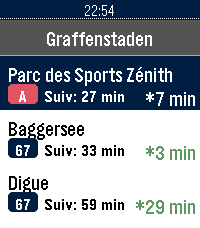
DailyApplication non officielle pour le réseau de transport de Strasbourg (CTS). Fonctionnalités : Horaires en temps réel (SIRI) avec rafraîchissement automatique et décompte à la minute Secours 100% hors-ligne avec horaires théoriques complets (GTFS) : Tram A–F, Bus G, H, C1–C9, 10–76 Recherche rapide d'arrêt avec clavier tactile T9 Arrêts à proximité par localisation GPS et favoris enregistrés sur la montre Info Trafic en direct (perturbations et alertes du réseau) Disponibilité en temps réel des Parkings Relais (P+R) et guide des tarifs Mentions légales : Données fournies par la CTS et l'Eurométropole de Strasbourg sous Licence Ouverte 2.0 (Etalab). Projet indépendant, non affilié ni approuvé par la Compagnie des Transports Strasbourgeois (CTS).
 9
9BPM Tapper
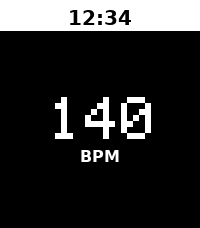
Tools & UtilitiesTap to detect BPM Metronome start after 2 beat no input You can adjust BPM with upper/lower button to match your music Long press middle button to setting
 52
52Sae Weather Graph
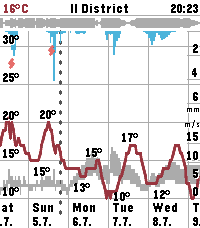
DailyHighly informative weather forecast graph for Pebble Time 2. The only weather app you'll ever need! Sää [ˈs̠æː] is Finnish for weather. Sae is Finnish for rain. The app works globally. Displays 10 days of hourly values for: - Temperature, day's min/max - Precipitation - Thunder - Wind speed, gust speed, direction - Cloud cover level - Relative humidity - Air pressure - UV index - Sunrise/sunset times - Golden hours - Dark hours App controls: - Step forward/backward: press down/up - Toggle zoom: press select - Select location: long press select - View hourly values: touch the screen Data sources: - The Finnish Meteorological Institute (FMI) if you're in Finland or nearby - Open-Meteo elsewhere - Possibly others in the future Configuration options: - Units & formats - Data selection - Preset locations Open source. Or open slop. The app is 99% vibe coded.
 0
0VarnaBus
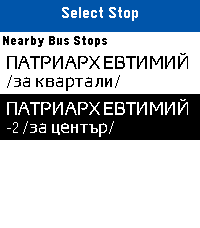
DailyLive public transit arrivals and nearest bus stop locator for Varna, Bulgaria directly on your Pebble.
 0
0PebbleCube
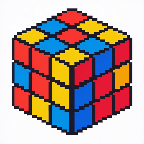
Tools & UtilitiesSimple speedcubing app.
 67
67MirrorMap
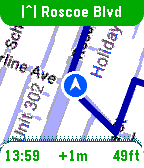
Tools & UtilitiesSee it in action: https://x.com/MirrorMapNav/status/2057143831699796173 *Pebble app needs it's BATTERY set to UNRESTRICTED to reliably send GPS* A navigation watchapp showing live directions on a smoothly rendered map with rerouting and travel modes. This is Pebble's nav app we've been missing! MirrorMap uses the Gmaps API for the best routing available. It can mirror a trip from your phone — share the destination from Gmaps , and it syncs the same trip on your wrist, or just select one of the saved addresses for a standalone trip! Three ways to use MirrorMap: THE MAP: Get the free watch app to explore at 30fps and see your real-time position. ROUTES (subscription): Save *home*, *work*, and *custom* addresses. Start navigating from the watch or even the Pebble settings page. Miss a turn? Shake to reroute! DASH (Play Store app): Besides having it's own Routes subscription, Dash can receive destination shares from any app with a share button-- watch instantly navigates there. Also, share a location from google maps, and both the phone and watch navigate together, in sync, so you can pay attention to either. For prices and more info go to: https://Mirrormap.app (click website link below) Android only: iOS Pebble app lacks the browser APIs that MirrorMap depends on.
 37
37Pinky
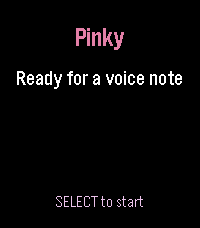
Tools & UtilitiesPinky turns your microphone-equipped Pebble into a one-button voice notebook. Assign it to Quick Launch, long-press from the watchface, speak, and Pinky opens native dictation. The transcription is saved to a searchable library on your paired phone before the watch app closes—no server required. In Pinky's companion settings, browse, search, copy, research, or delete notes and export the library, including research results, as CSV. Optional AI research uses your own OpenRouter API key. Choose a model and hotword (default: “research”), then begin a note with it to generate a research brief. Results and sources stay attached to the note. Optional web search can ground answers in current public sources. Optional email can send new notes, research results, and launch-driven daily or weekly digests. Choose the shared Pinky Mail beta, your own EmailJS account, or a private HTTPS relay. Personal routes never fall back to the shared service; email and AI are off by default. Features: • Immediate native Pebble dictation • Phone-local searchable note library • Copy, delete, and CSV export • Configurable OpenRouter research and web search • Shared, personal EmailJS, or private-relay email Supports Pebble Time/Steel/Round, Pebble 2 SE/HR/Duo, Pebble Time 2, and Pebble Round 2. Requires a paired phone, Internet, and working Pebble voice transcription. Stores text, not raw audio. Pinky is an independent community project and is not affiliated with Pebble.
 9
9(P)ermes
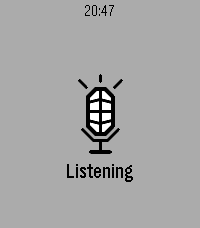
Tools & UtilitiesTalk to your self-hosted Hermes agent from your Pebble.
 1
1FT Capture
Tools & UtilitiesQuick capture using the microphone for FacileThings
 21
21Swiss Chronograph
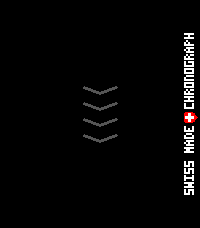
Tools & UtilitiesEnglish One swipe. That’s it. Are you tired of timer apps where your finger covers exactly what you are trying to set? Or of tapping through menus again and again just to start a simple countdown? Swiss Chronograph is different. Swipe once along the vertical ruler, choose your time, and you are done. The interface was designed to be as minimal as possible: as little visual clutter as possible and as few clicks as possible. The timer can be minimised and continues running in the background. When the countdown finishes, the display alternates between light and dark once per second while the digits invert with it. The alarm plays a proper 8-bit sound: 10 seconds of sound followed by a 2-second pause, repeated until the alarm is dismissed or stops automatically. Choose a permanent Light or Dark theme, or use Shake mode to switch between them with a movement of your wrist. Touch is the fastest way to use Swiss Chronograph, but every essential action is also available through the hardware buttons. That means the timer remains fully usable when the screen is wet, your hands are dirty, or you are wearing gloves. And yes, it is genuinely Swiss: it was designed and developed in Switzerland by a Swiss developer. The project is open source. Have fun with it! Greetings, Maru Deutsch Ein Swipe. Das war’s. Bist du es auch leid, dass du bei Timer-Apps mit dem Finger genau das verdeckst, was du einstellen möchtest? Oder dass du dich durch Menüs klicken musst, nur um einen einfachen Countdown zu starten? Swiss Chronograph ist anders. Ein Swipe über das vertikale Lineal, Zeit auswählen, fertig. Die Oberfläche wurde so minimalistisch wie möglich gestaltet: so wenig visuelle Ablenkung und so wenige Klicks wie möglich. Der Timer kann minimiert werden und läuft im Hintergrund weiter. Wenn der Countdown endet, wechselt der gesamte Bildschirm einmal pro Sekunde zwischen hell und dunkel, während sich die Ziffern passend dazu umkehren. Dazu spielt ein richtiger 8-Bit-Alarmton: 10 Sekunden Ton, danach 2 Sekunden Pause, bis der Alarm beendet wird oder automatisch stoppt. Du kannst dauerhaft ein helles oder dunkles Theme verwenden. Im Shake-Modus wechselst du mit einer Bewegung des Handgelenks zwischen beiden. Am schnellsten funktioniert Swiss Chronograph über Touch. Trotzdem ist jede wichtige Funktion auch vollständig über die Hardwaretasten bedienbar. Damit kannst du den Timer auch verwenden, wenn das Display nass ist, deine Hände schmutzig sind oder du Handschuhe trägst. Und ja, er ist tatsächlich schweizerisch: Er wurde in der Schweiz von einem Schweizer entwickelt. Das Projekt ist Open Source. Viel Spass damit! Gruss, Maru
 0
0ZURICH-Railway-Datum
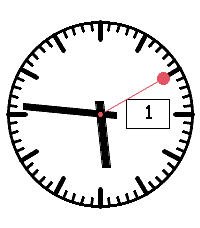
DailyAnaloges Swiss-Railway-Watchface mit größerer Datumsanzeige
 10
10Find My iPhone
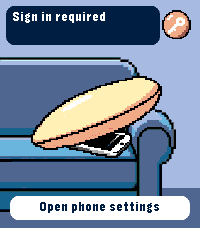
RemotesRing your iPhone directly from Pebble Time 2. Open the watch app, select an iPhone with the Up and Down buttons, then hold Select for 650 ms to send the sound command. The app runs through Pebble Core on your iPhone and talks directly to Apple over HTTPS. No separate companion app or intermediary server is required. Setup supports trusted-device two-factor authentication, multiple iPhones, automatic system language selection and clear states for offline devices, expired sessions and rate limits. Your password and two-factor code are used only during sign-in and are not stored. Apple session tokens remain in Pebble Core local storage on the paired iPhone. You can remove the saved session from the settings page at any time. Important: this is an independent, unofficial utility based on an undocumented Apple service. It is not affiliated with or endorsed by Apple. Apple may change the service without notice, which can temporarily or permanently stop sign-in or sound requests from working. Requires Pebble Time 2 (emery), Pebble Core on iPhone, an internet connection and an Apple Account with Find My enabled.
 6
6Plant friend
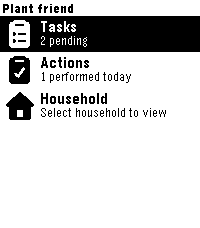
Tools & UtilitiesPebble watchapp for Plant friend. Keep track of your plant care schedule directly from your watch.
 10
10Talk Timer
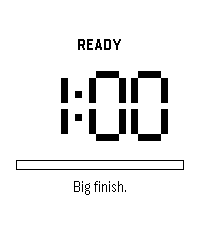
Tools & UtilitiesA stage timer you never have to look at. Set your talk length, tap your wrist, and speak. Talk Timer buzzes at the marks you choose so you can keep your eyes on the room instead of your watch. A short line of encouragement appears before you start and at each quarter of your talk. Small thing. The ten seconds before you open your mouth are the ones that matter. Want to see an update or request a feature? Email me: [email protected] 1
1Tútt - Cepillado
Tools & UtilitiesTútt es un temporizador de 3 minutos para guiar tu cepillado dental, dividido en 6 tramos de 30 segundos. Cuenta regresiva de 3s antes de iniciar, vibración doble al cambiar de tramo, barra de progreso visual y colores personalizables (fondo y letras). Pausa en cualquier momento con un toque.