 8
8Sports Desk
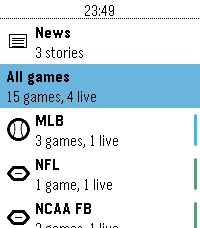
DailyLive scores, box scores and headlines from 93 leagues, on your wrist. This app is a attempt to make a Sports score app in the base theme of the Pebble OS, using the ESPN API.
 9
9HA Trigger
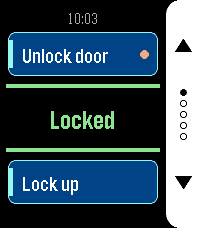
Tools & UtilitiesHA Trigger puts Home Assistant actions on your wrist and keeps the answer in front of you. Each screen carries two actions: the top button runs one, the bottom button the other. Between them sits the state of an entity of your choice, in large type and coloured by what it says: green when things are as they should be, amber while a lock is still turning, red when the entity is unavailable or Home Assistant did not answer. It refreshes by itself every 15 seconds while the app is open, so you can read it without pressing anything. Set up as many as five screens — front door, garage, lights — and flip through them with the middle button. Only screens with at least one action are shown, and dots on the button rail tell you where you are. The app reopens on the screen you left it on. Each action can ask before it fires. Turn the prompt on for anything you do not want to trigger from a pocket, and the watch shows a countdown ring: the middle button runs the action, any other button cancels, and doing nothing cancels it too. Actions with a prompt are marked with a dot on their card, so you can see which one is the careful one. Any service works — `lock.open`, `script.turn_on`, `switch.toggle`, `scene.turn_on`, `cover.open_cover`. Give it a target entity, or leave that empty for scripts that take no arguments. For the status line, a template sensor is worth setting up: whatever text it produces is what the watch shows. Your settings live on the watch as well as on the phone, and the two sync in both directions. Reinstall the phone app and the watch hands its configuration back; reinstall the watch app and the phone restores it. You should not have to type a long-lived token twice. Built for Pebble Time 2 and Pebble Round 2, with a layout drawn for each — a full-height button rail on the rectangular display, a rounded rail set inside the circle on the round one. Settings - HA URL — base URL of your Home Assistant, no path and no trailing slash. If you leave out `http://` or `https://` it is assumed to be `http://`. - Long-Lived Token — from Profile > Security in Home Assistant. Best created under a dedicated, non-administrative user. - Screens 1 to 5 — each with its own status entity and a top and bottom action. Leave both actions of a screen empty to hide it. - Status Entity — shown in the centre of the screen. Leave empty to use the top action's entity, or the bottom one's if the top is empty. A template sensor works well here. - Top / Bottom Action — a label, a service in `domain.service` form, an optional target entity, and whether to ask before running it. For a script, scene, automation or button you can name the entity alone and leave the action empty — the matching action is derived from it. Without a label the card shows the entity's name. - Color Scheme — Dark uses a white button rail on black, Light a black rail on white.
 9
9Flag Globe
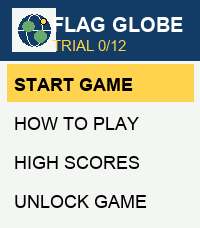
GamesCan you identify a country by its flag and find it on the globe? Flag Globe turns world geography into a wrist-sized challenge. Study the flag, navigate through continents and regions, then select the correct country on the map. • 133 countries with detailed flags • Interactive globe and regional maps • No repeated countries during a game • High scores and persistent statistics • Works entirely offline • Supports square and round Pebble watches Try it free, then unlock the complete game with a one-time purchase.
 2
2Lapin Futé
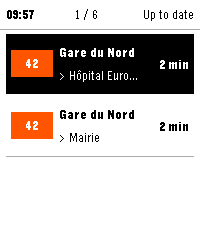
Tools & UtilitiesLapin Futé brings the next Île-de-France public transport arrivals to your Pebble. Save up to six favorite journeys across Métro, RER, Transilien, tram and bus services. Choose your departure stop, line and arrival stop, then check upcoming arrivals, see whether times are live or scheduled, and view available traffic information for each line. Data refreshes when the app opens, when you switch favorites or when you request it. Recent results are reused to limit network calls, with no periodic background polling. Watch controls: Favorites • Up / Down: move through favorites and the "Refresh all" row. • Select: open the highlighted favorite, or refresh every favorite when "Refresh all" is highlighted. Arrivals • Up / Down: switch favorite. • Select: open the traffic view. • Hold Select: force a refresh. Traffic • Up / Down: page through messages. On any screen • Back: return to the previous screen. Lapin Futé uses data from Île-de-France Mobilités' PRIM platform. A personal PRIM API key and a connected phone are required. Your key remains stored on your phone and is never sent to the watch or to a Lapin Futé server. Available in French and English. Supported watches: • Pebble Time 2 • Pebble Round 2, experimental support Lapin Futé is an independent project and is not affiliated with Île-de-France Mobilités, PRIM or Pebble.
 57
57Pebble Studio
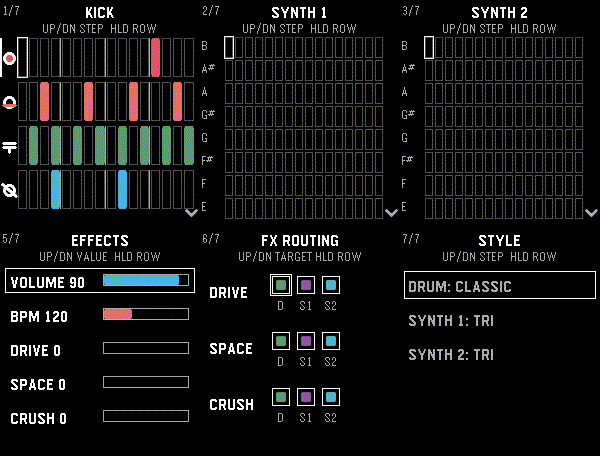
Tools & UtilitiesMake music on your Pebble! Pebble Studio is a playful 16-step sequencer with percussion, two polyphonic synthesizers, effects, and live controls. For speaker-equipped Pebble watches. Drum pads and chaos pads are included for Pebble watches with touch screens.
 6
6Wrist Trivia
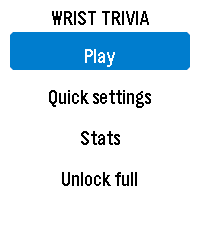
GamesPut a complete trivia game on your wrist! Wrist Trivia includes 352 questions across Science, Geography, Nature, History and General Knowledge. Choose your topics, difficulty, timer and round length. Take on the new Geo Challenge: identify countries from flags and map outlines, then answer questions about their capitals and currencies. One wrong answer ends the run! how many countries can you master? • 80 countries in the complete Geo Challenge • Flag, map outline, capital and currency questions • No repeated countries during a run • Play using watch buttons or touchscreen • Choose 5, 8, 10 or 20 trivia questions per round • Set a timer from 5 to 30 seconds, or play without a limit • Choose normal or large question text • Track high scores, completed rounds and accuracy • Haptic feedback for correct and incorrect answers • Support for square and round Pebble watches • All questions remain available offline Try 30 trivia questions and a 12-country Geo sample free. A one-time $0.99 purchase through KiezelPay unlocks all 352 trivia questions and the complete 80-country Geo Challenge.
 17
17GW2 Event Timers
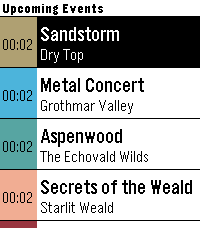
DailyPebble app that displays upcoming ingame events in Guild Wars 2.
 15
15Lovense Remote
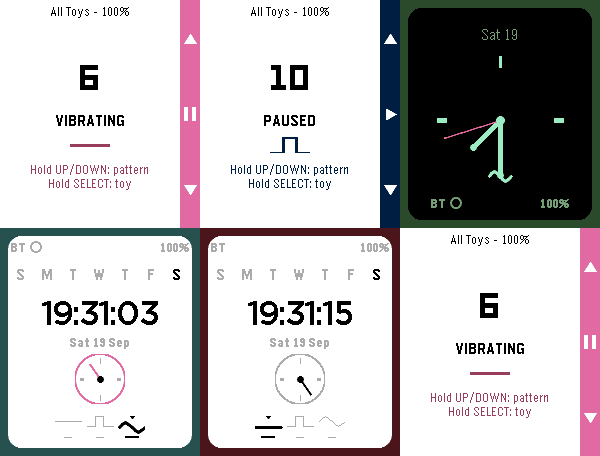
RemotesControl your Lovense toy discreetly from your wrist. Choose an open Basic remote-control face, or a Discrete face (Analog or Digital) that looks like an ordinary watch to everyone but you — vibration level and pattern are read entirely from hand position and color, never a number on screen. Fully customizable colors, with a Toy Settings screen for connection status and multi-toy groups. This app is created independently by its developer and is not affiliated with, endorsed by, or sponsored by Lovense or Pebble/Core Devices/Rebble. Built with the assistance of Claude (Claude Sonnet 5, Anthropic).
 16
16UK Rail
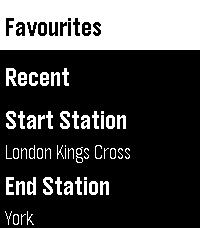
Tools & Utilities**New Version - This now works with no requirement to sign up for a National Rail Data account key, you can use the default UK Rail data source provided in settings to retrieve National Rail Data out of the box with no sign up needed** UK Rail puts National Rail live departure boards on your Pebble. Set your start and destination, then check your watch for the next trains between them with real-time status, platforms, and full calling points. Built for commuters this app allows you to save the journeys you make often, swap direction for the trip home, find your nearest station by GPS, text or CRS code and view all departures for a journey or from one station. Clean, high-contrast, and quick to read at a glance. Features - Live departures between your start and destination (National Rail Darwin / LDBWS) - Next-train-first, with expected times, on-time / delayed / cancelled status, and platform numbers - Tap a train for detail — its arrival time at your destination, every calling point, the operator, and any cancellation/delay reason - Rail replacement buses shown and clearly flagged - Three ways to pick a station — nearest by GPS, a 3-letter CRS code entry with live station-name lookup, or your recent stations - Save favourite journeys and reload them in a tap - Remembers your recent stations and recent journeys - Swap start and destination instantly - Works offline for station lookup (bundled database of ~2,600 stations) - Large-text mode for easier reading OPTIONAL: If you want to use a personal key then this can be added to the app as follows, but the app will now work without one. 1. Create an account at raildata.org.uk (Rail Data Marketplace) 2. Subscribe to the free "Live Departure Board (LDBWS)" product (approval can take ~24h) 3. Paste your key into the app's Settings If you like this app please heart it, and if you want to buy me a coffee on Ko-Fi you can say thanks here https://ko-fi.com/ben839721
 12
12Pebble MAG Lab
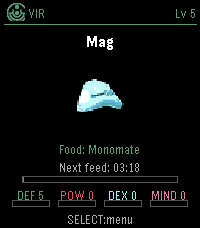
GamesPebble MAG Lab lets you raise a PSO-style MAG on your Pebble Time 2. Choose your Section ID, class, colour and feed item, then let your MAG grow over time using PSO-inspired feeding rules. Transfer MAGs between VMU Pro MAG Lab and Pebble MAG Lab using short PIN codes, including stats, colour, IQ, Synchro and Photon Blasts. Feed, evolve, export, and keep your MAG with you on your watch. You can raise a MAG on your wrist, export it to your VMU Pro, and use it in Phantasy Star Online Ver. 2. Please note: your PSO Ver. 2 save must be stored on your VMU Pro using the supported GameID folder naming system.
 7
7Stamina
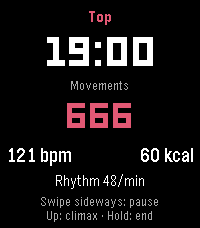
Health & FitnessStamina is a private wellness tracker for your intimate life, solo or with a partner. It measures rhythm, heart rate and estimated calories, and shows how a session affects your sleep and the start of your day. All data stays on your watch. No account, no cloud. Only if you turn on timeline pins, their short text is sent. TRACK • Motion detection counts movements and shows your rhythm per minute • Heart rate every second: average, min, max • Calorie estimate from movement and heart rate • Mark the peak moment with a button press or swipe UNDERSTAND • Sleep afterwards: time to fall asleep, duration, deep sleep, compared with your normal nights • Start of the day: steps, activity and heart rate in the 4 hours after a morning session, plus a short mood check-in • Charts per day, week and month, solo and partner • 59 achievements for milestones, records and streaks PARTNER MODE • Teach the watch your own positions (name them by voice), with live detection and time share per position • Optional partner initials SMART AND DISCREET • Auto start with optional time window • Calibration adapts detection to you • Display light options, touch controls on Pebble Time 2 • Optional timeline pins (sent via the Rebble timeline server) • Neutral wording on the watch, 19 languages TIP: Wear the watch on the hand that does the movement. Detection works best there. This is a beta (0.6). Intended for adults. Values are estimates, not medical advice. Vibe coded from start to store. That is the only reason it exists alongside a full time job. Support development: buymeacoffee.com/SIDEffects
 4
4Ultrasonic
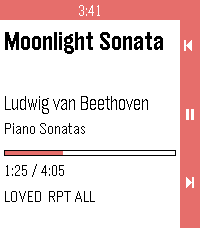
RemotesUltrasonic for Pebble is a wrist-side controller for Ultrasonic, the open-source Subsonic/Navidrome client for Android. It runs on Pebble 2 Duo and Pebble Time 2, and it needs a small companion app on your phone (available from the project's GitHub Releases). ON THE WATCH Now playing. Title, artist, album, a progress bar that ticks locally between updates, and flags for loved / shuffle / repeat. Transport. Up / down are previous / next. Long-press for volume. Select is play / pause. Long-press select opens the actions menu. Actions. Browse library, Love / Unlove the current track, Shuffle queue, Repeat (None / All / One). Browse. Ultrasonic's own library tree — Media Library, Artists, Albums, Playlists and their children. Select on a folder opens it; select on a track (or the "Play All" row) plays it; hold select on an album plays the whole album. ON THE PHONE The companion holds no credentials. Ultrasonic keeps authenticating, keeps the queue, and stars tracks the way its own notification does. The companion just drives Ultrasonic's media session and forwards the library tree. REQUIREMENTS - Ultrasonic 4.8.0+ paired to your Subsonic/Navidrome server - The Core Devices Pebble app paired to your watch - The Ultrasonic for Pebble companion APK (installed by hand from the project's GitHub Releases, one time) SOURCE AND SUPPORT Source and companion APK: https://github.com/P1R4N351/ultrasonic-for-pebble NOT AFFILIATED This project is not affiliated with Ultrasonic, with the Core Devices Pebble team, or with any Subsonic/Navidrome server implementation. Names are trademarks of their respective owners.
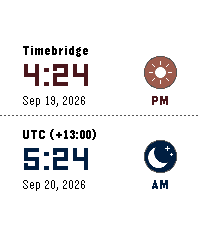 2
2Timebridge
Tools & Utilities🌍 Time Bridge — Compare local and global times at a glance, switch timezones instantly with the Up/Down buttons, and enjoy fun sun ☀️ and moon 🌙 icons. Browse recent zones, customize themes, dates, icons, and 12/24-hour time. ⏰✨
 112
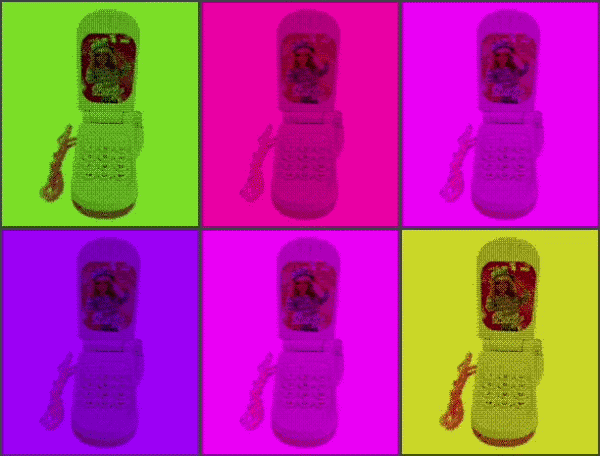
112Chinese Toy Phone
Gamesay ay ay im your little butterfly ay ay ay im your little butterfly press select to use the phone, and press up/down to change the volume. you can also use the touch screen if you're using PT2 lol
 3
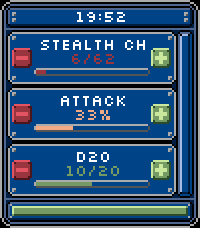
3Percentage
Tools & UtilitiesDo you want to keep track of success/fail rates of 24 items? This app lets you configure up to 24 items with phone and update the success/fail values via the touchscreen buttons. It shows you the success/total or percentage and color codes it based on configuration. Feature list: - Shows time - Shows battery - Side up/down buttons to scroll - Scrollbar - Touch buttons to add success/fail - Phone config to add/remove/update items - Color coded (per item) success rate - MAX 24 items = 8 pages - MAX 40 characters - Choose between percentage and success/total display This is my first pebble app made for my use, but feel free to give feedback/bug reports or modify it for your own vision. This was made for pebble time 2.