 12
12Wristcards
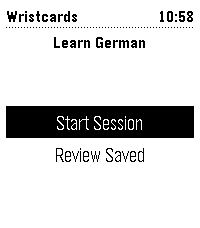
Tools & UtilitiesOne Pebble watchapp for vocabulary drills, with the deck chosen on the phone. Dutch, French, German, Italian and Spanish are ready-made; any text file of cards will do. Load the app and use settings to choose a premade deck or load your own. You can download examples a for single file or full deck (you need to self-host it).
 42
42Game of Go
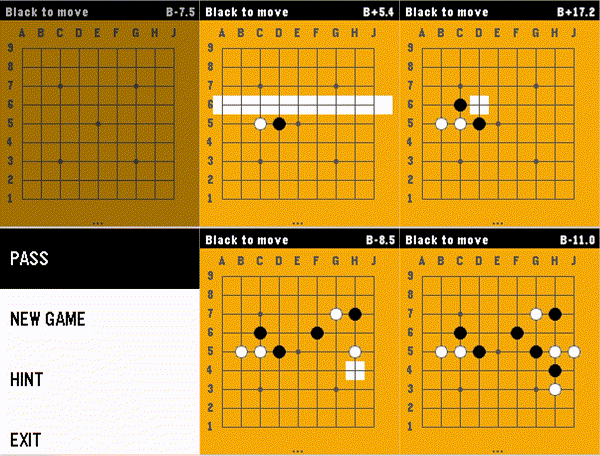
GamesThis app brings the game of Go / Baduk / Weiqi to the Pebble Time 2 with a fast, fully-featured engine and a polished interface. Go is the ultimate mental workout for your commute or coffee break. Features: * Board 9x9, Chinese rules (Stones + Territory) * AI algorithm based on Monte Carlo Tree Search. * Game modes: Player vs Player, Human vs AI (Black or White), and even AI vs AI mode. * Intuitive two-step stone placement designed specifically for the Pebble's buttons. * A real-time score estimate, keeping you informed of who's winning at every turn. * 100% offline - all computations happen on the local device, pushing Pebble's capabilities to the boundaries. * AI hints - stuck on the next move? Ask the AI for a suggestion. * Authentic look: standard coordinate labels (1-9, A-J), Hoshi (star) points, and a wooden board aesthetic How to Play: 1. Select Row: Use UP/DOWN to highlight a row, then press SELECT. 2. Select Column: Use UP/DOWN to move the cursor horizontally, then press SELECT to place your stone. 3. Press BACK to open Menu to Pass, start a New Game, or get a Hint. --- Love the game? Please leave a ❤️ on the Pebble App Store! Your support helps me keep improving the AI and adding new features like persistent saves and larger boards.
 45
45All Sports Scores
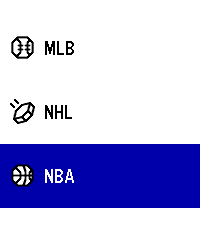
DailyUpdated for Core Devices, and existing platforms starting in 2026! A native sports app for Pebble - Get your favorite NFL, MLB, NHL, NBA, MLS, Tennis, MMA / UFC, AFL, Cricket, Rugby scores live on your wrist! - Baseball, Soccer, Football, Cricket, Tennis, Boxing, Fighting, Hockey, Rugby, Basketball, etc - More cups and divisions than any other app. All on your wrist. Stay up to date. New Features: *More sports than any other app, all in one place! *Added timeline support with favorites. Your team on your timeline. It will also inform you where to watch the game. *Find out where to watch the game under where to watch in the action menu! - Or the timeline pin (You can view the action menu by hitting select on the scoreboard.) Planned Features down the line: 1.) I plan on adding even more sports when I can figure out how to make the scoring system work for sports that don't traditionally do scoring. 2.) I would like to improve navigation, potentially adding teams as a menu vs listing all games the way it does now per division. Note for Original Pebble & Pebble Steel (Aplite) Users: Due to an extremely limited 32KB RAM constraints, the action menu popups may occasionally crash the app on 1st-gen devices. This app is provided as-is for legacy hardware, but works best on Pebble Time and up. Acknowledgements: This is a fix it project from Andy's original sports app. All credit goes to them for building it. I just fixed it, added some more sports, and ported it to newer platforms. Here is the original source: https://github.com/andyburris/pebble-sports https://apps.repebble.com/sports_637af4ebc6c24a000a815ecb
 0
0Vibrate 3
Tools & UtilitiesPersonal tool
 7
7Ventilate
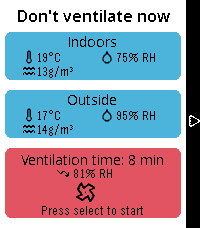
Tools & UtilitiesCalculate an optimal time for shock ventilation using sensors from Home Assistant. It calculates absolute humidity, tracks the time on your wrist and gives a summary of the results.
 571
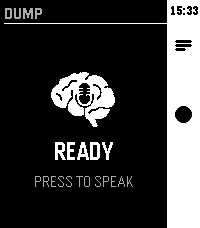
571Brain Dump (index01 for your pebble)
Tools & UtilitiesVoice-first brain dump app. Hit the middle button, speak your thought — it gets routed to AI, Notion, Google tasks, Todoist or saved as a local note.
 4
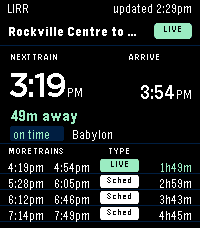
4LIRR Next Train
Tools & UtilitiesLIRR Next Train is a vibe coded Pebble Time 2 app for quickly checking upcoming Long Island Rail Road trains from your watch. Add and manage saved routes, choose stations by branch, and view the next direct train with additional upcoming departures.
 38
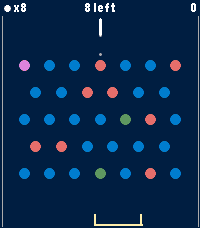
38Peggle
GamesA Peggle clone for Pebble Time 2. A physics puzzle game of aim, ricochet, and lucky bounces. Original game is inspired by pachinko, pinball, and pool. Launch a limited supply of balls from the top of the board and watch them carom through a field of pegs. Clear all the orange pegs to beat a level. Rack up points on the blue ones, and the more oranges you clear, the higher your score multiplier climbs. Features: • 6 hand-crafted levels — from your first gentle bounce to a wall of pegs • Endless mode — random boards that regenerate as you clear them; survive as long as your balls last and beat your high score • Free-ball bucket — catch a falling ball in the moving bucket to earn it back • Green power pegs — trigger multiball and send extra balls flying • Purple bonus peg — roams the board each turn for a big score • A trajectory guide to help line up the perfect shot • Per-level best scores and progress, saved on your watch Simple controls: Up/Down to aim, Select to fire. Built for Time 2 and Round 2
 2
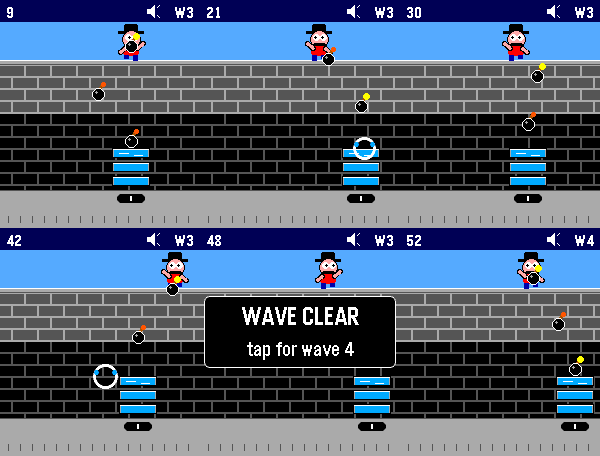
2Kablooey!
GamesScarry Kablam is at it again, and you and your bucket brigade are what stands in the way of devastation. Use your touch-enabled Pebble Time 2 to catch the bombs before they hit the bottom of the screen and save your city. The game. inspired by the Atari 2600 classic Kaboom!, supports sound and vibration. When you miss, you feel it. Levels get harder over time, and you can set an initial difficulty so there's always some challenge. Basic controls include touching the screen to move your buckets, hitting the top button to toggle sound, and using the select button to go into the game menu where you can see the high score and adjust difficulty.
 1
1EndWatch
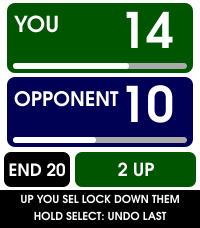
Health & FitnessEndWatch turns Pebble Time 2 into a quick, glanceable crown green bowls scorecard. Use the Up and Down buttons to select the points scored by you or your opponent, then press Select to lock in the end. Scores cycle from zero through the configured maximum, so dead ends, singles, doubles and team matches are all simple to record. Hold Select to undo the most recent end. EndWatch keeps the running score and current end visible, with a colour-coded summary of the previous end. Charming bowls-and-jack animations warn when either player is one or two points from the result, combine both players' situations when appropriate, and mark a deciding end with a handshake. Features include: • Configurable winning score and maximum points per end. • Custom player names, colours and vibration alerts. • Automatic saving across app exits and watch restarts. • Hold-to-undo, including after the winning end. • Full end-by-end scorecard synchronisation to the phone. • Spreadsheet-ready scorecard copying with match statistics. • Five completed matches saved locally on the phone. • Result, opponent, statistics and weather in Timeline Past. • Optional match-start weather with Celsius/Fahrenheit and mph/km/h choices. Weather is optional. When enabled, EndWatch requests the phone's location once near the start of a match and retrieves current conditions from Open-Meteo. Coordinates are discarded after the request; only the weather snapshot is retained with the match.
 356
356Treble
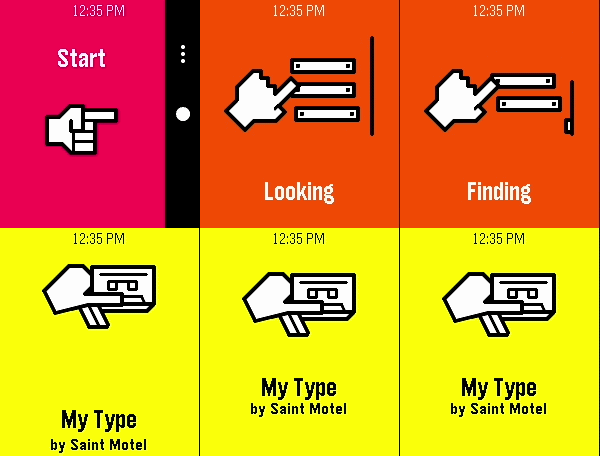
RemotesIMPORTANT: Version 1.0.0 of the Android app will stop working before October 2026. Update it to 1.1.0 before then, or you won’t be able to recognize any songs! A song-finding app using Shazam’s audio recognition. It connects to an Android companion app to listen to nearby sound through your phone’s microphone, securely process it through Shazam’s service, and match it with any known audio signature in Apple’s music catalog. You can install the Android app from the source link at the bottom of the page. After setting it up on your phone, launch the watch app at any point to listen for music. When a song is successfully found, you will feel a short vibration and be presented with the song name and artist (currently, only names with Latin letters are known to display correctly). The previous 10 found songs are saved right on your watch, organized by discovery date.
 3
3Spin the Bottle
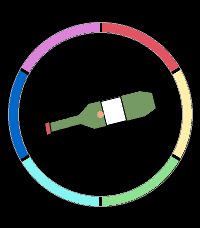
Tools & UtilitiesPick the first player for board game night, choose a random direction for your next adventure, or play a classic game of Spin the Bottle. Simply tap a button or give your watch a shake, and let destiny decide!
 7
7Slow
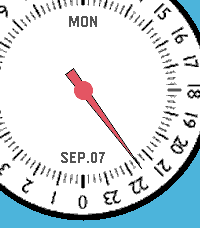
DailySlow - 24-Hour Single Hand Watchapp Experience time at a calm, natural pace with Slow, a minimal 24-hour single-hand watch application for Pebble inspired by classic 24-hour timepieces. Engineered with a custom finite state-machine architecture, Slow completely eliminates redundant screen redraws to deliver ultra-low battery consumption. KEY FEATURES • 24-Hour Single Hand Dial: Follow the full daily cycle with a single continuous hour hand across 4 distinct color styles. • 3D Angle-Aware Second Hand: Toggle a high-precision second hand on demand (Double UP). It tracks smoothly while you look directly at the watch and instantly disappears to freeze screen rendering the moment you turn your wrist away or rest it flat. • Blank (Deep Sleep) Mode: Enter a zero-power standby state with a single UP click, shutting down all timers and sensors for 100% MCU deep sleep while keeping a clean static dial. • Quick Pomodoro & Smart Alarm: Instantly launch a preset countdown timer with a long press on DOWN, or set customized alarms with auto-accelerating buttons and native system wakeup integration. • Auto-Respawn Keep-Alive: Exiting with a single BACK click automatically relaunches Slow via the Wakeup API, giving you full watchapp power with watchface-like accessibility. • Protection Alerts: Visual battery limit rings, Bluetooth disconnect vibration warnings, and flip-to-mute gesture support. BUTTON CONTROLS • UP (Long Press): Open full Settings Menu (Preferences) • UP (Double Click): Toggle angle-aware Second Hand mode • UP (Single Click): Enter Blank (Deep Sleep) Mode • SELECT (Single Click): Open interactive Alarm Setting • SELECT (Double Click): Toggle visual Battery Warning rings • SELECT (Long Press): Cancel all scheduled alarms • DOWN (Single Click): Toggle Day and Date display • DOWN (Double Click): Change dial face style (4 themes) • DOWN (Long Press): Start Quick Alarm (Pomodoro timer) • BACK (Single Click): Exit with Auto-Respawn (auto-relaunch) • BACK (Double Click): Quit application completely • Any Button (in Sleep): Wake up with smooth hand-winding animation For detailed guides, release notes, and configuration options, please visit: https://andrwj.com/pebble-slow-watchapp --- Slow watch for pebble, inspired by slow-watches.com Permission granted by Slow Watch to use design & the name 'Slow'
 1
1tandooPEB
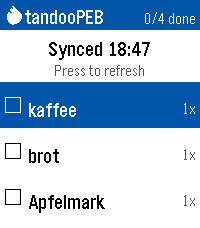
Tools & UtilitiesAnother shopping list for the Pebble Time 2. This one syncs with your Tandoor Recipie Manager (https://github.com/TandoorRecipes/recipes). Only one basic shopping list without catagories is supported. Note that the app was built with opencode using various models; code is AI-generated and should be reviewed before trusting it with data. Usage: - Enter your URL and API token in the settings page on your phone - View open shopping-list items on watch (name + amount) - SELECT an item to check it off; SELECT on "Sync now" row to sync - Long-press DOWN to dictate a new item (stored locally until next sync) - Long-press SELECT to undo the last toggle
 5
5Peep My Phone
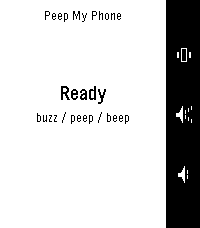
Remotes"Press a button, find your phone." To work in ALL occasions, requires the Android companion app. Lost your phone in the sofa again? Press a button on your Pebble and it peeps — loudly. Peep is built to be heard when nothing else can be. It rings through silent mode, through vibrate, through Do Not Disturb [except DNDs which block alarms], and even with the alarm slider turned all the way down — then restores every setting back exactly as it found it. Three ways to find it, one per button: Peep — the full alarm Beep — a single short chirp, for less intrusive Buzz — vibrate only, for more discrete Press again to stop, or tap Stop on the phone. If your watch wanders out of range mid-alarm it keeps ringing, because the phone is usually the thing that's lost. When something would stop the alarm being heard — a missing permission, or a battery saver that has paused the app — the watch tells you instead of pretending it worked. No iOS version yet.