 124
124HomeP - For MyQ Garage Doors & Light Swi
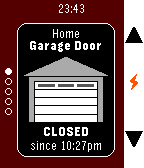
RemotesUnofficial watch app for monitoring and operating Chamberlain/Liftmaster branded MyQ devices over the Internet (Requires MyQ Internet Gateway, usually sold separately) , now including the "MyQ Garage" device, which connects to 3rd party garage doors. Currently supports garage door openers AND light switches - other types of devices may be added soon. - Uses SSL to communicate securely with the official MyQ servers - Does NOT require a companion app on your phone - DOES require your Pebble to be connected to your phone and your phone to have a data connection (bear in mind that you may be on the edge of your home wifi just outside your garage) - Username and password is stored on your phone and are only ever sent to the official MyQ servers. Password is also encrypted on your phone - Up/Down switches devices - Select changes the status of the device - To save Pebble battery it does not constantly monitor the device status except when opening/closing a garage door. To update the status, switch devices with the Up/Down button (even if you only have one device) or reopen the app - Closes automatically after 2 minutes of inactivity to help avoid accidentally operating a device - Assign it to a Quick Launch button in your Pebble settings for easy access
 106
106Draw - Sketch on your Wrist!
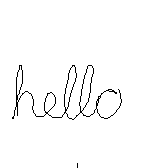
GamesDraw just by tilting your wrist! Note: Currently not compatible with Pebble Times. Working on fixing this and adding color. Send the drawing to your phone without sending anything to a server or needing a companion phone app. View the drawing on your phone by going to the 'Draw' app settings in the Pebble phone app. (Only tested with iPhone) iPhone users - To save, copy, send the image: 1) Hold down on the image in the 'Draw' settings in the Pebble phone app and tap Copy 2) Create a new note in the Notes app and paste into the note 3) Tap Done and then hold down on the pasted image, which will let you save, send, copy the image from there. - 1st Shake of Pebble: While not drawing, undo last pen stroke - 2nd Shake of Pebble: While not drawing, undo the undo or clear the image based on setting - Up Button: Re-center cursor - Select Button: Click to toggle 'pen' on/off, Hold for 2 seconds for Eraser - Down Button: Actions & Settings, including send image to phone
 1.3K
1.3KGentle Wake (Daily Smart Alarm Clock wit
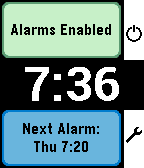
Tools & Utilities- Alarms for each day of the week - Smart Alarm attempts to wake you if it detects you stirring shortly before the alarm time, which is the Monitor Period (doesn't interfere with background activity apps) - All settings are in-app (Down button on main screen) - Alarm vibration starts gentle and gets longer and longer to gradually wake you and this can be adjusted with the Vibration Pattern setting - Alarm will vibrate for just over a minute and will then auto-snooze to save battery - Doesn't need to be manually started for the alarms to work (set and forget) - While Alarm is vibrating, a single click on any button snoozes the alarm. 2 quick clicks are required by to turn off the alarm to reduce the chance of accidentally turning it off - Change the 'Stop Alarm' setting to 'Konami Code' to show a random sequence of buttons to turn off the alarm to help really make sure you are awake - Dynamic snooze halves the initial snooze time on each snooze until it reaches 3 minutes - for those of us with a habit of hitting snooze repeatedly ;) - Can temporarily disable all alarms (Single Up button click on main screen) - 'Easy Light' - hold your Pebble vertically to turn on the backlight while the alarm is vibrating/snoozing (no need to shake your wrist!). Can be turned off. - Skip alarms by holding Up on the main screen and choose a date to skip until (alarms restart on that date.) Disabling & enabling alarms, or going into the settings resets skips - DST Check sets the day of the week on which it checks if your location has switched to/from Daylight Savings Time
 412
412ForeCal (Weather Forecast & Calendar)
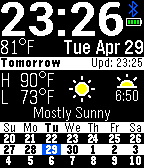
FacesDisplays today's/tomorrow's forecast with a 3 week calendar always on screen. (No need to flick wrist or tap to get to another view) Now with color! - Current details: Time, date, Battery, Bluetooth Status, Current Temp. and optionally wind speed and week number - Weather Forecast for either current GPS location or fixed location: Today/Tomorrow's High, Low, Conditions, Sunrise/Sunset - 3-week Calendar (Can set 1st day of week and show last week, this week, & next week or this week + next 2 weeks) - Optionally display steps progress as a blue/green bar behind the Today/Tomorrow text versus your average steps for each day as an orange line - Uses 12/24 hour setting from Pebble's settings - Can auto select temperature units or set preferred units - Automatically shows tomorrow's forecast after set time (6pm by default) - 2 long vibrations on BT disconnect, 1 short vibrate on connect (can be turned off) - Auto 'Daymode' (black on white during daytime, white on black during night) or color scheme can be manually set Weather data is from Yahoo/OpenWeatherMap. Icons are based on the set by Meteocons.