Ticker 2
chops
Watchface
Description
27 july
option to disable pattern on analog screen
removed inner black circle
batt charging text same colour as scroll text


This came about while working on an update for my original "Ticker Time" watchface.  In the end I'd changed so much I've published it as a separate watchface.

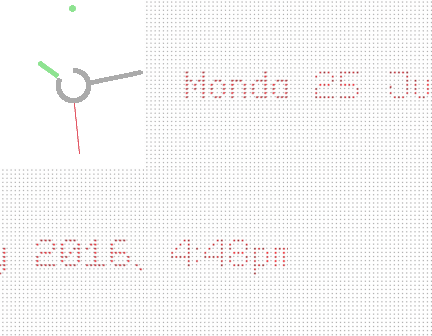
If you give the watch a shake the analog face disappears and the time/date (as text) scrolls across the screen - then it switches back to analog mode.

The battery charge level is indicated by the central ring - it depletes as the charge level decreases.  When the watch is charging, the battery percent level shows in the middle, then disappears when not charging.  The battery ring changes to Red below 40%.

The settings page includes,

- change background colour (analog & text)
- change scrolling text colour
- change hour hand colour (and the small 12 dot)
- change second hand colour
- turn the animation on/off
- bluetooth vibe on/off
- seconds hand on/off

The watchface also supports the Pebble app built-in languages (ie. for the scrolling text).
- Developerchops · Is this you? Claim your app ›
- CategoryFaces
- PlatformsTime/Time Steel, Time Round, Time 2 (scaled), Round 2 (scaled)
- Updated2016-07-27
- Version1.1