 72
72Unlock It for Pebble
Pebble clone of the Android/iOS game "Pop the Lock".
 72
72Pokemon GO Assistant
If you like Pokemon GO Assistant, give it a heart!

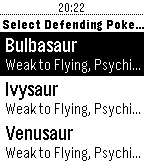
This app will help you defeat gyms by telling you which Pokemon are weak to which type. Since it is on your wrist, you can use it simultaneously with Pokemon GO. If you have ideas for new features or bug reports, feel free to email me!
 69
69Rogue Watch
A roguelike on your watch!

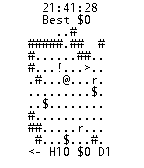
H is health, D is Depth, and $ is your gold. Get as much as you can before you die!
 69
69Core Kart
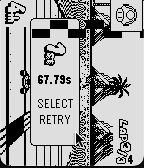
an adaption of yoshi falls from the DS

play as you would mario kart with a single sideways joycon
 68
68Timeline Tag!
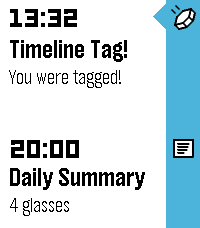
Timeline Tag is a multiplayer game, played entirely within the Pebble Timeline!

To join the game, simply open the app. Shortly after starting, you will receive your first tag within your timeline. This first tag will be easy to find, the subsequent ones slightly less so.... The tag will report your current score and rank. When you receive it, it will give you a selection of recipients to send the tag to. When you select a recipient, the tag will be sent to them, and you will be awarded the points value of the tag.

Tags start out worth 1 point, and their points value increments each time the tag is sent to a recipient. The more a tag is forwarded on, the higher it's points value, so make sure you keep forwarding them on!

The tags will arrive silently to some point on the timeline, so you'll have to keep an eye out to make sure you don't miss any. Any tags that drop off your timeline without being forwarded on will die.

Hint: Look out for your own ID in the recipients list for the tag - you could get more points by sending it back to yourself to do it all again!

IMPORTANT: Timeline Tag requires an active internet connection, so if you do not receive your starting tag, ensure that you open the app when you have a good internet connection and wait until the first tag arrives.
 68
68Peter Guy Funny's
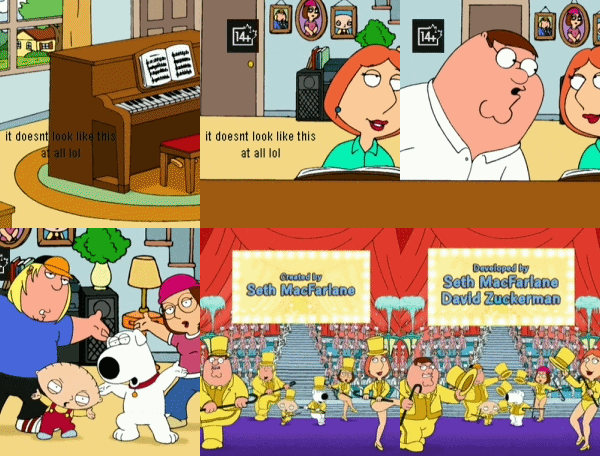
Watch the big peter and his wife stewie on 64-color. with amazing resolution and amazing animations and design, this is the best way to watch the family guys.

SEO: family guy video player videos seinfeld diddy balls 8k 4k uhd hdr colors buffering long loading times

طرائف بيتر غريفن لساعة بيبل
הבדיחות של פיטר גריפין לפבל — מהדורת ביג יאהו 😭
 67
67Micro Deckbuilder
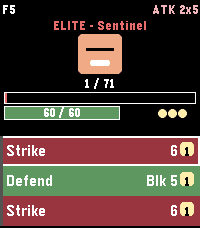
Roguelike deckbuilder: 30 floors, 52 cards, 21 enemies, 8 relics, Fight/Event forks. Time 2.

Controls
UP / DOWN — scroll the hand / menu
SELECT — play highlighted card (spends energy)
Long‑press SELECT — end turn (enemy acts, new hand drawn)
Long‑press UP — open the potion menu
Long-press DOWN in combat opens the deck
BACK — return to main menu (autosaves run if still alive)

Main menu

New Run — fresh starter deck, random seed
Continue — resume a saved mid‑battle run (persistent flash)
Daily — everyone gets the same dungeon today (RTC‑seeded)
Ascension — cycle through unlocked difficulty levels (A0–A2)
Class  — Knight / Rogue (Rogue unlocks on first victory)
How to Play — 11‑page paged tutorial (keywords, forks, modifiers)
Deck — inspect every card in your current deck (with "+" flags)
Settings  — vibration toggle, reset run save, reset scores
Achievements  — 8 achievements with earn state
High Scores — best floor, daily best, max ascension, top 5

Mechanics

Cards: Attack (red), Skill (green), Power (blue). Damage, block,
poison, strength, weak, vulnerable. Each has a "+" upgraded variant
with bonus effects.

Damage math: (base + strength) × (vuln ? 1.5 : 1) × (weak ? 0.75 : 1),
truncated integer; block absorbs before HP.

Enemies (21 total): Slime, Wolf, Skeleton, Imp, Goblin, Ghoul,
Sentinel (elite), Shadow Lord (boss), Ancient (final boss), Lich
(boss, poison‑on‑attack), Dragon (boss, big single hits + breath),
Bat, Spider (bleed‑on‑attack), Orc, Witch (weak‑on‑attack), Zombie
(rage on hit), Wraith (big block), Harpy (multi‑hit), Vampire
(lifesteal), Mimic, Archer.

Enemy quirks: poison‑on‑attack, weak‑on‑attack, lifesteal, rage,
heavy block, multi‑hit — quirks modify how normal enemies threaten you.

Relics (8 passive artifacts, belt of 6): earned on boss kills.
Bronze Scales — 3 thorns at combat start
Vajra — +1 strength at combat start
Anchor — 10 block at combat start
Magic Flower — +50% healing from cards and rest sites
Pocket Watch — draw +1 at turn start when hand ≤ 2 cards
Torii — incoming hits ≥10 take −3; hits 5–9 take −1
Lens — Skills cost 1 less (min 0)
Charcoal — on Exhaust, +1 energy
Thorns / Frail: new status effects; thorns retaliates on hit,
frail reduces block gain by 25%.

Ascension: A0 = standard, A1 adds +10% enemy HP, A2 adds +20%
HP and +4 enemy strength. Unlocked by clearing the Ancient.

Rest sites: after every non‑final boss kill, choose Rest
(heal 50% max HP) or Upgrade (add "+" to a non‑upgraded deck card).

Victory: killing the Ancient on floor 30 shows the VICTORY!
overlay and tags your top‑5 entry with WIN + ascension level.

Tips
Block resets at the start of your turn — spend it or lose it.
Vulnerable stacks from Bash are the fastest way to burst a boss.
Upgrade Strike+ early — every run is carried by your basic attacks.
Anchor + Vajra together make turn 1 absurd. Draft Strike‑heavy.
Torii softens Dragon / Ancient big hits (−3 on swings ≥10).
Watch tops up draws when your hand is thin (≤2 cards).
Save rest‑site heals for the Ancient fight unless you're about to die.
Bronze Scales + Thorns buff snowballs against multi‑hit enemies.
Daily has the same opening hand every time; memorise the optimal line.
 66
66Mini Golf Touch
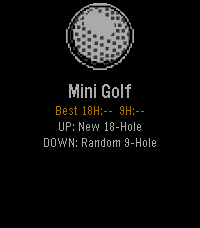
⛳ Pebble Mini Golf... Now with Touch Controls A fully playable mini golf game for Pebble smartwatches — now with full touch screen support on Pebble Time 2 and other touch-enabled models. Take on 18 hand-crafted holes or a randomly generated 9-hole course. Drag to aim, drag to set power, tap SHOOT — or use the buttons if you prefer. Sink it in as few strokes as possible — hit too hard and the ball lips out, just like real golf. Features 18-hole course — hand-crafted holes ranging from simple straights to tricky doglegs, bumpers, and moving obstacles Random 9-hole course — procedurally generated every round so no two games are the same Realistic physics — fixed-point ball movement, wall bounces, friction, and lip-out on hard putts Scorecard — tracks every hole with a clean two-column layout and your total vs par Best score tracking — your best round is saved and shown on the home screen Save & resume — quit mid-round and pick up right where you left off Haptic feedback — feel every bounce and hole-in on your wrist Touch Controls Aim - Drag anywhere on the green Set power - Drag the power bar on the right Shoot - Tap the SHOOT! button Button Controls Aim Phase: UP - Rotate aim clockwise DOWN - Rotate aim counter-clockwise SELECT - Lock direction BACK - Return to menu Power Phase: UP - Increase power DOWN - Decrease power SELECT - Shoot BACK - Back to aim Platforms Supports all Pebble models: Aplite, Basalt, Diorite, Emery, and Flint. By Brooman Inks Check out my other apps and watchfaces! Any suggestions let me know - [email protected] venmo.com/u/brooman-inks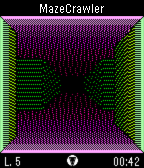 65
65MazeCrawler
A 3D first-person maze-navigation game and the foundation for SpaceMerc and PebbleQuest. Search each maze for its exit, marked by a hole in the ground, to earn points and unlock up to 12 achievements!

UP: Press/hold to step forward. Press twice to turn left.
SELECT: Open in-game menu; make selections.
DOWN: Press/hold to step back. Press twice to turn right.
 62
62LifeGame
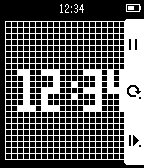
THE UNIVERSE IS ON YOUR WRIST.

This app has four selectable modes.
1. Clock
2. Glider
3. Spaceship
4. R-pentomino
 62
62X-Ray
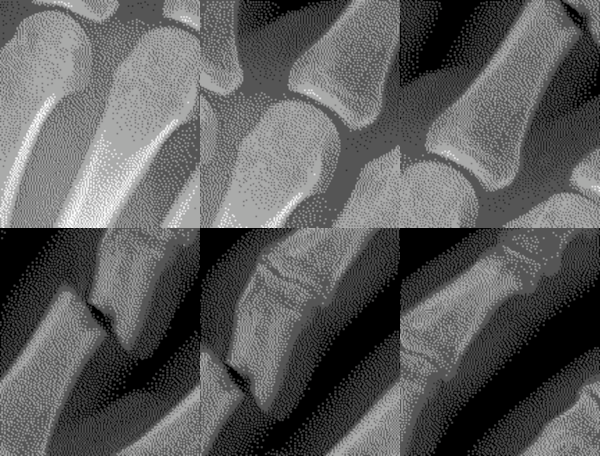
Place your Pebble above your left hand and start the x-ray scan. If you move your hand as you tilt your Pebble watch, it will appear as if you are viewing an x-ray.

The up button starts the calibration or pauses the x-ray scan. The middle button shows the custom settings. Use the bottom button to exit the x-ray scan and return to the home screen.

Custom settings include keeping backlight on and whether or not you find a fracture in your finger!
 61
61Legend of Pebble
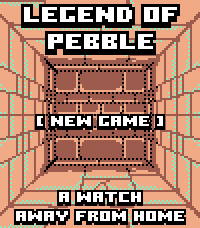
LEGEND OF PEBBLE
A first-person dungeon crawler RPG for your wrist.

THE STORY
You check the time. The watch flares. The world twists.
You wake in a rift ruled by the Signal Keepers.
Ten floors. Merchants. Bosses. Break the Signal. Get home.

FEATURES
• First-person exploration (Grimrock-style)
• Stairs up/down — revisit merchants, beds, chests
• Turn-based combat with enemy HP on screen
• Signal Magic — Heal, Purge, Decode (SELECT cycles)
• Weapons, armor, chest upgrades
• Merchants — potions, gear, spells, carryable MAP/REST
• Puzzles — keys, plates, blocks, teleporters, secrets, pits
• Mid-boss The Keeper · final boss The Architect
• Fair gold: first kill full, second 25%, then capped
• Save/Continue · amber/teal pixel art (Time 2 + Round 2)

CONTROLS
UP: Forward / Attack
DOWN: Turn left (hold: inventory) / Cast in combat
SELECT: Turn right / Cycle spell·potion / Confirm
BACK: Run (not vs Architect)
HOLD SELECT: Minimap (UP = legend)

TOUCH
Top/Bottom/Left/Right: move · Center: menu
Combat: tap DOWN icon to cycle; tap below to cast

CREDITS
Fork of Dungeon Escape by Brian Ouellette (GPL-3.0).
https://apps.repebble.com/dungeon-escape_4d6fde68a2b047ef83381221
@brianenders.bsky.social · art lineage: Clint Bellanger
Thank you Brian — this would not exist without your game.
 60
60Aces Up
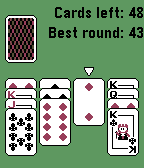
Aces Up is a solitaire card game for Pebble.

The simple gameplay makes the game perfect on the Pebble.

How to play:
Aces are high.
Press the deck to deal 4 new cards.
If there are two cards of the same suit, you can discard the lowest-value on with the select button.
If there is an empty spot, you may move another card to the spot by selecting the card and then the empty spot.

Win by ending up with the 4 aces left.

Enjoy!
 60
60Money Maker
Thanks for 50 ❤️'s!

WARNING: Can have high power consumption!

Please ❤️ Money maker

Debugged by johannesn. Awesome leaderboard by Kyle H.

Click the middle button. Make money, and then more money, then more money.

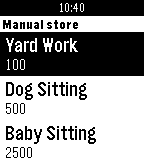
Then Click down for the main menu. Click 'manual jobs' (Jobs that increase how much you get from each click) Get a new job by paying the money below the job name. This will make it, so you get more per click - price ÷ 50.

Click 'auto jobs' (Jobs that work themselves, and don't need to be clicked) Get more people by paying the money below the name. This will make it, so you get more per second - price ÷ 100.

Keep an eye on your arrested chance! Every minute it goes up by 5%. You can lower this by doing good deeds. If you get arrested, you must wait 5 minutes. You cannot make money at all during this. If you leave during the sentence, you must serve five more minutes.

Click 'houses' (every five clicks you get your house bonus) Get a house by paying the money below the name. This will make it, so you get more per five clicks - price ÷ 50.

Click 'items' (Cool stuff you can buy) Get stuff by paying the money below the name.

Click 'multipliers' (boost your money making for 60 seconds) Get a bonus by spending the money below the name. This will make it, so you get more money for 60 seconds.

Keep on doing this until you own... THE WORLD!!

If you see any glitches, email me at the email below. There is a reset button if needed.

Disclaimer: No actual money is involved with playing this app/game
 60
60Rocky Reality
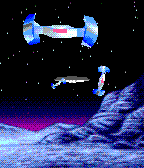
Bedrock Bros.  ---   Rocky Reality
a demo for a Pebble Time smartwatch

2nd place at Evoke 2016 in Alternative Platforms
http://www.pouet.net/prod.php?which=67961

Credits:

@hbehrens  -> code, animation
lastfuture -> gfx, animation tools

Comments:

Demake of Future Crews's PC Demo "Second Reality" for
Pebble Time Smartwatch (64KB RAM, 64 color e-paper).

Original:

Second Reality - Future Crew for Assembly 93
http://www.pouet.net/prod.php?which=63