Timestamp
Cody Doremus
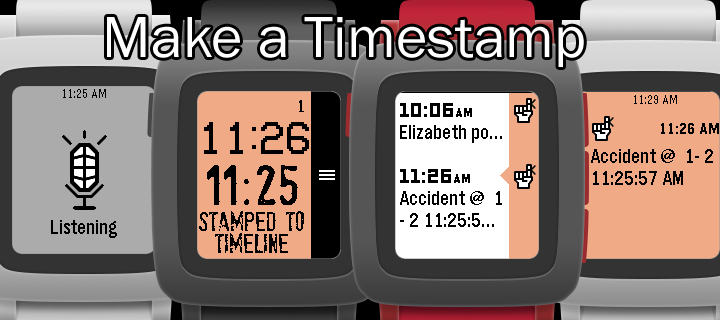
Watchapp
Description
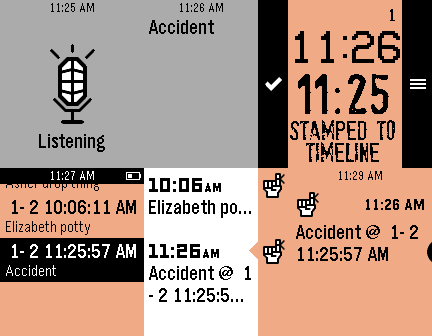
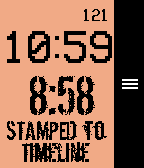
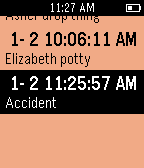
Save a Timestamp of the current time to the timeline just by entering the app! Set a button shortcut for one button logging. Use the microphone to label your Timestamp! (option to turn OFF)

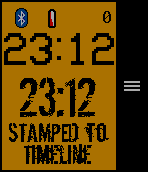
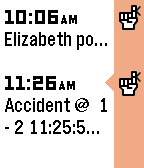
"STAMPED TO TIMELINE" will show up after the timeline pin request is sent (it might take a bit). It may take a few seconds to 15 min for the pin to actually show on the timeline, but you do not need to remain in the app.

You can stay in the app for the Timestamp list and a fully functional watchface with a bluetooth disconnect warning (short long short vibration and icon) and low battery warning (icon @ 20% or below). In a BIG monospaced font you will see the current time above the Timestamp (rubber stamp font, get it?).

The minutes since you stamped will show at the top.

Use your pebble for other tasks, go to the past timeline or the list in the app to see your Timestamp.

Why would you use this?

Keep track of fuzzy timing: At bedtime you tell your child you will stay 5 more minutes. You look at your watch. Several minutes later you look at your watch but can't remember what time it was the first time.

Leave a breadcrumb trail of time.  Like when you take your ibuprofen, track potty training... The last 50 Timestamps are saved in a list. Use the options to manage your list.

Create your own use case with this simple tool at your finger tips (literally)!

Note: Past Timeline remembers 24-48 hours. App remembers last 50 timestamps.

Font
Dirty Ego-MisprintedType
stamPete-http://www.joebob.nl
VCR OSD Mono-Riciery Leal

Give it a heart of you like it!
- DeveloperCody Doremus · Is this you? Claim your app ›
- CategoryTools & Utilities
- PlatformsOG Pebble, Steel, Time/Time Steel, 2, 2 Duo, Time 2 (scaled)
- Updated2016-02-05
- Version3.2