Starspeeder
Jaybon
Watchface
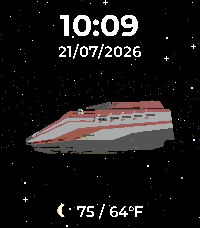
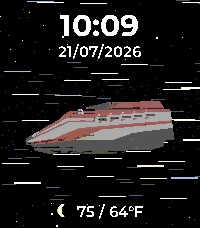
Description
# Starspeeder

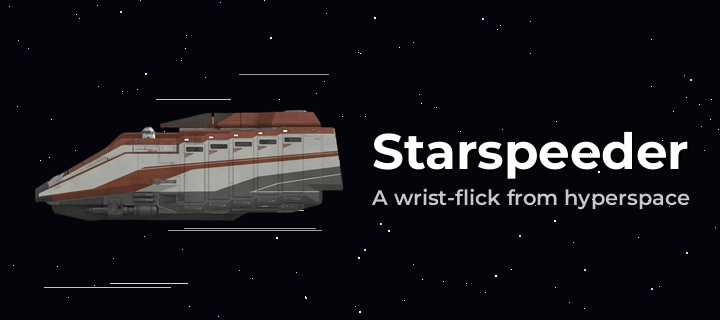
**A wrist-flick from hyperspace.** Starspeeder puts a Star Tours shuttle on your
wrist — cruising through open space or resting on a hangar deck — beneath your
time, date, and weather.

## Features

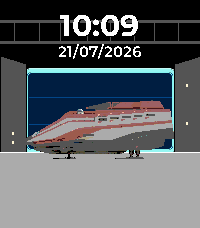
- **Two backgrounds** — a near-black **starfield** drawn procedurally (mixed
  1px/2px stars with a few brighter twinkles), or a procedurally drawn
  **hangar deck** where the shuttle sits landed on its skids. Pick one in
  Settings.
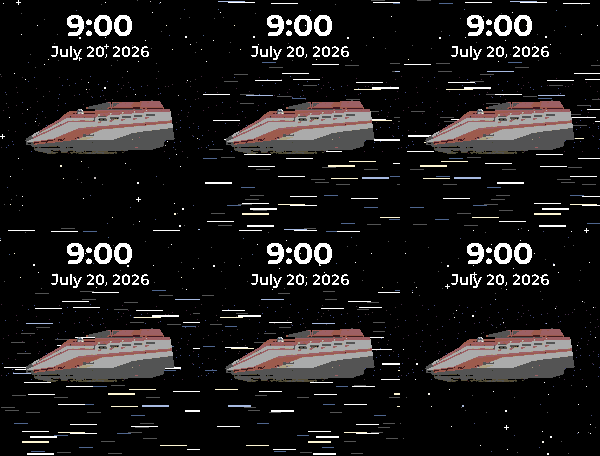
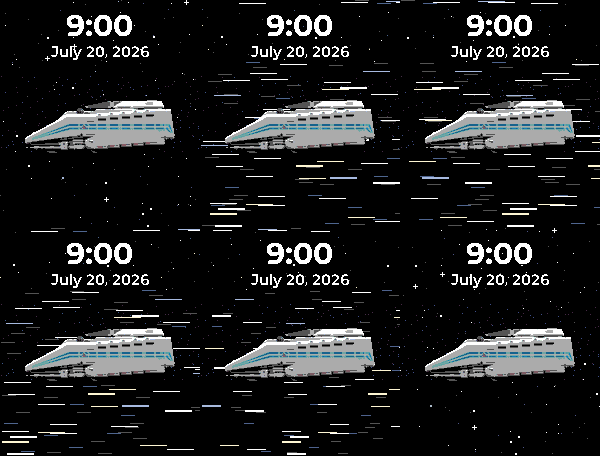
- **Two shuttles** — the **Starspeeder 1000** in its classic rust-red-and-white
  livery (default), or the white-and-blue **Starspeeder 3000**. Every shuttle
  faces left, engines trailing.
- **Wrist-flick animations** *(space only)* — flick your wrist and the stars
  come alive for a ~5-second burst, then ease back to still:
  - **Normal travel** — the starfield drifts steadily past the hull.
  - **Hyperspace** — stars stretch into streaking light lines and snap back.
  - **Off** — keep it perfectly still.
  Bursts are short and there's no idle animation, so the battery cost is tiny.
- **Live weather with bespoke icons** *(optional)* — high/low temperature plus
  a matching hand-drawn condition icon (sun, clouds, rain, thunder, snow, fog,
  and a crescent moon on clear nights), in °C or °F.
- **Show what you want** — independently hide the time or the date; the layout
  stays put so nothing jumps around.
- **Configurable** — 12/24-hour time, six date formats, ship, background,
  wrist-flick animation, temperature unit, and weather on/off — all on the
  Settings page.

## Get the most out of it (one-time setup)

Weather starts **off** so the face is clean out of the box and needs no account.
To light it up:

1. Grab a **free** OpenWeatherMap API key at
   [openweathermap.org](https://openweathermap.org) — the watchface ships with
   no built-in key, so you supply your own.
2. Paste it into the watchface **Settings** page.
3. Turn **Show weather** on and pick °C or °F.

## Settings

- 24-hour time (on/off)
- Date format (six styles, from `31/12/2026` to `Dec 31`)
- Show time / Show date
- Ship — Starspeeder 1000 or 3000
- Background — Space or Hangar
- Wrist-flick animation — Normal travel / Hyperspace / Off
- Show weather (off by default)
- Temperature unit — °F or °C
- OpenWeatherMap API key

## Compatible watches

- **Pebble Time 2** (Emery, 200×228 color)
- **Pebble Round 2** (Gabbro, 260×260 round color)
- DeveloperJaybon
- CategoryFaces
- PlatformsTime 2, Round 2
- Updated2026-08-18
- Version1.0.1