Sidecar by flwkt
flwkt
Watchapp
Description
Sidecar by flwkt

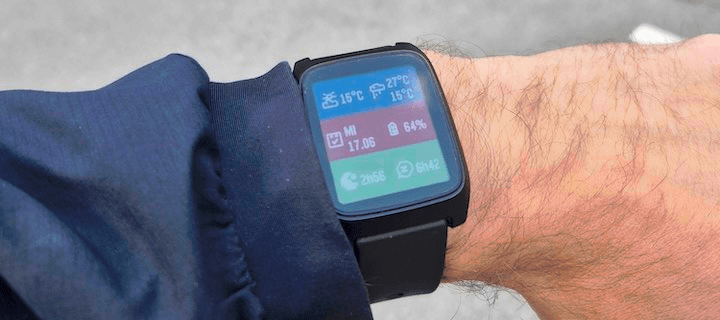
Your watchface looks great — but it probably does not show everything you care about. Sidecar is a quick-launch companion watchapp that fills the gaps: a configurable grid of complications you can open in one press and dismiss just as fast.

Love a minimal face with no clutter? Keep it. When you need steps, sleep, weather, or battery at a glance, Sidecar is there.

Complications

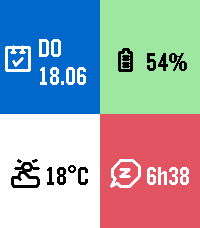
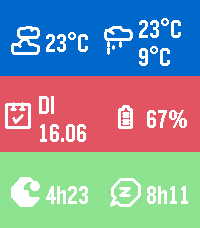
Assign any of these to up to six grid slots:

- Current weather — Live temperature with a weather icon for current conditions
- Weather forecast — High and low temperatures for today with a forecast icon
- Steps — Today's step count
- Distance — Distance walked or run today
- Heart rate — Current heart rate in BPM
- Battery — Watch battery level as a percentage
- Date — Day of week and calendar date
- Time (with seconds) — Current time including seconds; ticks every second only while shown
- Sleep total — Total sleep duration for today
- Deep sleep — Restful (deep) sleep duration for today
- None — Leave a slot empty; only active slots are shown

The grid layout adapts automatically based on how many slots you use, from a single full-screen cell up to a 2x3 grid.

Features

Built for Quick Launch — Assign Sidecar to a Quick Launch button on your Pebble Time 2 for instant access. Press Back, Up, or Down to exit and return to your watchface.

Weather from your phone — Current conditions and today's forecast use your phone's location via Open-Meteo. Pick Celsius or Fahrenheit in settings.

Health data — Steps, distance, heart rate, and sleep metrics read from Pebble health services when those complications are enabled.

Make it yours — Set global background and foreground colors, or turn on per-cell colors for a bolder look. Pick a system font (Gothic, Roboto Condensed, Droid Serif, Bitham, and more) or leave it on Auto to scale with your grid size.
- Developerflwkt
- CategoryDaily
- PlatformsTime 2, Round 2
- Updated2026-10-06
- Version1.4