PebbleKimai
mrTrueBeliever
Watchapp



Description
Track your time in Kimai, straight from your wrist.

Start, stop and switch Kimai time tracking from your Pebble. Recent activities in one press. Touch on PT2. 5 languages.

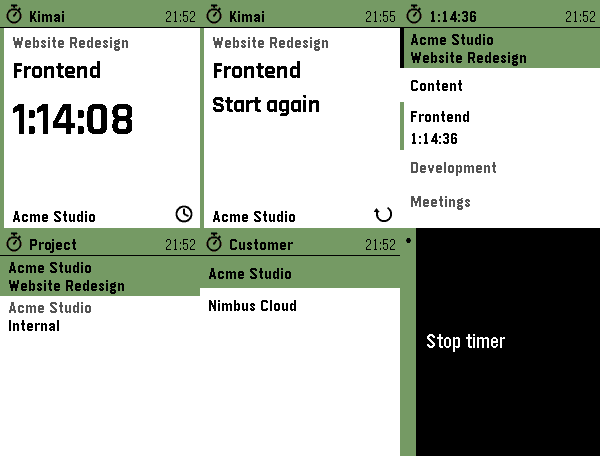
PebbleKimai puts your self-hosted Kimai time tracking on your wrist. The home
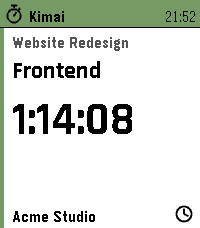
screen is a card: the project you are booking on, the activity you are on, and
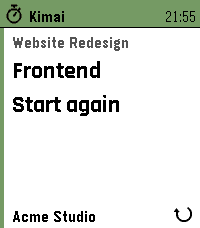
a big ticking elapsed time — or, when idle, your last activity with a one-press
"Start again". Tap the time to stop, long-press Down for the activities you ran
recently, or open the full list to start something else. The Kimai server always
stays the source of truth.

FEATURES
• Start screen at a glance — project, activity and a big ticking elapsed time,
  or your last activity with a one-press restart when idle.
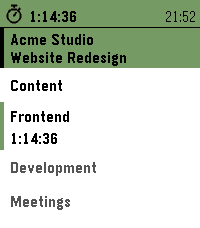
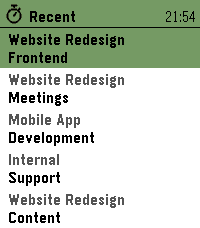
• Recent activities — one long press shows the last five activities you ran,
  across every project. Picking one books it on its own project and selects
  that project on the watch, so an activity bound to another project just works.
• Touchscreen on Pebble Time 2, using the watch's own touch navigation: tap a
  row to start/stop/switch, swipe right to go back — the same feel as every
  other menu on the watch. On the start screen, each part does what it shows:
  tap the elapsed time to stop, the project to change it, the icon for your
  recent activities. Physical buttons keep working everywhere.
• Active-project row on the watch — tap to choose the project time is booked on;
  long-press to choose a customer, and the project list filters to that customer.
  Your latest choice is remembered on the watch.
• Shows your global activities plus the activities bound to the active project.
• One press to start when idle. Stop and switch each ask for a single
  confirmation, so a running timer is never stopped by accident — including a
  stray tap on the screen.
• Live, drift-free elapsed time: the watch always recomputes it from the
  server's start time, so it stays accurate even after a reconnect.
• Available in English, Nederlands, Français, Deutsch and Español — on the watch
  and in the settings — following your watch language or set manually.
• Privacy: your API token stays on the phone and is never sent to the watch.

SETUP
1. In Kimai, create an API token (your profile → API Access).
2. In the Pebble app, open PebbleKimai settings and enter your server URL and
   token. Reopen settings to pick a default project (and customer, if you have
   more than one). You can change both on the watch anytime.

Your phone needs network access to your Kimai instance (same network, or via a
reverse proxy / VPN). HTTPS with a valid certificate is recommended.

Works on Pebble Time / Time 2 (Basalt, Chalk, Emery) and the Aplite and Diorite
platforms.
- DevelopermrTrueBeliever
- CategoryTools & Utilities
- PlatformsOG Pebble, Steel, Time/Time Steel, Time Round, 2, 2 Duo, Time 2, Round 2 (scaled)
- Updated2026-08-18
- Version2.8.1