KaMet Arc
kametman
Watchface
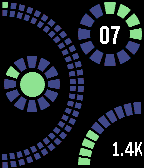
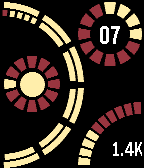
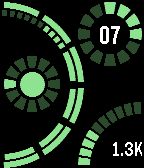
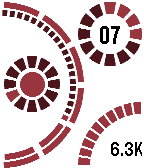
Description
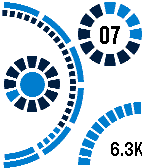
Time is displayed on the left side of watchface. Big arc displays minutes, large segments equals 5 minutes. Minutes continue from top to bottom on outer arc for mintues 1 through 30 and bottom to top for minutes 31 through 59. Smaller circle indicates hour. Example: 9:33

Inner circle indicates bluetooth connection. Vibrates on connect/disconnect.

Upper-right circle indicates date. Outer circle for month, inner digits for date. Example: 5 April

Bottom-right arc indicates battery level. Example: 80%. Inside arc, step counter displayed per thousands of steps.

Color scheme is now customizable via configuration screen.
- Developerkametman · Is this you? Claim your app ›
- CategoryFaces
- PlatformsTime/Time Steel, Time 2 (scaled)
- Updated2016-05-02
- Version1.5