 29
29Charades
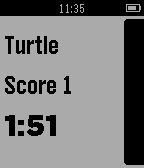
GamesPlay Charades or Draw It (pictionary) using your Pebble. This app will give you words to act out or draw for your group, while keeping track of time and score for you. Supports Pebble and Pebble Time (with 10 color settings!) Choose between 3 difficulties with hundreds of words, and set your own time limit. Settings stay saved after the app exits. Charades will provide hours of fun.
 29
29Timer+ Touch
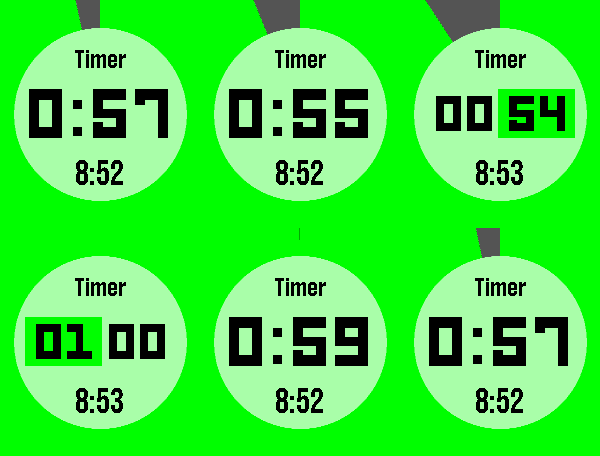
Tools & UtilitiesTimer+ is a beautifully animated, simple timer and stopwatch for your Pebble! It was created by Ycleptic Studios. It keeps track of your timer even after you close the app and will open the app when the timer has elapsed. This version add rotary dial control to the selection screen for touch enabled devices. Some Features: - Hold "Select" to reset. - Start a 0:00 timer for a stopwatch. - The end time is shown when paused. Touch Controls: - Rotate clockwise to raise the number. - Rotate counter-clockwise to lower the number. - More half turns will increase the speed of the raised number. - Center touch will be like pressing select. - Swiping to the left will be like pressing the back button.
 29
29Friend
GamesIt is a fun Friend for all
 29
29Tredd App
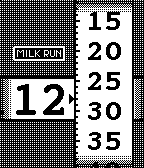
DailyTredd App is a watchface that displays the time and date using two treads. To display the date, press the select button. To change settings, press the down button. Twitter: @milk_run Tredd Face is the watchface version of Tredd App.
 29
29LaTC Remote
RemotesPebble app for connecting to Telldus Live! server. Control your ligths and wallsockets from you watch. (Long press on middle button will cycle dimmers 25% at a time). Single press on sensor will collapse/expand sensor menu section. Long press on sensor will change sensor name size and position.
 29
29cerkit.com Moon Phase
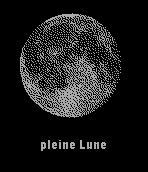
DailyNow supports English, Français, Deutsch, and Español A simple app that displays the current phase of the moon. It uses your location to determine if you are in the Northern or Southern hemisphere and displays the correct perspective of the moon. Français Une application simple qui affiche la phase actuelle de la lune. Il utilise votre emplacement afin de déterminer si vous êtes dans l'hémisphère Nord ou Sud et affiche la bonne perspective de la lune. Traduction de l'anglais par Google translate. Deutsch Eine einfache Anwendung, die aktuelle Mondphase anzeigt. Es nutzt Ihren Standort zu bestimmen, ob Sie in der nördlichen oder südlichen Hemisphäre sind und zeigt die richtige Perspektive des Mondes. Übersetzung aus dem Englischen von Google Translate. Español Una aplicación sencilla que muestra la fase actual de la luna. Utiliza su ubicación para determinar si se encuentra en el hemisferio norte o el sur y muestra la perspectiva correcta de la luna. La traducción del Inglés por Google Translate.
 29
29Wait Times
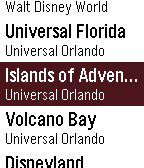
Tools & UtilitiesA pebble watchapp to conveniently organize the live wait-time information for attractions at various theme parks around the world - including those at Walt Disney World, Universal Orlando Resort, Tokyo Disney, and more.
 29
29Tide Table Chart
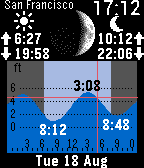
DailyTide Table Chart provides quick and easy access to high and low tide forecasts. Click Up / Down for high and low tides of the next day. Double click Down to play an animation of moon phase and tide changes for a quick overview. This Pebble app can be used without connection to your phone. But you should run the phone app Tide Table Chart (Android or iPhone) once per week to update the tide data on your watch. DISCLAIMER - Tide data displayed by the app are based on astronomical tide predictions and do not take into account the effects of strong winds, rain, floods and other meteorological events. Do NOT use the app for navigation or any other purpose that may result in personal injury or property damage. Use it at your own risk.
 29
29Futár instant
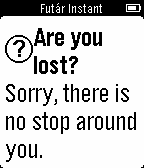
DailyMegmutatja a 250 méteren belüli megállókból induló járatokat. A járatok indulási időpont szerint vannak rendezve. Rázásra, vagy koppintásra frissíti az adatokat. Erről rezgéssel visszajelez. v1.5: A járatok érkezési idejénél *-gal jelöltek a menetrend szerinti érkezési időt mutatják. Amelyik érkezési időpontnál nincs csillag az a járat helyzete alapján számított várható érkezési időpont. v1.4: Megálló távolságának automatikus frissítése. v1.3: Részletes nézet a járatokhoz: A listában válaszd ki a kívánt járatot. A korábbi adatokon kívül láthatod a megálló nevét és távolságát. v1.2: Járat típusának megjelenítés ikonnal. v1.1: Megállónevek javítása. Rázásra frissítés. (néhány karakter továbbra is hibás köszönhetően a BKK-nak)
 29
29COUNTER3
Tools & UtilitiesThis is counter. [UP,SELECT,DOWN] Count up [LongPressed UP,SELECT,DOWN] Clear
 29
29Pebble Gym
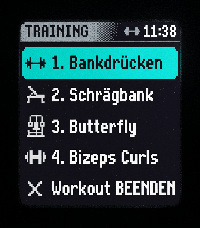
Health & FitnessHevy Workout Routine Companion & History Tracker for Pebble Smartwatches NOTE This is a Vibe-Coding project! 🎸✨ Built interactively using advanced agentic AI pair-programming to prototype, test, and implement features on-the-fly. PebbleGym brings your fitness routines directly to your wrist. Compatible with all Pebble platforms (optimized for Pebble Time 2/emery), it allows you to easily import your training plans from the provider Hevy using public links – or simply create your own custom routines directly in the app settings. During the workout, the watch displays the current set with target values, compares them with your history ("Last Time"), and logs your achieved weights and repetitions. Need to adjust your weights or reps on the fly? Simply long-press the up/down buttons to edit them directly on your watch. A built-in rest timer with haptic feedback ensures your breaks are perfectly timed. Thanks to a clever protection mechanism (long-press), accidental clicks are prevented, and a quick exercise menu lets you flexibly jump between exercises at any time if a machine in the gym is occupied. Plus, with the new workout persistence feature, your progress is always safe – even if you accidentally close the app, you can pick up right where you left off. Export your entire history as a CSV file anytime!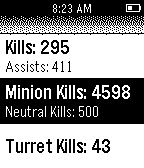 29
29LoL Stats
Tools & UtilitiesTrack your League of Legends Summoner statistics! With this simple pebble application keep track of all your kills and other advances through the different game modes. View your match history and results! Setup: Just set your Summoner name and region in the app settings. Upcoming features: - KDR - Details of Recent Matches - Server Status Suggestions and feedback are welcome! Just shoot me a mail at: [email protected] 29
29Pessimistic Eight Ball
GamesAsk this very discouraging magic eight ball anything that you want, it will do nothing but insult, ridicule, and provide false hope to all your ideas, projects, and all aspects of your life.
 29
29Mr.Game and Pebble Watch
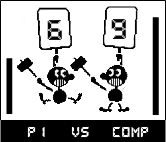
GamesSmack or be smacked in this classic retro game inspired by the Mr.Game and Watch series. In this game you have to fight against the computer in quick reaction time.
 29
29Timer++
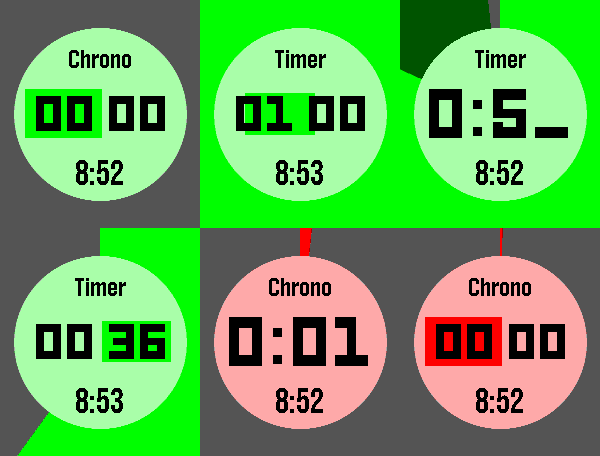
Tools & UtilitiesA beautiful, simple timer/stopwatch for the Pebble smartwatch, now with optimized battery life and more! Tell it how coarsely to show the time while it is a long way from zero, and it stops redrawing every second - but if you want to take a peek at the exact time, you can. It also runs in the background using the WakeUp API, so there is no need to keep the app open Also here: touch controls, updated button controls including stopwatch split & edit, independent timer & stopwatch color configuration, an optional instant-start mode, and some bug fixes. A fork of Timer+ by way of Timer+ Touch.