 30
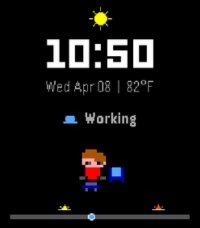
30MEmagotchi - Time Tracker
DailyYour day, as a tiny living avatar. Switch activities, watch it change, and see your whole day at a glance—now with live weather, temperature, and sunrise/sunset references.
 30
30Terrible Towel Twirl Tracker
Tools & UtilitiesCheer on the Pittsburgh Steelers and track how many times you're twirling that Terrible Towel. Yoi and double yoi! It should only count for twirls and not steps. Everyone twirls differently so over time I hope to optimize the accelerometer logic for all members of Steeler Nation. Press the down button to reset. Here We Go Steelers!
 30
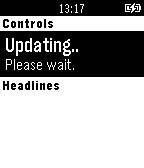
30RhinoFeeds
DailyRead headlines and short articles from your favorite RSS feeds directly on your wrist - with RhinoDevel's RHINOFEEDS! No need for another helper app on your phone, just enter a feed's URL at the watchapp's config. site on your phone and enjoy being as up-to-date as it gets. :-) Uses Wikinews by default for your convenience! RhinoFeeds will be improved heavily, if enough Pebble users LOVE it! :)
 30
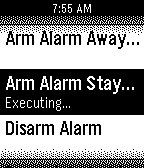
30Indigo Remote
RemotesA remote control for Perceptive Automation's excellent Indigo home automation server for Mac OS X. New in Version 1.1: More robust configuration, faster loading Please note: Perceptive Automation didn't develop this Watchapp; please don't contact them for support. I created this Watchapp because I'm a huge fan of their product.
 30
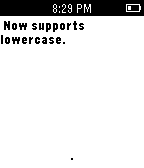
30Typing In Morse
Tools & UtilitiesTyping In Morse (Beta) is a fun and quick way to write text with the Pebble via Morse Code. Future updates hopefully will feature different fonts/background color, texting through phone, and much more. Top: + (Dot) / Hold for Backspace (currently only deletes last letter typed) Middle: - (Dash) / Hold for Space Bottom: Enter / Hold to erase all text OR if no input is entered, it changes cases (uppercase/lowercase) To open the reference sheet, flick your wrist when the input is empty! Scroll through the pages as you deign fit, and then flick again to return to the main text interface.
 30
304-7-8 Breathing
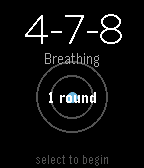
Health & Fitness4-7-8 Breathing Find calm in minutes with the proven 4-7-8 breathing technique. A simple breathing app for your Pebble watch. Practice 4-7-8 breathing to reduce stress, ease anxiety, and improve sleep. Features: Guided 4-7-8 breathing: Inhale for 4, hold for 7, exhale for 8 Visual breathing circle that expands and contracts with your breath Customizable rounds: Choose 1-10 rounds (default: 4) Progress tracking shows which round you're on Haptic feedback at phase transitions Clean, minimal design Why 4-7-8? Developed by Dr. Andrew Weil, this technique activates your body's relaxation response. Use it to calm down when stressed, fall asleep faster, manage anxiety, or reset during the day. How to Use: Open the app Adjust rounds with UP/DOWN buttons Press SELECT to begin Follow the visual guide and breathe Perfect for quick sessions at your desk, before bed, or whenever you need a moment of calm. Take a breath. Find your center.
 30
30TaiwanNewsMessage
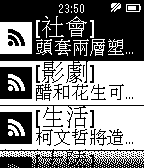
Tools & Utilities台灣新聞快訊,台灣重大新聞標題,快速瀏覽!!
 30
30Texas Soccer Timer
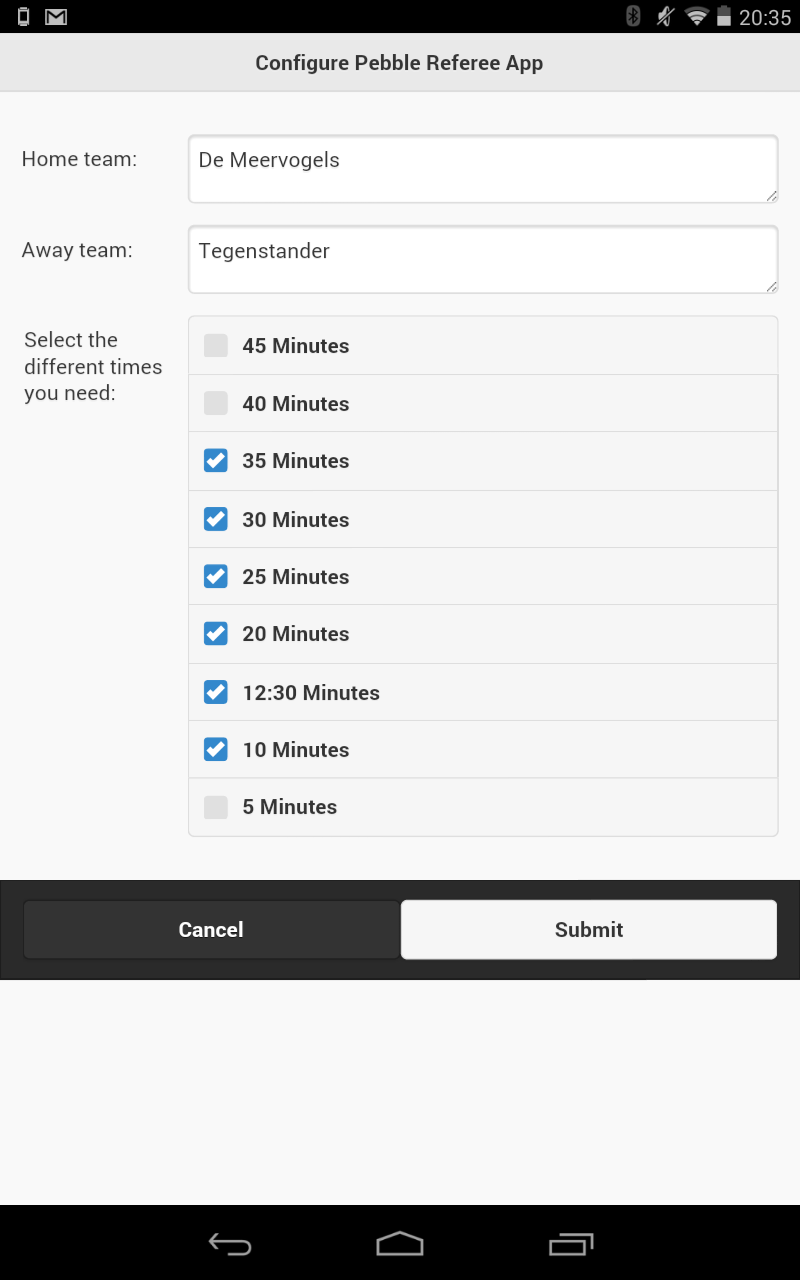
Tools & UtilitiesStop using a piece of paper and your stopwatch. With this app you can control the complete game. Countdown of time with vibration feedback on one minute befor the game time is over. Update: Added settings menu for the Pebble App, you can enter the home and away team name. Added a new menu when the timer is running, double press the middle button. In this menu you can reset the time or score.
 30
30Tiny scoreboard
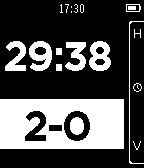
Health & FitnessKeep track of time and score with this pocket sized scoreboard. Whether you're playing Pool with a friend or the referee in a game of soccer, Tiny Scoreboard helps you out. Tiny Scoreboard features everything you would expect from a normal scoreboard: - Stop, start, reset and edit your time - And a score! (duh) - Customize your scoreboard in the settings menu (New!) It also keeps track of time and score when you exit the application! Tiny ScoreBoard controls Don't be discouraged by this wall of text! You only really need to know the first five functions. The rest should become pretty obvious. While time is selected and stopped: - Top: Start time - Middle: Select score - Down: Edit time - Hold Top: Reset time - Hold Middle: Reset score - Hold Down: Enter settings menu (New!) While time is selected and started - Top: Stop time - Middle: Select score While score is selected: - Top: Add 1 to the home team score - Middle: Select time - Down: Add 1 to the visiting team score - Hold Top: Subtract 1 from the home team score - Hold Down: Subtract 1 from the visiting team score While editing time: - Top: Add a minute - Middle: submit the selected time amount - Down: Subtract a minute
 30
30System Info
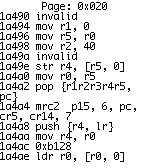
Tools & UtilitiesHexeditor and Disassembler for your watch. This is a DANGEROUS tool, not a toy. Be careful with it. Misuse could brick your Pebble. Some areas of memory are not allowed to be read. If you try, the app will crash. Trying to read protected memory should not harm your Pebble, but still be careful. On the edit screen, up and down modify the selected nibble and select moves to the next. Long press select to save. On the dissassembly view, pressing Down will scroll by the instruction size at the top of the screen, where as pressing Up will always scroll up by the minimum instruction size(2). Pressing Select will toggle showing instruction bytes.
 30
30Out
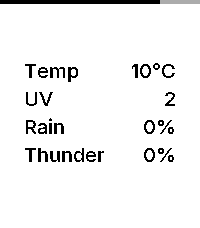
DailyOut is an open source, minimalist weather dashboard for Pebble, giving you exactly what you need before you step out the door. Features: – Current Temperature: Displays real-time temperature in Celsius or Fahrenheit, matching your watch’s 24h/12h time format. – 3-Hour Window: Shows the highest predicted risk of rain, thunder, and UV exposure for the next three hours. – Inter Typography: Uses the Inter typeface for a modern, refined look. – Zero Configuration: Automatically uses your phone’s geolocation. No settings or setup required. – Battery Awareness: A subtle indicator along the edge of the screen shows your remaining charge. Data Source: Weather data is provided by MET Norway (The Norwegian Meteorological Institute). It provides high-quality, global forecasts used by services like Yr.
 29
29Pokemon EV Counter / Tracker
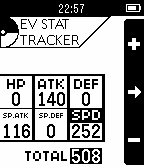
Tools & UtilitiesThis is an app for both Pebble and Pebble Time devices that keeps track of how many EV (Effort Values) your pokemon has. Useful for competitive pokemon players, your pokemon's EVs are now just a couple button clicks away! Never lose track of how many EVs your pokemon has again! This app is open-source. You can view the source code via the source link below.
 29
29ISS Watch
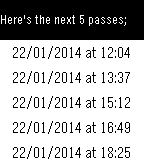
DailyGet the upcoming passing times of the ISS (International Space Station) directly on your Pebble Watch. Start the App and after checking your current location it will show you the upcoming passover times, informing you when best to get out and look up. Watch out for future enhancements. Much more to come.
 29
29Interval Timer
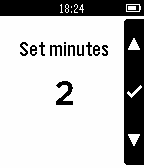
Health & FitnessInterval timer app. Useful for when doing intervals. Upon completion of an interval the watch will vibrate to indicate the start of the next interval. The interval can be paused or restarted at anytime.
 29
29/r/thebutton for Pebble
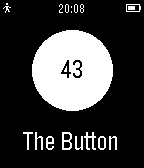
NotificationsSince /r/thebutton has ended, I have disabled this app for now. It may be repurposed at a later date for something else. The button comes to Pebble! A simple app that shows the current time in a circle. Uses pebble.js and emtes' button.mtsanderson.com API. Updates every 2 seconds or when select button is pressed. More features coming soon, such as: More reliability Better timer (1/10s, less lag) Rewrite to C Menu with button stats