 46
46Minesweeper
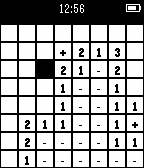
Games10 Mines, 64 Locations Controls DOWN - move down UP - move right SELECT - choose square SELECT (long press) - flag square UP (long press) - reset the game Game ends when you have cleared everything but mines, or when you click on a mine. When a game is over, all you can do is long-press UP to restart. Feel free to email me if you have issues/suggestions
 46
46Soundboard
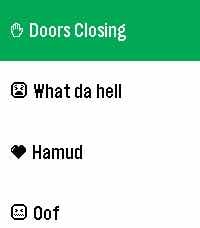
GamesPick sounds from your phone. Play them through your Pebble's speakers. All on-device. It's that simple, folks.
 46
46Topic Fuel
Tools & UtilitiesTopic Fuel allows users to quickly come up with topics or questions for conversations in stressful situations. This helps guide conversations. This requires no internet connections making it fast. Current scenarios with topic sets: 1) Dates 2) Interviews 3) Compliments 4) Excuses 5) Reassurance in Emergency scenarios
 46
46Dodge Balls
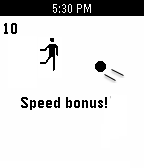
GamesFly high or dive low! Dodge balls of increasing speed and quantity while you soar ever faster and move around the screen using the accelerometer. The longer you persevere, the more challenging and exhilarating it will get. Note: you will also love the flying animation with the game's gravity-simulating mini-physics engine :)
 46
46a Training Tracker Watchapp
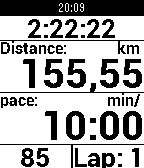
Health & Fitnessa Training Tracker is an Android app that allows you to easily track your training sessions and supports ANT+, Bluetooth LE, and GPS. With this watchapp, you can even display all values on your pebble and control the Android app with the buttons on the right side of your pebble: Top: just turn on the light. Middle: short: next view (can be configures within the app); long: start searching. Bottom: short: new lap; long: toggle pause.
 46
46SPF Timer
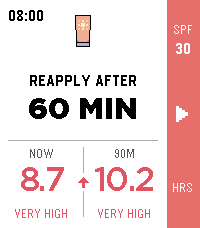
Tools & UtilitiesEnjoy the sunshine without losing track of your sunscreen. SPF Timer shows the current UV index from MET Norway, gives you a quick hourly forecast, and suggests when to reapply based on your sunscreen's SPF. Start the timer with one button and your Pebble will vibrate when it is time for another layer. The launcher glance keeps the important part close by: your current UV index when no timer is running, or the minutes remaining until you should reapply. Stay sunny. Stay covered. SPF Timer is a reminder tool, not medical advice. Always follow the directions on your sunscreen.
 46
46Cookie Clicker
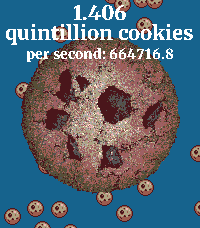
GamesCookie Clicker on the Pebble Watch! Press the button as fast as possible to get MORE cookies. Cookies are still generated when the app is closed. Press down to enter the shop and purchase buildings to generate even more cookies!
 46
46Smooth Counter
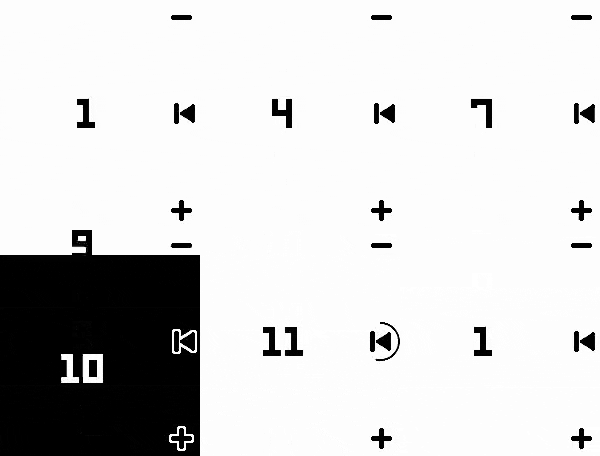
Tools & UtilitiesA simple counter app with nice animations that lets you highlight every N numbers.
 46
46Disney Parks Wait Times
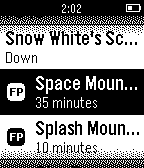
DailyCheck the current wait times and FastPass return times for attractions at the Disneyland Resort, Walt Disney World, and Disneyland Paris directly from your Pebble. Parks Included: Disneyland Disney California Adventure Magic Kingdom Animal Kingdom EPCOT Disney's Hollywood Studios Disneyland Paris Walt Disney Studios Note: Developer is not affiliated with Disney Parks.
 46
46Pebblemon Lite
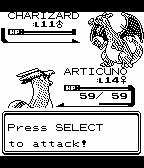
GamesPebblemon Lite! A bite-sized Pokemon adventure on your wrist. Pebblemon finally comes to the Pebble Classic and Pebble Steel! It's a much smaller experience than the original Pebblemon, but you can still encounter all 251 Pokemon from the Game Boy Color games. Use select to toggle movement, and up/down to turn the character. Have a newer Pebble? Check out the original Pebblemon! This uses the same GameBoy Color graphics library as the original Pebblemon.
 46
46Wrstlytics
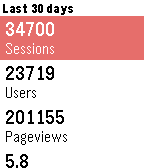
Tools & UtilitiesWrstlytics - Google Analytics on your wrist. Wrstlytics shows your important site metrics right on your wrist. Check past performance and live traffic! NEW: Custom reports! Simply sign in with your Google account.
 46
46RaceTime
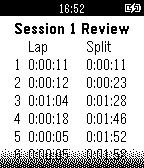
Health & FitnessRaceTime is a general-purpose, standalone workout stopwatch app for the most time obsessed athletes. Features include: * data persistence * 50-lap memory * main display color inversion * Review recorded lap times during the workout * Save and review saved workouts * Integrated Pacerband technology: 50-segment countdown timers in single/repeat modes
 46
46Walk Log
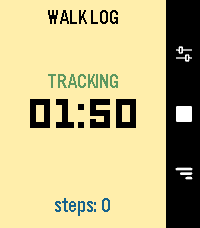
Health & FitnessWalk Log is a Pebble application that tracks the time and steps taken during your walks. Your walk history is stored in the logs view, where you can review past activities and delete entries as needed. You can also send walks to the timeline to view them in the Pebble watch's Past Timeline view. Set it and for get it: an inactivity option will automatically stop your walk after a set period of inactivity, thanks to a background worker. **Quick Use** - Open the app - Press center right button (start symbol) - Press again to end it (stop symbol) **Logs** - Press down right button - Navigate down from latest to oldest - Press center right button to open detail - Long press on center right button to delete, from list or detail page **Settings** - Press up right button - Navigate down to setting you want to change - Press center right button to change it
 46
46openHAB
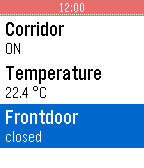
RemotesThis app allows you to use your Pebble SmartWatch to connect to and control your OpenHAB server. Most of the basic kinds of sitemap elements are supported (Frame, Group, Selection, Setpoint, Slider, Switch, Text) but not graphically rich ones (Colorpicker, Chart, Image, Video, Webview). Supports multiple sitemaps, separate intranet and Internet URLs, http/https, and username/password authentication.
 45
45DeepThoughts
DailyDeep Thoughts by Jack Handey Displays a random Deep Thought every minute. The up and down buttons can be used to scroll through the text on the longer quotes. A random color background is selected when the app is run; if you get an unreadable combination hit the BACK button and run it again.