 48
48Flipple - Flip a Coin
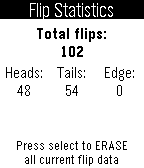
Tools & UtilitiesFlip a coin to avoid making decisions! Flip with a wrist flick, pressing the select button, or quick launching the app. If you want to do instant flips, press the down button. Change the settings or view the flip statistics window by pressing the up button. Please contact me if you have any questions, comments, or most importantly, discover a bug!
 48
48Billy
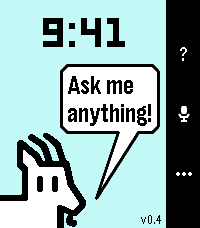
Tools & UtilitiesBilly is a spiritual successor to the legendary Bobby, itself an homage to the mythical Snowy the Dog. Katherine Berry has stepped away from Pebble development, but she generously left Bobby open source. I have attempted to take the reins and update it with my own spin. Billy has several modes. Just install it, and it's Bobby with a more powerful, up to date Gemini model and a few other tricks. Good for iPhone users. Install it with the companion app, and it gets WAY more powerful. Great for Android users who are willing to sideload, because I'm too lazy to publish on Google Play. But there's a third mode. One to really knock your socks off if you're willing to do the nerdy setup. Provide your own API keys and Google permissions, and, while also preserving what made Bobby so special - timeline pins and timers and alarms handled by PebbleOS -this app attempts to recreate a Pixel Watch Gemini experience on Pebble. With full Gemini, you can invoke almost anything your Phone Gemini can do. Ask it to find you an ancient email and reply to it for you. Ask it to search Google Photos for a 10 year old picture of a bird and it will show you in the watch. Ask for directions somewhere and get a map on your watch. Ask for it to make you a Google Sheets spreadsheet with... you get the point. The companion app walks you though the steps for setup.
 48
48Timestamp
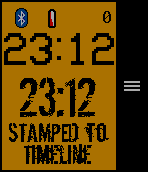
Tools & UtilitiesSave a Timestamp of the current time to the timeline just by entering the app! Set a button shortcut for one button logging. Use the microphone to label your Timestamp! (option to turn OFF) "STAMPED TO TIMELINE" will show up after the timeline pin request is sent (it might take a bit). It may take a few seconds to 15 min for the pin to actually show on the timeline, but you do not need to remain in the app. You can stay in the app for the Timestamp list and a fully functional watchface with a bluetooth disconnect warning (short long short vibration and icon) and low battery warning (icon @ 20% or below). In a BIG monospaced font you will see the current time above the Timestamp (rubber stamp font, get it?). The minutes since you stamped will show at the top. Use your pebble for other tasks, go to the past timeline or the list in the app to see your Timestamp. Why would you use this? Keep track of fuzzy timing: At bedtime you tell your child you will stay 5 more minutes. You look at your watch. Several minutes later you look at your watch but can't remember what time it was the first time. Leave a breadcrumb trail of time. Like when you take your ibuprofen, track potty training... The last 50 Timestamps are saved in a list. Use the options to manage your list. Create your own use case with this simple tool at your finger tips (literally)! Note: Past Timeline remembers 24-48 hours. App remembers last 50 timestamps. Font Dirty Ego-MisprintedType stamPete-http://www.joebob.nl VCR OSD Mono-Riciery Leal Give it a heart of you like it!
 48
48Hue Off v1.1
RemotesControl your Philips Hue light bulbs. Initial Setup - Press select to discover bridge and begin pairing process. Controlling Light Bulbs - Press select to switch on/off - Long press select to adjust brightness levels
 48
48Train Navigation
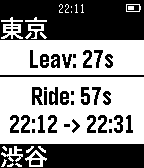
Tools & UtilitiesRequired - Only Japan can be use. - Set Google API Public Key on settings Functions - Set destination station - How many minutes will you need go out for next train from your location. - Transit details. - Last train from your location. How to setup? On smart phone configuration 1. Open setting on your smart phone 2. Input Google API key and add stations 3. Submit configuration on bottom of the page. How to use? click up button: previous train down button: next train select button: display route details long click up button: Back to first train. down button: Change mode to select destination station select button: Change mode to last train (back button will be back to normal mode) Known issues - Application will crashed when displaying too many Japanese words. ##CAUTION## This application is under beta version. Please note that publisher shall not be responsible for any loss and troubles.
 48
48Starfield Graphics Demo
GamesThis is a simple graphics demo showing randomly generated stars flying across the display at 30 FPS
 48
48Blackjack Touch PT2
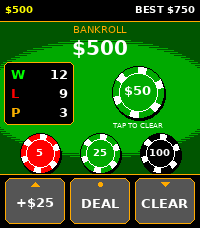
GamesSix deck blackjack for the Pebble Time 2. Tap a chip to bet, tap DEAL, play the hand. Your total sits in a badge next to your cards so you're not doing arithmetic on a watch, and soft hands show both numbers (7/17) so you can see when an ace is still doing you a favor. The three buttons along the bottom are Double, Hit and Stand, left to right. Each one is wired to the physical button beside it (up, select, down) and carries a small mark so you can tell which is which without checking the manual. Double greys out when you can't double, rather than disappearing, so Hit stays in the middle of the bar whatever you're holding. Splitting had to go somewhere else, since there's no fourth button to give it. Get a pair and your cards pick up a gold outline with a SPLIT tag beside them. Tap the cards. Holding the up button does the same thing if you'd rather not touch the screen. The rules are the ones you'd get at a table. Six decks, reshuffled about three quarters of the way through the shoe. Dealer stands on all 17 and peeks on an ace or a ten. Blackjack pays 3 to 2. You can double any first two cards including after a split, split a pair once, and take insurance when the dealer shows an ace. Split aces get one card each and stand, same as the real thing. You start with $500. The app keeps your best bankroll as a high score, and it counts money that's still sitting on the table, so a $700 bet that loses still records $700. Bust out completely and you get a game over screen with your record on it and a fresh $500 to start again. *Reminder $$ is not real money and is only in-game cash*
 48
48BatteryAlert
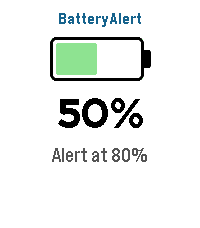
Tools & UtilitiesBatteryAlert — get a buzz or beep when your Pebble battery hits the levels you care about. Tick one or more battery levels and BatteryAlert watches your battery for you. When the charge crosses a level you chose — charging up to it (great as a "stop charging at 80%" reminder) or draining down to it (a low-battery warning) — your watch alerts you until you dismiss it. FEATURES • Tick any of the levels from 10% to 100% (default 80%) — set as many as you like • Fires in both directions — charging up to a level or draining down to it • Alerts only on an actual crossing while you're being watched • Alert mode — Vibration only, Sound only, or Sound & vibration • Audible alarm — alerts you with sound and/or vibration until dismissed • Alert patterns — pick from 10 built-in styles, including vibration rhythms (Pulse, Nudge Nudge, Jackhammer, Gentle) and real tunes played through the Pebble Time 2 speaker (Reveille, Mario, Ode to Joy, Twinkle Twinkle, Für Elise) with rich polyphonic harmony • Adjustable notification strength (Low / Medium / High) for buzz and volume • At-a-glance screen — battery icon, current percentage, charging bolt, and your configured alert levels CONTROLS • Touchscreen on Pebble Time 2 — tap anywhere to close the app • Button navigation on all other Pebbles — Back to exit • Alarm screen — tap, Select, or Back to dismiss Sound requires the built-in speaker on Pebble Time 2; every other model alerts with vibration. Works on Pebble Time 2, Time, Time Steel, Time Round, and Pebble 2. Bugs & suggestions: [email protected]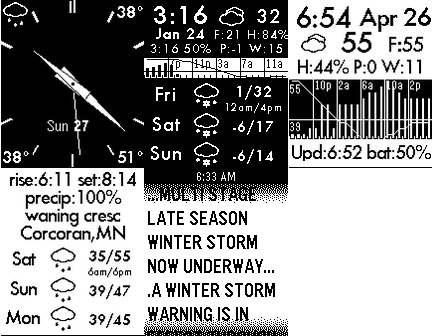 48
48Analog Forecast Weather App
DailyData forecast.io API (or openweathermap.org) Analog Screen and Detail Screens Forecast for 3 days Weather Alerts Precipitation by hour for 24 hours (bar graph) Temperature trends for 24 hours (line chart) Current Weather (Temp, Pressure change,Wind speed,Feels Like Temp, Humidity)
 48
48Rescue Me
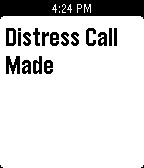
Tools & UtilitiesRescue Me will send out a text or an email to your emergency contacts with flick of the wrist if you are in an emergency or distress situation it will give them your current location. Set contacts in app settings. When you need to be safe(e.g. returning from a late movie alone) just start the app and keep it open. In an emergency just shake your wrist and confirm by pressing any button.
 47
47Kombat for Pebble
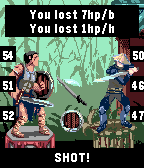
GamesDarkness hung ... All the power of magic imprisoned in a pebble ... And only one hero can possess it ... "Pebble Kombat" (or Kombat for Pebble) - tactical mini fighting with simple rules. You can read all about project on the Pebble Forum page (https://forums.pebble.com/t/watchapp-pebble-kombat-kombat-for-pebble/23787) v 1.0 - 8 heroes with own passive abitily; - 2 game mode; - tested only on emulator;) Please, leave your opinion on the Pebble Forum page
 47
47Beeb News Feeds
DailyThis watchapp displays the most popular BBC news feeds on your wrist. It includes Top Stories, UK, World, Sport, Technology, Entertainment, Business, Politics, Education, Health, Science and Also in the News. The information included for each story is the headline, a summary and how long ago it was posted. This watchapp has nothing to do with the BBC and uses their public RSS feeds.
 47
47Weather-O-Graph
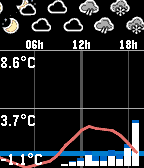
DailyThis app displays current weather forecast in a graph form, from one of the following services: * yr.no (probably most of the world) * aladin (Czech republic) Controls: * 'up/down' scrolls the view * 'middle' button press resets the view * 'down' long press switches the service
 47
47Escape Call
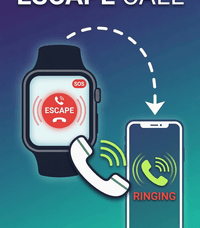
Tools & UtilitiesLong Press a Button and your phone rings! Stuck in a long conversation and need to go? No prob! Loser at the bar bothering you? Escape! Want to pretend to have friends and be cool? Welcome to the club! Works on my pebble time 2. Thats all I know for sure. SETUP: (Kind of a pain) This app needs a webhook URL to ring your phone. Two options: OPTION A - Twilio (Recommended, ~$1.15/month): Sign up at twilio.com (free trial included) Buy a local phone number Go to Functions and Assets > Services > Create Service Add a Function with path /call, set it to Public Paste this code (replace the phone numbers with yours): exports.handler = function(context, event, callback) { const client = context.getTwilioClient(); client.calls.create({ to: '+1YOURNUMBER', from: '+1TWILIONUMBER', twiml: '<Response><Say voice="alice">Hey, do you have a second?</Say><Pause length="60"/></Response>' }).then(function(call) { callback(null, 'OK'); }).catch(function(err) { callback(err); }); }; Deploy All, then Copy URL In the Pebble app, open Escape Call settings, paste the URL as Webhook URL, set Method to GET, Save OPTION B - CallMeBot (Free, needs Telegram): Install Telegram, search for @CallMeBot_txtbot, send /start Follow auth steps, then add @CallMeBot_API to contacts and message it Your webhook URL: http://api.callmebot.com/start.php?user=+1YOURNUMBER&text=Incoming+Call&lang=en-GB-Standard-B&rpt=2 Paste into Escape Call settings, set Method to GET, Save Note: Telegram must be running in background QUICK LAUNCH: On your watch, go to Settings > Quick Launch > assign Escape Call to Back button. Hold Back 2 seconds from any watchface to activate.![Phone Pager [Pebble Rocker]](https://assets.repebble.com/screenshots/52e1ad80e819d8b7870000b4-0.png) 47
47Phone Pager [Pebble Rocker]
Remotes- Page your phone/tablet from your Pebble watch with the press of a button. - Configurable ringtone and vibrate settings. - Strobe camera flash when paging. - Page your Pebble watch from you phone (vibration / backlight). IMPORTANT: This watch app requires the Pebble Rocker companion app available via the Google Play store.