 72
72Koishi - Japanese Kana Flashcards
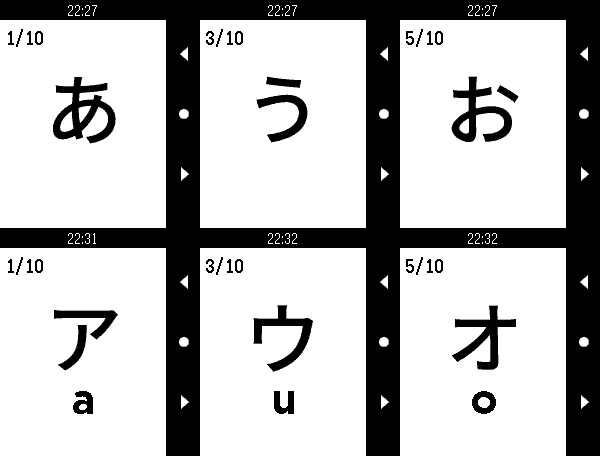
Tools & UtilitiesKoishi is a flashcard application that gives you a full set of Japanese Hiragana and Katakana flashcards right on your wrist! Study your kana recognition anytime, anywhere! - Support for all Pebble devices (OG, Time, Round, Duo, Time 2 and Round 2)! - Fully customizable deck options - Deck presets - 208 Hiragana & Katakana characters - Touch-enabled on supported devices. Navigate flashcards with taps and swipes! Can be disabled in settings. - Fully image based, no additional language pack required This was made to accompany my own Japanese study. This sort of thing seems perfect for Pebble, so I hope some of you find it useful!
 72
72LevelUp
DailyLevelUp for Pebble allows you to pay at local businesses with a flick of your wrist.
 71
71Life Counter for Magic: The Gathering
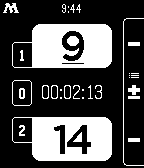
Tools & UtilitiesCount your Magic: The Gathering life and game scores with this Pebble watchapp! Beautifully designed and packed with features to be the ideal companion on you next magic tournament: - keep track of your and your opponent's life and won games (and draws) - scores rotate when showing to your opponent - game timer & notifications via vibration - dark & light theme - all configurable on your phone
 71
71World Clock
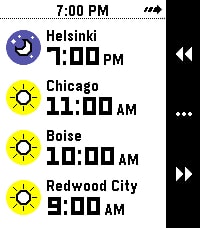
Tools & UtilitiesWhat's the current time in Helsinki, Boise, and Redwood City? When it's 4 PM in Amsterdam, what time will it be Sydney? Instantly answer questions like these right on your wrist with World Clock! With World Clock, you can choose up to 8 timezones to display at your wrist. You can also use Time Travel to scrub forward and backwards in 30-minute increments, so you can compare different timezones. To use it, open the Settings app on your phone and select cities to add to the list. World Clock will automatically populate the name field with the name of the city, but you can change it to whatever you like. You can also quickly enable and disable timezones, too. Time offsets are calculated by the phone, and synchronized to the watch. The watch caches all of the cities and time offsets, so if your phone isn't nearby, you can still use World Clock. Your phone will check on all of the timezones whenever World Clock starts, just in case something like Daylight Savings Time has happened recently (and you'll see a small "X" if the watch wasn't able to sync with the phone). If you like to switch Pebbles, no problem! The timezone list is saved on the phone, and automatically synchronized to whatever Pebble you are wearing. Pebble Round 2 support coming as soon as it arrives!
 71
71NU.nl
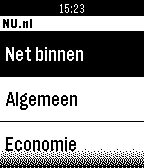
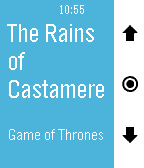
DailyMet de NU.nl app voor Pebble, blijf je ook via het kleinste scherm op de hoogte van het laatste nieuws. Kies voor de rubrieken Net binnen, Algemeen, Economie, Tech, Sport, Entertainment en Overig, en klik op een titel van een artikel om het te openen. Klik op de knoppen aan de zijkant om naar beneden te navigeren.
 71
71SJCAM Qumox Remote
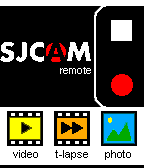
RemotesRemote Video Controller for SJCAM/ Qumox SJCAMERA action camera. INFO: 1) connect you phone to the wifi cam network 2) use JSCAM Remote without limitation Note: jscam5000 and later NOT SUPPORTED
 71
71Opus - A Kodi Remote
RemotesA free, beautiful remote for Kodi. Take control of your media center from your wrist. Adjust your Kodi's volume by short pressing up and down buttons, skip to previous and next tracks or playlist items by long pressing them. Switch to skipping and menu navigation by long pressing select and navigate Kodi's on screen menus up, down, left (long press up), right (long press down), select and back (double press select). Shake your watch to update the screen. A battery-friendly alternative to regularly polling Kodi in the background. In the host selector you can choose your active Kodi host from a list of IPs that is definable in the Settings phone app. Opus supports multiple hosts with password protection. Opus will always be free. If you like this app, please give it a heart in the app store so that others can find it. If you love this app, donations are great for motivation. Kodi used to be called XBMC.
 70
70Vera Scenes
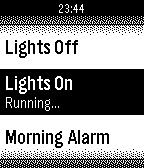
RemotesControl your micasaverde Vera unit from your Pebble Watch! This allows you to browse through all Vera scenes as well as run them.
 70
70Light
Tools & UtilitiesThis is simple application, it can use a back light long time.
 70
70PebbleTalk
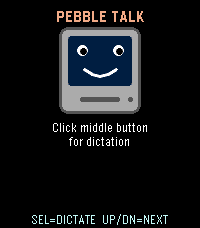
Tools & UtilitiesA tiny retro speech synthesizer that talks through the Pebble Time 2 speaker. Fully algorithmic MacinTalk-style formant synthesis: no samples, no internet, just math. Press Select to hear the classic greeting, or use dictation to make it say anything you want in a charming 1984 robot voice.
 70
70Device status
Tools & UtilitiesShow 5 sec. pop-up notifications, phone connection and battery state: - battery icon, by wrist; - phone connection icon, by change state. Runs in the background and do not depend on others running apps and faces. Takes one apps slot, require activation in "Activity" menu.
 70
70Music
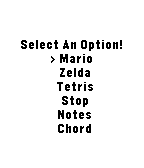
Tools & UtilitiesPlay music out of your phone with no companion app. Only works on (most) Android phones. Play Mario or Zelda or Tetris music, as well as some simple beeps.
 69
69Rogue Watch
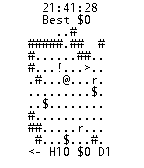
GamesA roguelike on your watch! H is health, D is Depth, and $ is your gold. Get as much as you can before you die!
 69
69Magic Button
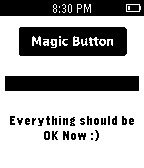
Tools & UtilitiesA magic button that makes everything OK. Insprired by http://make-everything-ok.com
 69
69Timer
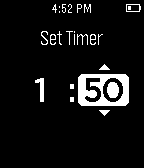
Tools & UtilitiesVERSION 2.0: Completely rebuilt from the ground up. With an intuitive new UI, background support, and smooth animations, Timer 2.0 is more functional and beautiful than ever. A simple countdown timer with minutes and seconds. On completion, the watch vibrates. Please email me any bugs you find at [email protected].