 88
88Get Me There
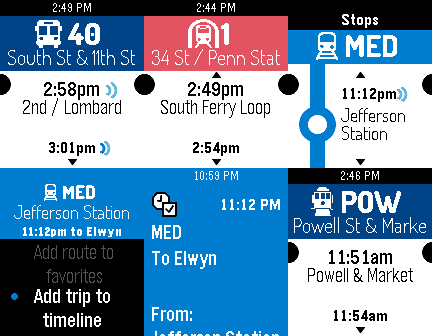
DailyGet Me There is a public transit schedule app designed for commuters and frequent public transit users. Upon launch the app will display the upcoming departure times for nearby stops, with all modes of public transit supported. The app also corrects for real-time departures where data is available. Get Me There has many unique features such as the ability to set favorite stops, add departure times to your timeline, and where available, Get Me There will display real-time departure times so you'll know exactly when your train will arrive. Get Me There is currently available in the following cities: Philadelphia* New York City* Chicago San Francisco* DC/Baltimore Boston Denver Miami Seattle Portland Dallas Detroit State College, PA and more! You're in the city shopping and going to a show and you don't know where the nearest public transit stops are? No problem, launch Get Me There and you are immediately presented with the nearest public transit stations. You're at work, or you still have a last minute project to finish, and you want to know when the next few buses or trains are coming? No problem, launch Get Me There and you'll immediately know when the next ten buses/trains are coming so you can plan your work accordingly. You can even see when each train will arrive at your destination. The real-time feature will tell you exactly when your train will arrive, not just the scheduled time, so you're never left there standing in the non-air conditioned station waiting minutes on end for your late train.
 88
88WunderVoice
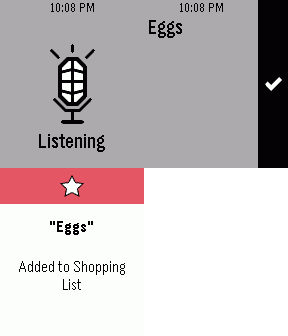
RemotesQuickly add tasks to Wunderlist using your Pebble Time. Opening WunderVoice starts the microphone on your Pebble Time so you can quickly and easily dictate the name of the task you want to add. Note: Requires a Wunderlist account.
 88
88Pebbletris Redux
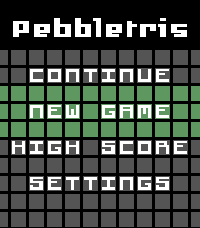
GamesA new version of the classic game for the future of Pebbles! Inspired by Tetris, this is a fork of the original Tebbletris app by WRansohoff, keeping the same core game and features but with some additions, such as: - Added support for Pebble Time Round, Pebble Time 2 * And now, also the Pebble 2, Pebble 2 Duo and even OG Pebble - New Main menu - More advanced scoring, with a high score page that shows up to 8 high scores - Improved gameplay: added lock delay, improved rotation system (aka Super Rotation System) - Settings directly on your wrist for rotation, backlight, and... - Themes! Four of them (which you can contribute to on GitHub) And now also with touch input support for Pebble Time 2 and Pebble Round 2! - Tap and hold very briefly to hold a piece aside - Swipe to slam a piece left, down, and right (but you still have time to move it around) I decline any responsibility for any increase in the time you spend in the bathroom, nor if it leads you to destroy the buttons or the battery of your watch!
 87
87Departure Monitor
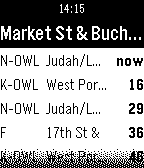
DailyThe app shows the departure time of buses, trams and trains at nearby stations. Many public transportation networks around the world are supported, for example: San Francisco, London, many in Germany and many more.
 87
87Medication Timer
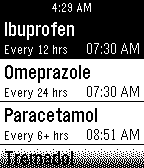
Tools & UtilitiesTrack your regular medications to always know what drugs to take when. Never forget to take your pills, medicine or tablets again! Features: * Track unlimited medications. * Next medication times appear on your timeline, and can be reset from the timeline. * Long press on medication to reset timer when you take the medication. * Set regular repeat intervals for each medication. * Vibration reminders when next medication is due, even when app isn't running (optional). * Sort medication list so next medication is at the top (optional). * Timers can be flexible (timer starts from when you ACTUALLY took the meds) or fixed (timer starts from when you SHOULD have taken the meds).
 87
87Cold War Simulator 2K15
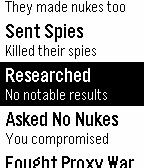
GamesIt's a number of years after the most recent global war and tensions are heating up between you and the other world superpower. The fate of the world is in your hands as you use strategy and wits to either defeat them by force or by persuading them to demilitarize. Fight proxy wars, send spies, make pleas to cut down on the nukes, and more in this thrilling new game. Now with colours for Pebble Time. Disclaimer: This is a tongue-in-cheek satirical parody of both the cold war and of modern “simulator" games. The bad art style and trivial gameplay is intentional. Hope you enjoy it!
 87
87VLC Remote
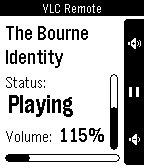
RemotesThis app has been merged with Skipstone and is no longer maintained. Please use Skipstone instead. --------- A remote control watch app for VLC Media Player which allows you to toggle play/pause, change volume, seek, and get recent status of what's playing and how far you've watched - all right on your wrist! It uses VLC's native web interface API to communicate.
 87
87Music Boss Media Browser
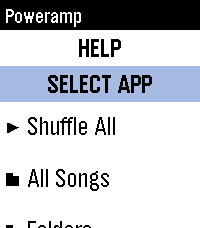
Remotes🎵🔍 Your full music library. On your wrist. PowerAmp, Podcast Addict, Spotify, Musicolet, GoneMAD, VLC and more. 🎁 Try it now - no strings attached! Activate a fully unlocked 3-day free trial of the Music Boss Deluxe companion app with all features included. No limitations. No surprises. Try it along side the Music Boss watch apps! Music Boss Media Browser is a brand new experience for Music Boss Deluxe users - bringing full library browsing directly to your Pebble for the first time. Browse playlists, explore your library, choose a track, and hit play - all without touching your phone. You can even select which media app to browse, right from your watch. ✨ What’s New • Deep integration with Music Boss Classic and Music Boss Time - launch the browser directly from the watch app and jump right back when you're done • Automatic app detection - Music Boss finds supported media apps for you • Broad compatibility - works with apps like PowerAmp, Podcast Addict, Musicolet, and Spotify (Spotify requires a quick setup) • Supports any Android app that implements media browsing 🆕 This is a brand new addition to Music Boss Deluxe If you're already a user - you're ready to go. ⌚ Watch Compatibility All Pebble models supported 📱 Companion App Compatibility • Classic Pebble App / Rebble • New Core Pebble App • microPebble 🤖 Mobile Device compatibility Android only
 87
87notepad
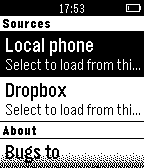
Tools & UtilitiesA useful notepad for your pebble! Read notes in your watch, with multiple functions: * Edit your notes in Dropbox (more sources coming) * Fetch them as you go * Instant sync * Autoscrolling, Jump to top/bottom, Smooth scroll, etc. * Fake clock to hide your notes from unwanted eyes :D
 87
87RemindMe
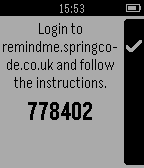
DailyThis Pebble watch app allows you to set reminders on your watch without the need to access your phone. When it is time the reminder vibrates the watch, turns on the light and shows the reminder.
 87
87Cobble
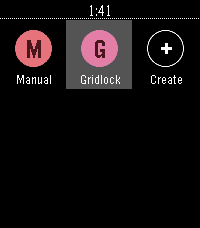
DailyCobble is a Pebble app that writes Pebble apps. Talk to your watch, get a bespoke app — stopwatch, dice, compass, whatever. Generated on demand, lives in your launcher, disappears when you're done with it.
 87
87Calculator
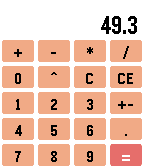
Tools & UtilitiesA simple calculator app for the Pebble Classic, Steel, Time and Time Steel. Supports addition, subtraction, multiplication, division and exponentiation. Supports up to 2 digits of decimals using fixed-point arithmetic. Credit to Wojciech Siewierski for his fixed point arithmetic implementation. It was made for his GravCalc Pebble app.
 86
86My Data
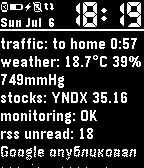
DailyShows your data, JSON prepared on your own server. Simple and minimalistic. Vibrate, change theme, change font from your JSON. See documentation on github. WARNING: You need own server and some server-side programming, none built-in services present.
 86
86Tiny Reversi
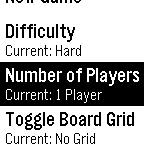
GamesThe perfectly Pebble-sized strategy game has arrived. Reversi, marketed in the US as Othello and in Hong Kong as Apple Chess, is the classic game of surrounding tiles, flipping fortunes, and outwitting your opponent. Place a token that puts the other side's tiles between your own, and they belong to you. But watch that they don't get taken back again. * Grocery-line sized play: a game lasts only minutes, and autosaves on exit in case you want to come back later. * It thinks! Play against a devious tiny AI at four levels of difficulty. * Switch to 2-player and surreptitiously pass along your Pebble to another challenger wherever you are. * Press Back once for options, twice to quit. Bugs, comments, feature requests can go to @theoreticalb. Also accepting plaudits. (Note: I open sourced this with the MIT license. So if you'd like to use the code to make Pebble Checkers or Attaxx or whatever, go for it! I'd love to play). Banner image includes photography by Paul_012 and is licensed CC BY-SA 3.0.
 86
86Rockodi - The Remote for your Kodi™ Medi
RemotesTake control of your Kodi™ media center. Play, pause, and stop playback. Skip forward or back. Control the volume. List and launch playlists or addons, even when your TV remote is out of reach, and your TV is out of sight. Battery-friendly: shake your Pebble to update the display.