 124
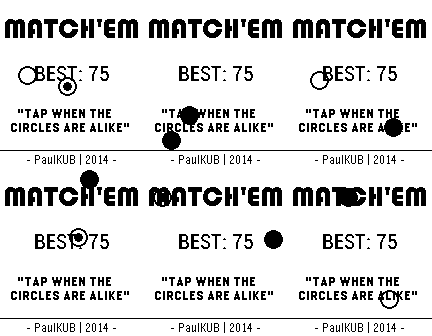
124Match'em
GamesMatch'em is a simple one touch game that will keep you entertained for hours. Tap when the circles are alike, else you lose. If you're looking for a challenge, Match'em is your best choice ! Update with new features coming in a few monthes, when the Pebble Time will be released.
 124
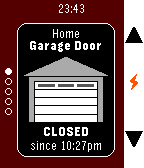
124HomeP - For MyQ Garage Doors & Light Swi
RemotesUnofficial watch app for monitoring and operating Chamberlain/Liftmaster branded MyQ devices over the Internet (Requires MyQ Internet Gateway, usually sold separately) , now including the "MyQ Garage" device, which connects to 3rd party garage doors. Currently supports garage door openers AND light switches - other types of devices may be added soon. - Uses SSL to communicate securely with the official MyQ servers - Does NOT require a companion app on your phone - DOES require your Pebble to be connected to your phone and your phone to have a data connection (bear in mind that you may be on the edge of your home wifi just outside your garage) - Username and password is stored on your phone and are only ever sent to the official MyQ servers. Password is also encrypted on your phone - Up/Down switches devices - Select changes the status of the device - To save Pebble battery it does not constantly monitor the device status except when opening/closing a garage door. To update the status, switch devices with the Up/Down button (even if you only have one device) or reopen the app - Closes automatically after 2 minutes of inactivity to help avoid accidentally operating a device - Assign it to a Quick Launch button in your Pebble settings for easy access
 123
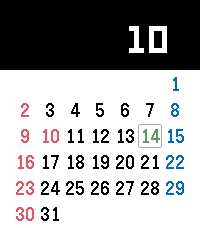
123Calendar
Tools & UtilitiesThis is calendar application. It is enable to show Japanese holiday and United States holiday. (Holidays display will change with pebble's language setting) [UP,DOWN] Change month. [CENTER] Today [Long-pressed UP] Show holiday / Not show holiday [Long-pressed DOWN] Sunday start / Monday start
 123
123Icon Pop Quiz
GamesICON POP Quiz challenges players to name famous characters using imaginative, handcrafted visual clues inspired by each answer. Can you guess all the icons?
 122
122Quoble
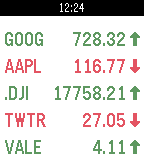
DailyDisplays your current stock quotes. Now in colour! Supports multiple stock quotes and displays up to 5 stocks per screen (up/down buttons to switch screens). Automatic stock updates can be enabled in the settings, including automatic rotation between screens and values (current, absolute and percent change)
 122
122PebbleQuest
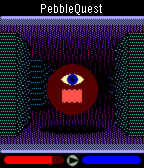
GamesA 3D fantasy action-RPG! Explore dungeons, slay monsters, level up, and wield Pebbles of Power to cast spells or enchant your weapons and armor. How long will you last in the dark, cavernous depths of PebbleQuest? UP: Press/hold to step forward. Press twice to turn left. SELECT: Press to use your current weapon/spell. DOWN: Press/hold to step back. Press twice to turn right.
 122
122Rx Navigait
Health & FitnessWalk tracking health device
 122
122Battery Leak
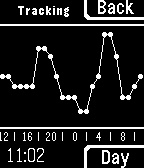
Tools & UtilitiesRunning out of battery? Wondering when your losing it or how much to expect? Battery Leak provides true background battery tracking, using Pebble's activity tracking abilities. View the past 24 hours or even a week, and choose between three different tracking modes. - Fore: Tracks only while app is open - Back: Tracks continually in the background - Off: Tracks... Nothing!
 122
122SmSOS
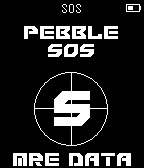
NotificationsPebble SOS is an emergency SMS service which sends out a virtual cry for help upon user request. To send an SOS request, simply press the select button once, and a safety contact will receive a text message with your latitude and longitude coordinate as well as a Google map link with your location inputted. This goal of this app is to give people whom are injured to the point of limited movement, the ability to call for help. Useful purposes for this app include: • skiing / snowboarding / mountain biking / etc. • camping / rock climbing / trail tracking / etc. • Tracking your children (see where they really are) • tracking parked vehicles • Meeting others at outdoor events • Hide and seek daredevils
 121
121MOYORIEKI
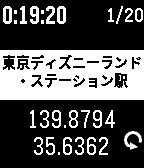
Tools & UtilitiesMOYORIEKI shows you nearest train station. This app functions only in Japan. features: - display 2 nearest station name and distance - selectable language Japanese or English - you can reload geo info with button - you can change font size of station name - you can select showing on/off of distance - you can save geo information and push to notification or timeline(PT/PTS) - you can get saved informations up to 20 on configuration page displays: (*1 : 2nd display mode when up button clicked) - 1st line -- display current time -- display elapsed time from recent time of information loaded -- saved history numbers *1 - 2nd line -- phone disconnected icon -- error status message - 3rd line -- most nearest station name - 4th line -- distance and direction to 1st station - 5th line -- 2nd nearest station name -- longitude *1 - 6th line -- distance and direction to 2nd station -- latitude *1 -- request icon button: - up button -- change display mode -- change from/to Station with long press - middle button -- change font size of station name -- toggle showing of distance with long press - down button -- reload geo information -- save current information with long press Japanese: 電車に乗っていて、ふと今どこの駅(の近く)なのか知りたくなったことはありませんか? このアプリは最寄り駅を表示するアプリです。 一番近い駅と2つ目に近い駅の名前と距離、方向を表示します。 また、現在時刻と最後に情報取得してからの経過時間を表示します。 上ボタンで画面モード切り替え、長押しで駅まで/駅から切り替え、 中ボタンで駅名の文字サイズ切り替え、長押しで距離表示有無切り替え、 下ボタンで情報の再取得、長押しで情報の保存を行えます。 情報の保存は notificationやtimelineにプッシュでき、さらに configuration page で過去最大20個の保存した情報をGoogle mymap に読み込める CSV形式やメモ形式で取り出せます。
 121
121Couch To 5K
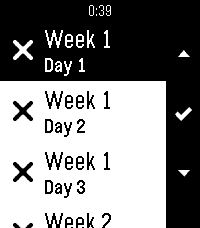
Health & FitnessCouch to 5K (C25K) Training app. Multi lanauge support: English, Français, Deutsche, Español. Supports a list of 24 days, all with individual progress indicators. Select a day to see the steps for that day, proceed to get a countdown clock with feedback for each step along the way. Open source, check description for github link.
 120
120Unified Remote
RemotesTurns your Android device into a remote control for your Windows PC. Control your favorite programs like Power, Power Point, Spotify, Pandora, FooBar2000,Media Monkey,VLC (Keyboard), YouTube, Chrome , Firefox, iTunes, Monitor, Netflix, XBMC and more. ATTENTION THIS IS NOT OFFICIAL APP. Unified Remote for Pebble , need companion app for Android, and you need to have Unified Remote Full.
 118
118World Cup 2026
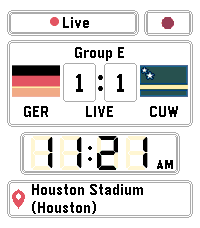
Tools & UtilitiesPebble's back just in time for World Cup 2026! Keep track of your favorite teams using this handy watchapp. Whether you love football, soccer or fútbol, this is the app for you! Created by Harvey Perks for Pebble
 118
118Medical ID
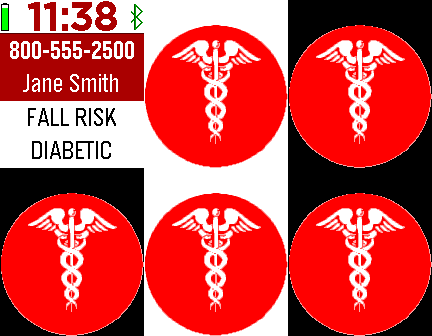
Health & FitnessThe Medical ID app displays your emergency information. Your custom text and an alert image periodically flash, bringing attention to the watch. This app employs a special wakeup feature and can be used with any Pebble watchface to periodically display your health info. Custom settings include choosing the display format, time intervals, alert image, vibration alerts, flashing, and more.
 118
118CityBuddy
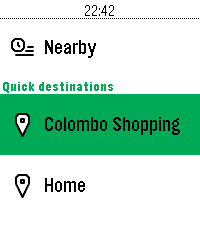
DailyPlan your public transit routes directly from your Pebble with CityBuddy. Quickly choose a destination, select a route, and check detailed stop information, all powered by the Transit API. Whether you're commuting to work or exploring a new city, CityBuddy is your wrist-based transit guide. Features: - Choose destinations from quick access options or by voice/typing. - Get route details and stop information. - Get the times for nearby transit. - Powered by real-time data from Transit. Public transit icons Copyright Jay Michalska <[email protected]> (CC BY-SA 4.0)