![Android Settings [Pebble Rocker]](https://assets.repebble.com/screenshots/52e1d432c16ac1b0760000e0-3.png) 133
133Android Settings [Pebble Rocker]
Tools & Utilities- Battery Level: view Android battery level and receive low battery notification (optional). - Ringtone: view/change state (silent/vibrate/normal) and volume. - Media Volume: view/change media volume. - Wifi: enable/disable wifi. - Bluetooth: enable/disable bluetooth. IMPORTANT: This watch app requires the Pebble Rocker companion app available via the Google Play store.
 133
133Step Mail
DailyThis app construct mail body line by line, and send it. You can edit all mail contents by registering to SmartWatch SandBox site( http://www.sw-sandbox.info/ ). The demo movie is as follows. https://www.youtube.com/watch?v=EiFgAOH7WpE
![Camera [Pebble Rocker]](https://assets.repebble.com/screenshots/52e1a519e819d8b787000043-1.png) 132
132Camera [Pebble Rocker]
Remotes- Use your Pebble watch to take photos with your phone. - Take an instant photo or use a timer from 5-30 seconds. - Turn flash on/off/auto from your Pebble. - Switch between rear/front camera from your Pebble. - Turn camera sounds on/off from your Pebble. - Preview taken photo on your watch. IMPORTANT: This watch app requires the Pebble Rocker companion app available via Google Play.
 132
132Calendar App
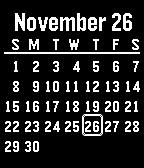
Tools & UtilitiesThis essential app gives you a one month calendar in 5 languages with optional week numbers. Pressing up/down changes the month. The Calendar is a WatchApp but can also be downloaded as a Watchface which complements other ways to tell time. The configuration menu lets you pick from 5 languages, background, start day and week numbers.
 132
132Living The Dream
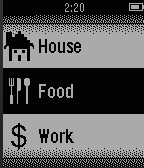
Games****NEW UPDATES*** (5/21/2015) Living The Dream is your second (better) life. Start off by getting a job to pull in some bacon. After earning mucho bacon, you can go to school, blow it on a new house, or simply cherish it because it's more money than what's in your real life bank account. Jokes aside, this is a very early release so don't expect too much yet. I currently have a whole list of updates and features I'll be adding to the game over the next couple weeks. Here's an incomplete list of confirmed upcoming new features: -View House: Will allow you to view the outside of your house. -Real Estate: Rent/Buy better apartments/houses. -Store: Will allow you to buy various things to interact with inside your house. Here is a list of unconfirmed (unconfirmed because I'm lazy and these would take a lot of coding) updates: -Stock Market/Investments: Make money while your player sleeps. -Walking work: Earn money and/or increase max energy for walking and exercising in your real life. -Avatar: A unique customizable avatar for every player. If you have any suggestions or ideas feel free to email me. Thanks! Changelog: 5/15/2015 (version 0.35) -Fixed bug with gym -Added vibrate option 5/16/2015 (Version 0.4) -Added auto save -Various bug fixes -Added Real Estate -Added cool icons 5/17/2015 (version 0.55) -Added food -Bug fixes. 5/21/2015 (version 1.1) -Added splash screen -Bug fixes -Lowered High School credits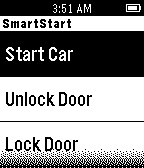 132
132SmartStart
RemotesUsing the SmartStart app, you can now remote start or lock and unlock your car just by pushing a button on your Pebble. You must own a Viper SmartStart system for this app to work correctly. http://www.viper.com/SmartStart
 132
132Hue On-Off
RemotesSimple remote control for your Hue appliance. Long press SELECT for brightness control. Long press UP or DOWN to switch all the lights On or Off. Hue ON-OFF is not affiliated with Philips company. Hue and all other Philips product names are trademarks or registered trademarks of Philips. JsHue: https://github.com/blargoner/jshue
 131
131Here To There
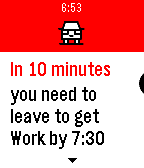
DailyNeed to stop for coffee before heading to work? Or want to make sure your home before dinner? Here To There is the watchapp for you. Input your home and work locations and it will let you know how long it will take you to get there. (Includes traffic delays). Also works with Pebble Timeline. Have the app send a Timeline pin to notify you when to leave.
 130
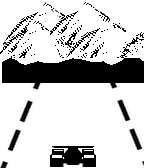
130Pebble Racer
GamesStay between the lines while you drive your F1 car around the track.
 129
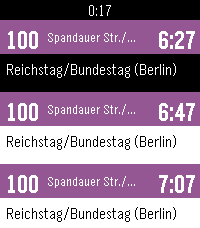
129Route! - Transit routing on your wrist
Tools & UtilitiesRoute! — Door-to-door transit routing on your wrist. Save up to 5 favorite destinations (home, work, gym...) and get real-time trip suggestions with just one tap. Route! finds your current location, calculates the best connections, and shows you exactly which lines to take, where to board, and when to transfer. Features: - Save favorite destinations via address search - Real-time routing from your current location - Line chain overview (e.g. S1 > U6) - Detailed trip view: departure times, platforms, transfers, walking legs - Color-coded bars by transport mode (subway, S-Bahn, tram, bus, ferry, regional) Coverage: Germany, Austria, Switzerland, UK, Ireland, Spain, Netherlands, Belgium, Denmark, Sweden, Norway, Poland, and more. Companion app to Abfahrt! (real-time departures). Powered by api.abfahrt.now
 129
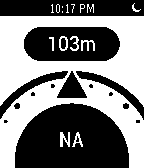
129North Pole
Tools & UtilitiesNorth Pole is an altimeter and compass for your Pebble watch. Put your phone's GPS and internal compass within a hand's reach
 129
129Hebrew and Arabic support for Pebble - e
DailyelbbeP lets you read Arabic and Hebrew everywhere on your Pebble smartwatch: text messages, calendar alerts, apps & more. Any Pebble can be upgraded to display Hebrew and Arabic, and there's no extra phone app required. Tap "Website Link" below to get started.
 128
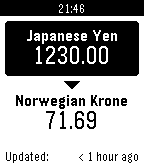
128Quick Currency Converter
Tools & UtilitiesLets you quickly convert between any two currencies, easily configurable. It is designed for travel and keeps the last loaded rate so it can be used without connection to the internet, or even your phone.
 128
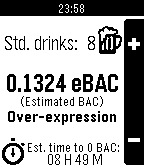
128SoberUp
Tools & UtilitiesCount your drinks, estimate your BAC, and learn about the effects of alcohol on your body.
 128
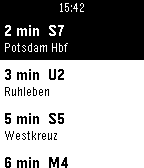
128Abfahrt! - Departure Times
Tools & UtilitiesReal-time departures across Europe. Supported by Pebble! Supports 25 countries with 101+ cities - check full coverage at: https://riles.tech/coverage/ Features: - Automatic location detection - Shows up to 15 upcoming departures - Smart station prioritization - Sorted by departure time - Refresh with SELECT button - Minimal battery usage Developer info: This project and its API are supported by Pebble! The API is developer-friendly and open to other Pebble devs - feel free to reach out if you want to use it in your projects! Support my development: https://ko-fi.com/rilestech https://buymeacoffee.com/rilestech Currently known issues: - Layout with Pebble Round (2) Thanks to all the transit agencies and open data providers making this possible!