 3
3Win Counter
Tools & UtilitiesKeeps track of the number of games you or someone else has won.
 3
3Happy Friend
Tools & UtilitiesA simple app for letting you know if a website is online or not. Inspired by both the Macintosh SE/30. Made with AI :/
 3
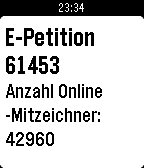
3Petition 61453
DailyEine App die euch den aktuellen Stand der Online-Mitzeichner der E-Petition 61453 des Deutschen Bundestages anzeigt. https://epetitionen.bundestag.de/petitionen/_2015/_10/_07/Petition_61453.html Verbraucherschutz - Keine Umsetzung von Artikel 20 Tabakproduktrichtlinie 2014/40/EU (elektronische Zigaretten) vom 07.10.2015 Der Deutsche Bundestag möge beschließen, dass die neue Tabakrichtlinienverordnung (Artikel 20), die die "elektronische Zigarette" betrifft, nicht umgesetzt werden soll.
 3
3Stocky
DailyStocky — track your investment portfolios right from your wrist. Built for the Pebble Time and its compact display: the same app laid out across more, simpler screens, so every number stays clear and easy to read on the smaller screen. On a Pebble Time 2? Look for "Stocky HD" instead — reworked for the larger, higher-resolution display, with bigger numbers and more information on every screen. Features: • Multiple portfolios and watchlists • Today's and all-time profit/loss, per stock and per portfolio • Multi-currency summaries • Price alerts you can set right from the watch • Historical price chart and news • Daily briefing Set up your holdings from the phone settings page. Powered by Yahoo Finance.
 3
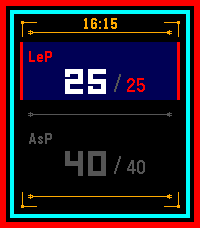
3DSA Health Bar
GamesHelps you track your character health, mana and karma points for the German tabletop RPG 'DSA'. Automatically calculates and displays pain level. Up/Down: Add or substract one point. Hold Up/Down: Add or substract 5 health points or 4 mana/karma points. Select: Switch between health and mana/karma. On the settings page, you can choose what to display (Health, health + mana, health + karma) and the maximum values of your character. Let me know about bugs or if you need more features!
 3
3Prepple
DailyA handy little flash cards app that helps you prep for your GRE exam
 3
3Yard Waste Week
DailyYard Waste Week is a simple application that quickly informs you if "this week" is yard waste week. Using the Yard Waste Schedule published by the Region of Waterloo, you have the option to select one of three regions: Waterloo, Kitchener, and Cambridge.
 3
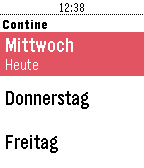
3Mensaplan Contine
DailyMensaplan für die Contine in Hannover. Zeigt das ganze Menü der Woche an. Keine Companion-App von Nöten. Dies ist ein Privatprojekt und wurde aus Spaß an der Freude programmiert. Weder das Studentenwerk, die Mensa oder die Uni Hannover sind an diesem Projekt beteiligt. Bei Fragen, Kritik oder Ideen gerne einfach per Email melden.
 3
3Insignia Live
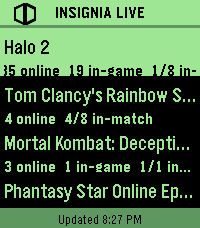
DailyInsigniaLive shows you who's playing original Xbox games online right now, straight from your wrist. - See active games on Insignia's Xbox Live replacement - View online, in-game, and in-match player counts Built for Pebble Time 2. --- - Comet Designs creates fun content for the Pebble platform. - For any bug reports, send them to us at [email protected]. - Buy me a coffee → https://ko-fi.com/cometdesigns *This app is not affiliated with, endorsed by, or connected to Insignia or Microsoft Xbox in any way.* 3
3GRE Reminder (with Chinese translation)
Tools & UtilitiesAn app for Chinese users to recite GRE words for conveniently.
 3
3HVV Departures - Hamburg
Tools & UtilitiesDeparture times of trains and buses around you, provided you are in Hamburg, Germany. Open the app and after a quick GPS check you get the list of all the departures around you. Somewhat unpolished since it's my first app, working on making it less basic. Screenshots are not from the app, the GPS check does not work in the emulator so Cloudpebble just grabbed the next best thing.
 3
3GymBuddy
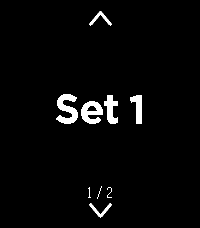
Health & FitnessGymBuddy ======== GymBuddy is a watchapp for Pebble Time 2 (Emery) that replaces paper notes and your phone at the gym. Build your training plans comfortably on your phone — machine settings, sets, reps, weight and rest time per exercise — and have them available on your wrist in large, glanceable text during your workout. SESSION LIST ------------ On launch, the watch shows all saved training sessions (up to 10). Up/Down or swiping up/down selects a session (loops at the ends). Select loads the chosen session. If the session is already cached on the watch and the phone is currently connected, the watch asks: load from the watch (instant, no phone needed) or sync fresh from the phone? With no connection, the watch automatically falls back to the last cached data — so your exercise list stays usable even when your phone isn't nearby. EXERCISE VIEW ------------- Two views per exercise, switch with a left/right swipe: • View 1 — exercise name, machine number, weight • View 2 — seat position, pad position, angle, sets, reps, rest time All values in large text with icons instead of text labels — deliberately designed for maximum readability at a distance. Up/Down or swiping moves to the next/ previous exercise (loops back to the start at the end of the list). A long press on Select highlights the currently shown exercise in green — handy for keeping track of what you've already done during your workout. REST TIMER ---------- Select starts the rest timer for the current exercise, shown as large, classic LCD-style digits. When it reaches zero, the watch vibrates twice and jumps back to the exercise. Pressing Select during the countdown cancels it immediately. CONFIGURATION (via the phone app) ----------------------------------- A custom-built configuration page instead of Clay, since training plans need dynamic lists: • Create, edit, delete and duplicate sessions and exercises • Reorder exercises by dragging (☰) • Rename a session directly from its exercise list • JSON import/export (e.g. to load a complete training plan in one go) • Switchable language: German or English (applies to both the watch and the configuration page) NOTE ---- Touch-swipe and the four hardware buttons both work at the same time — whichever is more convenient in the moment. Pebble Time 2 (Emery) only, uses the touch screen, RGB backlight and vibration motor. APP PICTURES ----------- https://imgur.com/a/38bk1Cv Vibecoded with Claude · Pebble Time 2 (Emery) only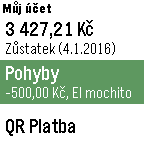 3
3Můj účet
DailyNeoficiálna aplikácia pre zobrazenie zostatku a pohybov na účte vo FIO Banke. Aplikácia využíva oficiálne API. Pre používanie je potreba vygenerovať token pre prístup k účtu vo FIO Internetbankingu (Nastavení/API) a ten potom zadať do nastavenia aplikácie. Zdrojové kódy aplikácie sú dostupné na GitHub: https://github.com/matopeto/fio-pebble
 3
3Run Tracker
Health & Fitnesstest app
 3
3outil de vocabulaire Francais-Anglais
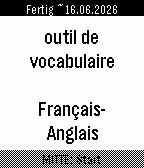
Tools & UtilitiesThis watchapp helps you to train 3000 French-English flashcards. As it is bidirectional, a French person can use it to learn the words in English. As well as an English speaking person can equally use it to learn French. Features: - uses Spaced Repetition System from Leitner/Ebbinghaus - learn difficult words in a dedicated deck that you marked as * (highlight) - option to have a rerun of all the wrong flashcards of the current learning session - estimated date of completion how to use the buttons during flashcard session: - DOWN: 1st click to reveal answer, 2nd click to mark it as known - UP: Repeat the wrong word - SELECT: highlight it and put it in a subdeck of hard words At the end of your flashcard learning session, you can repeat all your wrong flashcards you had wrong in this learning session. Have fun. If there is a mistake in the translations, feel free to tell it to me :) Credits: AnkiDeck 3000 Mots les plus courants Français-> Anglais from https://ankiweb.net/shared/info/899883645