 4
4SunPViewer
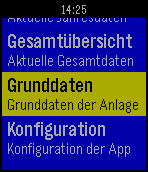
NotificationsMit SunPViewer haben Sie jederzeit Zugriff auf die Daten des Solar-Log (TM) Ihrer Photovoltaikanlage. Sie können zwischen Tagesansicht, Monatsansicht, Jahresansicht und Gesamtansicht wählen. Ebenso werden die Anlagendaten angezeigt. Die App unterstützt aktuell nur die 1st-Edition bzw. die SelfMade-Homepage.
 4
4Rocket - Your Research Docket
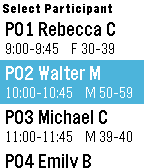
Tools & UtilitiesRocket is a tool designed for Usability or Market Researchers who need to see information about their participants at a glance. Input your participant data into a Google Sheet and Rocket will automatically display their name, session time, age, and gender.
 4
4Real-time Accel Graph
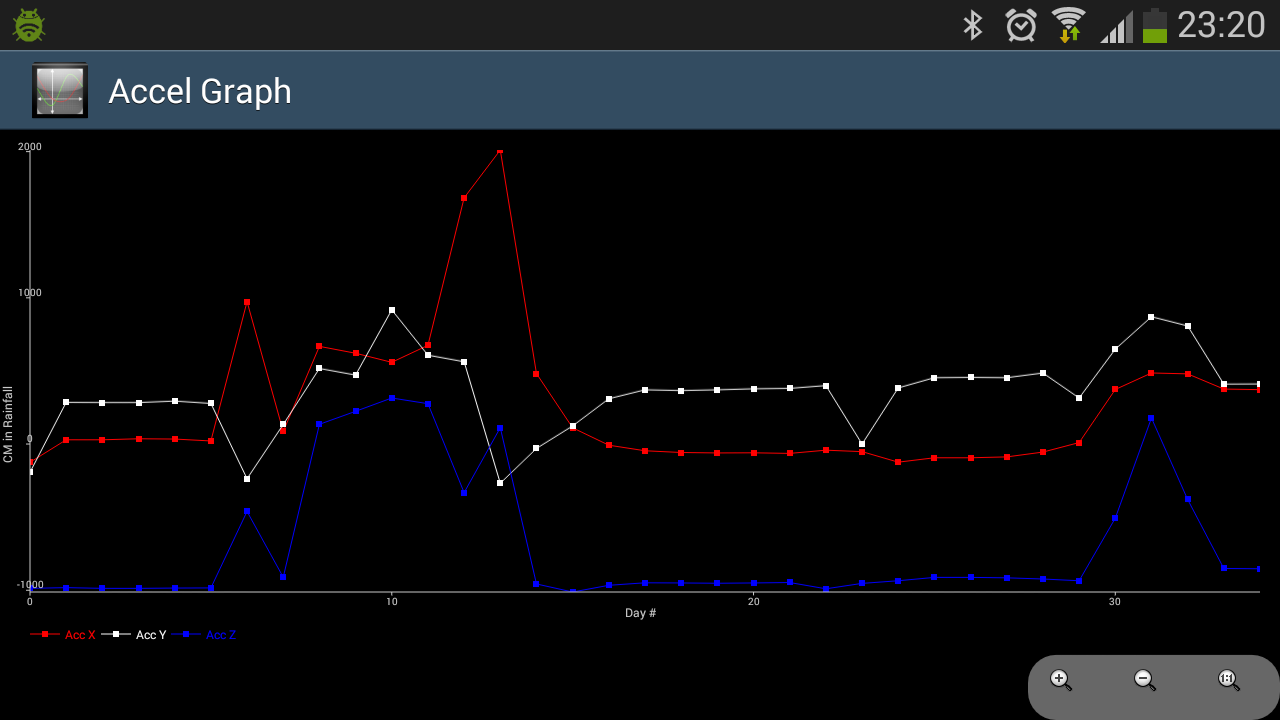
Tools & UtilitiesReal time graph visualisation of accelerometer data. Runs at a sampling rate 25hz. The values displayed represent the mean value of each axis (X, Y, Z)r eceived per second. The accelerometer data is transmitted to the phone using AppMessage protocol. The watch app displays the number messages sent to phone app/ received by phone app/ and failed to send to phone app.
 4
4Keboola Stats
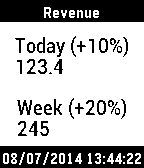
DailyThe most important BI metric at your fingertips (literally). “Keboola Stats” connects with your data to deliver business insights on the go. Whether it's a report on GoodData.com or just data somewhere, get realtime updates on your Pebble.
 4
4Phone Voice Commands
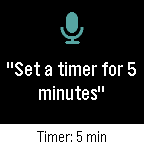
Tools & UtilitiesPhone Voice Commands lets you speak to your Pebble and have your Android phone do the work. Open the app, say what you need, check the words on the confirmation screen, and your phone carries it out. The answer appears on your watch, with one vibration when it worked and two when it did not. Things you can say: Calls and texts - "Call Mom", "Call Sam on his mobile", "Ring Dad at work" - "Call 555 1234", "Dial +1 555 123 4567" - "Text Sam I'm running late", "Send a message to Mom saying happy birthday" Directions - "Navigate to the airport", "Take me home", "Directions to 221 Baker Street" - "Walk to the park" for walking directions Timers and alarms - "Set a timer for 5 minutes", "Timer for an hour and a half" - "Set an alarm for 7:30 am", "Wake me up at 6", "Alarm at noon" - "Wake me up in 20 minutes" Music and volume - "Play", "Pause", "Next song", "Previous song" - "Volume up", "Volume down", "Volume 50 percent", "Max volume" - "Mute", "Unmute" Flashlight and apps - "Flashlight on", "Turn off the torch" - "Open Spotify", "Launch the camera" Say "Help" to see a few examples on your watch. You can speak naturally: "Hey, can you turn on the flashlight please?" works as well as "Flashlight on". Numbers can be spoken as words or digits. Contacts are matched by whole names, so the app never guesses; if two people share a name, it asks which one you meant. Texts keep your words and punctuation exactly as dictated and go out on your phone's default SIM. In Settings, choose a dark or light theme, start listening as soon as the app opens or wait for the Select button, keep or skip the confirmation screen, return to your watch-face after a command works, and switch vibrations on or off. Works on Pebble watches with a microphone: Pebble Time, Time Steel, Time Round, Pebble 2 (not the 2 SE), Pebble 2 Duo, Pebble Time 2, and Pebble Round 2. Android only. Phone Voice Commands requires its free Android companion app, located on our website: https://ark-am.com/projects/pebble-apps You can also download the companion app directly from: https://ark-am.s3.us-east-1.amazonaws.com/App_Pebble/phone-voice-commands-1.1.0-android.apk Once installed, open the companion app and allow Contacts, Phone, and SMS for calling and texting; each one is optional and only the commands that need it are affected. On Android 10 and newer, also link your Pebble once in the companion app so timers, alarms, directions, and opening apps can work in the background. Your speech is turned into text by the Pebble phone app's dictation; after that, commands are carried out on your phone and are never sent to our servers. Android 7.0 and newer. Created by Ark-am LLC. Discover our work and custom software development services: https://ark-am.com/
 4
4FloodWatch
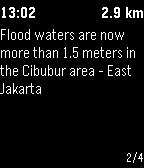
DailyOn-Hand Flood Alerts FloodWatch is a Pebble app that shows nearby reports of flooding in Jakarta, Indonesia. Reports are collected from the open source flood map PetaJakarta.org. The app lists reports within five kilometers of the watch location, and displays the time the report was listed and the current distance from the watch. The app allows the user to select individual reports on the watch to view more details.
 4
4TheEconFeed
DailyA section menu of all 17 Economist sections leads to scrollable headline-and-dek feeds you can flick through story by story. Everything is cached on the watch, so once a section has loaded it keeps working offline from that cache. Reads The Economist's public RSS feeds. Not affiliated with or endorsed by The Economist. Collects anonymous usage statistics, including approximate country.
 4
4Tell-A-Photo
RemotesThis is a support watch app for the MACAAN system. Please contact us before downloading if you don't know what it is.
 4
4ClockChaser
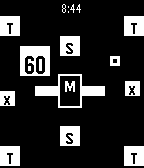
GamesTime is running out as you move your wrist to maneuver your pebble piece into a randomly roaming countdown clock to score points. Advance to the next of 19 levels of increasing complexity, with your player rating improving with each successfully completed level. You'll have to avoid many hazards as you improve from "One Step Below Terrible" to "Greatest Person in World History".
 4
4Tall
DailyUse the Watchface Tall. The App Tall will be unpublished at the end of the year.
 4
4Reaction Wrist
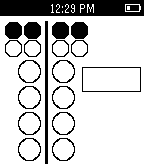
Tools & UtilitiesThis is a Pebble variant of a drag racing practice tree. Simulates a real Christmas Tree and used to practice reaction times for actual racing. Features a customizable rollout. Controls: Hold the SELECT button to start, and release to get your reaction time. Hold the DOWN button to bring up the rollout menu; UP or DOWN to change the value, and hold SELECT to save and exit.
 4
4UUlm Mensaplan
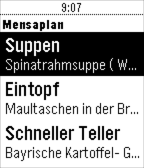
DailyThis app can fetch and display the 'Mensaplan' of Ulm University. It can show the menu of UUlm's Mensa, Bistro, Cafeteria Nord, Cafeteria West, Mensa Hochschule, Burgerbar SouthSide, and WestSideDiner. Currently only the menu of the current day can be viewed. For more information, please visit http://uulm.de/mensaplan The raw data for this app is generously provided by the Fachschaft Elektrotechnik: https://www.uni-ulm.de/mensaplan/impressum.html
 4
4Bean Bags
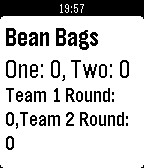
Tools & UtilitiesA great app to keep score of your bean bags game! Controls: Up and Down: Change the round score up or down Up and Down Hold: Change the score by three Select: Toggle between teams Select Hold: Next Round Shake: Quick Calculation of Currently Inputed Round Scores
![RITBus [BETA]](https://assets.repebble.com/screenshots/56e8053abbcd74ba4b000004-0.png) 4
4RITBus [BETA]
DailyAn app that allows Rochester Institute of Technology students to see how soon the various campus busses are going to hit the bus stops. A few of these busses currently don't work due to an issue with the transit provider.
 4
4VATSIM ATC Viewer
Tools & UtilitiesJust you can check opening ATC stations on VATSIM. This is unofficial application. source code available on github. https://github.com/halka/vatsim_atc_for_pebble