 5
5HTTP Call-ur
RemotesLaunch the app to make a http call (get/post/etc) to a user definable url. Add headers or a body and set up authentication.
 5
5Estimate EV Charging Time
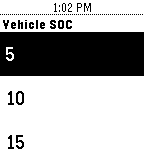
Tools & UtilitiesEstimate the time it will take to charge your Electric Vehicle (EV) and get notification when it is to be charge complete. The estimate is based upon knowing/setting the vehicle battery size and the vehicle initial SOC (State Of Charge) when you start charging. Estimates are made for Level 1 ( L1 @ 1.4 kW) and Level 2 (L2 @ 3kW & 6kW) capacity chargers. You can exit> the application after you advance through the screens and you will be notified with vibration at the time when L1 or L2 is at 100%. You can reset> if you want to cancel this reminder or start with a new charge cycle estimate. For these estimates to be accurate you will need to know and configure your initial battery capacity and set the initial SOC when you start your charging cycle.
 5
5Arrow Mate Outdoor
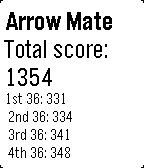
Health & FitnessOutdoor archery target scoring app. Select score with the up and down buttons, enter score with the select button and delete the last score by holding down the select button. Hold the up key for view of all past scores. You can delete scores back to the start of your scoring. After every 36 arrows it will notify you of your round total for the last 36 arrows. After 144 arrows it will give you your end total and each round total.
 5
5Nivel de Polen en Castilla y León
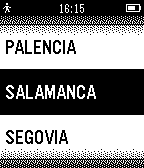
DailyMuestra los niveles de polen actual y previstos para Castilla y León. La información procede del servicio de Datos Abiertos de la Junta de Castilla y León
 5
5Affstatus
Tools & UtilitiesCheck your affiliate commissions on your wrist
 5
5Tvheadend-EPG
DailyThis uses the Tvheadend that you have installed on your PC, and shows the Program Guide. This is not an official app.
 5
5Prime for Pebble
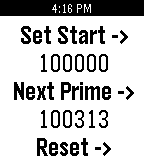
Tools & UtilitiesPrime number generator for Pebble. Press top-right button to set the starting point (in +1000 increments) Press middle button to generate next number in sequence Press bottom button to reset starting point and prime sequence.
 5
5Bitcoin Value
Tools & UtilitiesApp that gets the current value of Bitcoin currency, in BRL and USD
 5
5Food Pics
Daily15+ quality food pictures right on your Pebble Time or Pebble Time Steel. Food is from many different cuisines including Chinese, Italian, Greek, desserts, Indian and more. All food photographed by David McAfee.
 5
5INTERVAL
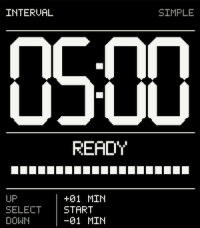
Tools & UtilitiesA timer app. Simple, clean, more when you need it to be. (Long-press UP)
 5
5PetitionWatch
DailyLanguage support: English, German Tracking petition signatures on several petition sites. Currently available: petitions.whitehouse.org epetitionen.bundestag.de Will update to allow tracking more kinds of petitions / of other countries in the future. How to use: On your first use, you will be asked to open the app settings on your Pebble App on your phone. Search for your desired petition by name, keyword or petition number, set your language and refresh rate. (Lower refresh rates will most likely drain your battery more than higher rates.) Pebble use: up button: language select select button: refresh rate down button: short info about the chosen petition. Tap/Flick to force refresh. -------------------------------------------------------------------- Verfolge den Mitzeichnungsstand auf verschiedenen Petitionsseiten. Momentan unterstützt: epetitionen.bundestag.de petitions.whitehouse.org In späteren Updates, wenn die Nachfrage auch da ist, werden weitere Arten von Petitionen trackbar sein. Wie zu benutzen: Beim ersten Start der App, wirst du aufgefordert werden die App-Einstellungen in der Pebble App auf deinem Handy vorzunehmen. Suche dort nach der gewünschten Petition, stelle die Anzeigesprache ein und wähle die Aktualisierungsrate aus. Niedrigere Werte werden naturgemäß eher die Batterie leeren als Höhere. Auf deiner Pebble: Up-Button: Sprachauswahl Select-Button: Aktualisierungsrate Down-Button: Kurzinfo Tappen/Schütteln: Counter aktualisieren
 5
5Roman Missal
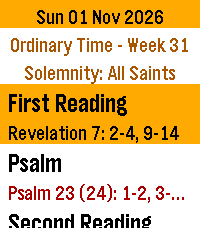
DailyA worn cover. A ribbon left between the pages. The familiar red words that once helped us find our place. A missal can carry the memory of years spent in prayer, and of the people who sat beside us. Daily Roman Missal brings a little of that familiarity to your Pebble Time 2. The readings for ordinary mornings and great feast days are gathered together on your wrist, ready when the church grows quiet. Open it to today's Mass readings, with the season and the names of feasts, memorials and solemnities. The whole reading library is stored on the watch. No account or internet connection is needed to read. Bold Large and Extra Large text, red Scripture references and seasonal colors make the pages easy to follow. A little crimson ribbon keeps your place as you read. Move from one reading to the next with Down, or return with Up. Settings opens with a Select tap in the reader, with a dark Church mode for quiet surroundings. Hold Select for 0.7 seconds to exit to the launcher, then press Back to return to your watchface. Find reading and date shortcuts in Controls, after Settings on the main menu. Swipe to scroll, tap for a few lines, or hold to turn pages. Look ahead to Sunday or the next feast. An evening shortcut opens tomorrow's readings and, where available, a choice of Mass. The launcher can show today's celebration before you open the app. Choose Mass offers Christmas Day, Vigil, Night and Dawn readings; the Easter Vigil with the year's Gospel and a psalm choice for celebrations with or without baptism; simple and extended Pentecost Vigil readings; and the vigils of the Nativity of St John the Baptist, Saints Peter and Paul, and the Assumption. The daily readings remain the default until you choose another Mass. Opening the app or changing dates restores the daily default. “The important thing is that we should love the Mass and make it the centre of our day.” — St. Josemaría Escrivá, Christ Is Passing By, no. 154 This edition contains selected English Mass readings for the General Roman Calendar, 2020–2037. It is a daily reading companion, rather than the complete liturgical Roman Missal: the Order of Mass and all its prayers are not included. One default reading set is provided for each date with a daytime Mass, with the special Mass choices listed above. National and local calendars and optional memorial choices are not included. Epiphany is January 6; Ascension and Corpus Christi are Thursdays. Holy Saturday has no daytime Mass; its Easter Vigil is for after nightfall. The Easter Vigil includes all seven Old Testament readings, the Epistle and Gospel. Long reading forms and first psalm options are used, with the Easter psalm choice noted above. The intervening prayers and complete vigil rites are not included. Readings: Pocket Missal Project, Pocket Missal [v.04.X.2026], based on the New American Bible; John 8:12–20 supplied from USCCB (CCD). Calendar: romcal (MIT). No analytics or personal data collection.
 5
5Cube Scrambler
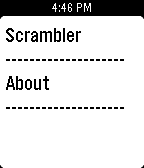
Tools & UtilitiesA convenient cube scrambler right on your wrist! Currently available scramblers: 3x3 (Random State)
 5
5ProverbIT
DailyUn proverbio italiano a caso. Se agiti il polso ne caricherai un altro.
 5
5Choose For Me
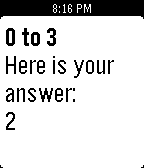
Tools & UtilitiesCan't decide where to eat tonight, or what to wear? Simply assign numbers to your choices and hit "choose".