 6
6Liveblog
NotificationsLiveblog tracker for Pebble Time, utilizing the new Timeline functionality. 1. Before (or during) a live event, install the app on your Pebble Time. 2. Once the app is installed on your Pebble Time, open it. It should say "Subscribed". 3. Now, just wait for updates! 4. They will show up as past updates, so click the up button on the right side of your Pebble Time. 5. Only one card will be pushed for a live event, but it will update continuously. 6. Click the middle button on your Pebble Time, and voila! 7. Tip: You can keep the card open on your Pebble Time, as it updates itself! Cool, right? Because of Pebble Time's e-paper screen, keeping the display on won't drain your battery. Open-Source on GitHub.
 6
6Bitcoin wallet
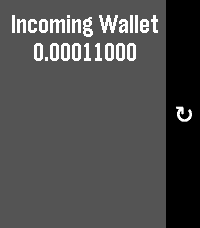
Tools & UtilitiesCheck the value of a bitcoin wallet through pebble. Configurable Wallet name and Bitcoin Address. Wallet Information from blockchain.info API
 6
6NOS Teletekst
DailyNOS Teletekst voor Pebble! Al het belangrijke nieuws in één oogopslag op je pols. Ideaal om snel het belangrijkste nieuws te checken.
 6
6Gamification Elements
Tools & UtilitiesThis is a simple app for aimed at those interested in gamification. It displays random gamification elements and mechanics from the Gamified UK Gamification Elements list. Shake to jump to a new random element Middle button to move to the next element Up and Down to scroll through the description
 6
6Monarch Net Worth
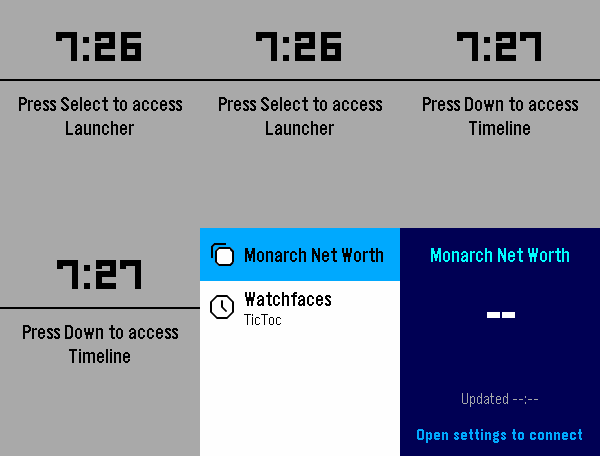
DailyQuickly see your latest Net Worth figures from Monarch
 6
6Buss i Trondheim
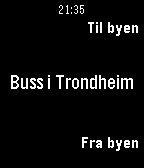
Tools & UtilitiesBussavganger i sanntid for buss i Trondheim. Viser stoppene nærmest deg, enten til eller fra byen.
 6
6Tử Vi Hàng Ngày
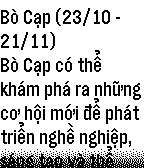
DailyXem tử vi hàng ngày của bạn trên Pebble Watch thật dễ dàng với phần mềm này. Hướng dẫn: Sau khi cài đặt, nhớ vào phần Setting để chọn cung hoàng đạo của bạn. Một sản phẩm đến từ http://pebblevietnam.com, phát triển bởi Trần Nhật Duy (HUTECH).
 6
6PVC's TimeSlicer
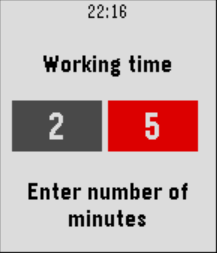
Health & FitnessSlice your time with TimeSlicer. Whether you are working or working out, it's important to keep focus and to have regular breaks. TimeSlicer warns you when it's time to have a break, and time to start working (out) again. After the configured time (by default 25 minutes) your Pebble will vibrate, telling you it's time to have a break. Stay focused until your Pebble vibrates. No more looking at your watch again. When resting time is over (by default 5 minutes) your Pebble will vibrate again. Back to work. Working time and resting time can be configured up to 99 minutes. Use SELECT button to configure the times. Use the UP button to temporarily pause the time. Use the DOWN button to quickly switch to a new work or rest period.
 6
6SimpleCounter
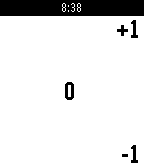
Tools & UtilitiesA simple counter app. Saves count on exit, no vibrations, no fancy colors. Comma separated digits by groups of 3. (Free Pro feature) Up / down buttons for +1 / -1 . Long press down to reset count to 0 . Long press select to adjust count by +50 / -25 , long press select again to return to normal counting mode.
 6
6HelpAnyTime
RemotesEmergency alerts directly on your phone (companion app needed). For example, give your Pebble to your grandma and go to sleep, she will be able to wake you up immediately just by pressing a button! No more shouts from a room to another. This app will just show the time until any button press is triggered. Press any button to send a notification to your phone. Keep pressed the back button to close the app.
 6
6Plant friend
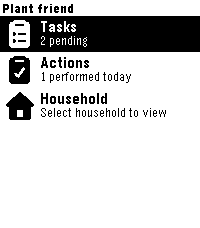
Tools & UtilitiesPebble watchapp for Plant friend. Keep track of your plant care schedule directly from your watch.
 6
6Basic Weather
DailySimple weather app that finds your location and displays your location, a description of the weather, and the temperature. Press Select while in the app to determine the unit used for measuring temperature.
 6
6Digital Dice Roller
GamesDigital Dice Roller Choose your dice and roll on your wrist! A handy dice roller for tabletop gamers — right on your Pebble watch. No need to carry physical dice to your game night. Features: 6 dice types: 4-sided, 6-sided (cube), 8-sided, 10-sided, 12-sided, and 20-sided Shake your wrist or press SELECT to roll Classic d6 shows dot pips, other dice show numbers Stylish 3D isometric dice graphics Rolling animation with vibration feedback Roll history — see your last 3 results Controls: SELECT / Shake — Roll the dice UP / DOWN — Switch dice type Perfect for D&D, board games, or any time you need a quick random number.
 6
6Card Stats
RemotesThis is a support watch app for the MACAAN system. Please contact us before downloading if you don't know what it is.
 6
6Agile Sprint Health
DailyGet a quick overview of your team's JIRA Agile sprint status, including current sprint name, days remaining, and number of story points left to complete. This application requires a valid JIRA Agile installation with the REST API enabled as well as a valid user with READ permissions. This application is in no way affiliated with Atlassian or any of their products.